
How to Change Project Visibility
You can switch a project between Public and Private visibility from the project list. This allows you to control who can see or join that project.
Steps to Change Project Visibility
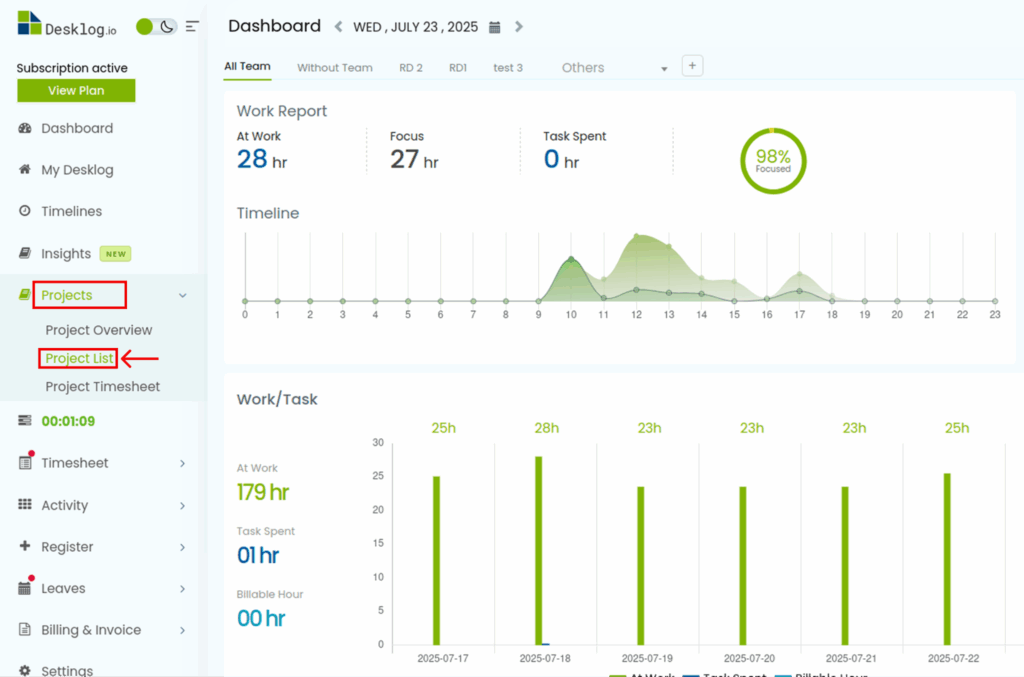
- Go to Projects
In the left-side menu of Desklog, click on Projects. - Select “Project List”
Inside the Projects section, choose Project List from the menu on the left.
- Choose the Project
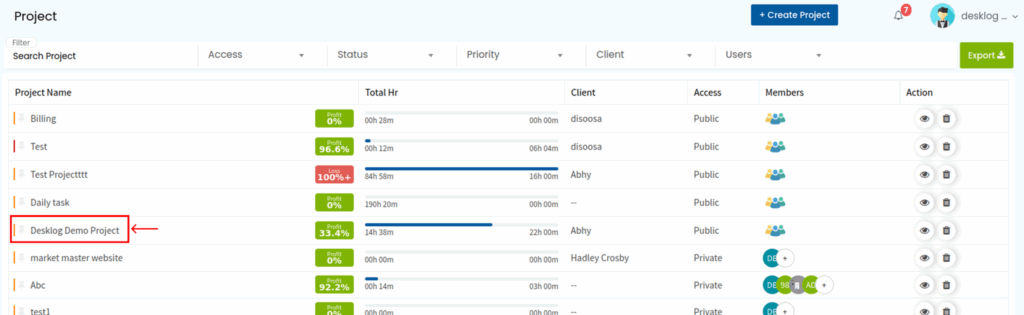
From the list of projects, click on the project whose visibility you want to change.
- Open the Visibility Menu
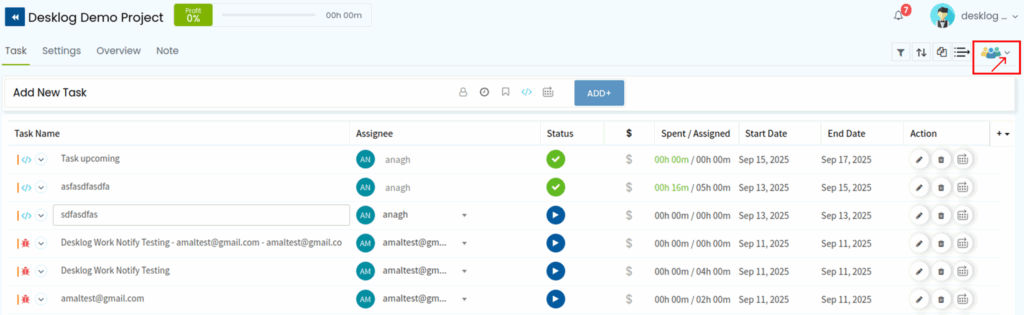
In the project window, look to the top right corner. You’ll see several quick-action menus. - Click the Team Icon
Click the team icon among those quick actions. This will open a new window or pane.
- Change Visibility Setting
In that new window, look for the Visibility option. You can toggle between Private or Public.
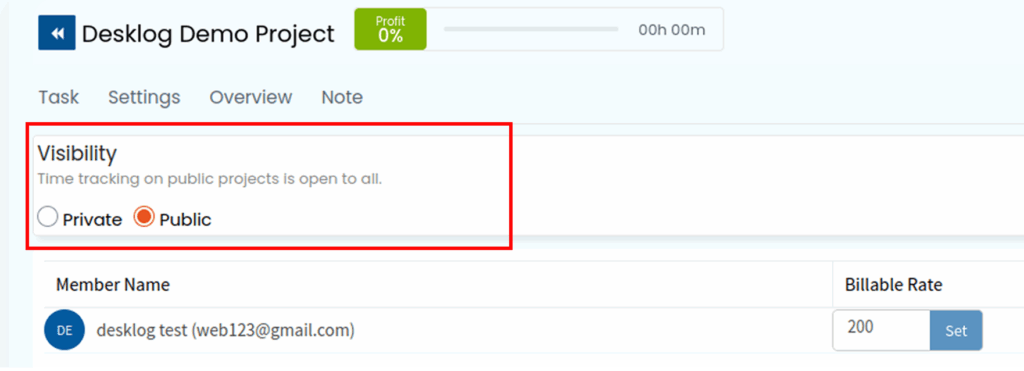
- Private = only invited/authorized users can see the project
- Public = all users in your organization can see/join
🔍 Notes and Recommendations
- Changing visibility does not alter existing memberships; it only changes who can see the project going forward.
- If you change a project to Private, existing public users may lose access.
- Use Public for open collaboration or internal transparency projects; use Private for sensitive or restricted projects.
- Always double-check after changing visibility that the desired users still have access.