
Workforce Management Software
Real-Time ProductivityTeam VisibilityReal Time Insights
Desklog workforce management software transforms how organizations manage their teams, combining time tracking, attendance, and productivity insights to simplify workflows, optimize resources, and drive higher efficiency.



The #1 Work Intelligence Software





What is Workforce Management Software?
Workforce management software is a digital solution that helps businesses manage employee work hours, productivity, attendance, and team performance from a single platform. It enables organizations to monitor workflows, optimize resource utilization, and improve operational efficiency, especially for remote and hybrid teams.
How Workforce Management Software Improves Productivity
Workforce management software helps organizations gain clear visibility into how work is performed across teams. Tracking work patterns and analyzing productivity data helps identify inefficiencies, time gaps, and performance trends.
With these insights, managers can allocate resources more effectively, balance workloads, and eliminate unnecessary time waste. This data-driven approach enables teams to work more efficiently, improve accountability, and achieve higher overall productivity.
Key Features of Workforce Management Software
Automated Time & Work Tracking
Desklog automatically records all work hours, including focus time, idle periods, and offline work, removing the need for manual timers.
Benefits:
- Accurate and transparent time logs
- Eliminates manual errors
- Supports payroll accuracy and task accountability
Productivity & Workforce Insights
Real-time dashboards show team productivity trends, work patterns, and focus scores, helping managers make data-driven decisions.
Benefits:
- Individual and team productivity metrics
- Bottleneck detection and workload optimization
- Trend analysis for strategic planning
Project & Task Management
Track projects with task breakdowns, Kanban boards, and subtask tracking, providing clarity on work distribution and deadlines.
Benefits:
- Assign and track task progress efficiently
- Link tracked hours to projects for reporting
- Identify high-demand tasks and workload imbalances
Billing & Financial Reporting
Automated project billing and invoicing based on tracked hours reduces errors and supports accurate profit/loss analysis.
Benefits:
- Generate client invoices automatically
- Monitor project profitability
- Simplify billing workflows
Reports & Automation
Desklog produces automated timesheets and reports for attendance, projects, tasks, and productivity, available in PDF or Excel formats.
Benefits:
- Reduces administrative workload
- Provides data-driven insight for management
- Helps track trends over time
Employee Wellness Features
Desklog helps teams maintain healthy work habits with automated reminders, alerts, and productivity suggestions for balanced workloads.
Benefits:
- Break and rest reminders to reduce burnout
- Overtime alerts for balanced workloads
- Supports long-term productivity and employee wellbeing
Mobile & Remote Work Support
Desklog works across desktop, web, and mobile, making it ideal for hybrid and remote teams to track time, manage tasks, and monitor productivity.
Benefits:
- Accurate time tracking anywhere, anytime
- Geo-tracking for location-based attendance and workforce visibility
- Real-time reporting for remote team performance
Desklog vs Traditional Tools
| Capability | Traditional Tools | Desklog |
|---|---|---|
| Time Tracking | ✕ Manual timers | ✓ Fully automated tracking |
| Productivity Insights | ✕ Limited metrics | ✓ Advanced analytics & dashboards |
| Workforce Visibility | ✕ Partial | ✓ Real-time monitoring |
| Reporting | ✕ Basic reports | ✓ Automated, exportable reports |
| Remote Team Support | ✕ Limited | ✓ Built for hybrid & remote teams |
Upgrade From Manual to Intelligent Workforce Management Software!
Discover how automation and real-time insights transform team performance.
Integrations & Ecosystem
Desklog workforce management software connects easily with your workflow tools, centralizing project management, time tracking, and productivity insights.
Jira & ClickUp
Sync tasks and projects automatically, link tracked hours, and get real-time visibility into team performance.
API Support
Customize Desklog to integrate with your internal systems or third-party tools for a fully tailored workflow.
Expandability
Future-proof your workforce management setup with the ability to add new integrations as your team's needs grow.
Business Impact of Desklog
Organizations using Desklog workforce management software experience measurable improvements in workforce visibility, operational efficiency and project delivery.
- Greater Visibility into Team Productivity
- Reduced Time Tracking Errors
- Improved Workforce Allocation
- Better Project Profitability
- Data-Driven Decision-Making

Greater Visibility into Team Productivity
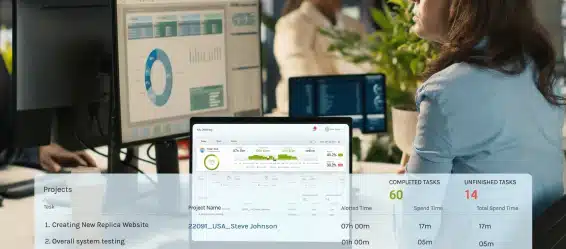
Gain clear, real-time insight into how teams work, helping managers understand performance patterns and identify improvement opportunities.
Reduced Time Tracking Errors and Manual Work
Automated tracking minimizes manual input, improving accuracy while reducing administrative workload for teams and managers.

Improved Workforce Allocation and Planning
Understand team capacity and workload distribution to assign resources more effectively and plan projects with confidence.

Better Project Profitability Monitoring
Connect time data with project performance to evaluate costs, optimize budgets, and improve financial outcomes.

Data-Driven Decision-Making Across Teams
Access reliable workforce analytics that support strategic planning, operational efficiency, and continuous performance improvement.
Best Workforce Management Software for Every Industry






Track development time across projects, measure sprint velocity, and understand workload distribution in real time. Identify bottlenecks early, balance team capacity, and improve delivery timelines with actionable performance insights.
Monitor billable hours with precision, evaluate project profitability, and assess client performance from a single dashboard. Gain clarity on resource utilization to maximize margins and make smarter staffing decisions.
Stay connected to distributed teams with automated time tracking and real-time visibility into productivity. Ensure accountability, simplify collaboration, and maintain consistent performance across locations and time zones.
Scale workforce operations without increasing administrative overhead. Automate tracking and gain clear, real-time performance insights to make faster, smarter decisions.
Centralize workforce analytics across departments with robust reporting and scalable productivity insights. Optimize operations, enhance strategic planning, and drive organization-wide efficiency with data-driven decision-making.
Track on-site work hours, monitor field activity, and ensure accurate time capture across multiple locations. Gain visibility into workforce deployment, reduce time leakage, and improve project cost control with real-time data from both field and office teams.
Pricing & Plans
Choose the plan that fits your team. Start free, upgrade as you grow.
Free
Individuals & Solopreneurs
- Up to 3 users, unlimited projects
- Automated timesheets
- Wellness reminders
- Core tracking
Business
Small & Mid-size Teams
- Project billing
- Dashboards
- Reports
- Email summaries
Enterprise
Growing & Hybrid Teams
- App/URL tracking
- Profit/loss reporting
- Geo-tracking
- Jira & ClickUp integrations
Flexible Monthly/Annual Billing | Free Trials Available | No Credit Card Required To Start
Reviews
View our rating in top platform

Loved by 0+ Teams Worldwide
See what our customers have to say about Desklog
Manager
Manager
Manager
Manager
Manager
Sr. System Administrator, Heckyl Technologies Pvt Ltd
Manager
Director, Focuz Line Shipping Co Ltd, Saudi Arabia
Manager
Sr. System Administrator, Mantra Softech India Pvt Ltd
Managing Director, Sanesquare Technologies
CEO, RedTeam Hacker Academy Pvt Ltd
Ready to Gain Complete Visibility And Control Over Your Workforce?
Desklog empowers teams with real-time productivity insights and simplified operations.
Frequently Asked
Questions
Everything you need to know about Desklog workforce management software.