No more tedious manual calculations! Our free online Time Card Calculator brings you a simplified and accurate way of calculating your time for precise timekeeping!

| Clock-in | Clock-out | Break | Total | |||
|---|---|---|---|---|---|---|
| Monday |
:
|
:
|
: hr
|
: hr
|
||
| Tuesday |
:
|
:
|
: hr
|
: hr
|
||
| Wednesday |
:
|
:
|
: hr
|
: hr
|
||
| Thursday |
:
|
:
|
: hr
|
: hr
|
||
| Friday |
:
|
:
|
: hr
|
: hr
|
||
| Saturday |
:
|
:
|
: hr
|
: hr
|
||
| Sunday |
:
|
:
|
: hr
|
: hr
|
||
Time cards provide a simple way to record employee work hours, including start and end times and break periods. These can be manually filled out or tracked digitally using time tracking software or online time card calculators. This data is fundamental for accurate payroll calculations, tax filings, and productivity analysis.
Time card calculator or time clock calculator simplifies the process of calculating total work hours by automatically processing clock-in and clock-out times, including breaks. This facilitates payroll processing by providing accurate reports on total hours worked and overtime, ensuring timely and precise employee compensation.
Manual time card calculations involve manually recording and calculating employee work hours. This method is prone to errors and time-consuming, especially for businesses with a large workforce.
Spreadsheet-based calculators, such as those in Microsoft Excel or Google Sheets, offer flexibility for customizing calculations. However, they require initial setup and ongoing maintenance to ensure accurate results. This method can be time-consuming, especially for frequent updates and complex calculations.
Online timesheet calculators are of two types:
Instant time clock calculators offer a convenient and accurate way to track employee work hours. However, their limited functionality, such as the inability to store data history and track multiple employees, may restrict their use in larger organizations with complex scheduling needs.
If you just need a quick daily total, try our Work Hours Calculator for simple clock-in/clock-out calculations.
Time tracking softwares like Desklog offers an extensive solution for work hours management by providing features such as automated time tracking and recording entries in real-time in an automated timesheet, thus minimizing the possibility of making mistakes.
This H2 section targets the 'how to calculate work hours' intent and enables HowTo schema.
| Step | Action | Detail |
|---|---|---|
| 1 | Enter Clock-In Time | Enter the time you started work (e.g. 9:00 AM) |
| 2 | Enter Clock-Out Time | Enter the time you finished work (e.g. 6:00 PM) |
| 3 | Add Break Duration | Enter total break time in minutes (e.g. 30 mins) |
| 4 | Select Schedule Type | Choose Daily, Weekly, or Biweekly depending on your pay period |
| 5 | View Your Results | Total hours, overtime, and optional pay are calculated instantly |
| Calculator Type | Best For | Keyword Targeted |
|---|---|---|
| Daily Time Card Calculator | Single-day shift workers | time card calculator |
| Weekly Timesheet Calculator | Standard 5-day work week | weekly timesheet calculator |
| Biweekly Time Card Calculator | Bi-weekly payroll teams | biweekly time card calculator |
| Overtime Calculator | Hourly employees & managers | overtime time card calculator |
| Time Card with Lunch Break | Shift workers with breaks | time card calculator with lunch break |
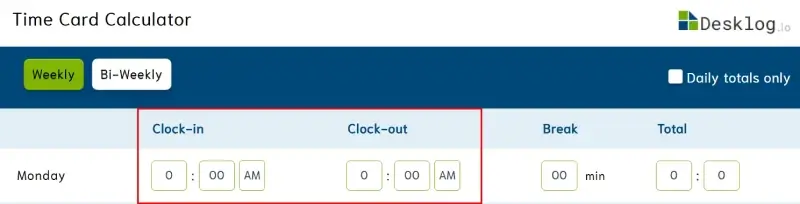
Begin by accurately entering your clock-in (time you started work) and clock-out (time you end work) times. This essential step forms the foundation for calculating your total work hours.
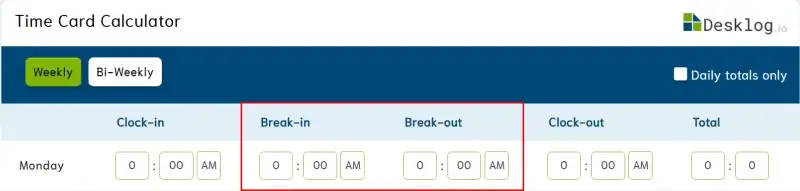
Next, enter your break's start and end times to add a break deduction. You can either enter the total break time or go to Advanced Options and select Specify Break Start/ End time to manually enter the timeframe.
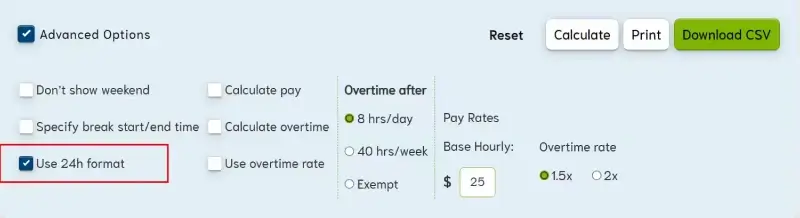
From Advanced Options, select the Use 24h format to apply this notation. Using the 24-hour format ensures accurate calculations of work hours, eliminating any potential confusion associated with the 12-hour format.
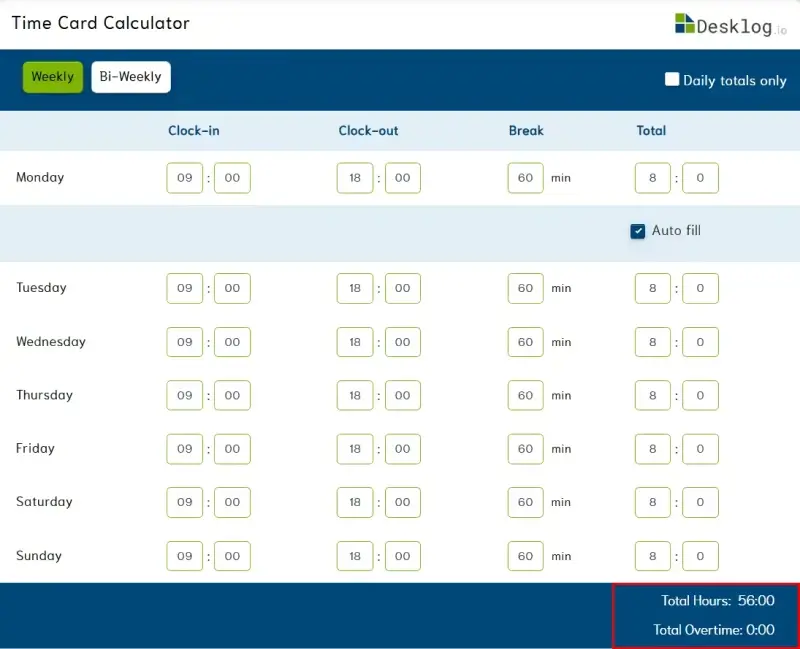
Review your time card entries to ensure accuracy. Verify that all clock-in, clock-out, break-in, and break-out times are correctly recorded and organized.
Once you've reviewed your time card entries, click on the "Calculate" button to generate a detailed report of your total work hours, including any breaks taken.
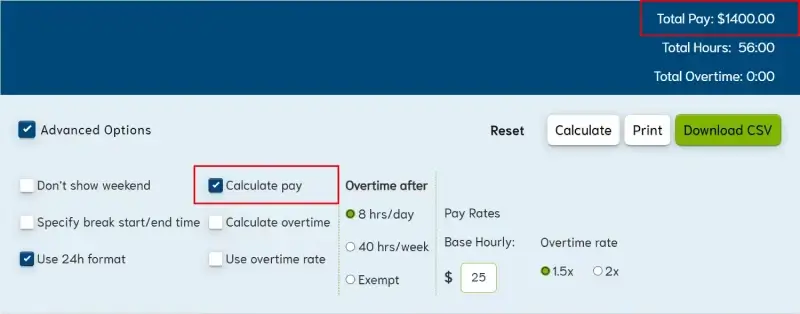
The Calculate Pay feature under Advanced Options allows you to determine your total earnings by entering your hourly rate and calculating based on your total work hours.
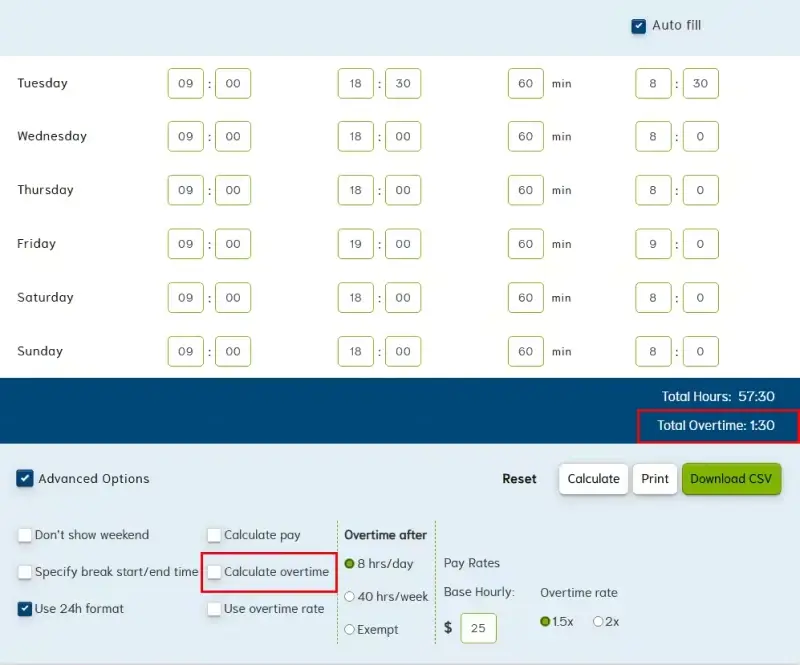
The Calculate Overtime feature in Advanced Options helps you determine additional pay for any hours worked beyond the standard daily or weekly limit (e.g., 8 hours/day, 40 hours/week).
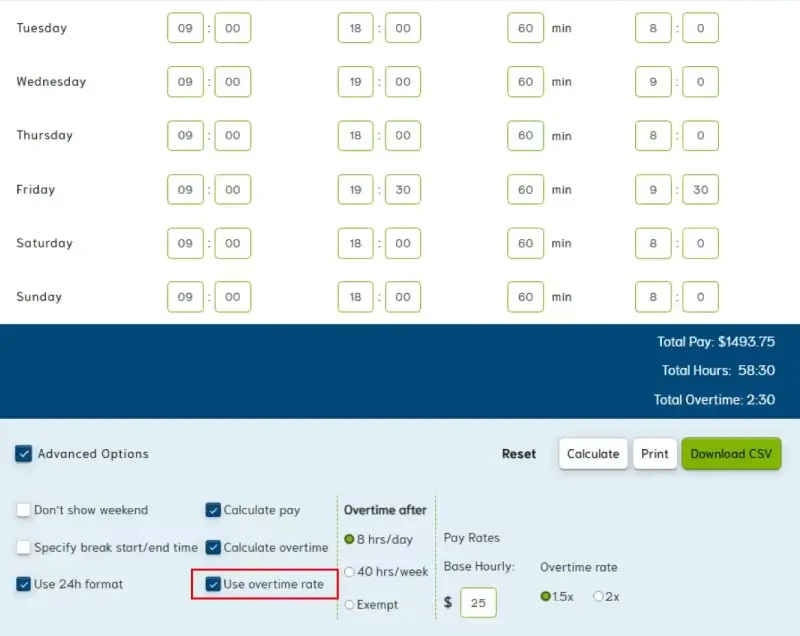
The Use Overtime Rate feature in Advanced Options allows you to input a multiplier (e.g., 1.5x or 2x) to your base hourly rate for overtime hours.
Online time card calculators offer numerous benefits for both employees and employers by offering simplified, automated, accessible and efficient record-keeping.
A Time Card Calculator can benefit individuals and organizations alike. Freelancers, remote workers, independent contractors etc can track billable hours accurately for clients, and businesses can simplify payroll processing and ensure accurate compensation.
This control generates a precise timesheet report by totaling all work hours and attendance entries.
Reset clears all entered work hours and breaks deductions, allowing for a new calculation.
You can download your time card data in CSV format for easy storage and analysis.
You can have a physical copy of your work hours report with the print option.
Get ready to revolutionize your time tracking with Desklog! Desklog's innovative time tracking software tracks time automatically by recording hours spent on tasks and projects, eliminating the need for manual entries and our robust automated timesheet feature effortlessly documents all these tracked data with precision.
Desklog automatically tracks every team member's work hours in real time — no timers, no manual entry, no calculators needed. It generates accurate timesheets, calculates overtime, and gives you real-time productivity insights across your entire team.
Desklog turns everyday work into Automatic Time Insights without manual entries.
Help your team work smarter with clear workflow insights using Desklog.
From office desks to remote setups, Desklog Workforce Intelligence time tracking software ensures seamless productivity and actionable insights across your team.
