
Real-Time Work Hour Tracker
That Simplifies Your Workflow
Track Time Right. Avoid Mistakes. Boost Output.
Manual time tracking wastes hours, causes payroll errors, and leads to poor project visibility. A smart work hour tracker solves all that, automatically. Get accurate logs, real-time reports, and total clarity on how your team works. No delays; just clean, reliable time data that powers better decisions.
Get Real-Time Work Hour Insights Now!
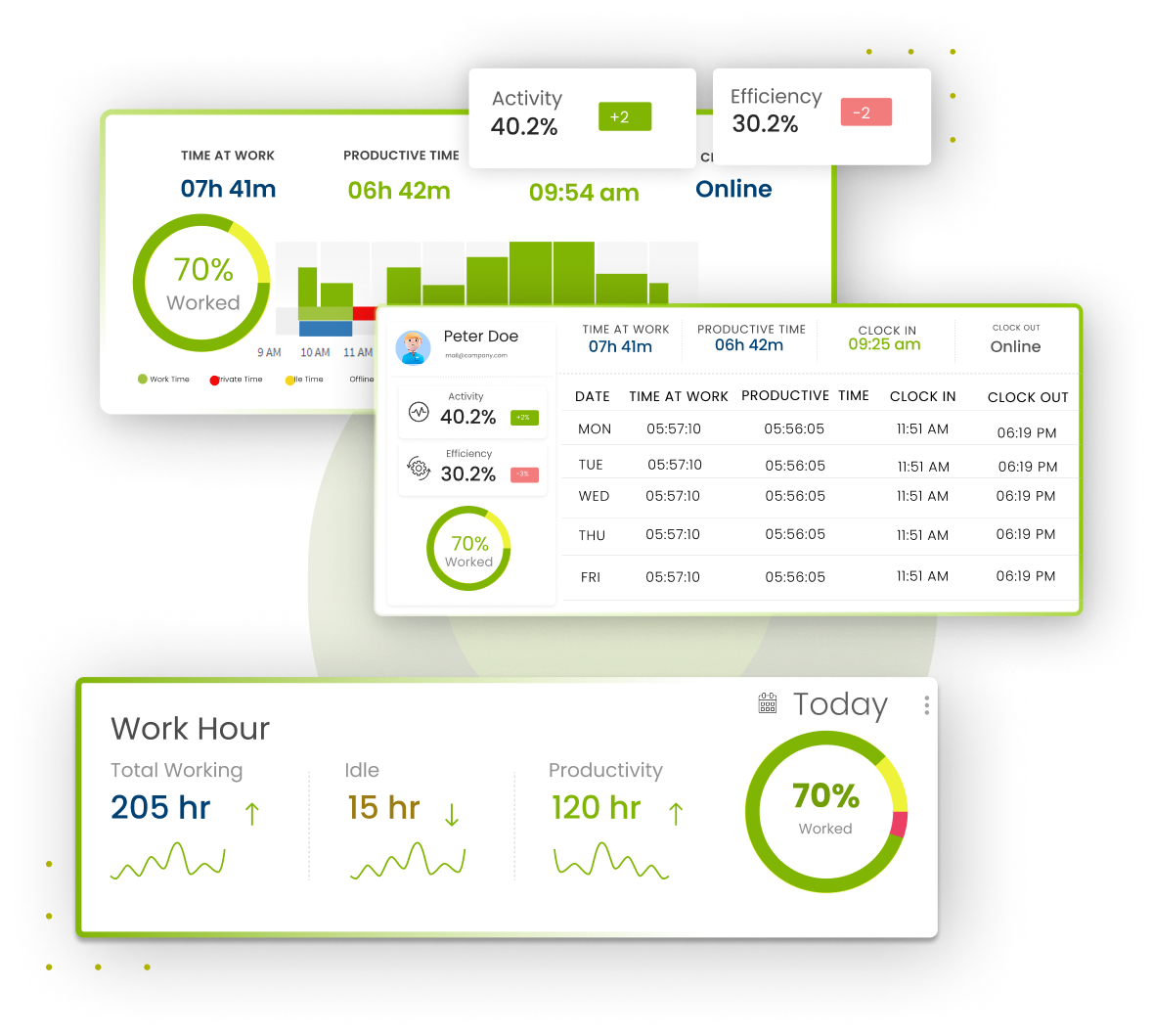





Why Our Time Tracker Stands Out?
All-In-One Automated Tracking
Instant recording of clock‑ins, break times, idle activity, and overtime, no manual entry.
Real-Time Dashboard Across Platforms
Live updates on desktops, mobiles, and tablets keep data synced no matter where you work.
Offline-Ready for Remote Teams
Time logs are captured offline and sync automatically when you reconnect.
Automate Your Workflow
Save Time, Reduce Errors, and Work Smarter
Manually calculating work hours is not only slow but often error-prone. Our automated system takes over this task, providing a smooth, accurate, and hands-free tracking experience. Need to check a quick manual total in the meantime? Try our free Work Hours Calculator
- Automated tracking ensures consistency without manual input
- Eliminate data entry and time verification tasks
- Free up valuable time for both managers and employees
Automate Your Timesheets
Get Accurate Timesheets Without the Hassle
Avoid costly payroll issues with our automated timesheet system. Every time entry is accurately captured and always available for review, helping you run payroll flawlessly and without delays.
- Eliminate Human Error by automating every log and entry
- Accurate Time Calculations for hours, overtime, and time off
- Simplified Payroll Process with integrated, clean time data
Track Hours Clearly
Stay Ready with Accurate Time Records
Our system guarantees you always have secure, accurate records of hours worked; ideal for audits, payroll, or reports. With just a few clicks, you can access real-time proof of employee hours to meet both internal and external compliance needs.
- Instantly access documented proof for audits and compliance
- Generate detailed reports with automated reporting tools
- Maintain trust with clear, verifiable hour logs
Start Automating The Work Hours and Get These Results!
- Lack of Real-Time Data
- Timesheet Data Discrepancies
- Inaccurate Tracking of Project Completion
- Difficulty in Budgeting and Forecasting
- Real-Time Data Access
- Accurate and Consistent Timesheet Management
- Efficient Project Completion Tracking
- Improved Budgeting and Forecasting
Track Time with Ease
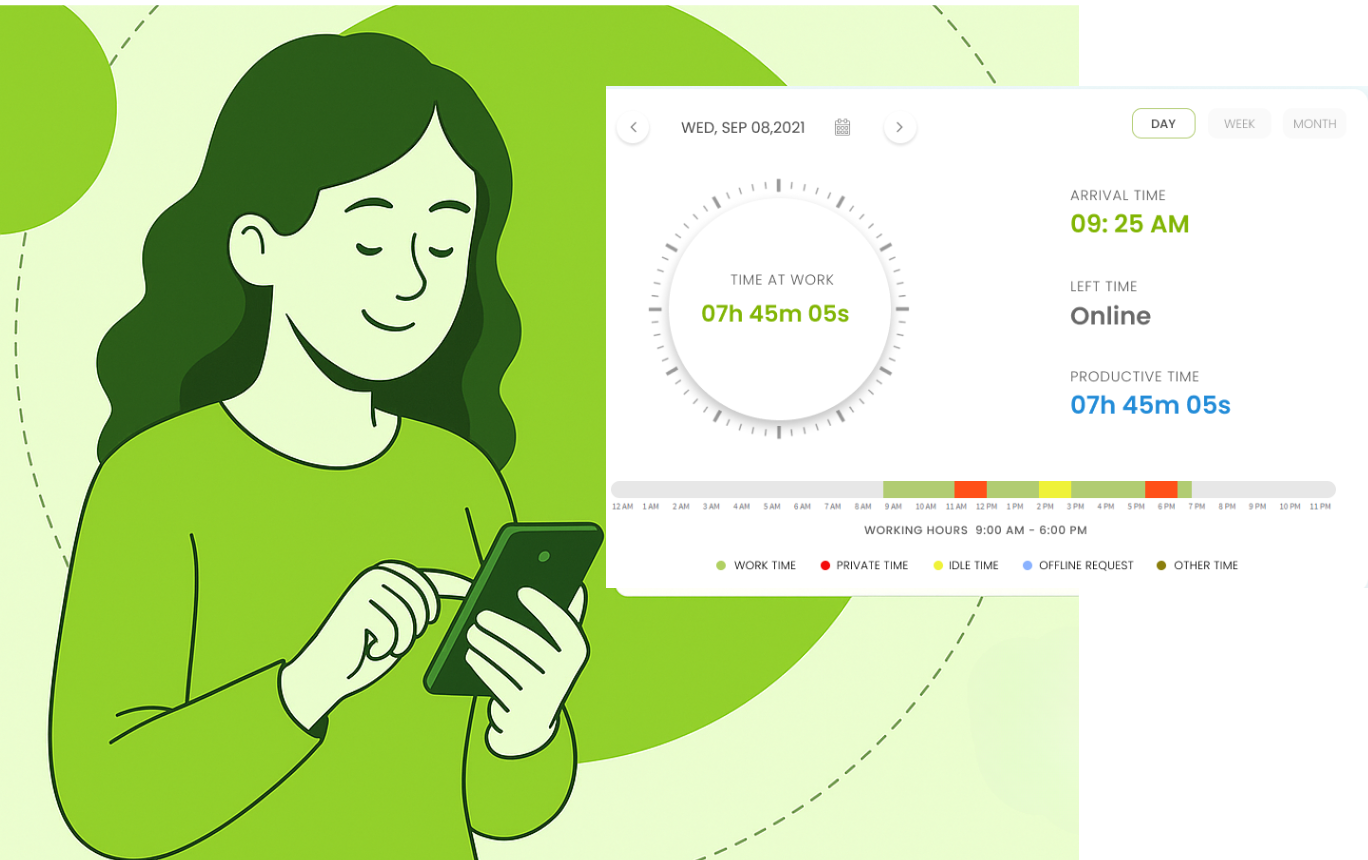
Accurate Clock In/Out, No Manual Effort
Ditch manual punch-ins and avoid missed logs. Our automated clock-in/out system records work hours accurately and effortlessly; giving you clean, reliable data for smarter decisions.
- Quick setup with no training or complex configuration
- Breaks auto-deducted from total hours for accuracy
- Real-time sync across all devices, anytime, anywhere
Track Project Hours Smarter
Get Full Visibility on Every Task
Stay on track with project timelines and budgets. Our project time tracking gives you a clear view of where time is spent; by task, employee, or phase, so you can plan better and stay efficient.
- View time by task, employee, or phase instantly
- Create custom categories and sub-tasks with ease
- Monitor budgets in real-time and avoid overspending
Log Hours Anywhere
Track Time Without Internet Access
Working remotely or offline? No problem. Our offline tracking logs time accurately even without a connection. Once online, everything syncs automatically to keep your records up to date.
- Log hours offline in remote or low-connectivity areas
- Auto-sync entries when back online; nothing gets lost
- Data is stored securely on your device until it’s synced
40% Of Companies Lose Money Due To Time Tracking Errors Stop The Leak!
Start Tracking Time Accurately Now!
Free Trial →All the Essential Features, Without the Extras
Accurate Leave Management
Simplify the entire leave management automated requests, approvals, and real-time balance updates.
Break & Overtime Reminders
Promote employee wellbeing through break and overtime reminders that prevent burnout and support healthy work habits.
Employee Activity Tracking
Enhance productivity with accurate activity tracking of apps, websites, and tasks to reduce distractions.
Idle Time Tracking
Improve efficiency using idle time tracking idle time tracking that detects inactivity through keyboard and mouse monitoring.
Efficient Project Billing & Invoicing
Simplify finances with precise project billing and invoicing project billing and invoicing; choose flat-rate, hourly by task, or user.
In-Depth Financial Insights
Desklog’s Project Profit & Loss Gain control with extensive financial insights from real-time profit and loss tracking for every project.
Let’s Get In Touch
Got questions? Our expert team is here to assist you anytime, day or night. Reach out now for quick answers!
Contact Us →FAQ
What is a Work Hours Tracker?
A work hours tracker is a tool used to monitor and log employee working hours, breaks, overtime, and time off. It helps organizations manage time accurately and integrates with payroll systems for easy processing.
Why Do I Need to Track Employee Work Hours?
Tracking work hours ensures accurate payroll, compliance with labor laws, effective performance evaluation, and efficient project management. It also provides valuable data to improve productivity and processes.
What’s the Difference Between Worked Hours and Payroll Hours?
Worked hours reflect the actual time spent working, while payroll hours include both worked hours and additional factors like paid time off, overtime, and other compensations for accurate wage calculations.
What Are the Main Features of a Work Hours Tracker App?
Key features include clock-in/clock-out functions, manual time entry, break tracking, overtime calculation, project/task tracking, timesheet management, notifications, reporting, and integration with payroll systems.
How Does a Work Hours Tracker Help with Payroll?
A work hours tracker ensures accurate recording of worked hours, overtime, and time off, which can be directly integrated into payroll systems for precise wage calculations.
Can Employees Track Their Time Using a Mobile App?
Yes, most work hours tracker apps offer mobile support, allowing employees to clock in/out, enter hours manually, and track their time from any device.
How Can I Monitor Breaks and Overtime?
Work hours tracker apps can automatically calculate breaks and overtime based on company policies, ensuring compliance with labor regulations.
Can I Track Multiple Projects or Clients?
Yes, many apps allow users to assign time to different projects or clients, helping track time accurately across various tasks.
Is It Easy to Generate Reports with a Work Hours Tracker?
Yes, work hours trackers provide simple tools to generate timesheet summaries, productivity reports, and analytics, helping managers gain insights into work performance.
Are Work Hours Trackers Secure?
Most work hours trackers use secure cloud storage and encryption to protect sensitive employee data, ensuring confidentiality and compliance with data protection regulations.