
Desklog vs Harvest: The Smarter Harvest Alternative for Growing Teams
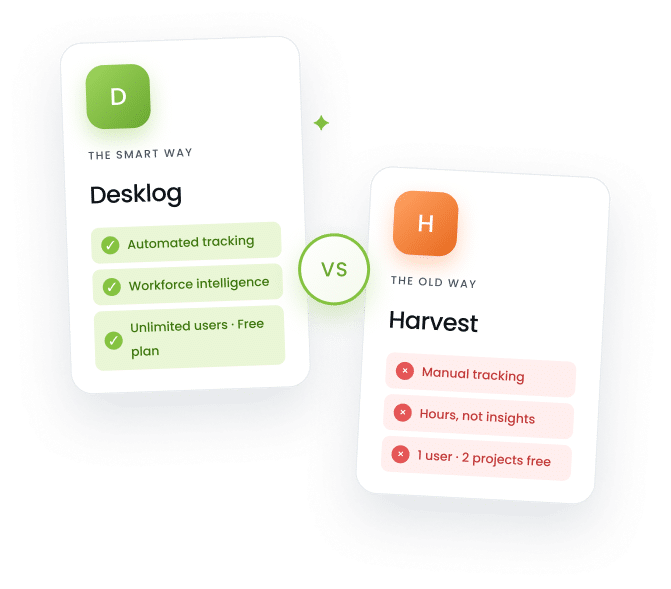
Harvest tracks hours. Desklog tracks what actually drives results.
Automated time tracking, real‑time productivity insights, and project management in one platform making it the ideal Harvest alternative for growing teams.








Why Desklog Is the Best Harvest Alternative?
If your team has outgrown basic time tracking, Desklog offers a more advanced and structured approach to managing productivity. Unlike Harvest, which primarily focuses on tracking hours and invoicing, Desklog brings together automation, activity insights, and project visibility into one unified platform.
Instead of relying on manual inputs, Desklog works in the background capturing real‑time data, analyzing work patterns, and turning them into actionable insights. This not only reduces effort but also gives teams a clearer understanding of how time is actually spent, making Desklog the best Harvest alternative.
What Desklog Offers That Harvest Does Not
Five capabilities Harvest doesn't deliver built natively into Desklog from day one.
Workforce Intelligence for Smarter Decisions
Harvest gives you hours logged per project. Desklog transforms everyday work data into structured workforce intelligence helping businesses understand productivity with greater clarity and control. It provides complete visibility into how time, effort, and resources are distributed across teams and projects.
- ✓Gain clear visibility into team productivity trends
- ✓Analyze work patterns and resource utilization
- ✓Identify inefficiencies and workflow bottlenecks
- ✓Make consistent data‑driven operational decisions
This helps organizations improve efficiency, optimize resources, and build a more performance‑driven work environment.
Automated Time Tracking Without Manual Entry
Harvest's manual tracking often interrupts workflows and leads to inconsistent data. Desklog solves this with automated time tracking that runs in the background capturing accurate work hours without requiring manual input or constant monitoring.
- ✓Track productive and non‑productive time clearly
- ✓Monitor idle time and inactive work periods
- ✓Record offline activity without losing data
- ✓Generate accurate and automated timesheets
This ensures reliable time tracking while reducing effort and improving overall productivity management.
Project Time Tracking with Complete Task Control
Harvest tracks time against projects, but the project management itself is minimal, so you still need a separate tool. Desklog combines time tracking with structured project management, helping teams manage tasks efficiently while connecting time spent with measurable outcomes. It ensures better control over execution, timelines, and project performance. With Project Time Tracking, teams can:
- ✓Break down work using subtasks for clarity
- ✓Organize workflows with sequential task flow
- ✓Automate routine work through recurring tasks
- ✓Visualize progress using an intuitive Kanban view
This provides better organization, improved execution, and clearer visibility into overall project performance.
Performance Insights for Better Productivity
Harvest's reporting is built around billable hours and expenses. It tells you how much time was logged, but not how productively that time was used. Desklog converts tracked activity into structured performance insights that help teams measure efficiency and improve output consistently.
- ✓Monitor productivity trends across teams and roles
- ✓Evaluate performance across tasks and projects
- ✓Identify high and low performance patterns
- ✓Generate simple and easy‑to‑read reports
This helps teams improve accountability, enhance efficiency, and maintain consistent productivity levels.
Leave Management and Shift Scheduling: Missing in Harvest
Harvest has no built‑in leave management or shift scheduling. If your team needs to track PTO, manage shift rotations, or handle leave approvals, you need a separate HR tool. Desklog simplifies workforce coordination by combining leave management and shift scheduling into a single system.
- ✓Configure flexible and customizable leave policies
- ✓Manage leave requests and approval workflows
- ✓Track absences with a centralized calendar view
- ✓Plan and manage employee shifts efficiently
This ensures better coordination, improved planning, and smoother day‑to‑day workforce management.
Desklog vs Harvest Feature Comparison
Desklog combines affordability, automation, and advanced productivity insights something Harvest doesn't fully deliver.
Comparison based on publicly available information as of April 2026. Feature availability may vary by plan.
Still Tracking Time the Old Way?
Switch to a smarter system that tracks, analyzes, and improves how your team works without manual effort.
Flawless Integrations for Better Workflow
Desklog integrates with popular tools to simplify operations and improve productivity.

Jira
Flawlessly connect Desklog with Jira to align time tracking with development workflows and task progress. Stay updated with real‑time sync, ensuring accurate tracking and better coordination across teams.

ClickUp
Integrate ClickUp with Desklog to unify task management and time tracking within a single workflow. Gain better visibility into project progress while keeping tasks organized and execution simplified.

Amazon S3
Use Amazon S3 integration to securely store screenshots and activity data with high reliability. Ensure scalable, organized, and easily accessible storage for all your tracking and monitoring data.
Why Growing Teams Choose Desklog Over Harvest
Five reasons teams switch and stay.
Fosters Transparency and Accountability
Creates a clear and reliable record of how time is spent across tasks helping teams stay aligned, responsible, and performance‑driven.
Improves Employee Efficiency by Real Data
Delivers actionable insights into daily workflows enabling teams to identify bottlenecks, optimize effort, and consistently improve output.
Scales Easily for Any Team Size
Adapts effortlessly to freelancers, growing startups, and large enterprises with flexible features that evolve alongside business needs.
Promotes Better Work‑Life Balance
Encourages structured work patterns by highlighting overwork and idle time helping teams maintain a healthier and more sustainable routine.
Strengthens Financial Control
Enables precise tracking of billable hours, project costs, and profitability ensuring smarter budgeting and more accurate invoicing.
Join High‑Performing Teams Using Desklog
"We outgrew Toggl Track once our team hit 12 people. Desklog gave us automated tracking, real productivity insights, and built‑in attendance — three tools in one. The free plan was a genuine starting point, not a teaser."
"Migrating from Toggl took an afternoon. Desklog imported our project history and within a week our managers were spotting workload imbalances we'd been missing for months. The attendance + time tracking combo replaced two SaaS subscriptions."
"As a solo freelancer who bills hourly, Desklog's automated billable‑hour tracking and one‑click invoicing was an instant win. I was undercharging on Toggl because I'd forget to start the timer. Desklog just captures everything."
"Toggl's reports told us how many hours got logged. Desklog tells us where the productive hours actually went — which apps, which projects, which times of day. That alone changed how we plan sprints and assign work."
"We run support shifts across 4 time zones. Toggl couldn't handle shift management at all. Desklog's clock‑in/clock‑out plus attendance reporting gave us compliance documentation our previous setup never produced."
Access Desklog Anywhere,
On Any Device
Desklog is built to work easily across all major platforms ensuring uninterrupted time tracking and productivity management wherever your team operates. Whether in the office or on the move, you can stay connected, monitor performance, and manage work effortlessly from any device.
Ready to Choose the Best Harvest Alternative?
If you're tired of manual tracking and limited insights, Desklog offers a smarter, more automated alternative to Harvest. Start your free trial today and experience productivity without any problem.
Frequently Asked Questions
Everything teams ask before switching from Harvest to Desklog.
Why should I switch from Harvest to Desklog?
Desklog offers automated time tracking, productivity analytics, project management, and leave scheduling in one platform. Harvest focuses primarily on manual time logging and invoicing. If your team needs deeper insights into how time is spent and wants to eliminate manual entry, Desklog gives you significantly more for less.
Is Desklog really free?
Yes. Desklog offers a free plan with 3 users and unlimited projects. Unlike Harvest, which limits its free plan to 1 user and 2 projects, Desklog lets small teams get started without paying anything.
Can I import my data from Harvest to Desklog?
Desklog supports data migration from other time tracking tools. Contact the Desklog support team for guided assistance with importing your Harvest data, including projects, tasks, and time entries.
Does Desklog work on Windows and Linux?
Yes. Desklog is available on Windows, macOS, Linux, Android, and iOS. Harvest is limited to Mac and iOS native apps, which can be a limitation for teams using Windows or Linux machines.
What does Desklog offer that Harvest does not?
Desklog includes automated time tracking, productive and non‑productive time analysis, idle time monitoring, activity tracking, workforce intelligence, leave management, shift scheduling, and built‑in project management with subtasks and Kanban views. Harvest does not offer any of these features.
Is Desklog suitable for freelancers or only for teams?
Both. Freelancers can use Desklog to automate billable hour tracking, generate invoices, and monitor their own productivity. Teams benefit from collaboration features, manager dashboards, and workforce analytics. The platform scales from one user to hundreds. Image Enhancement Prompt
How does Desklog pricing compare to Harvest?
Desklog's paid plans start at $3.50 per user per month. Harvest starts at $10.80 per user per month. Desklog's free plan also includes significantly more features and has no user or project limits, making it more cost‑effective at every level Google Ads for B2B SaaS.
Does Desklog integrate with project management tools?
Yes. Desklog integrates with Jira, ClickUp, and Amazon S3 for cloud storage. These integrations let you sync time tracking with your existing development and task management workflows.
Ready to Outgrow Harvest?
Join thousands of teams who switched to smarter, automated time tracking. Start your free trial today no credit card needed, no setup fees.