
Project Time Tracking
Automated Project Time Tracking
Effortless Project Tracking, Ultimate Project Efficiency!
Desklog workforce Intelligence time tracking software automates project time tracking in real time, transforming daily project activity into workforce intelligence. Get clear visibility into progress, productivity, and resource utilization — enabling smarter planning, faster execution, and data-driven project decisions
What Does Desklog Project Time Tracking Software Do?
Desklog project time tracking software tracks the time spent on each project and task through an automated time tracker. It goes beyond tracking by recording real-time progress and documenting the tracked data in the project timesheet. These insights help managers bill clients accurately for productive hours. This visibility supports project managers, team members, and organizations in making informed decisions throughout the project lifecycle, especially when using a powerful project time tracker.
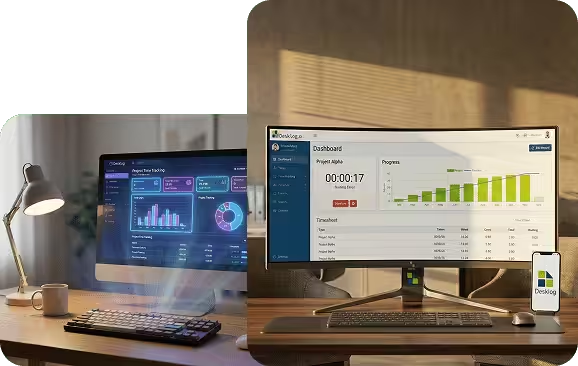
Smooth Project Tracking with Desklog
Effectively manage your team’s workload by creating and assigning tasks to each member. It offers real-time reporting for each project, including task time allocation, automatic time and project tracking, and task progress updates, making Desklog one of the best project management time tracking software tools. These features help you optimize productivity and ensure every project stays on time and within budget.
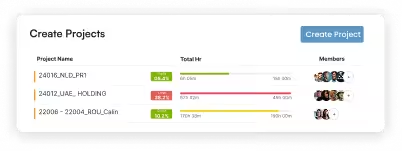
Create Projects
Initiate new projects and set a fixed rate if you are billing clients for hours worked on the entire project.
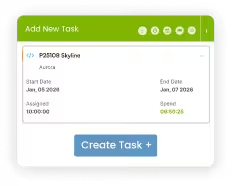
Create Tasks
Break down projects into tasks, set task tags, and assign specific rates for each task. Mark them as billable or non-billable as needed.
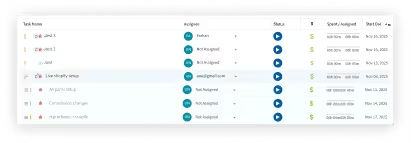
Assign Tasks
Effortlessly assign tasks to one or multiple assignees, supporting a smooth workflow and successful project execution.
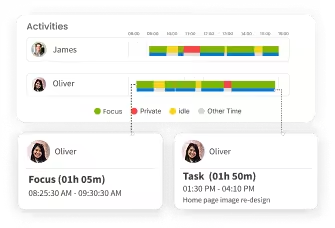
Track Task Timeline
Track task progress over time, gaining insights into project dynamics that help you meet deadlines with confidence.
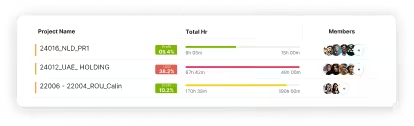
Get Task Timesheet
Access detailed timesheets showing time invested in the project, enabling accurate reporting and informed planning.
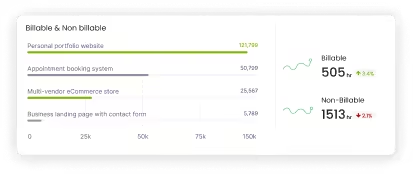
Billable and Non-Billable Hours
Easily differentiate billable and non-billable hours for transparent and efficient project billing.
Deliver Projects With More Speed, Precision & Clarity Only With Desklog.
Get Started for Free!Why Choose Desklog for Project Time Tracking?
Choosing Desklog for project time tracking gives you a powerful advantage in managing projects efficiently. Desklog helps you visualize task timelines, track hours, and generate detailed timesheets, making it a standout project time tracking software for modern teams.
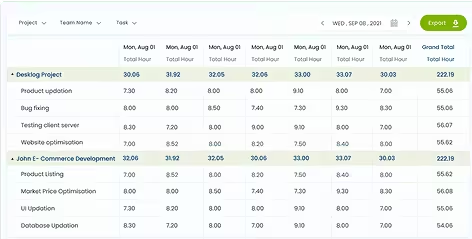
Accurate Project Estimation
A project time tracker provides deep insight into all work done by maintaining accurate timesheets. This data replaces guesswork with precision, enabling project managers to plan resources, set deadlines, meet client expectations and estimate effort with ease.
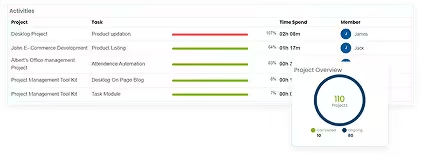
Project Progress Tracking
With a project time tracker, you can track everything from task initiation to completion. Through features like Kanban View, it becomes easy to track hours spent per task, completion rates and overall efficiency. This data also supports evaluation and planning for future projects.
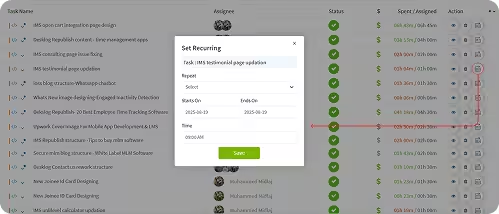
Automated Task Creation with Recurring Tasks
Desklog offers recurring tasks that automate task creation on daily, weekly, or monthly schedules. Configure exact creation times and recurrence windows to ensure routine responsibilities are never missed, which is a valuable addition to any project management time tracking software.
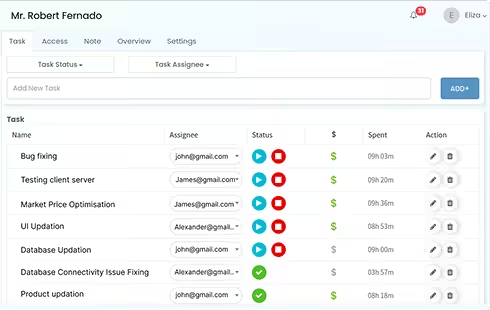
On-Time Project Completion
Effective project time tracking software gives users a complete overview of each project. This visibility helps identify bottlenecks early, improve workflow, and support consistent on-time project delivery.

Project Profit/Loss Calculation
Project tracking software meticulously logs time spent on all activities, ensuring accurate measurement of resource utilization and project costs. This enables precise profit/loss evaluation and enhances financial performance analysis.
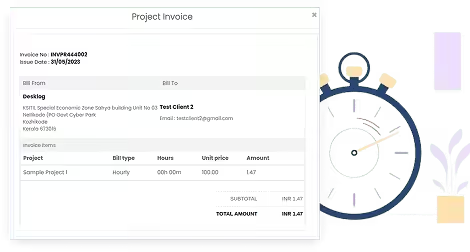
Transparent Project Billing
Through accurate tracking of billable and non-billable hours using a project time tracker, billing becomes transparent and reliable. This ensures project cost allocation aligns with actual work done, improving financial clarity for teams and clients.
Want To Track Project Time Accurately? See Why Teams Choose Desklog
Try Desklog For Free!Frequently Asked Questions
Everything you need to know about Desklog
1. What are the top cloud-based platforms for project time tracking and management?
2. What is the best software for project time tracking with billing features?
3. Where can I find free tools for project time tracking and reporting?
Turn Time Spent into Time Well Used!
Desklog turns everyday work hours into measurable progress through accurate tracking, insights, and smarter workflows.