
In Desklog’s desktop application, time tracking begins automatically as soon as the user checks in.
Once the application is installed, you’ll see the Desklog icon in your system’s taskbar. When the icon turns green, it indicates that time tracking is active and running in the background
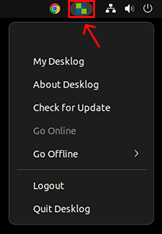
The Desklog icon changes color to represent different tracking statuses. You can check the meaning of each icon color here.