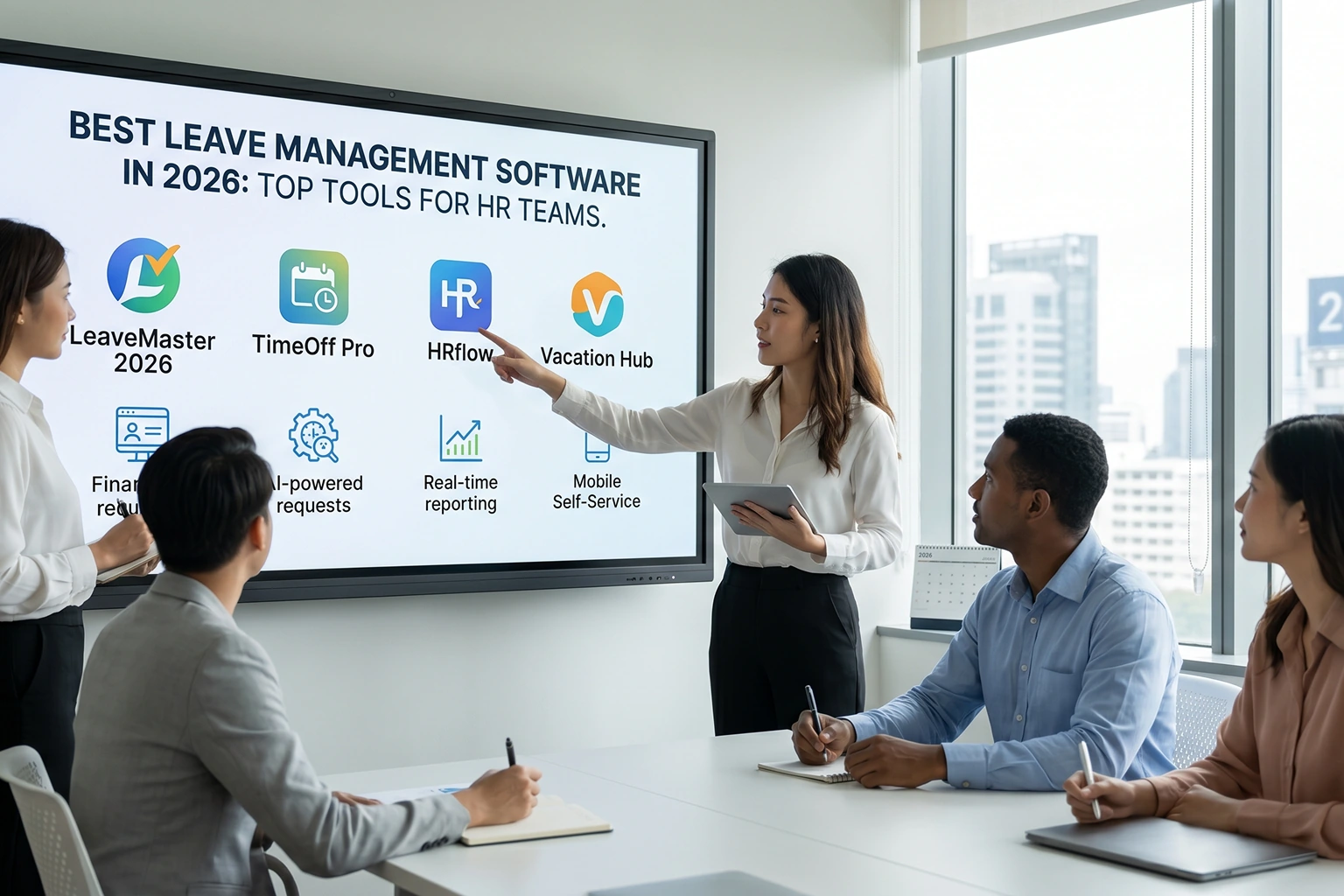
10 Best Leave Management Software for HR Teams (2026)

Managing employee leave manually can quickly become complicated as teams grow and work arrangements become more flexible.
The best leave management software helps businesses automate leave requests, approvals, balance tracking, and reporting while ensuring policy compliance and workforce visibility.
A modern leave tracker further simplifies the process by providing real-time insights into employee availability, helping managers plan resources more effectively.
In this guide, we explore the top leave management solutions for 2026, comparing their features, benefits, and ideal use cases to help HR teams choose the right platform for their organization.
📋 Table of Content
- What Is Leave Management Software?
- Understanding Leave Management Software
- What to Look for in Leave Management Software
- Best Leave Management Software in 2026
- Leave Management Software Comparison Table
- Best Leave Management Software for Small Business
- Best Free Leave Management Software
- How to Choose the Right Leave Management Software for Your Team
What Is Leave Management Software?
Leave management software is a digital system that helps organizations automate employee leave requests, approvals, leave balance tracking, and reporting. It eliminates manual processes, reduces administrative work, and provides real-time visibility into employee availability, making leave administration more accurate and efficient.
Understanding Leave Management Software
Definition of Leave Management Software
Leave management software is a digital solution that automates the process of requesting, approving, tracking, and reporting employee leave.
Instead of relying on emails, paper forms, or spreadsheets, organizations can centralize all leave-related activities through a dedicated platform.
How Leave Management Software Works
Employees can submit leave requests online, managers can review and approve requests instantly, and HR teams can maintain accurate leave records without manual calculations.
The software automatically updates leave balances, tracks various leave types, and generates reports for payroll and compliance purposes.
Why Businesses Need Leave Management Software
As organizations adopt hybrid and remote work models, managing employee availability has become more challenging.
HR teams need real-time visibility into who is working, who is on leave, and how workforce availability impacts project delivery.
Modern leave management systems address these challenges by integrating leave records with attendance tracking, shift scheduling, and workforce planning.
Benefits of Automating Leave Tracking
The software is particularly valuable for growing businesses where manual leave tracking creates administrative bottlenecks.
By automating routine HR processes, organizations reduce errors, improve transparency, and ensure consistent leave policy enforcement across teams.
Beyond Basic Leave Administration
Beyond leave administration, advanced platforms such as Desklog combine leave tracking with attendance management, workforce analytics, and scheduling capabilities, helping businesses make better operational decisions while improving employee satisfaction.
What to Look for in Leave Management Software
Choosing the right employee leave management system requires more than comparing feature lists.
Organizations should evaluate how effectively the software supports daily HR operations and future business growth.
-
Automated Leave Workflows
Automation is one of the most important features. Employees should be able to submit leave requests easily while managers receive instant notifications for approval.
Automated workflows eliminate delays and reduce manual follow-ups.
-
Leave Balance Tracking
The software should automatically calculate available leave balances, accruals, carry-forwards, and deductions.
This ensures employees always have accurate information about their remaining leave entitlement.
-
Attendance Integration
Leave data becomes significantly more valuable when connected with attendance records.
Integrated systems help organizations maintain accurate workforce visibility and reduce payroll discrepancies.
-
Reporting and Analytics
HR managers need access to reports on absenteeism, leave trends, department utilization, and workforce availability.
Strong reporting capabilities support informed planning and decision-making.
-
Mobile Accessibility
Employees increasingly expect mobile access to HR functions through a dedicated mobile app.
Mobile-friendly leave requests and approvals improve user adoption, reduce response times, and enable employees and managers to manage leave anytime, from anywhere.
-
Payroll Integration
Payroll integration eliminates duplicate data entry and minimizes errors during salary processing.
Leave deductions and attendance records should flow easily into payroll calculations.
-
Scalability
The software should accommodate future growth. Whether your organization has 20 employees or 2,000, the platform should continue supporting operational requirements without performance issues.
-
Compliance Support
Businesses operating across multiple locations often face varying labor regulations.
A reliable solution helps maintain policy consistency and supports compliance reporting.
The ideal system combines these capabilities while remaining easy to use for employees, managers, and HR teams alike.
Best Leave Management Software in 2026
Here is our list of the top 10 tools:
- Desklog
- Zoho People
- Keka
- greytHR
- HROne
- BambooHR
- Darwinbox
- sumHR
- Factorial
- LeaveBoard
1. Desklog
Best For: Businesses seeking leave management combined with attendance and workforce insights.
Desklog is the best leave management software and workforce management platform that combines leave management, attendance tracking, shift scheduling, and workforce visibility in a single solution.
Unlike standalone leave tracking tools, Desklog connects employee leave records with attendance data, helping organizations maintain accurate workforce availability and simplify HR operations.
The platform is particularly suitable for remote, hybrid, and growing teams that require real-time visibility into employee schedules, attendance patterns, and leave trends.
With automated workflows and detailed analytics, businesses can reduce administrative effort while improving workforce planning and decision-making.
Key Features
- Automated Leave Requests & Approvals: With Automated Leave Requests & Approvals, employees can submit leave requests digitally while managers review and approve them through structured workflows. This reduces manual communication, speeds up approvals, and ensures every request follows defined company policies with clear tracking and transparency.
- Attendance & Leave Management: Attendance & Leave management automatically syncs approved leaves with attendance records in real time. This eliminates manual adjustments, reduces errors, and ensures accurate attendance data for payroll processing, reporting, and compliance management.
- Employee Self-Service Portal: The employee self-service portal called Leaves allows employees to manage leave requests, view attendance, check timesheets, and track leave balances on their own. It reduces HR dependency, improves transparency, and provides quick access to all personal work-related information in one place.
- Clock-in/Clock-out & Automated Timesheet: Clock-in/Clock-out & Automated Timesheet records employee working hours through real-time login and logout tracking. It automatically generates timesheets based on actual attendance, breaks, and work duration, ensuring accurate hour tracking without manual effort or errors.
- Shift Scheduling: Shift Scheduling allows managers to create, assign, and manage employee shifts while considering availability and approved leaves. It helps prevent scheduling conflicts and ensures balanced workforce coverage across teams and working hours.
- Workforce Availability Tracking: With Workforce Availability Tracking, managers get real-time visibility into employee availability, including who is working, on break, or on leave. This helps improve task allocation, resource planning, and overall workforce utilization rate.
- Leave Configuration & Policy Management: Leave Configuration & Policy Management enables HR teams to define leave types, rules, holidays, and accrual structures. It ensures consistent policy enforcement across the organization while giving employees clarity on their leave balances and eligibility.
- Reports & Analytics: Reports & Analytics provides structured insights into leave usage, attendance trends, and employee absence patterns. These analytics help HR teams make informed decisions, optimize workforce planning, and improve operational efficiency.
- Payroll-Ready Records: Payroll-Ready Records ensures all attendance, leave, and timesheet data is accurately maintained and ready for payroll processing. It eliminates manual calculations, reduces payroll errors, and helps finance teams process salaries faster and more reliably.
Pros
- Combines leave management, attendance tracking, and workforce management in one platform.
- Suitable for remote, hybrid, and distributed teams.
- Detailed reporting and workforce analytics.
- Easy-to-use interface with automated workflows.
- Free plan available for small teams and individual users.
Cons
- No chrome extension
Pricing
- Basic Plan: Free
- Business Plan: $3.50/user/month
- Enterprise Plan: $4.80/user/month
- 14-day free trial available with access to enterprise features.
Website: Desklog
Pricing Page: Desklog Pricing
2. Zoho People
Best For: Organizations already using the Zoho ecosystem.
Zoho People is a cloud-based HR management platform that helps businesses simplify leave management, attendance tracking, employee records, performance management, and HR workflows.
As part of the broader Zoho ecosystem, it integrates easily with other Zoho applications, making it a strong choice for businesses already using Zoho products.
The platform enables organizations to automate leave requests, configure custom leave policies, and provide employees with self-service access to HR functions through web and mobile interfaces.
Key Features
- Multi-Level Leave Approvals – Configure approval hierarchies for different departments and management levels.
- Custom Leave Policies – Create and manage leave types, accrual rules, and holiday calendars.
- Attendance Management – Track attendance alongside leave records from a centralized dashboard.
- Employee Self-Service Portal – Allow employees to submit leave requests and view balances independently.
- Mobile App Access – Manage leave requests and approvals from anywhere using the mobile app.
- HR Reporting & Analytics – Generate reports on leave trends, attendance, and workforce utilization.
- Workflow Automation – Automate routine HR processes and notifications.
Pros
- Flawless integration with the Zoho ecosystem.
- Highly customizable leave and HR workflows.
- User-friendly interface for HR teams and employees.
- Mobile app for on-the-go leave management.
- Suitable for businesses of various sizes.
Cons
- Some advanced features are available only in higher-tier plans.
- Initial customization may require setup time.
- Reporting capabilities can be limited in lower plans.
Pricing
- Essential HR: Starts at approximately ₹60/user/month (billed annually).
- Professional: Starts at approximately ₹120/user/month.
- Premium: Starts at approximately ₹180/user/month.
- Enterprise: Starts at approximately ₹240/user/month.
Website: https://www.zoho.com/people/
3. Keka
Best For: Growing businesses focused on employee experience.
Keka is a modern HR and payroll platform designed to simplify leave management, attendance tracking, payroll processing, and employee engagement.
The software is particularly popular among growing organizations because of its intuitive user experience and strong automation capabilities.
Keka allows businesses to manage leave policies, attendance records, payroll, and employee information through a centralized dashboard while improving employee self-service and HR efficiency.
Key Features
- Automated Leave Workflows – Simplify leave applications, approvals, and leave balance updates.
- Attendance Tracking – Monitor employee attendance and integrate records with leave data.
- Payroll Processing – Synchronize leave and attendance information with payroll calculations.
- Employee Self-Service – Enable employees to manage HR activities independently.
- Mobile Access – Access HR functions and leave management through mobile devices.
- Employee Engagement Tools – Support surveys, feedback collection, and workplace engagement initiatives.
- Advanced HR Analytics – Gain insights into workforce trends and leave utilization.
Pros
- Modern and intuitive user interface.
- Strong employee experience features.
- Comprehensive HR, payroll, and leave management capabilities.
- Excellent automation options.
- Suitable for fast-growing organizations.
Cons
- Pricing may be higher than some competitors for small businesses.
- Some advanced features require higher-tier plans.
- Implementation may take time for larger organizations.
Pricing
- Foundation Plan: Starts around ₹9,999/month for up to 100 employees.
- Strength Plan: Starts around ₹12,999/month for up to 100 employees.
- Growth Plan: Starts around ₹15,999/month for up to 100 employees.
Website: https://www.keka.com
4. greytHR
Best For: Indian businesses seeking payroll and HR integration.
greytHR is a payroll-focused HR platform widely used by small and medium-sized businesses across India.
The software combines leave management, attendance tracking, payroll processing, and statutory compliance into a single system.
Its leave management module helps businesses automate approvals, track leave balances, and ensure accurate payroll calculations while complying with local labor regulations.
Key Features
- Leave & Attendance Tracking – Manage employee attendance and leave records from one platform.
- Payroll Integration – Automatically sync leave data with payroll calculations.
- Compliance Management – Support statutory compliance requirements and labor regulations.
- Employee Self-Service Portal – Allow employees to manage leave requests and records independently.
- Leave Policy Configuration – Customize leave rules and accrual policies.
- HR Reports & Dashboards – Generate workforce and leave analytics.
- Mobile Accessibility – Access HR functions through mobile devices.
Pros
- Strong payroll and compliance capabilities.
- Designed specifically for Indian businesses.
- Easy implementation and setup.
- Affordable pricing for SMEs.
- Good employee self-service features.
Cons
- Interface may feel less modern than some competitors.
- Advanced analytics are limited compared to enterprise solutions.
- Some features require higher plans.
Pricing
- Essential: ₹2,495/month (up to 50 employees).
- Growth: ₹4,495/month (up to 50 employees).
- Enterprise: Custom pricing.
Website: https://www.greythr.com/
5. HROne
Best For: Mid-sized businesses looking for end-to-end HR automation.
HROne is a comprehensive HRMS platform designed to automate employee lifecycle management, including leave management, attendance tracking, payroll processing, recruitment, and workforce analytics.
The platform focuses on reducing administrative workload through intelligent workflows and self-service capabilities.
Businesses can manage leave policies, approvals, attendance records, and payroll calculations from a centralized system while gaining visibility into workforce performance and employee engagement.
Key Features
- Leave & Attendance Management – Track employee attendance and leave records in real time.
- Automated Approval Workflows – Reduce manual HR effort with configurable approval processes.
- Employee Self-Service Portal – Enable employees to access HR services independently.
- Payroll Integration – Synchronize leave and attendance data with payroll processing.
- HR Analytics & Dashboards – Generate workforce and leave management reports.
- Employee Lifecycle Management – Manage onboarding, engagement, and performance.
- Mobile Access – Support HR activities from mobile devices.
Pros
- Strong HR automation capabilities.
- Comprehensive workforce management features.
- Centralized HR operations.
- Good reporting and analytics.
- Suitable for growing organizations.
Cons
- Customization may require additional setup.
- Pricing is not publicly available.
- Learning curve for first-time users.
Pricing
- Basic: ₹4950/month for 50 Users
- Professional: ₹6500/month for 50 users
- Enterprise: custom
Website: https://hrone.cloud
6. BambooHR
Best For: Small and mid-sized businesses seeking an easy-to-use HR platform.
BambooHR is one of the most recognized HR software solutions globally, offering a user-friendly platform for managing employee records, leave requests, attendance, onboarding, and performance tracking.
Its leave management capabilities simplify time-off administration by allowing employees to request leave, managers to approve requests, and HR teams to maintain accurate leave records from a centralized dashboard.
BambooHR is particularly popular among growing businesses that want a modern HR solution without the complexity of enterprise-grade systems.
Key Features
- Time-Off Management – Automate leave requests, approvals, and leave balance tracking.
- Employee Database – Maintain centralized employee records and HR information.
- Mobile Accessibility – Enable employees and managers to access HR functions through a mobile app.
- Approval Workflows – Configure automated approval processes for leave requests.
- Reporting Dashboard – Generate reports on leave trends, attendance, and workforce metrics.
- Employee Self-Service – Allow employees to manage personal information and leave requests independently.
- Onboarding Tools – Simplify employee onboarding and document management.
Pros
- Clean and intuitive user interface.
- Easy implementation and onboarding process.
- Strong employee self-service capabilities.
- Comprehensive HR management features.
- Excellent user experience for both HR teams and employees.
Cons
- Payroll functionality is not available in all regions.
- Advanced features require higher-tier plans.
- Can be costly for smaller organizations.
Pricing
- Core Plan: $10/month per employee
- Pro Plan: $17/month per employee
- Elite Plan: $25/month per employee
- Pricing is based on employee count and selected features.
Website: https://www.bamboohr.com
7. Darwinbox
Best For: Large organizations and enterprises.
Darwinbox is an enterprise-grade HR platform designed to support complex workforce management requirements.
The platform offers advanced leave management, attendance tracking, payroll integration, workforce planning, and employee experience tools.
It is widely used by large organizations that require scalable HR automation and customizable workflows.
Darwinbox’s leave management system supports multiple leave policies, approval hierarchies, and compliance requirements, making it suitable for organizations with large and distributed workforces.
Key Features
- Advanced Leave Policy Management – Configure complex leave structures and accrual policies.
- Attendance Integration – Synchronize leave records with attendance data.
- Workforce Planning Tools – Improve resource allocation and workforce visibility.
- Employee Self-Service Portal – Allow employees to manage leave and HR requests independently.
- Enterprise Reporting – Generate detailed workforce and leave analytics.
- Mobile App Access – Manage HR tasks and leave approvals on the go.
- Workflow Automation – Automate HR processes and approvals.
Pros
- Highly scalable for large organizations.
- Extensive customization options.
- Strong workforce planning capabilities.
- Comprehensive HR ecosystem.
- Modern user interface.
Cons
- May be too complex for small businesses.
- Pricing is not publicly available.
- Implementation may require dedicated support.
Pricing
- Custom enterprise pricing based on workforce size and required modules.
Website: https://darwinbox.com
8. sumHR
Best For: Small businesses and startups.
sumHR is a cloud-based HR software solution designed to help startups and small businesses automate everyday HR tasks.
The platform provides leave management, attendance tracking, employee database management, payroll support, and employee self-service capabilities.
Its simple interface and straightforward implementation make it a practical choice for businesses looking to digitize HR operations without investing in a complex enterprise solution.
Key Features
- Leave Request Management – Automate leave applications and approval workflows.
- Attendance Tracking – Maintain accurate employee attendance records.
- Employee Database – Store and manage employee information centrally.
- Self-Service Portal – Allow employees to access leave balances and HR information.
- HR Reporting – Generate reports on attendance and leave utilization.
- Document Management – Store employee-related documents securely.
- Payroll Support – Integrate leave records with payroll processes.
Pros
- Easy to implement and use.
- Affordable for startups and small businesses.
- User-friendly interface.
- Covers essential HR functions.
- Good employee self-service capabilities.
Cons
- Limited advanced analytics.
- Fewer enterprise features compared to larger HR platforms.
- Limited customization options.
Pricing
- Custom pricing based on employee count and selected features.
Website: https://www.sumhr.com
9. Factorial
Best For: Growing companies with distributed teams.
Factorial is an all-in-one HR platform that helps businesses automate leave management, attendance tracking, employee scheduling, document management, and workforce planning.
Designed for modern and distributed workplaces, Factorial provides HR teams with centralized visibility into employee availability and workforce operations.
Its automation capabilities reduce administrative effort while improving employee experience through self-service tools and mobile accessibility.
Key Features
- Leave & Absence Tracking – Automate leave requests, approvals, and balance management.
- Attendance Management – Track employee attendance and work hours accurately.
- Employee Scheduling – Create and manage work schedules efficiently.
- Document Management – Store and organize HR documents securely.
- HR Analytics – Generate workforce insights and performance reports.
- Workflow Automation – Automate repetitive HR processes.
- Mobile Access – Manage HR tasks from mobile devices.
Pros
- Modern and intuitive interface.
- Strong automation capabilities.
- Well-suited for remote and distributed teams.
- Comprehensive HR functionality.
- Scalable for growing businesses.
Cons
- Advanced features require premium plans.
- Pricing is not publicly available for all modules.
- Some integrations may require additional configuration.
Pricing
- Starts at $8/month per user
- Custom pricing based on company size and selected modules.
Website: https://factorialhr.com
10. LeaveBoard
Best For: Businesses primarily focused on leave administration.
LeaveBoard is a dedicated leave and absence management solution designed to simplify time-off tracking for organizations of all sizes.
Unlike comprehensive HR suites, LeaveBoard focuses specifically on leave administration, making it ideal for businesses that need a straightforward and cost-effective solution for managing employee absences.
The platform automates leave requests, approvals, leave balance calculations, and employee leave calendars while providing managers with clear visibility into workforce availability.
Key Features
- Leave Tracking – Monitor employee leave balances and time-off records automatically.
- Employee Leave Calendars – View team availability and upcoming absences in real time.
- Approval Workflows – Simplify leave request approvals through automated processes.
- Leave Balance Management – Automatically calculate accruals and leave balances.
- Reporting Tools – Generate reports on leave usage and absenteeism trends.
- Holiday Management – Configure company holidays and regional calendars.
- Employee Self-Service – Enable employees to submit and track leave requests independently.
Pros
- Specialized leave management functionality.
- Easy deployment and setup.
- Affordable pricing structure.
- Simple and intuitive interface.
- Free plan available.
Cons
- Limited workforce management features beyond leave tracking.
- Lacks advanced HR and payroll capabilities.
- Not ideal for organizations seeking a complete HR suite.
Pricing
- Free Plan: Available for small teams.
- Business Plan: Starts at approximately $1.35 per employee/month.
- Enterprise Plan: Custom pricing available.
Website: https://leaveboard.com
Leave Management Software Comparison Table
Selecting a leave management solution becomes easier when key features are compared side by side.
The table below highlights some of the most important factors businesses typically evaluate before making a purchasing decision.
| Software | Leave Management | Attendance Tracking | Free Plan | Payroll Integration | Best For |
|---|---|---|---|---|---|
| Desklog | Yes | Yes | Yes | Yes | Workforce visibility and HR operations |
| Zoho People | Yes | Yes | Limited | Yes | Zoho ecosystem users |
| greytHR | Yes | Yes | No | Yes | Indian businesses |
| Keka | Yes | Yes | No | Yes | Growing organizations |
| BambooHR | Yes | Limited | No | Available | Small and medium businesses |
| Darwinbox | Yes | Yes | No | Yes | Enterprises |
| HROne | Yes | Yes | No | Yes | Mid-sized organizations |
| Factorial | Yes | Yes | Limited | Available | Distributed teams |
| LeaveBoard | Yes | Limited | Yes | Limited | Leave-focused management |
While all these platforms offer leave tracking capabilities, the biggest differentiator is how effectively they integrate leave data with attendance, scheduling, workforce planning, and operational visibility.
Organizations seeking a more connected approach often benefit from platforms that combine multiple workforce management functions in a single system.
Best Leave Management Software for Small Business
Small businesses often operate with limited HR resources, making automation especially important.
The ideal solution should be affordable, easy to implement, and capable of reducing administrative work without requiring extensive training.
Desklog
Desklog is a strong option for small businesses because it combines leave management, attendance tracking, scheduling, and workforce visibility in one platform.
Instead of purchasing multiple systems, businesses can manage essential workforce operations from a single dashboard.
Zoho People
Zoho People works well for small businesses already using other Zoho products.
Its flexible leave policies and employee self-service features help reduce manual HR work while keeping costs manageable.
greytHR
For Indian businesses, greytHR provides a practical combination of leave tracking, payroll integration, and compliance support.
Its established presence in the Indian market makes it a popular choice among growing companies.
LeaveBoard
Organizations seeking a straightforward leave management solution may find LeaveBoard appealing.
The platform focuses specifically on leave administration, making it simple for teams that do not require broader workforce management capabilities.
Which Option Is Best?
The best leave management software for small businesses depends on operational priorities.
Companies looking for a complete workforce management solution may prefer Desklog, while businesses focused primarily on leave administration may benefit from specialized tools such as LeaveBoard.
Organizations already invested in a specific software ecosystem should also consider integration compatibility before making a decision.
Best Free Leave Management Software
Not every organization is ready to invest in premium HR software.
Fortunately, several platforms offer free plans that provide enough functionality for small teams and startups to automate leave management without increasing operational costs.
Desklog
Desklog offers a free plan that includes essential workforce management features, making it a valuable option for startups and growing businesses.
Organizations can manage leave requests, track attendance, monitor workforce availability, and maintain employee records without relying on spreadsheets.
LeaveBoard
LeaveBoard provides a free plan designed for smaller teams. It offers leave request management, leave balance tracking, and approval workflows that help businesses simplify time-off administration.
Zoho People
Zoho People includes limited free functionality suitable for very small teams.
Businesses can automate basic HR processes while gaining access to leave management and employee information management features.
Factorial
Factorial occasionally offers trial and limited-entry plans that help businesses evaluate leave management capabilities before committing to a paid subscription.
Choosing a Free Solution
Free software works best when the organization has straightforward leave policies and a relatively small workforce.
As employee numbers grow, businesses often require additional features such as payroll integration, advanced reporting, compliance support, and workforce planning tools.
Choosing a solution that can scale alongside business growth helps avoid future migration challenges.
How to Choose the Right Leave Management Software for Your Team
Selecting the right software requires evaluating business requirements, workforce size, and operational goals.
-
Consider Team Size
Small businesses typically benefit from solutions that are affordable, easy to implement, and simple to manage. Larger organizations often require advanced policy management, reporting, and enterprise-level scalability.
-
Evaluate Workforce Structure
Remote, hybrid, and office-based teams have different requirements. Organizations with distributed workforces should prioritize mobile accessibility, self-service features, and real-time workforce visibility.
-
Review Integration Requirements
Leave management rarely operates in isolation. Businesses should assess whether the software integrates with attendance systems, payroll platforms, scheduling tools, and HR databases.
-
Assess Reporting Capabilities
Detailed reporting helps HR teams understand leave trends, absenteeism patterns, and workforce availability. Organizations that rely heavily on workforce planning should prioritize strong analytics capabilities.
-
Compare Long-Term Costs
The lowest-cost solution is not always the most cost-effective. Consider implementation expenses, feature limitations, scalability, and future upgrade requirements before making a decision.
-
Prioritize User Experience
Employees and managers are more likely to adopt software that is intuitive and easy to use. A complicated interface can reduce adoption rates and undermine the benefits of automation.
The best solution is one that aligns with organizational needs while supporting future growth.
Businesses should evaluate both current requirements and long-term workforce management objectives before selecting a platform.
Ready to simplify leave and attendance management?
Start using Desklog today and experience a smarter way to manage your workforce with accurate tracking, simplified approvals, and real-time visibility into team availability.
Conclusion
The right leave management software helps organizations simplify leave requests, automate approvals, maintain accurate records, and improve workforce visibility.
When evaluating solutions, consider factors such as team size, integration capabilities, scalability, and overall HR requirements.
For businesses looking for a solution that combines leave management with attendance tracking and workforce insights, Desklog offers a practical platform to manage employee availability and HR operations more efficiently.
FAQs
1What are the benefits of using leave management software?
2Why do businesses need leave management software?
3What features should a leave management software have?
4How does leave management software work?
5Can leave management software integrate with payroll systems?
6Is there free leave management software available?
7What is the difference between leave management and attendance management?
8How does leave management software reduce HR workload?
9What is cloud-based leave management software?
10Which leave management software is best for remote and hybrid teams?
Meet The Author