
Top 10 Billable Hours Tracker 2026

Manual billable hour tracking often leads to missed hours, billing errors, and lost revenue. Time tracking software helps businesses record billable time accurately, improve productivity, and simplify client invoicing.
In this blog, we'll explore the top billable hour tracking software solutions, including their features, pricing, and ratings.
What Are Billable Hours & Why Tracking Them Matters?
Billable hours are the time employees spend on client-related work that can be charged and invoiced. These may include project tasks, meetings, consultations, development work, or other client services.
Tracking billable hours accurately is important because it helps businesses avoid missed revenue, improve invoicing accuracy, and understand how time is spent across projects. It also increases productivity, ensures better project planning, and provides greater transparency for both teams and clients.
Industries That Depend on Billable Hour Tracking
Law Firms
Law firms rely on billable hour tracking to manage client billing accurately. Lawyers track time spent on consultations, legal research, documentation, case preparation, and court appearances to ensure every billable task is recorded properly.
Freelancers
Freelancers depend on billable hour tracking to monitor the time spent on client projects, revisions, meetings, and daily deliverables. This helps ensure accurate payments and better project time management.
Agencies
Agencies use billable hour tracking to measure the time teams spend on campaigns, content creation, design work, and client communication. It helps improve billing transparency and project profitability.
Consultants
Consultants track billable hours to record time spent on client meetings, planning sessions, reporting, and implementation tasks. Accurate tracking helps manage workloads, invoices, and overall profitability.
How Poor Time Tracking Impacts Revenue
-
Underbilling Clients
Missed or untracked work hours can result in businesses billing clients less than the actual time spent on projects. Over time, this leads to revenue loss and reduced overall profitability.
-
Overbilling Risks
Incorrect or inconsistent time tracking can cause businesses to charge clients for inaccurate work hours. This may lead to billing disputes, client dissatisfaction, and damaged business relationships.
-
Untracked Work
Without proper time tracking, businesses may fail to record important tasks completed by employees or contractors. This creates gaps in billing accuracy and reduces visibility into actual work completed.
-
Limited Profitability Insights
Inaccurate time tracking makes it difficult to measure productivity, analyze project performance, and identify profitable tasks. This limits better decision-making and effective workload optimization.
The Role of Automation in Billable Hour Tracking
-
Accurate Time Logging
Automated time-tracking tools record work hours in real time, reducing the need for manual entries. This helps minimize missed time logs, tracking errors, and inaccurate billable hour calculations.
-
Simplified Invoicing
Automation converts tracked billable hours directly into invoices, making the billing process faster and more accurate. It also reduces administrative work and improves overall invoicing efficiency.
-
Real-Time Reporting
Automated tracking systems provide real-time visibility into billable hours, project progress, and team productivity. This helps businesses monitor revenue targets and make quicker operational decisions.
-
Minimizing Administrative Burden
Automation reduces the effort required for manual time tracking, calculations, and reporting tasks. This allows teams to focus more on client work, productivity, and business growth activities.
-
Increased Transparency
Automated billable hour tracking creates a clear and auditable record of work hours and project activities. This improves client transparency and helps reduce billing disputes and misunderstandings.
Best Billable Hours Tracker: Top 10 Tools in 2026
Desklog
Desklog is a complete billable hours tracker designed to help businesses accurately monitor employee work hours, improve productivity and streamline project billing. By combining automated time tracking, project management and invoicing in one platform, Desklog helps teams capture every billable minute without relying on manual timesheets. Its real-time tracking, detailed reports and productivity insights make it easier for businesses to manage workflows, track project performance and generate accurate client invoices.
Key Features
Automated Time Tracking: Desklog automates time tracking by recording employee work hours, offline time and idle time without manual input. Features like clock in/clock out, automated timesheets and web timers help businesses maintain accurate records of employee work activity. As a reliable billable hours tracker, Desklog ensures that every productive hour is captured correctly for better payroll processing, project budgeting and client billing.
Project Time Tracking: Desklog's project time tracking feature helps teams track the time spent on projects and individual tasks in real time. Managers can easily track project progress, identify workload distribution and ensure that all billable work is properly recorded. The visual project management tools also help businesses improve planning and maintain transparency throughout the project lifecycle.
Project Billing & Invoicing: Desklog simplifies project billing with flexible billing methods including hourly, flat-rate and user-specific pricing. By automatically converting tracked hours into invoices, businesses can reduce manual billing errors and improve financial accuracy. This feature helps organizations generate transparent invoices based on actual work hours, making client billing faster and more reliable.
Project Profit & Loss Calculation: Desklog helps businesses analyze project profitability by tracking project revenue, expenses and employee work hours in one place. Accurate time tracking allows companies to calculate project costs effectively, avoid budget overruns and improve financial decision-making. With detailed profit and loss insights, businesses can better understand project performance and maximize profitability.
Activity Tracking: Desklog's activity tracking feature provides insights into employee productivity through app & URL tracking and optional screenshots. These insights help businesses understand how work hours are utilized and ensure employees stay focused on productive tasks. This improves time efficiency while supporting accurate billable hour tracking.
Leave Management: Desklog automatically records employee leave, attendance and absenteeism to maintain accurate workforce data. By separating leave hours from productive work hours, businesses can ensure that only actual working time is counted as billable. This helps prevent billing inaccuracies while improving resource planning and employee management.
Shift Management: Desklog simplifies shift scheduling and workforce management by automating employee shift assignments and attendance tracking. Businesses can accurately monitor work hours across multiple shifts and time zones, ensuring clients are billed only for actual hours worked. This improves scheduling efficiency while maintaining precise billable hour records.
Toggl Track

Toggl Track is a user-friendly time tracking solution designed to help businesses, freelancers, and remote teams monitor work hours with accuracy. The platform makes it easy to track daily activities, improve productivity, and manage project timelines without complicated setup processes. With support for both billable and non-billable hour tracking, Toggl Track helps teams gain better visibility into how work time is spent while simplifying client billing and reporting processes.
Key Features
Automated Time Tracking: Track work hours automatically using simple timers and background activity monitoring to reduce manual time entry.
Billable Time Management: Monitor billable and non-billable hours separately to improve client invoicing, project budgeting, and revenue tracking.
Custom Reports & Analytics: Generate detailed productivity reports and visual dashboards to analyze team performance and project progress.
Task & Project Tracking: Organize tasks by projects, clients, or teams and monitor the exact time spent on each activity.
Hubstaff
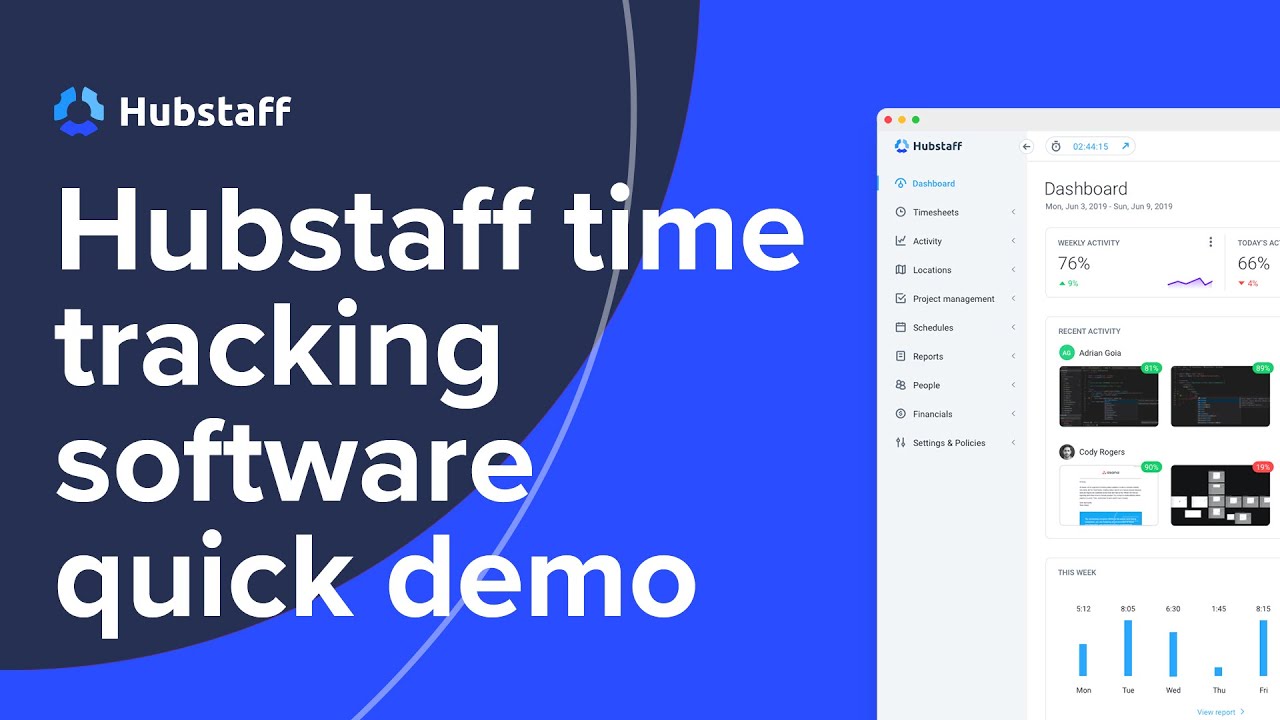
Hubstaff is a workforce management and time tracking platform designed to help businesses track employee hours, manage billable work, and improve team productivity. The software supports automatic time tracking across desktop and mobile devices, making it easier for teams to record work hours accurately. With built-in invoicing, payroll support, productivity monitoring, and project tracking features, Hubstaff helps businesses streamline operations while maintaining better visibility into employee performance and project progress.
Key Features
Detailed Digital Timesheets: Generate accurate digital timesheets to monitor employee work hours, attendance, and project-based time entries.
Payments & Invoicing: Create invoices based on tracked billable hours and simplify payroll processing with automated payment support.
Time Tracking: Track employee time across desktop, mobile, and web platforms with automatic and manual time entry options.
Productivity Monitoring: Monitor work activity, app usage, and productivity trends to improve team accountability and efficiency.
Integrations: Connect Hubstaff with project management, payroll, communication, and business tools for smoother workflow management.
Clockify
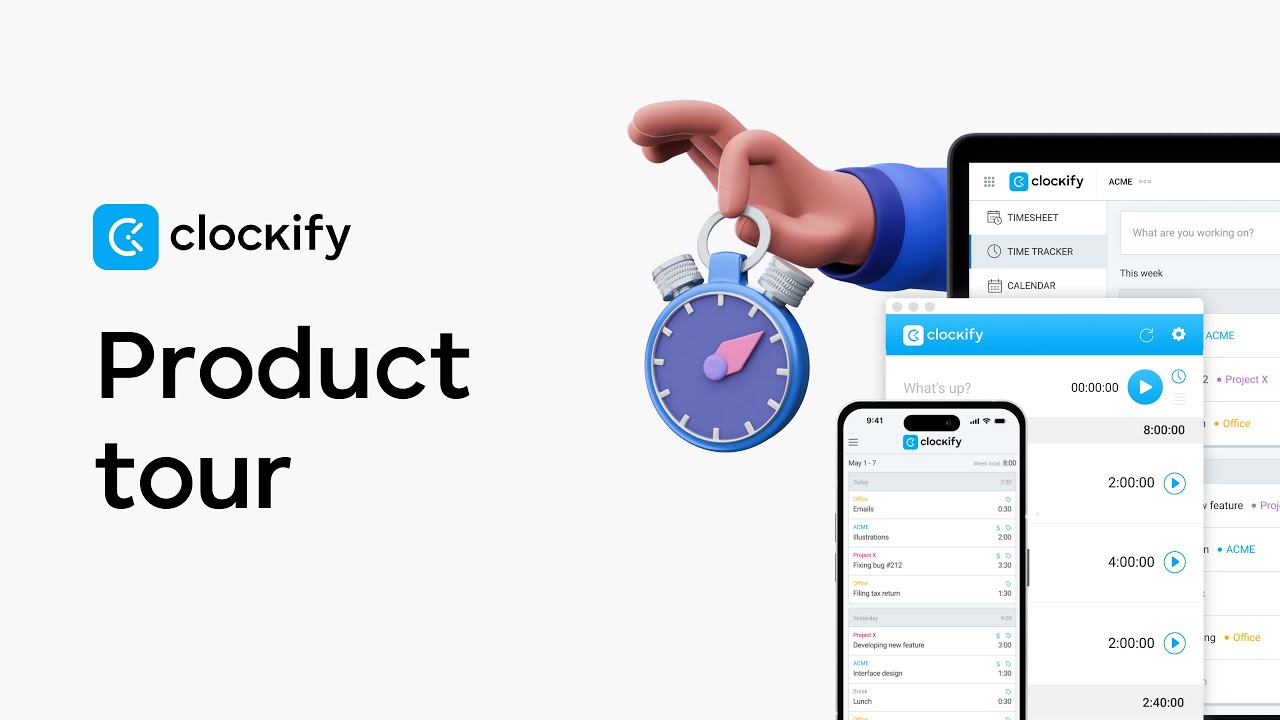
Clockify is a comprehensive time tracking and workforce productivity platform designed for freelancers, startups, agencies, and growing businesses. The software helps teams accurately track billable and non-billable hours while improving project visibility, budgeting, and employee productivity management. With support for manual entries, automatic timers, timesheets, and project-based tracking, Clockify simplifies time management and client billing for teams of all sizes.
Key Features
Project & Task Management: Create projects, assign tasks, and organize workflows efficiently while monitoring the exact time spent on each activity.
Timesheets: Generate accurate digital timesheets to record employee work hours, attendance, and project-related time entries.
Detailed Reporting: Access productivity reports, project summaries, and billable hour analytics to monitor team performance and operational efficiency.
Billable Hours Calculation: Track billable hours accurately and convert tracked time into invoices for simplified client billing and revenue management.
Harvest

Harvest is a powerful time tracking and invoicing solution designed to help businesses manage billable hours, project budgets, expenses, and client payments more efficiently. The platform allows teams to track work hours in real time, convert billable time into professional invoices, and monitor project profitability from a centralized dashboard. Its clean interface and reporting tools make it ideal for agencies, consultants, freelancers, and service-based businesses.
Key Features
Automatic Time & Expense Tracking: Track employee work hours and project expenses automatically to improve billing accuracy and financial management.
Project & Team Reporting: Generate detailed reports to analyze project performance, employee productivity, and billable hour utilization.
Budget & Progress Tracking: Set project budgets, monitor spending, and track project progress in real time to avoid delays and budget overruns.
Integration Capabilities: Connect Harvest with accounting, project management, and communication tools to streamline workflows and business operations.
Paymo

Paymo is a cloud-based project management and time tracking platform that helps businesses manage billable hours, team collaboration, invoicing, and resource planning from a single system. The software combines automatic time tracking with task management and financial tools, making it easier for teams to improve productivity, monitor project progress, and manage client billing accurately.
Key Features
Automatic Time Tracking: Track work hours automatically using built-in timers and desktop tracking tools for accurate timesheets and billing.
Detailed Reporting: Generate detailed productivity and project reports to analyze time usage, employee performance, and project efficiency.
Invoicing & Expense Tracking: Convert tracked billable hours into invoices while managing expenses, estimates, and financial records efficiently.
Task & Resource Management: Assign tasks, monitor workloads, and manage project resources effectively to improve team coordination and delivery timelines.
RescueTime

RescueTime is an automatic productivity and time tracking tool designed to help users understand how their work hours are spent throughout the day. Running securely in the background, the platform tracks applications, websites, and task duration while providing productivity insights, focus management tools, and detailed activity reports. RescueTime is widely used by professionals and remote teams looking to reduce distractions and improve daily productivity.
Key Features
Automatic Time Tracking: Track time spent on applications, websites, and work activities automatically without manual time entry.
Reports & Productivity Insights: View detailed productivity reports, work trends, and time usage insights to improve focus and efficiency.
Timesheets & Project Tracking: Monitor project activities and generate timesheets for better work tracking and billable hour management.
Website & App Blocking: Block distracting websites and applications during focus sessions to maintain concentration and productivity.
My Hours

My Hours is a cloud-based time tracking platform designed to help freelancers, agencies, and businesses manage billable hours, project budgets, and team productivity more effectively. The software offers intuitive time logging, invoicing, reporting, and budget management features that simplify project tracking and financial monitoring for growing teams.
Key Features
Precise Time Tracking: Track work hours accurately using timers or manual entries across projects, clients, and daily tasks.
Automated Timesheet Approval: Simplify employee timesheet approvals and streamline work-hour verification processes.
Real-Time Project Cost Analysis: Monitor project costs, billable hours, and budget usage in real time for better financial planning.
Customizable Invoicing: Create customized invoices based on tracked billable hours, project expenses, and client requirements.
TMetric

TMetric is a billable time tracking and project management solution that helps businesses manage employee work hours, client billing, project tracking, and team productivity more accurately. The software supports automated time tracking, reporting, invoicing, and workflow integrations, making it suitable for remote teams, agencies, consultants, and service-based organizations.
Key Features
Automated Time Tracking: Track employee and project hours automatically to improve productivity monitoring and billing accuracy.
Billing & Invoicing: Generate invoices based on tracked billable hours while managing client payments and billing records efficiently.
Project & Task Management: Organize projects, monitor task progress, and manage workloads with better operational visibility.
Team Management: Track employee attendance, productivity, and work performance across teams and projects.
TimeCamp
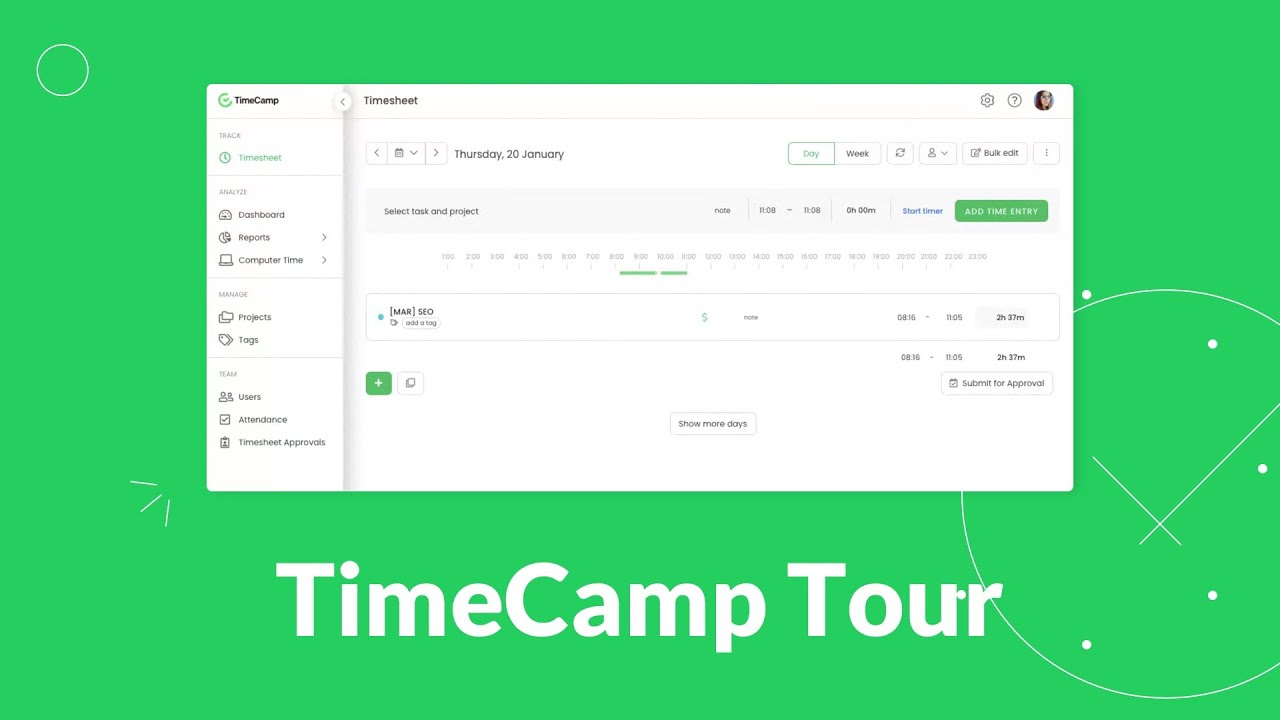
TimeCamp is a time tracking and employee productivity management platform designed to help businesses monitor billable hours, manage project budgets, and improve workforce efficiency. The software automatically records work hours, tracks project costs, and provides detailed billing and productivity insights that help businesses improve financial control and project management.
Key Features
Employee Productivity Monitoring: Monitor employee activity, work performance, and productivity trends in real time across projects and teams.
Automated Time Tracking: Track work hours automatically across applications, tasks, and projects for accurate productivity monitoring.
Invoicing & Billing: Generate invoices based on tracked billable hours and simplify client billing and financial management.
Detailed Reporting & Analytics: Access productivity reports, project summaries, and financial analytics to support better business decision-making.
| Sl.No. | Software | Best For | Key Features | Pricing |
|---|---|---|---|---|
| 1 | Desklog | Best Billable Hours Tracker For Tracking Team Time | Automated Time Tracking, Project Time Tracking, Project Billing & Invoicing, Project Profit & Loss Calculation, Activity Tracking, Leave Management, Shift Management | Free Forever: $0, Business: $3.5/user/month, Enterprise: $4.8/user/month |
| 2 | Toggl Track | Best Billable Hours Tracker for Freelancers and Small Teams | Automated Time Tracking, Billable Time Management, Custom Reports & Analytics, Task & Project Tracking | Free Forever: Basic features for individuals, Starter: $11/user/month, Premium: $24/user/month, Enterprise: Custom pricing |
| 3 | Hubstaff | Best Billable Hours Tracker for Remote Teams | Detailed Digital Timesheets, Payments & Invoicing, Time Tracking, Productivity Monitoring, Integrations | Free Forever: Basic features, Starter: $7/seat/month, Grow: $9/seat/month, Team: $12/seat/month, Enterprise: $25/seat/month |
| 4 | Clockify | Best Billable Hours Tracker for Small Businesses and Individuals | Project & Task Management, Timesheets, Detailed Reporting, Billable Hours Calculation | Free: $0, Basic: $4.99/seat/month, Standard: $6.99/seat/month, Pro: $9.99/seat/month, Enterprise: $14.99/seat/month, Cake Bundle: $15.99/seat/month |
| 5 | Harvest | Best Billable Hours Tracker With Billing and Invoicing | Automatic Time & Expense Tracking, Project & Team Reporting, Budget & Progress Tracking, Integration Capabilities | Free: $0, Pro: $13.75/seat/month, Premium: $17.50/seat/month |
| 6 | Paymo | Best Billable Hours Tracker for Project Management with Time Tracking | Automatic Time Tracking, Detailed Reporting, Invoicing & Expense Tracking, Task & Resource Management | Free: $0, Solo: $5.9/month (After 3 Months: $9.9), Plus: $10.9/user/month (After 3 Months: $15.9), Pro: $16.9/user/month (After 3 Months: $23.9) |
| 7 | RescueTime | Best Billable Hours Tracker for Automatic Time Tracking and Personal Productivity | Automatic Time Tracking, Reports & Productivity Insights, Timesheets & Project Tracking, Website & App Blocking | Solo: $9/month, Team: $12/month per team member |
| 8 | My Hours | Best Billable Hours Tracker For Detailed Project Insights | Precise Time Tracking, Automated Timesheet Approval, Real-Time Project Cost Analysis, Customizable Invoicing | Basic: $5/user/month, Pro: $9/user/month, Enterprise: Custom pricing |
| 9 | TMetric | Best Billable Hours Tracker with Team Collaboration and Reporting | Automated Time Tracking, Billing & Invoicing, Project & Task Management, Team Management | Free: $0, Professional: $7/user/month, Business: $9/user/month, Enterprise: Custom pricing |
| 10 | TimeCamp | Best Billable Hours Tracker with Project Management and Billing | Employee Productivity Monitoring, Automated Time Tracking, Invoicing & Billing, Detailed Reporting & Analytics | Starter: $3.49/user/month, Premium: $4.99/user/month, Ultimate: $6.99/user/month, Enterprise: Custom pricing |
How to Maximize Productivity with a Billable Hours Tracker
Using a reliable billable hours tracker helps businesses accurately capture work hours, improve productivity and simplify project billing. Modern time tracking tools reduce manual work, improve transparency and ensure every billable minute is properly recorded for payroll and invoicing.
-
Use Automatic Time Tracking
Automatic time tracking records employee work hours in real time without relying on manual entries. This helps businesses avoid missed timesheets, improve billing accuracy and ensure productive work hours are properly captured for projects and client invoicing.
-
Track Billable and Non-Billable Hours
A billable hours tracker helps businesses separate billable work from non-billable activities such as meetings, administrative tasks or internal communication. Understanding how time is spent allows teams to reduce unproductive work and increase revenue-generating hours.
-
Organize Time by Client and Project
Categorizing tracked hours by client, project and task improves workflow visibility and project management. Businesses can monitor project progress more effectively, maintain accurate billing records and provide transparent work reports to clients.
-
Set Custom Billing Rates
Many billable hours tracker tools support flexible pricing models including hourly, fixed-rate and user-specific billing. This helps businesses automate invoice calculations, reduce manual billing errors and maintain accurate financial records across multiple projects.
-
Use Reports and Analytics
Reporting and analytics features provide insights into employee productivity, project costs and overall team performance. Businesses can identify workflow inefficiencies, improve resource allocation and make better operational decisions using detailed time tracking reports.
Conclusion
Choosing the right billable hours tracker can significantly improve productivity, billing accuracy and project management efficiency. With features such as automated tracking, reporting and invoicing, these tools help businesses save time, improve transparency and ensure every billable hour contributes to overall business growth and profitability.
Simplify Time Tracking with a Powerful Billable Hours Tracker
Track every working minute effortlessly with a powerful billable hours tracker. Report hours stress-free, create accurate invoices and improve team productivity with smarter time tracking tools.
FAQs
Meet The Author