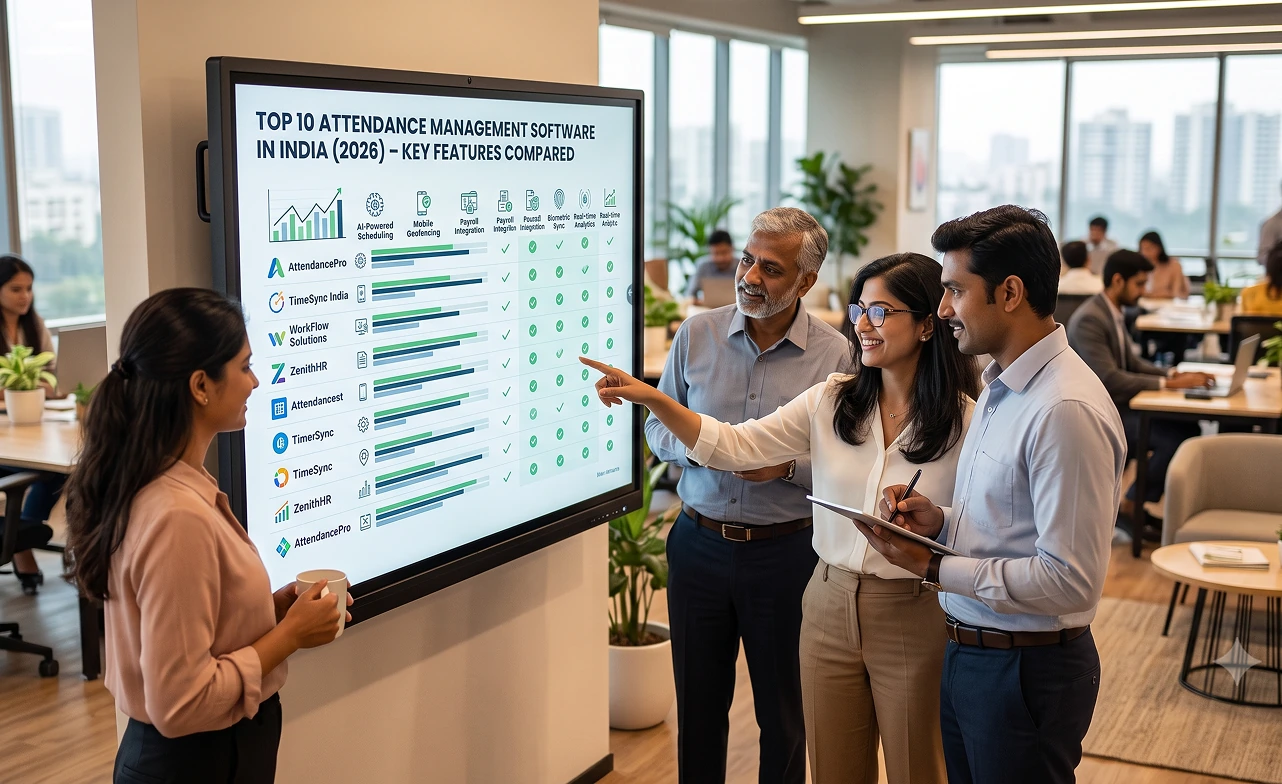

Choosing the best attendance management software can be difficult because every workforce operates differently. Some businesses need automatic work-hour tracking, while others need shift scheduling, GPS attendance, payroll integration, or HR management.
To make the comparison easier, we reviewed 10 attendance tools based on attendance methods, scheduling, leave management, location tracking, integrations, reporting, pricing, scalability, and overall workforce fit.
Best Attendance Management Software: Quick Comparison
The table below gives you a quick view of how the leading platforms differ. Use it to narrow your shortlist before reviewing each tool in more detail.
There is no single platform that fits every business. The right option depends on whether your employees are remote, office-based, deskless, field-based, or working scheduled shifts.
| Software | Best For | Method | Standout | Price* |
|---|---|---|---|---|
| Desklog | Remote, hybrid and knowledge-work teams | Automatic tracking, work-hour settings, geolocation | Attendance + time + productivity intelligence | Free; paid from $3.50/user/month |
| Jibble | Free attendance tracking | Mobile, desktop, kiosk, GPS, face recognition | Free attendance for unlimited users | Free |
| Connecteam | Field and deskless teams | Mobile time clock, GPS, geofencing | Location-based workforce management | From $29/month |
| Deputy | Shift-based teams | Mobile, web, kiosk, geofencing | Scheduling + attendance | From $5/user/month |
| Clockify | Project-based teams | Timer, timesheet, kiosk | Attendance + project time tracking | From $5.49/user/month |
| Hubstaff | Remote and distributed teams | Desktop/mobile tracking, attendance | Productivity visibility + attendance | Attendance on Team plan |
| When I Work | Restaurants, retail and hourly teams | Mobile time clock, GPS | Scheduling + attendance | From $2.50/user/month |
| Zoho People | Businesses needing attendance inside HR | Web, mobile, facial recognition, biometrics | Attendance + HR workflows | From $2/user/month |
| UKG Ready | Growing organizations | Mobile punches, geofencing, scheduling | HR + payroll + time | Custom quote |
| ADP Workforce Now | Payroll-focused organizations | Web, mobile and workforce time capture | Payroll + workforce management | Custom quote |
Pricing reflects publicly available vendor information reviewed in September 2026. Final pricing may vary by billing cycle, region, selected modules, employee count, or optional features.
Editorial disclosure: Desklog publishes this comparison and is one of the products included. Instead of assigning unsupported ratings, this guide compares documented capabilities, workforce fit, pricing, strengths, and practical limitations.
How We Compared These Attendance Tools
We did not rank platforms simply by counting how many features they advertise. Instead, we looked at how effectively each product supports real attendance-management workflows.
We focused on the areas that have the biggest impact on daily workforce operations, including attendance capture, scheduling, leave, payroll readiness, reporting, integrations, and scalability.
Attendance Capture
Attendance should be easy for employees and reliable for managers. Different businesses may need very different tracking methods. We considered whether each platform supports:
- Automatic time tracking
- Desktop applications
- Web clock-ins
- Mobile clock-ins
- Shared kiosks
- GPS
- Geofencing
- Facial recognition
- Biometric devices
- Offline tracking
Scheduling
Scheduling is especially important for businesses with hourly or shift-based employees. It becomes less important for flexible knowledge-work teams. We looked for features such as:
- Shift creation
- Availability management
- Shift swaps
- Recurring schedules
- Break management
- Multi-location scheduling
Leave and Absence Management
Attendance data is more useful when approved leave and absences are reflected in the same system. This reduces manual reconciliation for HR teams. We considered whether platforms support leave requests, approvals, holidays, absence tracking, and related attendance workflows.
Location Verification
Location verification can be important for field employees, construction teams, mobile workers, and multi-location businesses. We reviewed support for GPS clock-ins, geofencing, location restrictions, and job-site attendance.
Payroll Readiness
Attendance data often becomes payroll data. A good system should make it easy to move approved work hours into payroll. We considered payroll integrations, overtime calculations, timesheet approvals, and export options.
Reporting
Attendance reports should help managers understand patterns, not just individual clock-in records. Useful reporting may include:
- Working hours
- Late arrivals
- Absences
- Overtime
- Leave
- Timesheets
- Shifts
- Projects
- Locations
Workforce Fit
Different platforms are designed for different types of workforces. This is one of the most important factors when comparing them. We considered suitability for:
- Remote teams
- Hybrid teams
- Office employees
- Field workers
- Deskless employees
- Shift-based teams
- Small businesses
- Larger organizations
Top 10 Attendance Management Software Solutions
Desklog
Best For: Automatic Attendance and Workforce InsightsDesklog combines work-hour tracking, automated timesheets, attendance-related workforce data, productivity analytics, project tracking, and workforce reporting.
It is particularly useful for businesses where employees work primarily on computers and managers want to understand attendance alongside actual working time and productivity.
Key Features
- Automatic time tracking
- Automated timesheets
- Working-day settings
- Flexible work-hour settings
- Offline tracking
- Geolocation tracking
- Leave management on supported plans
- Real-time dashboards
- Productivity analytics
- Project and task tracking
- Application and URL tracking on supported plans
- Role and permission management
- Automatic tracking reduces manual effort
- Combines attendance, time, and productivity
- Suitable for remote and hybrid teams
- Free option for small teams
- Accessible paid pricing
- Cloud and self-hosted options
- Focuses more on time, attendance, productivity, and workforce intelligence than on being a complete HRIS
- Organizations needing recruitment, benefits administration, or a large enterprise HCM suite may prefer a broader HR platform
Need Automated Tracking Instead of Manual Timers?
See how Desklog combines automatic time tracking, attendance, and productivity intelligence in one platform.
Get Started Now Explore DesklogJibble
Best For: Free Attendance TrackingJibble is a strong option for businesses looking for attendance tracking without paying per employee. Employees can clock in from web, mobile, desktop, or shared kiosks.
It also supports GPS, geofencing, facial recognition, and offline attendance, making it useful for office, field, and multi-location teams.
Key Features
- Employee clock-in and clock-out
- Mobile attendance
- Desktop attendance
- Shared kiosk
- GPS tracking
- Geofencing
- Facial recognition
- Offline tracking
- Automated timesheets
- Leave management
- Work schedules
- Overtime tracking
- Attendance reports
- Unlimited users on the free plan
- Multiple clock-in options
- Strong location controls
- Facial recognition
- Shared kiosk
- Offline attendance
- Businesses needing full HR administration or native payroll capabilities may require integrations or additional software
- Organizations using facial recognition or GPS should review applicable privacy and employee-consent rules
Connecteam
Best For: Field and Deskless TeamsConnecteam is designed for employees who work away from a traditional desk. Its platform combines mobile attendance, scheduling, job management, and operational tools.
It is particularly useful for businesses that manage employees across job sites, customer locations, or multiple physical workplaces.
Key Features
- Mobile time clock
- GPS attendance
- Geofencing
- Employee scheduling
- Job scheduling
- Timesheets
- Payroll integrations
- Job and client tracking
- Tasks
- Forms and checklists
- Designed for deskless teams
- Strong GPS capabilities
- Scheduling and attendance together
- Useful for job-site operations
- Broader field-management tools
- A computer-based organization mainly looking for automatic desktop tracking may not need the wider field-management functionality
- Knowledge-work teams may be better served by a platform built specifically around computer-based work
Deputy
Best For: Shift-Based TeamsDeputy combines employee scheduling, timesheets, and attendance. It is especially useful for organizations where employees work fixed or rotating shifts.
The platform supports clock-in tools, leave management, payroll integrations, and geofencing, while higher plans add advanced scheduling capabilities.
Key Features
- Employee scheduling
- Time clock
- Timesheets
- Geofencing
- Shift swaps
- Availability management
- Leave management
- Break scheduling
- Payroll integrations
- Biometric clocking on supported plans
- Automated scheduling
- Labor forecasting
- Strong scheduling functionality
- Attendance tied closely to shifts
- Geofencing
- Payroll integrations
- Useful for multi-location teams
- Businesses with flexible work schedules may not need Deputy's advanced shift-management functionality
- Best suited to organizations where scheduling is central to daily operations
Clockify
Best For: Combining Attendance with Project Time TrackingClockify is primarily known as a time-tracking platform, but its paid plans also include attendance and overtime reporting.
It is particularly useful for businesses that want employee attendance information alongside project and client time tracking.
Key Features
- Time tracking
- Timesheets
- Shared kiosk
- Attendance reports
- Overtime reporting
- Time-off management
- Timesheet approvals
- Project tracking
- Invoicing
- Scheduling on higher tiers
- GPS on higher tiers
- Strong project-time tracking
- Flexible time-entry options
- Free entry-level plan
- Good for billable-hour workflows
- Attendance and project reporting together
- Businesses requiring advanced field attendance, identity verification, or broad HR functionality may need a more specialized solution
- Strongest when project time and attendance need to work together
Looking for More Than Basic Time Tracking?
See how Desklog combines automated tracking, attendance, project management, and workforce reporting in one platform.
Get Started Now Visit DesklogHubstaff
Best For: Remote and Distributed TeamsHubstaff combines employee time tracking with productivity analytics, timesheets, scheduling, and attendance.
It is particularly suitable for distributed organizations that want visibility into both working hours and how work time is being used.
Key Features
- Employee time tracking
- Automated timesheets
- Attendance
- Scheduling
- Productivity monitoring
- App and URL tracking
- Screenshots
- Project tracking
- Reports
- Employee payments
- Integrations
- Strong remote-work focus
- Attendance and productivity together
- Automated timesheets
- Detailed workforce reporting
- Broad integrations
- Organizations only looking for a simple attendance tool may not need the additional productivity-monitoring capabilities
- Businesses should evaluate employee privacy expectations before using monitoring features
When I Work
Best For: Hourly Teams and Employee SchedulingWhen I Work focuses on employee scheduling, team communication, and time-and-attendance management.
It is designed mainly for organizations with hourly employees and changing weekly or daily schedules.
Key Features
- Employee scheduling
- Time tracking
- Attendance
- Shift swaps
- Open shifts
- Multi-location scheduling
- Availability management
- Team messaging
- Payroll integrations
- Labor forecasting
- Easy scheduling workflows
- Good for hourly employees
- Multi-location support
- Workforce messaging
- Shift-swapping tools
- More scheduling-focused than platforms designed around automatic computer-based work tracking
- Businesses without shift-based operations may not need the full scheduling feature set
Zoho People
Best For: Attendance Inside an HR PlatformZoho People combines attendance with employee records, leave management, timesheets, rostering, and other HR processes.
Employees can record attendance through web and mobile interfaces, while supported plans also offer location and biometric options.
Key Features
- Web attendance
- Mobile attendance
- Facial recognition
- Attendance regularization
- Biometric integrations
- Location tracking
- IP restrictions
- Leave management
- Rostering
- Timesheets
- Overtime management
- Employee self-service
- Affordable HR platform
- Attendance integrated with HR data
- Multiple clock-in options
- Leave and attendance together
- Strong Zoho ecosystem
- Businesses that only need attendance tracking may find the wider HR functionality unnecessary
- More valuable when attendance is part of a broader HR workflow
UKG Ready
Best For: Growing Organizations with Complex Workforce NeedsUKG Ready combines HR, payroll, time, scheduling, and workforce management in a connected platform.
It is aimed primarily at organizations that need more advanced workforce rules, compliance controls, and payroll integration.
Key Features
- Time and attendance
- Mobile clock-ins
- Geofencing
- Scheduling
- Payroll
- HR management
- Leave management
- Automated pay rules
- Workforce reports
- Employee self-service
- Workforce analytics
- HR, time, and payroll connected
- Good scalability
- Strong workforce controls
- Advanced reporting
- Compliance-oriented workflows
- Implementation and pricing can be significantly more complex than lightweight attendance tools
- Smaller businesses may not require the platform's full functionality
ADP Workforce Now
Best For: Attendance Connected to PayrollADP Workforce Now is built around broader workforce administration, with payroll being one of its core strengths.
It is especially relevant for organizations that want employee time and attendance data to connect directly with HR and payroll processes.
Key Features
- Employee time capture
- Timesheets
- Scheduling
- Payroll
- Workforce reporting
- Mobile workforce tools
- HR management
- Employee self-service
- Attendance-related payroll workflows
- Strong payroll ecosystem
- Broad HR functionality
- Suitable for larger organizations
- Extensive workforce administration
- Good long-term scalability
- Smaller companies that only need basic attendance tracking may find it more complex than necessary
- Its biggest value comes from combining attendance, payroll, and wider HR administration
Which Attendance Software Is Best for Different Teams?
Different workforce models create different attendance-management requirements. A field-service company does not need the same system as a remote software team.
Use the categories below to identify the tools most closely aligned with your business model.
For Remote and Hybrid Teams
Desklog and Hubstaff are strong options for distributed teams. Both combine working-hour information with broader workforce or productivity insights.
For Free Attendance Tracking
Jibble is one of the strongest free attendance options because its free plan supports unlimited users. Desklog and Clockify also provide free entry-level plans, although functionality differs.
For Field Employees
Connecteam and Jibble are particularly suitable for mobile and field-based employees. Both support location-aware attendance workflows such as GPS and geofencing.
For Shift-Based Teams
Deputy and When I Work are designed around employee scheduling and shift management. They are particularly suitable for restaurants, retail, hospitality, and other hourly workforces.
For Project-Based Teams
Desklog and Clockify are useful when employee hours need to connect directly with projects and tasks. This can help agencies, consultants, and professional-service businesses understand both attendance and project time.
For HR and Payroll Requirements
ADP Workforce Now, UKG Ready, and Zoho People are stronger choices when attendance needs to sit inside a wider HR environment. They are particularly relevant to organizations that prioritize payroll, employee records, and workforce administration.
How to Choose the Right Attendance Platform
The best way to choose attendance software is to start with your workforce workflow rather than with a feature list.
Identify how employees work, how they should record attendance, and what must happen with that data afterwards.
1. Identify Where Employees Work
Determine whether employees are office-based, remote, hybrid, field-based, or working across multiple locations. This immediately tells you whether you need mobile attendance, automatic tracking, kiosks, GPS, or shift scheduling.
2. Decide How Attendance Should Be Recorded
Attendance can be recorded through desktop software, mobile apps, web clock-ins, shared kiosks, GPS, geofencing, or biometric systems. Choose the least intrusive method that still provides reliable attendance records.
3. Decide Whether Scheduling Matters
Shift-based businesses should prioritize scheduling functionality alongside attendance. Flexible knowledge-work teams may benefit more from automatic work-hour tracking than from advanced scheduling.
4. Map the Complete Workflow
Think beyond clock-in and clock-out. A typical workflow may look like: Attendance → approval → leave → overtime → payroll → reporting. The fewer manual steps between these stages, the easier the system is to manage.
5. Check Required Integrations
Attendance software should connect with the other tools your business already depends on. Important integrations may include:
- Payroll
- HR software
- Accounting
- ERP
- Project management
- Identity providers
- Communication tools
6. Evaluate Privacy Requirements
Some attendance tools collect location, screenshot, biometric, or activity data. Make sure your business understands what is collected, why it is collected, who can access it, and how long it is retained.
7. Run a Pilot
Always test the platform with a representative group of employees before rolling it out company-wide. Test normal clock-ins, missed punches, overtime, remote work, leave, approvals, offline work, and payroll exports.
Attendance Software vs Time Tracking Software
Attendance software primarily focuses on whether employees were present and how long they worked.
Time tracking software focuses more on what employees worked on and how much time was spent on projects or tasks.
| Attendance Software Usually Answers | Time Tracking Software Usually Answers |
|---|---|
| Was the employee present? | What did the employee work on? |
| When did they start? | How much time went into a project? |
| When did they finish? | How long did a task take? |
| Were they late? | Which hours were billable? |
| Were they absent? | How should time be allocated? |
| Did they work overtime? | |
| Were they on leave? |
Platforms such as Desklog, Clockify, and Hubstaff overlap both categories because they combine working hours with project or productivity data.
Platforms such as ADP, UKG, and Zoho People approach attendance more from an HR and payroll perspective.
Need More Than Basic Time Tracking?
Desklog brings automatic work-hour tracking, attendance, leave, project tracking, and workforce reporting together in one platform.
Start Free TrialFinal Thoughts
There is no attendance platform that works equally well for every organization. The best attendance management software Rightchoice depends on where employees work, how attendance should be recorded, and how the data will be used.
Remote teams may prioritize automatic work-hour tracking, while field teams may need GPS. Shift-based businesses may prioritize scheduling, while larger organizations may care more about payroll and HR integration.
For remote and hybrid teams, Desklog combines automatic time tracking with workforce insights. For free attendance tracking, Jibble is a strong option.
For field teams, Connecteam is particularly relevant. For shift-based businesses, Deputy and When I Work are strong choices.
Organizations seeking deeper HR and payroll functionality may prefer Zoho People, UKG Ready, or ADP Workforce Now.
The right platform is ultimately the one employees can use consistently, managers can administer easily, and the business can connect reliably with payroll, leave, scheduling, and workforce reporting.