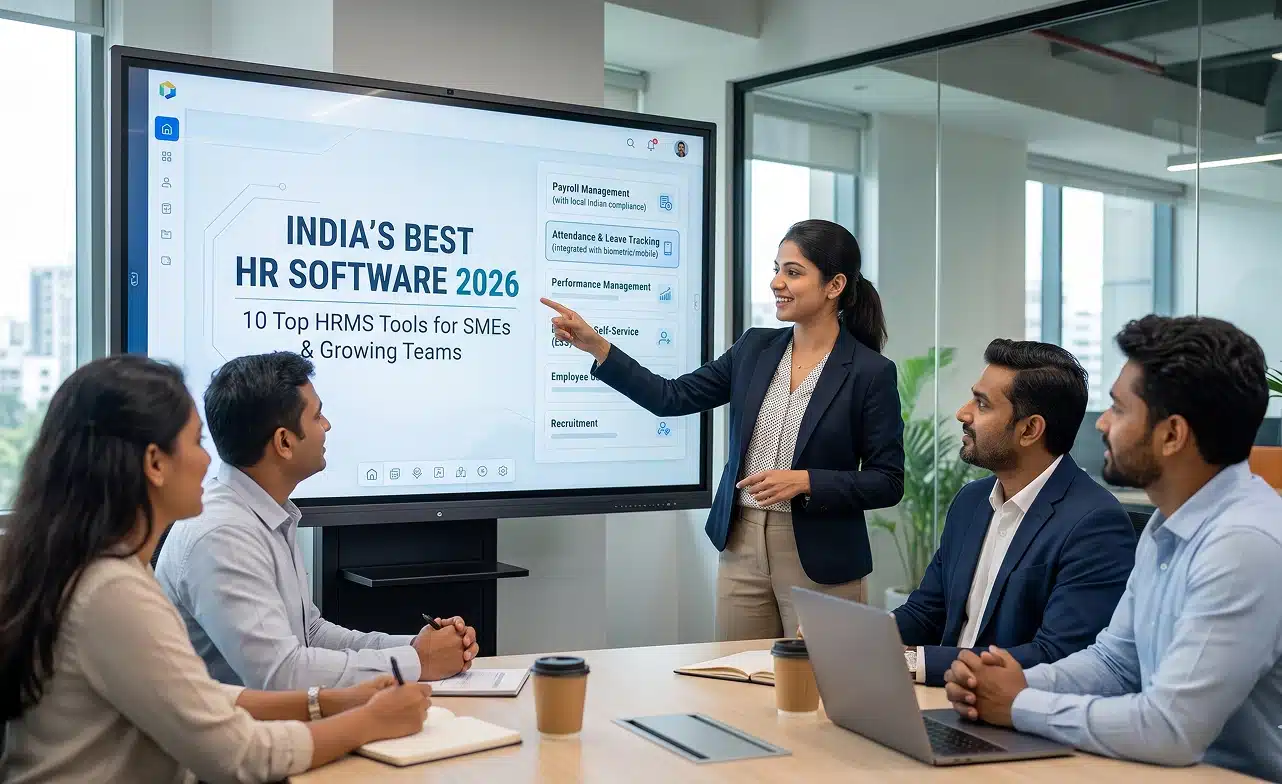
Choosing the right HR management software is difficult because every organization manages its workforce differently. Some businesses need simple employee records and leave management, while others require payroll, recruiting, attendance, performance management, or global HR capabilities.
We compared 10 leading HR software platforms based on core HR functionality, automation, payroll, attendance, talent management, reporting, integrations, pricing, scalability, and the types of businesses they serve.
Best HR Management Software: Quick Comparison
HR software ranges from lightweight systems for small teams to complete human capital management platforms designed for thousands of employees.
The comparison below gives you a quick overview before we examine each platform in more detail.
| Software | Best For | Standout Capability | Price* |
|---|---|---|---|
| Desklog | Workforce operations, remote and hybrid teams | Time, attendance, leave, payroll add-on and workforce analytics | Free; paid from $3.50/user/month |
| BambooHR | Small and midsize HR teams | Core HR + employee experience | From $10/user/month |
| Rippling | Growing companies wanting automation | HR + payroll + workforce automation | Custom pricing |
| Deel | International and distributed teams | Global HRIS + global employment | HR Core from $5/user/month |
| Zoho People | Budget-conscious small businesses | Affordable HR management | From $1.25/user/month |
| Factorial | Growing SMBs | HR + time + talent + finance | From $8/user/month |
| HiBob | Global mid-sized organizations | Modern HRIS + employee experience | Custom pricing |
| Workday HCM | Large enterprises | Enterprise HCM + workforce planning | Contact sales |
| UKG Ready | Complex hourly and frontline workforces | HR + payroll + scheduling + time | Custom pricing |
| ADP Workforce Now | Payroll-focused midsize businesses | Payroll + HR + benefits + talent | Custom pricing |
*Pricing reflects publicly available vendor information reviewed in September 2026. Final costs can vary based on employee count, country, billing period, modules, implementation, and contract terms.
Editorial disclosure: Desklog publishes this guide and is one of the products included. The platforms are compared by documented features, pricing, workforce fit, integrations, and practical use cases rather than proprietary star ratings. This list is not ordered from universally “best” to “worst.”
How We Compared These HR Management Platforms
A good HR system should do more than store employee names, email addresses, and job titles. It should reduce repetitive HR work while giving employees, managers, and HR teams reliable access to workforce information.
We therefore evaluated each product around the HR processes businesses use throughout the employee lifecycle rather than simply counting the number of advertised features.
Core HR and Employee Records
A modern HR platform should provide one reliable place for employee information. We considered capabilities such as employee profiles, organizational structures, document management, job history, roles, permissions, and employee self-service.
Onboarding and Offboarding
HR software can remove a significant amount of administrative work from hiring and employee exits. Useful features include onboarding workflows, document collection, e-signatures, task assignment, equipment workflows, employee provisioning, and offboarding checklists.
Time, Attendance, and Leave
Attendance and leave data often influence payroll and workforce planning. We considered time tracking, attendance, PTO, leave policies, scheduling, timesheets, overtime, and integrations with payroll.
Payroll and Benefits
Some HR platforms provide payroll directly, while others integrate with payroll providers. We considered salary processing, deductions, taxes, benefits administration, employee pay information, and the ability to connect workforce data with payroll.
Recruitment and Talent Management
Larger HR systems may support the employee lifecycle before and after hiring. These capabilities can include applicant tracking, recruiting workflows, performance management, learning, goals, compensation planning, and succession management.
Reporting and Analytics
HR teams increasingly need data rather than static employee records. We looked for dashboards, custom reports, workforce analytics, attendance insights, compensation information, headcount planning, and other decision-making tools.
Automation
Automation can significantly reduce HR administration. We considered workflows for onboarding, approvals, employee changes, leave, payroll, performance processes, and notifications.
Scalability
The HR system that works for 20 employees may not remain practical at 2,000. We considered workforce size, multi-location requirements, international operations, integrations, permissions, customization, and implementation complexity.
1. Desklog
Desklog
Best For: Workforce operations, attendance, and productivity.Desklog is a workforce intelligence and time-management platform that combines automatic time tracking, attendance, leave, project tracking, productivity analytics, and workforce reporting.
It is particularly relevant to HR and operations teams that need visibility into working hours, attendance, leave, productivity, and project utilization without implementing a large enterprise HR platform.
Key Features
- Automatic time tracking
- Employee attendance
- Automated timesheets
- Leave management
- Working-day settings
- Flexible work schedules
- Geolocation tracking
- Project and task management
- Employee productivity analytics
- Real-time workforce dashboards
- App and URL analytics on supported plans
- Role-based permissions
- Payroll add-on
- Attendance and leave integration with payroll
Desklog's current plans include automatic time tracking and project features, with leave management and geolocation available on Enterprise. Its optional payroll module adds salary calculation, statutory workflows, payslips, and attendance/leave integration. Desklog
Best For
- Remote businesses
- Hybrid organizations
- Software companies
- Agencies
- Professional services
- Operations teams
- Companies focused on workforce productivity
- Automatic work-hour tracking
- Attendance and leave in the same ecosystem
- Workforce productivity insights
- Low entry price
- Project tracking included
- Payroll available as an add-on
- Useful for remote and hybrid work
- Should not be confused with a complete traditional HRIS
- Businesses primarily requiring recruiting, benefits administration, employee lifecycle management, learning, or advanced compensation planning may need a broader HR platform
Need More Than Basic Time Tracking?
See how Desklog connects automatic time tracking, attendance, leave, projects, and payroll-ready workforce data in one platform.
Get Started Now Explore Desklog2. BambooHR
BambooHR
Best For: Small and midsize HR teams.BambooHR is a dedicated HR platform built around employee records, HR workflows, onboarding, time off, reporting, and employee experience.
Its Core plan includes employee records, reporting, workflows and approvals, onboarding, time-off management, and employee self-service, while higher plans expand into performance, engagement, compensation, and analytics. BambooHR
Key Features
- Employee database
- Employee self-service
- HR workflows
- Onboarding
- Applicant tracking
- Time-off management
- Benefits administration
- Custom HR reporting
- Performance management
- Employee experience
- Compensation management
- HR analytics
- Payroll add-on in supported markets
Best For
- Small HR departments
- Small and midsize companies
- Growing businesses
- Organizations replacing spreadsheets
- Companies prioritizing employee experience
- Mature core HR functionality
- User-friendly HR records
- Good employee self-service
- Built-in onboarding
- Strong HR reporting
- Large integration ecosystem
- Payroll functionality and availability can differ by country
- Organizations with highly complex frontline scheduling or global payroll needs may require additional systems or a different HCM platform
3. Rippling
Rippling
Best For: HR automation and fast-growing companies.Rippling combines HRIS, payroll, benefits, talent, workforce management, and automation around a unified employee-data platform.
Its biggest differentiator is automation. Changes to employee information can trigger workflows across onboarding, documents, time off, permissions, payroll, benefits, and connected business applications. Rippling
Key Features
- Employee records
- Automated onboarding
- Offboarding
- Document management
- Employee self-service
- Payroll
- Benefits administration
- Time and attendance
- Scheduling
- Leave management
- Recruiting
- Performance management
- Learning management
- Compensation
- Workflow automation
- HR analytics
- Global workforce management
Best For
- Fast-growing companies
- Startups and scale-ups
- International teams
- Automation-heavy HR departments
- Businesses wanting HR and payroll together
- Powerful automation
- Unified employee data
- Extensive HR functionality
- Strong payroll connection
- Global workforce support
- Broad integration ecosystem
- Modular structure means total cost can increase when multiple products are added
- Smaller organizations with simple HR requirements may not need the depth of configuration and automation available
4. Deel
Deel
Best For: Global and distributed teams.Deel has developed from a global hiring and payroll platform into a broader HRIS for distributed organizations.
Its HR platform provides worker profiles, organizational data, time off, workflows, approvals, people analytics, performance, learning, engagement, compensation, and workforce planning depending on the selected tier. Deel
Key Features
- Global HRIS
- Worker profiles
- Organizational charts
- Employee workflows
- Time off
- Approval workflows
- People analytics
- Performance management
- Learning
- Engagement surveys
- Compensation management
- Headcount planning
- Global payroll
- Contractor management
- Employer of Record
Best For
- International companies
- Remote organizations
- Distributed teams
- Companies hiring across countries
- Global HR departments
- Built around international employment
- Global worker database
- HR workflows and analytics
- Time-off management
- Global payroll ecosystem
- Contractor and employee support
- Organizations operating entirely within one country may not need Deel's international employment infrastructure
- Total price can increase significantly when EOR, contractor management, payroll, and additional HR modules are combined
Need Automated Attendance Instead of Manual Timesheets?
Desklog tracks working hours, attendance, and leave automatically and turns them into payroll-ready workforce data.
Start Free Trial5. Zoho People
Zoho People
Best For: Small businesses on a budget.Zoho People is a cloud-based HR management system offering employee records, onboarding, leave, attendance, timesheets, performance, compensation, engagement, and analytics across several pricing levels.
Its affordable pricing makes it particularly attractive to smaller companies that want to move away from spreadsheets without immediately investing in an enterprise HCM system. Zoho
Key Features
- Employee database
- Employee self-service
- Onboarding
- Offboarding
- Document management
- Leave management
- Attendance
- Timesheets
- Roster management
- Performance management
- Compensation
- Employee engagement
- HR analytics
- Learning management
Best For
- Small businesses
- Startups
- Budget-conscious teams
- Organizations already using Zoho
- Growing HR departments
- Very competitive pricing
- Strong core HR functionality
- Good upgrade path
- Attendance and timesheets available
- Large Zoho ecosystem
- Suitable for smaller teams
- Businesses with highly complex global payroll or enterprise workforce planning requirements may eventually need a larger HCM platform
- The number of Zoho modules and plan options can require some initial configuration planning
6. Factorial
Factorial
Best For: Growing businesses wanting all-in-one HR.Factorial combines core HR administration with time management, talent, finance, documents, and employee workflows.
Its Core platform includes employee directories, onboarding, offboarding, document distribution, e-signatures, and notifications, while companies can add time, talent, recruitment, engagement, and finance capabilities. Factorial
Key Features
- Employee records
- Onboarding and offboarding
- Document management
- E-signatures
- Time management
- Leave
- Shifts
- Recruiting
- Employee engagement
- Performance functionality
- Expense management
- Project management
- HR reporting
Best For
- Small and midsize businesses
- Growing HR departments
- Companies consolidating HR tools
- Teams wanting HR and finance workflows
- Businesses replacing spreadsheets
- Broad HR functionality
- Modular structure
- Time and talent tools
- Document automation
- Finance tools available
- Designed for growing businesses
- The headline price does not represent every possible configuration
- Businesses should compare the complete quote for the modules they actually require rather than evaluating only the starting rate
7. HiBob
HiBob
Best For: Modern global mid-market companies.HiBob's Bob platform is a modern HCM system built around core HR, employee experience, talent, payroll, and workforce planning.
Its Core product includes the employee database, document management, time off, employee lifecycle workflows, integrations, reporting, analytics, mobile access, and its AI assistant. HiBob
Key Features
- Core employee database
- Employee lifecycle workflows
- Time off
- HR document management
- Analytics and reporting
- Mobile HR
- Employee engagement
- Performance management
- Compensation
- Learning
- Payroll
- Recruitment
- Workforce planning
- AI assistance
Best For
- Mid-sized organizations
- International businesses
- Global HR teams
- Culture-focused companies
- Scaling organizations
- Modern user experience
- Strong employee engagement
- Global HR orientation
- Flexible module selection
- Good analytics
- Broad employee-lifecycle coverage
- Pricing is not immediately visible without requesting a proposal
- Very small companies may find simpler HR platforms easier and less costly to implement
8. Workday HCM
Workday HCM
Best For: Large enterprises.Workday Human Capital Management is designed for organizations requiring enterprise-level core HR, talent, payroll, workforce management, planning, analytics, and employee experience.
Its HCM suite covers core HR, recruiting, talent, learning, compensation, benefits, absence, workforce management, payroll, workforce planning, and real-time analytics within a connected platform. Workday
Key Features
- Core HCM
- Global employee records
- Recruiting
- Talent management
- Learning
- Compensation
- Benefits
- Payroll
- Absence
- Time tracking
- Workforce scheduling
- Workforce planning
- Advanced analytics
- Employee experience
- AI capabilities
Best For
- Large enterprises
- Multinational companies
- Complex HR operations
- Organizations needing workforce planning
- Businesses connecting HR and finance
- Very broad HCM capabilities
- Enterprise scalability
- Strong workforce planning
- Global HR support
- Talent and employee experience
- Extensive analytics
- Designed for sophisticated HR environments
- Smaller businesses may find implementation, administration, and overall platform complexity significantly greater than they require
9. UKG Ready
UKG Ready
Best For: Complex hourly and frontline workforces.UKG Ready brings HR, payroll, time, scheduling, benefits, talent, and workforce management into one system for growing organizations.
UKG emphasizes the platform's workforce-management foundation, making it particularly relevant to companies managing hourly employees, frontline workers, multiple locations, schedules, overtime, and complex pay rules. UKG
Key Features
- Core HR
- Payroll
- Benefits
- Time and attendance
- Employee scheduling
- Leave and accruals
- Recruiting
- Performance
- Learning
- Compensation
- Employee self-service
- HR analytics
- Workforce insights
- AI assistance
Best For
- Hourly teams
- Frontline organizations
- Multi-location businesses
- Growing midsize businesses
- Companies needing HR and payroll together
- Strong workforce management
- HR and payroll integration
- Advanced time and attendance
- Scheduling
- Suitable for complex labor environments
- Scalable bundles
- Organizations with mainly salaried knowledge workers and simple HR requirements may not need UKG's deeper workforce-management capabilities
- Implementation and total cost can be greater than lightweight HR systems
10. ADP Workforce Now
ADP Workforce Now
Best For: Payroll-centered HR management.ADP Workforce Now is an all-in-one platform for midsized businesses covering payroll, HR, talent management, workforce management, benefits, and analytics.
ADP positions Workforce Now primarily for organizations with 50 or more employees that want HR and payroll processes to operate from one connected platform. ADP
Key Features
- Core HR
- Payroll
- Tax processing
- Time and attendance
- Benefits administration
- Talent management
- Employee self-service
- Recruiting
- Workforce reporting
- Analytics
- Compliance tools
- Integrations
Best For
- Payroll-heavy businesses
- Midsize organizations
- Larger businesses
- HR and payroll teams
- Organizations already using ADP
- Strong payroll expertise
- Broad HR suite
- Benefits administration
- Time and attendance
- Talent tools
- Scales into larger organizations
- Businesses mainly seeking a lightweight employee database may find ADP Workforce Now more extensive than necessary
- Companies should compare implementation costs and optional modules when evaluating quotes
Best HR Software for Different Types of Businesses
There is no HR platform that is the right choice for every organization.
Company size, employee type, geography, payroll requirements, and workforce complexity usually matter more than the number of features listed on a pricing page.
Best HR Software for Small Businesses
For smaller organizations, consider: Zoho People for affordable core HR, BambooHR for a more comprehensive HR experience, and Desklog when workforce time, attendance, leave, and productivity are the main requirements. Smaller companies should prioritize ease of implementation and avoid paying for enterprise capabilities that are unlikely to be used.
Best HR Software for Global Teams
Deel, HiBob, Rippling, and Workday are worth comparing when employees operate across multiple countries. The right choice depends on whether the primary requirement is global employment, international payroll, core HR, talent, or enterprise HCM.
Best HR Management and Payroll Software
Consider ADP Workforce Now, UKG Ready, Rippling, or Deel when payroll needs to connect closely with employee records and HR processes. Businesses should verify payroll coverage carefully because tax, benefits, statutory requirements, and payroll functionality differ significantly by country.
Best HR Software for Attendance and Workforce Management
Desklog is particularly relevant when HR operations center on employee work hours, attendance, leave, timesheets, projects, productivity, and payroll-ready workforce data. UKG Ready is better suited to organizations requiring deeper scheduling, complex hourly-workforce rules, and broader HCM functionality.
Best Enterprise HR Management Software
Workday HCM, ADP Workforce Now, and UKG's broader HCM ecosystem are designed for organizations with significantly more complex HR requirements. Enterprise buyers should evaluate implementation, integrations, data migration, security, country coverage, support, and total contract cost rather than comparing only product features.
Cloud-Based HR Software vs Traditional HR Systems
Most modern HR management platforms are delivered through the cloud rather than installed separately on every company computer.
Cloud-based HR software gives HR teams and employees access through web and mobile interfaces while software updates and infrastructure are handled centrally by the provider.
Typical advantages include:
- Faster deployment
- Remote accessibility
- Automatic updates
- Employee self-service
- Easier integrations
- Scalable user access
- Centralized workforce information
Cloud delivery does not automatically make every HR product equally suitable.
Businesses should still evaluate security, data location, privacy, access controls, integrations, and availability requirements before selecting a provider.
How to Choose HR Software
Choosing HR software should begin with your actual HR processes rather than a vendor feature checklist.
Start by identifying the tasks consuming the most administrative time and determine which processes genuinely need automation.
1. Define Your Core Requirements
List the functions the system must support. These might include employee records, recruitment, onboarding, attendance, leave, timesheets, payroll, benefits, performance, learning, engagement, and reporting. Separate requirements into must-have, useful, and future capabilities. This prevents HR teams from paying for advanced modules simply because they looked impressive during a sales demonstration.
2. Consider Company Size
A 20-person startup and a 20,000-person enterprise should not evaluate HR platforms using the same criteria. Small businesses should prioritize simplicity and value, while larger organizations may need configuration, global operations, compliance controls, analytics, and complex integrations.
3. Understand Your Workforce
Consider whether employees are office-based, remote, hybrid, hourly, salaried, frontline, field-based, international, or contractors. This directly affects which time, attendance, scheduling, payroll, and mobile features are important.
4. Check Payroll Requirements
Determine whether payroll must be native to the HR platform or whether integration with an existing provider is sufficient. International organizations should verify actual country coverage instead of assuming that “global HR” also means full local payroll in every country.
5. Evaluate Employee Self-Service
Good HR software should reduce the amount of routine information employees need to request manually from HR. Employees should ideally be able to view and update relevant personal details, request leave, access documents, check pay information, and complete common workflows themselves.
6. Review Reporting
Consider which HR questions managers will need the software to answer. Useful reports may cover headcount, turnover, attendance, leave, payroll, hiring, compensation, employee performance, workforce costs, productivity, and engagement.
7. Check Integrations
Your HR platform may need to connect with payroll, accounting, ERP, time tracking, recruiting platforms, identity providers, communication tools, project management systems, and benefits providers. Integrations can matter just as much as native functionality.
8. Compare Total Cost
Do not compare HR systems using only the advertised per-user price. UKG notes that HR software commonly includes additional costs for implementation, integrations, training, modules, and support, making total annual contract value a better comparison measure. UKG
9. Run a Pilot
Test the software with real HR scenarios before rolling it out company-wide. Try onboarding, leave approvals, employee changes, timesheets, payroll workflows, manager access, reports, and offboarding to expose problems before migration.
HRIS vs HRMS vs HCM Software
These terms are often used interchangeably, but their traditional scope is different.
An HRIS generally focuses on core employee information and HR records. An HRMS usually expands into transactional HR functions such as time, payroll, and benefits.
An HCM platform typically covers the widest employee lifecycle, including recruiting, talent, compensation, workforce planning, analytics, and employee experience.
Workday similarly describes HRIS as primarily the system of record, HRMS as broader transactional HR, and HCM as the most comprehensive workforce-management layer. Workday
| System | Typical Scope |
|---|---|
| HRIS | Employee records, organization data, documents, basic reporting |
| HRMS | HRIS + leave, time, payroll, benefits and workflows |
| HCM | HRMS + recruiting, talent, learning, compensation, planning and analytics |
The labels are less important than the actual capabilities included in the product you purchase.
Always compare the modules rather than assuming two products with the same category label provide the same functionality.
Looking for the Operational Side of HR?
Desklog connects work hours, attendance, leave, productivity, projects, and payroll-ready workforce data without a full enterprise HRIS.
Get Started NowFinal Thoughts
The best HR management software depends on how your organization manages people today and how those requirements are likely to change as the company grows.
Small businesses may prioritize affordability and simplicity, while global or enterprise organizations typically need more sophisticated payroll, integrations, compliance, analytics, and workforce planning.
Zoho People offers an accessible starting point for smaller teams, while BambooHR provides a broader HR experience for growing organizations.
Rippling emphasizes automation, Deel focuses strongly on distributed and global workforces, and Factorial provides an increasingly broad platform for growing businesses.
For enterprise HR, Workday, UKG, and ADP provide deeper HCM and payroll capabilities.
For companies primarily trying to connect work hours, attendance, leave, productivity, projects, and payroll-ready workforce data, Desklog addresses that operational side of HR without requiring a full enterprise HRIS.
The strongest shortlist is usually two or three platforms that align closely with your workforce model rather than the platforms with the largest feature lists.