

Best Employee Monitoring Software in 2026 (10 Tools Tested and Compared)

As remote and hybrid work environments continue to grow, businesses are increasingly relying on best employee monitoring software to improve productivity, track work hours, manage remote teams, and maintain operational transparency. Modern employee monitoring tools go beyond simple time tracking by offering workforce analytics, attendance management, project tracking, and security monitoring features.
Choosing the right employee monitoring software depends on your business size, industry, workforce structure, and monitoring requirements. Some tools focus on productivity insights, while others prioritize enterprise security and compliance.
In this article, we explore the 10 best employee monitoring software solutions, including their overview, key features, best use cases, and pricing details.
How We Evaluated These Best Employee Monitoring Software
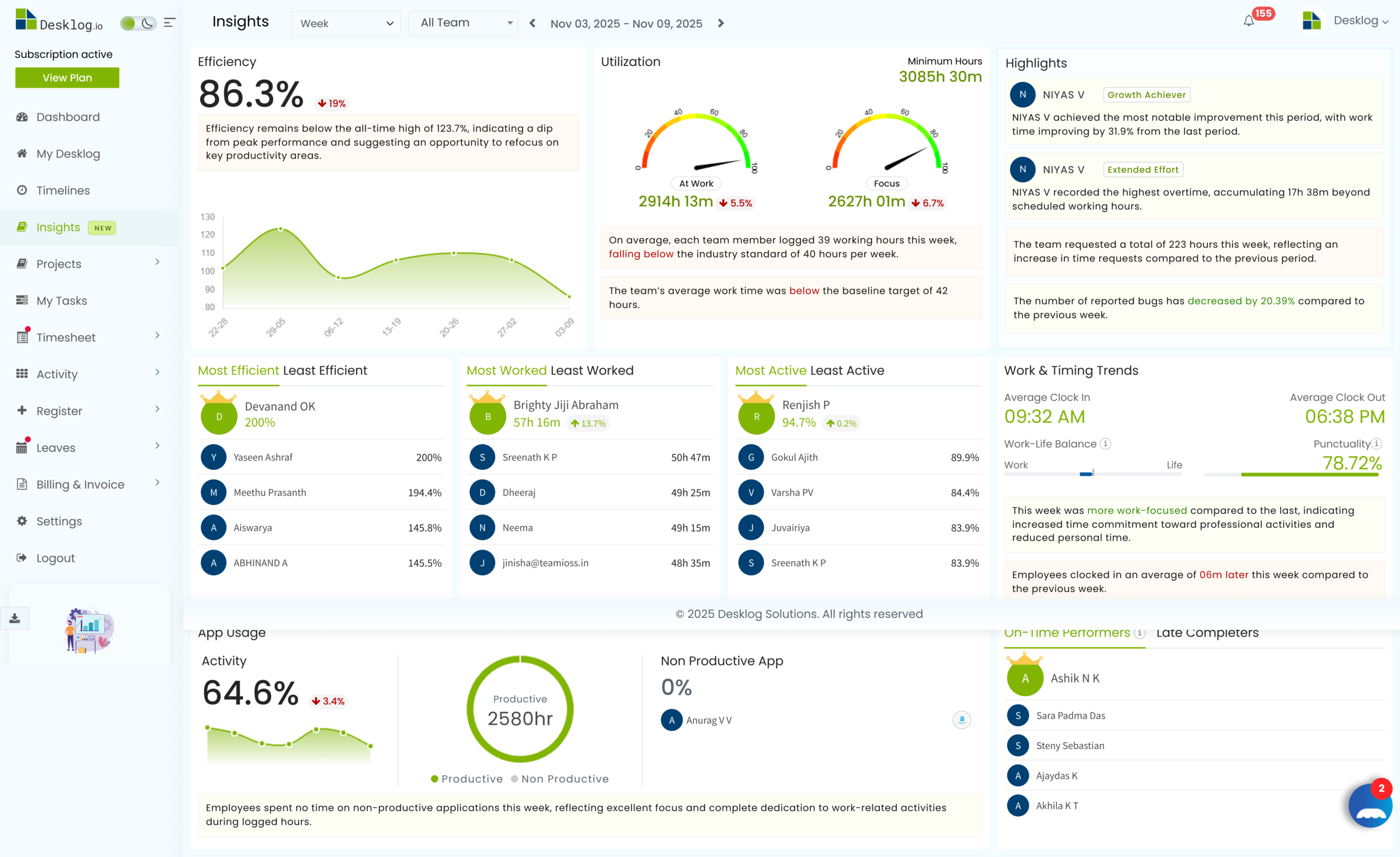
We signed up for each platform using a test team of five to ten members. Every tool was used for at least two weeks across real workflows, including customer support, software development, content creation, and administrative work.
We evaluated each tool across six criteria: ease of setup and onboarding, accuracy and depth of monitoring data, quality of analytics and reporting (not just data volume), privacy handling and employee experience, pricing fairness relative to actual feature access, and compliance readiness for GDPR and CCPA environments.
Tools were not paid to be included in this list. Desklog is our product, and we have been transparent about that throughout this article. Every other tool was evaluated on the same criteria, with honest pros and cons included for each.
Features to Look for in A Best Employee Monitoring Software
Before selecting employee monitoring software, businesses should evaluate the following features:
- Real-time activity tracking
- Time and attendance management
- Productivity analytics
- Screenshot or screen recording
- Privacy and compliance controls
- Payroll and project integrations
- Remote workforce support
- Workforce analytics dashboards
- Project and task management
- Mobile accessibility
Best Employee Monitoring Software at a Glance
The table below provides a quick overview of the top employee monitoring software solutions. It compares each platform based on its primary use case, deployment model, and availability of a free plan, helping you quickly identify the tools that best match your business needs.
| Software | Best For | Deployment | Free Plan |
|---|---|---|---|
| Desklog | SMBs & project-based teams | Cloud-based | Yes |
| Hubstaff | Remote workforce management | Cloud-based | No |
| Time Doctor | Productivity analytics | Cloud-based | No |
| Teramind | Enterprise security & compliance | Cloud & On-premise | No |
| ActivTrak | Workforce analytics | Cloud-based | Yes |
| DeskTime | Simple time tracking | Cloud-based | Yes |
| Insightful | Hybrid workforce monitoring | Cloud-based | No |
| Kickidler | Detailed employee surveillance | Cloud & On-premise | No |
| Veriato | Compliance & insider risk management | Cloud & On-premise | No |
| Controlio | Real-time employee visibility | Cloud-based | No |
The 10 Best Employee Monitoring Software in 2026
Desklog
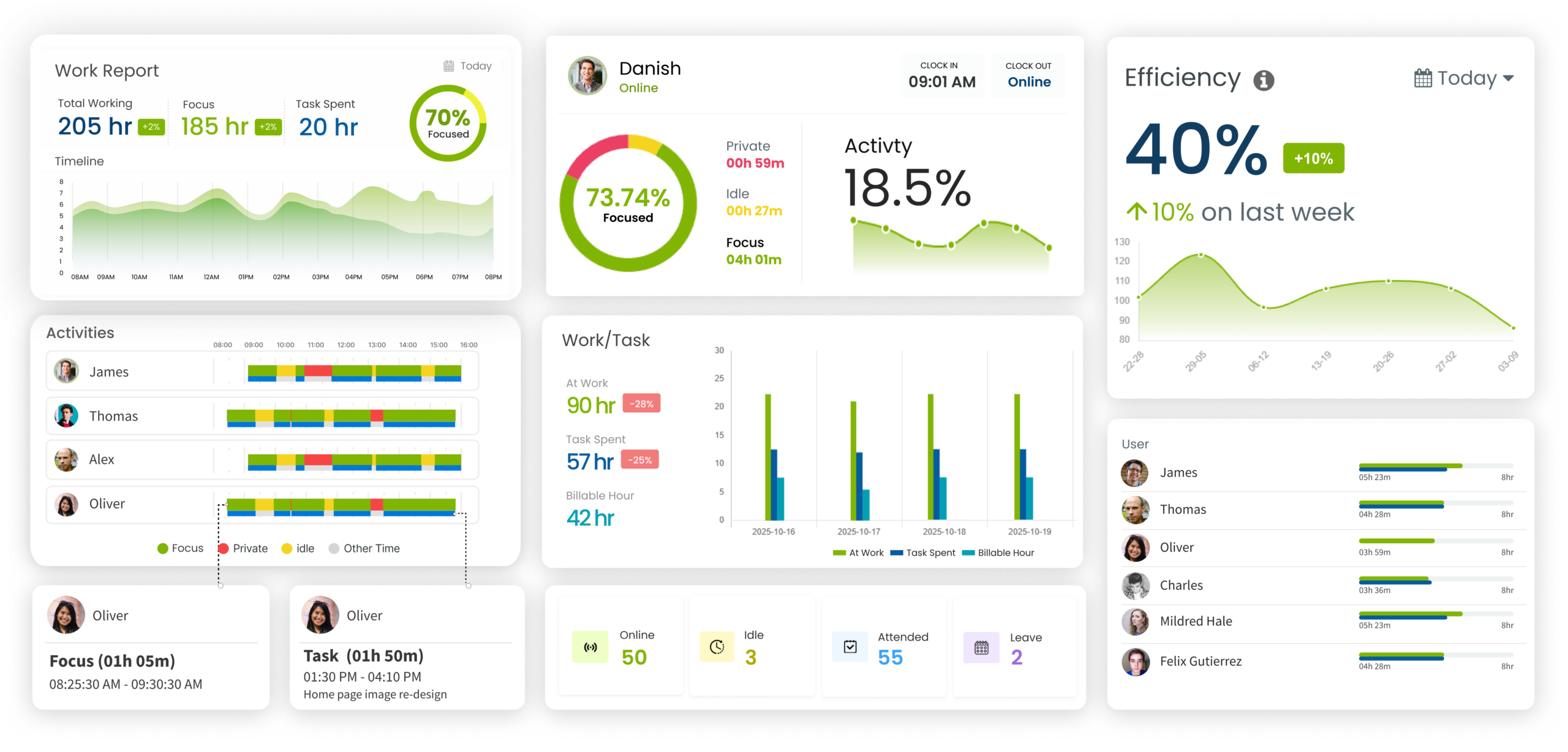
Best Employee Monitoring Software for Startups, Remote Teams, and Project-Based BusinessesDesklog is an all-in-one employee monitoring software designed for businesses of all sizes. It combines automatic time tracking, project tracking, attendance tracking, and productivity analysis into a single platform. Desklog is especially popular among remote teams, IT companies, agencies, and startups looking for affordable workforce management solutions.
For teams that struggle with getting employees to adopt monitoring tools, Desklog solves the biggest problem: trust. Employees can see their own monitoring data, which changes the entire dynamic. Instead of feeling watched, people feel informed. The productivity scoring system is another standout.
It does not log keystrokes, record webcams, or capture personal files. That is a deliberate design choice, and it is the reason employees in our test group accepted it without pushback.
- Privacy-first design that employees actually accept
- Employees can view their own data
- Free plan includes automatic tracking
- Integrates with Jira and ClickUp
- GDPR and CCPA aligned
- No native payroll integration yet
Get Started with Desklog
Stop guessing where time goes. Turn every work hour into clear productivity insights with privacy-first employee monitoring software.
Hubstaff
Best Employee Monitoring Software for Remote Workforce Management and GPS TrackingHubstaff is one of the most widely used employee monitoring software platforms for remote workforce management. It goes deeper into remote monitoring than most tools, offering GPS tracking, geofencing, activity levels based on mouse and keyboard usage, and configurable screenshot capture.
The trade-off is how it feels to employees. Activity level tracking measures how often you move your mouse and press keys, and low scores get flagged. That works fine for data entry but penalizes anyone who reads, thinks, or takes phone calls. Configure the privacy settings carefully during setup, or you will create more problems than you solve.
- GPS and geofencing are best-in-class for location tracking
- Built-in payroll integration
- Strong integration library
- Activity level tracking penalizes thinking and reading
- Can feel heavy for knowledge-work teams
Need Smarter Monitoring Without the Heavy Feel?
See how privacy-first tracking gives you better visibility without making your team uncomfortable.
Time Doctor
Best Employee Monitoring Software for Call Centers and Large OperationsTime Doctor is built for companies that manage hundreds of employees doing structured, measurable work. It tracks time, captures screenshots, monitors apps and websites in real time, and has one feature nobody else does quite like this: distraction alerts. When someone opens a non-work site, a popup appears asking if they are still working.
That feature is either exactly what you need or a guaranteed way to kill team morale, depending on your environment. For BPOs, call centers, and customer support operations where minutes matter, it creates accountability. For a design studio or engineering team, it would cause a revolt.
- Distraction alerts enforce immediate accountability
- Detailed reporting at scale
- Built-in payroll
- Distraction popups destroy trust in creative environments
- Feels more like policing than supporting
Balance Productivity and Trust
Explore how you can get deep productivity insights without creating a heavy monitoring environment.
Teramind
Best Employee Monitoring Software for Enterprise Security and Compliance MonitoringTeramind is the most powerful monitoring platform we tested. Continuous screen recording, keystroke logging, email monitoring, file transfer tracking, USB device control, and AI-based behavior anomaly detection. If someone on your team starts downloading unusual amounts of data or accessing systems outside their normal pattern, Teramind flags it before anything leaves the building.
This is real security software. It is built for financial services firms, government contractors, and companies protecting valuable intellectual property. If your legal or security team has told you that you need insider threat monitoring, Teramind actually delivers it.
For everybody else, it is massive overkill. The setup is complex, pricing starts at $15/user/month, and deploying this level of surveillance for general productivity monitoring will absolutely damage your culture.
- Deepest monitoring capability on the market
- Behavior-based anomaly detection is genuinely useful for security
- Real DLP functionality
- Way too much for general productivity monitoring
- Complex setup, needs dedicated admin
- Will damage trust if deployed without a genuine security reason
Need Productivity Intelligence Without Enterprise Complexity?
Desklog gives you meaningful workforce insights at a fraction of the cost and setup time.
ActivTrak
Best Employee Monitoring Software for Workforce Analytics and Team Performance InsightsActivTrak positions itself as a workforce analytics platform, and that framing fits. It focuses on team-level patterns: how much time goes to focused work vs meetings, how workloads are spread, and where capacity problems hide. For companies with 100+ employees doing organizational planning, the aggregate analytics are genuinely useful.
Where it falls short is individual-level detail. If you need to understand what a specific person worked on at a specific time, the data is often too aggregated. And the pricing adds up fast. The free plan only covers 3 users, and the features most companies want sit behind the $17/user/month Professional tier.
- Strong team-level analytics for capacity decisions
- Work-life balance insights are a nice touch
- Expensive at scale
- Individual-level accountability is weak
- Free plan too small to evaluate properly
Get Powerful Analytics at Any Team Size
Desklog brings AI-driven productivity insights to teams of all sizes — no enterprise budget required.
DeskTime
Best Employee Monitoring Software for Simple Time Tracking and Lightweight MonitoringDeskTime is one of the simplest tools in this category, and that simplicity is its defining trait. It runs quietly in the background and automatically tracks work time, application usage, and productivity patterns without requiring much employee interaction.
In real-world use, it feels more like a passive time observer than an active monitoring system. It is often chosen by teams that just want to understand where time goes without introducing heavy oversight or complex dashboards.
It works well for small teams and freelancers because setup is quick and the learning curve is minimal. However, as organizations grow, its simplicity can become a limitation, especially when deeper analytics, behavioral insights, or advanced workforce planning features are needed.
- Easy to set up and use
- Lightweight monitoring without invasive surveillance
- Strong automatic time tracking
- Good calendar and project integrations
- Limited advanced analytics
- Fewer enterprise security features
- Reporting can feel basic for large teams
Discover What Smart Monitoring Looks Like
See how advanced tracking and privacy-first insights can take you beyond basic monitoring without breaking the budget.
Insightful
Best Employee Monitoring Software for Hybrid Workforce Analytics and Productivity InsightsInsightful positions itself less as a "monitoring tool" and more as a workforce analytics system, and that difference shows in how the data is structured. Instead of focusing on constant observation, it organizes employee activity into patterns.
In use, it feels closer to an operational intelligence layer than a surveillance tool. Managers typically use it to answer questions like why certain teams are overloaded or where productivity bottlenecks are forming, rather than checking individual activity minute by minute.
It works particularly well in hybrid and remote setups where leadership wants clarity on team performance without micromanaging individuals. The trade-off is that it is not always ideal for granular accountability, since it prioritizes aggregated insights over detailed task-level visibility.
- Strong workforce analytics dashboards
- Useful productivity classification system
- Good balance between monitoring and employee transparency
- Scalable for growing teams
- Advanced features require higher-tier plans
- Can become expensive for large organizations
- Initial setup may take time for bigger teams
Verify Activity Without Screenshots
Desklog gives you behavioral pattern insights and productivity data without capturing employee screens.
Kickidler
Best Employee Monitoring Software for Detailed Employee Surveillance and Live Screen MonitoringKickidler gives managers something most other tools do not: live screen viewing. You can watch an employee's screen in real time, like looking over their shoulder from anywhere. It also records screen video, tracks app usage, and measures productivity through activity analysis.
The live view feature is a polarizing choice. In some industries, like financial trading floors or secure data processing centers, real-time screen visibility is a compliance requirement. In most other environments, it feels like micromanagement. Know your culture before deploying this one.
- Real-time screen monitoring is highly detailed
- Strong productivity scoring features
- Useful for quality assurance and supervision
- Affordable compared to enterprise surveillance tools
- Highly invasive monitoring approach
- Can negatively impact employee trust
- Interface feels outdated compared to modern platforms
Individual Focus Meets Team Intelligence
Desklog gives both employees and managers the productivity data they need — in one platform.
Veriato
Best Employee Monitoring Software for Insider Threat Detection and Compliance MonitoringVeriato is a forensic investigation tool. It captures screen recordings, emails, chats, keystrokes, file transfers, and web activity, then organizes everything into investigation-ready timelines. Legal teams and HR departments use it when they have specific documented cause to investigate an employee and need evidence that holds up.
This is not a tool you roll out to your whole company. It is a scalpel, not a blanket. If you are looking for ongoing employee monitoring, Veriato is the wrong answer.
- Excellent insider threat monitoring
- Strong compliance and audit reporting
- Advanced employee behavior analytics
- Useful for highly regulated industries
- Expensive for smaller businesses
- Primarily designed for enterprise environments
- Heavy monitoring may raise privacy concerns
Need More Than Forensic Monitoring?
Compare how automatic tracking and productivity insights give you better day-to-day visibility than investigation-focused tools.
Controlio
Best Employee Monitoring Software for Real-Time Workforce Visibility and Activity TrackingControlio is a real-time employee monitoring tool that feels built around one core idea: giving managers instant visibility into what is happening across their workforce without waiting for end-of-day reports. It tracks application usage, website activity, and screen-level behavior, then presents it through live dashboards that update continuously.
It tends to fit companies that want operational control without moving into heavy enterprise security platforms. However, because it leans into real-time tracking, it can feel intrusive if used in knowledge-heavy or creative environments where uninterrupted focus is important.
- Strong real-time monitoring dashboards
- Easy-to-understand productivity reports
- Good balance between analytics and monitoring
- Suitable for remote team management
- Limited project management capabilities
- Fewer integrations compared to larger competitors
- Advanced monitoring may feel intrusive for some teams
Passive Tracking With Real Insights
Desklog goes beyond passive monitoring to deliver actionable AI-powered productivity intelligence — free to start.
Best Employee Monitoring Software by Team Type and Industry
Best Employee Monitoring Software for Small Businesses
Small businesses need affordable and easy-to-manage monitoring software. Desklog is a top choice because it offers automatic time tracking, productivity tracking, project tracking, and employee analytics with flexible pricing.
Best Employee Monitoring Software for Remote Teams
Remote teams need visibility into productivity and attendance without excessive monitoring. Desklog provides automatic tracking and productivity insights for distributed teams. Hubstaff is ideal for businesses needing GPS and location tracking, while Time Doctor works well for large remote operations focused on performance metrics.
Best Employee Monitoring Software for Call Centers
Call centers benefit from detailed productivity and activity tracking. Time Doctor is well-suited for performance monitoring and distraction management. Hubstaff helps manage attendance and shifts, while Kickidler supports real-time screen monitoring for quality assurance.
Best Employee Monitoring Software for Compliance-Heavy Industries
Industries like finance and healthcare require strong compliance and security monitoring. Teramind offers insider threat detection and data loss prevention, while Desklog provides GDPR and CCPA-aligned monitoring with secure access controls.
Best Employee Monitoring Software for IT Teams
IT teams often require monitoring combined with security management. Teramind focuses on advanced security analytics. Desklog offers lightweight app and URL tracking for teams seeking productivity visibility without complex infrastructure.
10 Best Employee Monitoring Software: Side By Side Comparison Table
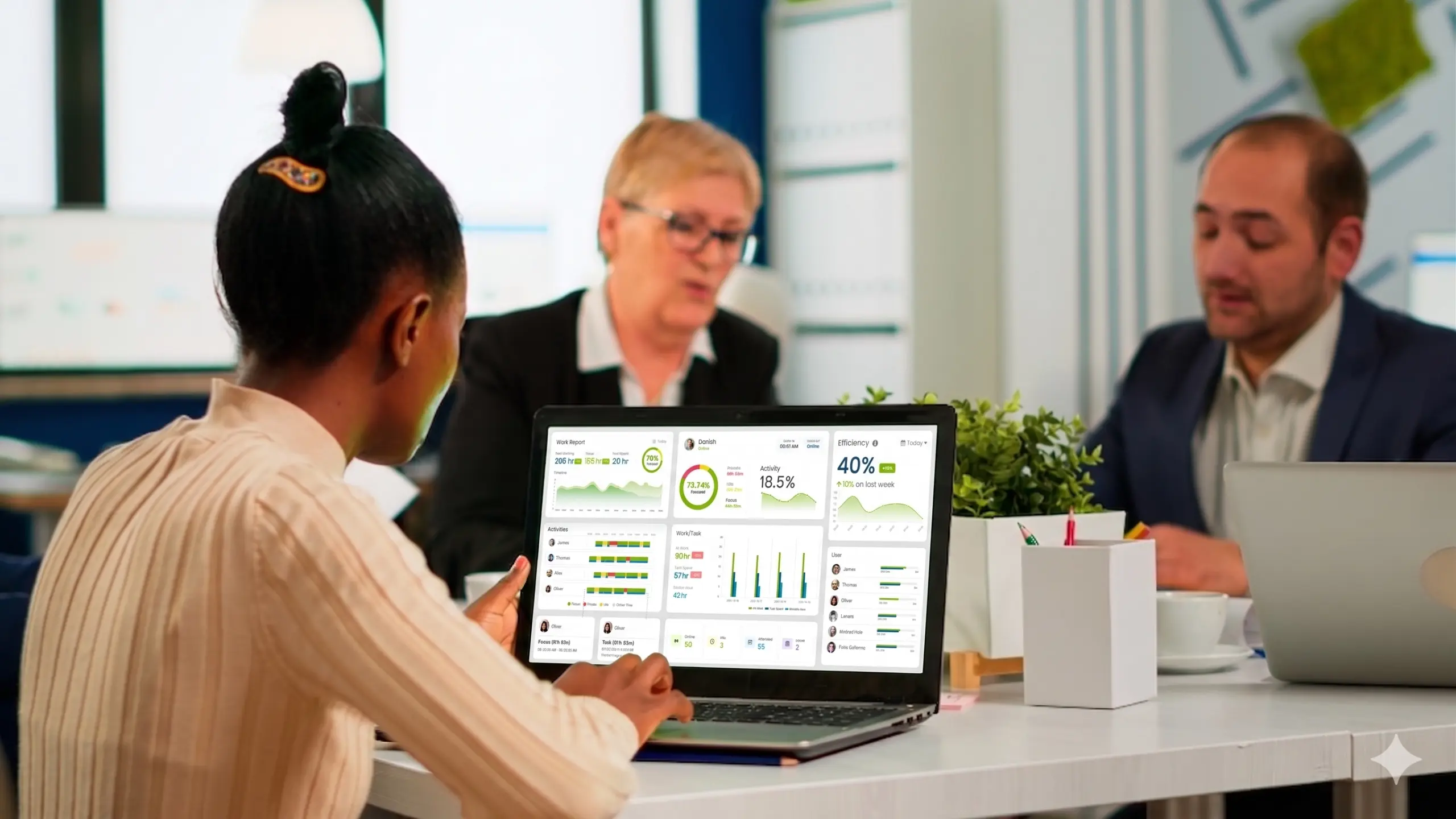
Comparing the most important monitoring capabilities side by side makes it easier to evaluate your options. The table below highlights core monitoring features, pricing, employee visibility, and the ideal use case for each platform.
| Tool | Auto Track | Screenshots | Keystrokes | Free Plan | Start Price | Employee Sees Data |
|---|---|---|---|---|---|---|
| Desklog | Yes | Yes (Optional) | No | Yes | Free / $3.50/user/mo | Yes |
| Hubstaff | Yes | Yes | No | No | $7/user/mo | Yes |
| Time Doctor | Yes | Yes | No | No | $8/user/mo | Partial |
| Teramind | Yes | Yes | Yes | No | $15/user/mo | Limited |
| ActivTrak | Yes | Optional | No | Yes | $10/user/mo | Yes |
| DeskTime | Yes | Optional | No | Yes | $6.42/user/mo | Yes |
| Insightful | Yes | Yes | No | No | $8/seat/mo | Partial |
| Kickidler | Yes | Yes | Yes | No | Custom | Limited |
| Veriato | Yes | Yes | Yes | No | $18/user/mo | Limited |
| Controlio | Yes | Yes | Optional | No | $6.67/user/mo | Partial |
Why Businesses Use Employee Monitoring Software
Modern employee monitoring software helps organizations:
- Improve workforce productivity
- Reduce time theft and inefficiencies
- Simplify payroll processing
- Track remote and hybrid teams
- Improve project management
- Improve accountability and transparency
- Protect company data and systems
These platforms provide managers with valuable insights into employee performance while helping teams stay organized and productive.
Important Ethical and Legal Considerations
Employee monitoring should always be implemented transparently and ethically. Businesses should clearly communicate monitoring policies to employees and comply with local labor laws and privacy regulations.
Organizations should focus on productivity improvement and operational transparency rather than excessive surveillance, helping maintain employee trust and workplace morale.
Final Thoughts
The best employee monitoring software depends on your company's goals, workforce structure, and monitoring requirements. Businesses focused on productivity tracking may prefer solutions like Desklog or ActivTrak, while enterprises requiring advanced security and compliance features may benefit from platforms like Teramind or Veriato.
By selecting the right solution, businesses can improve operational efficiency, support remote work environments, and create more accountable and productive teams.
Ready to Find Your Perfect Monitoring Tool?
Try Desklog free: automatic tracking, productivity analytics, and team visibility at $0 for your first plan.
Try Desklog FreeFrequently Asked Questions About Employee Monitoring Software
Meet The Author