






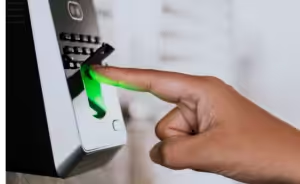
Best Clock-In Clock-Out Apps in 2025: Top Time Tracking Software for Employees


Managing employee work hours accurately has become more complex with remote work, flexible schedules, and distributed teams. In 2025, businesses are increasingly turning to the clock in clock out apps to eliminate manual timesheets, reduce payroll errors and improve workforce transparency.
From small businesses to large enterprises, modern employee time tracking software helps teams track hours in real time, stay compliant and improve productivity without friction.
This guide explores the top clock in clock out apps in 2025, their features, benefits and how to choose the right solution for your business. We’ll look into:
-
What Are Clock-In Clock-Out Apps?
-
Why Businesses Need Clock-In Clock-Out Apps in 2025
-
Key Features to Look for in the Best Clock-In Clock-Out Apps
-
Best Clock-In Clock-Out Apps in 2025 (Top Picks)
What Are Clock-In Clock-Out Apps?
Clock-in clock-out apps are attendance tracking software tools that allow employees to log their working hours digitally using mobile devices, desktops or web platforms. These tools replace manual time tracking methods like punch cards and spreadsheets with automated, accurate time records.
A modern clock in clock out app for employees typically includes mobile access, automated timesheets, reporting and payroll integration, making it an important part of workforce management.
Why Businesses Need Clock-In Clock-Out Apps in 2025
As work environments evolve, businesses face new challenges that traditional systems can’t handle.
- Remote and hybrid work demand flexible tracking through a mobile time clock app
- Compliance requirements require accurate work-hour records
- Payroll accuracy depends on real-time data, not manual entries
- Productivity and transparency improve when hours are clearly tracked
Key Features to Look for in the Best Clock-In Clock-Out Apps
When choosing the right solution, look for features that match your needs:
- GPS and geofencing via a reliable GPS time tracking app
- Mobile and web clock-ins for remote and field teams
- Automated timesheets to reduce admin work
- Payroll and invoicing integrations
- Overtime and compliance tracking
Best Clock-In Clock-Out Apps in 2025 (Top Picks)
1. Desklog
Desklog is an automated employee time tracking software built for businesses that want precise work-hour visibility without relying on manual clock-ins. It automatically records work hours and attendance, giving managers accurate insights into how time is spent across teams.
Why Desklog is the Best Clock-In Clock-Out App
Desklog offers a range of features that make tracking work hours accurate:
- Automated Clock-In/Clock-Out Tracking
- Manual Clock-In/Clock-OutOption
- Automated Timesheets
- Real-Time Attendance Reports
- Centralized Dashboard for Managers
- Offline Tracking Support
- Geo-Tracking (Location Awareness)
Pros:
- Minimal manual input
- Clear work hours tracking
- Easy adoption for teams
Cons:
- No chrome extension
Pricing (Brief):
Free plan: Basic automated time tracking for unlimited users
Plus plan: ~$3.50 per user per month
Enterprise plan: ~$4.80 per user per month
Includes features like billing/invoicing, overtime, shift management, and advanced reporting.
2. Buddy Punch
Buddy Punch is a secure clock in clock out app for employees designed to eliminate time theft and buddy punching. It emphasizes verification through facial recognition, GPS tracking, and photo punch-ins. The platform is especially useful for organizations that require strict attendance validation and clear audit trails for payroll accuracy.
Key Features:
- Facial recognition
- GPS and geofencing
- Photo punch-ins
- Scheduling and automated timesheets
Pros:
- Strong attendance verification
- Reduces buddy punching
Cons:
- Add-ons can increase cost
Pricing Tiers:
Starter: $5.49 per user/month + $19 base fee
Pro: $6.99 per user/month + $19 base fee
Enterprise: $11.99/user/mo + $19 base fee per month
3. Jibble
Jibble is a popular free clock in clock out app that offers essential attendance tracking for teams with limited budgets. It supports mobile clock-ins with GPS and facial recognition, making it suitable for field teams and remote workers. Jibble balances simplicity with reliability, providing a solid entry-level solution for attendance management.
Key Features:
- GPS and facial recognition
- Auto clock-in/out
- Authorised geofences
Pros:
- Free plan with solid features
- Easy to use
Cons:
- Limited advanced reporting
Pricing Tiers (Typical):
Free: $0 — unlimited users
Premium: $4.99 per user/month
Ultimate: $9.99 per user/month
Enterprise: Custom pricing
4. Clockify
Clockify is a flexible time tracking platform ideal for growing teams and freelancers. While primarily known for project and task tracking, it also functions as a basic work hours tracking app. Its cross-platform availability ensures teams can track time consistently across devices.
Key Features:
- Automated clock-in & clock-out
- GPS tracking
- Automated timesheets
Pros:
- Free plan available
- Scales easily
Cons:
- Basic attendance controls
Pricing Structure:
Free: $0
Basic: $4.99 per seat/month
Standard: $ 6.99 per seat/month
Pro: $9.99 per seat/month
Enterprise: $14.99 per seat/month
5. Connecteam
Connecteam is an all-in-one workforce management solution that goes beyond time tracking. Along with GPS-based clock-ins, it includes scheduling, task management, and internal communication tools. This makes it a strong choice for frontline and non-desk employees who need both attendance tracking and daily operational coordination.
Key Features:
- GPS clock-in and geofencing
- Real-Time Clock In and Out
- Auto clock-out based on geofence
Pros:
- Feature-rich
- Good for frontline teams
Cons:
- Can feel complex for small teams
Pricing Overview:
Free: For up to 10 users
Basic: $35/month (up to 30 users)
Advanced: $59/month
Expert: $119/month
Enterprise: Custom pricing
For teams over 30 users, additional per-user fees may apply.
6. QuickBooks Time
QuickBooks Time is an employee time tracking software for businesses that want smooth payroll integration. Formerly known as TSheets, it enables GPS-based clock-ins, crew management, and scheduling, with hours flowing directly into payroll systems. It is particularly valuable for organizations already using QuickBooks for accounting.
Key Features:
- GPS tracking
- Scheduling and crew management
- Payroll sync
Pros:
- Strong payroll integration
- Reliable reporting
Cons:
- Higher cost
Price Structure:
Simple Start: $19/mo
Essentials: $37.50/mo
Plus: $57.50/mo
Advanced: $137.50/mo
7. Homebase
Homebase is designed for hourly teams that need simple scheduling and attendance tracking in one place. It offers an easy-to-use clock-in system with photo verification and shift scheduling, making it especially popular among small retail stores, cafes, and restaurants managing hourly staff.
Key Features:
- Location-based mobile clock-ins
- Photo capture on tablet/POS clock-ins
Pros:
- Free starter plan
- Simple interface
Cons:
- Limited scalability
Pricing Plans (Per Location):
Basic: Free (one location, up to 10 employees)
Essentials: $30/month per location
Plus: $70/month per location
All-in-One: $120/month per location
8. Deputy
Deputy is a powerful scheduling and compliance-focused platform built for businesses with complex shift requirements. It helps employers manage labor laws, breaks, and overtime while automating schedules and approvals. Deputy is well-suited for multi-location and compliance-heavy industries.
Key Features:
- Geofencing
- Biometrics
- Custom timesheet fields
Pros:
- Excellent for shift-based teams
Cons:
- No free plan
Pricing Tiers (Per User):
Lite: $5.50 per user per month
Core: $7.25 per user per month
Pro: $10 per user/month
9. OnTheClock
OnTheClock is a straightforward employee clock in app that focuses on simplicity and affordability. It provides essential time tracking, PTO management and payroll-ready reports without overwhelming users with advanced features. This makes it a practical choice for small and mid-sized businesses.
Key Features:
- Clock in/out
- Mobile punch in/out
- Kiosk mode punch in/out
Pros:
- Easy to use
- Affordable
Cons:
- Limited customization
Typical Pricing:
Per user: $4 per user/month
Base fee: $5/month (flat account fee)
10. Hubstaff
Hubstaff combines time tracking with deeper workforce insights, offering tools for GPS tracking, scheduling, budgeting, and payroll exports. It is designed for remote and hybrid teams that need visibility into work hours and resource allocation across locations and projects.
Key Features:
- GPS tracking
- Multi platform timer app
- Timesheets
Pros:
- Strong reporting
- Budget tracking
Cons:
- Advanced features require higher plans
Pricing:
Starter: $7/ seat / mo
Grow: $9 / seat / mo
Team: $12 / seat / mo
Enterprise: $25 / seat / mo
Conclusion:
Choosing the right clock-in clock-out app in 2025 is about gaining clarity, accuracy, and control over how your workforce operates. From budget-friendly tools like Jibble and Clockify to feature-rich platforms such as Connecteam, Deputy, and QuickBooks Time, each solution serves different business needs.
However, for businesses looking for a balanced, automated, and easy-to-adopt solution, Desklog stands out. Its automated clock-in/clock-out tracking, real-time attendance reports, centralized dashboard, and affordable pricing make it a strong choice for teams of all sizes seeking reliable work-hour visibility without added complexity.
FAQs
1. What is the best clock in clock out app for small businesses?
Apps like Desklog, Homebase and Jibble are ideal for small businesses due to their ease of use, affordability and essential time tracking features.
2. Are there free clock in clock out apps available?
Yes. Desklog offers free plans with basic time and attendance tracking.
3. How does a mobile time clock app work?
Employees clock in and out using a mobile device, and the data syncs automatically for timesheets, reporting and payroll.
4. Can clock-in clock-out apps track remote employees?
Yes. Most modern time tracking apps support remote and hybrid teams through mobile, web, and desktop tracking.
5. Do clock-in clock-out apps support GPS tracking?
Many apps include GPS tracking or geofencing to verify work locations and prevent time theft.
6. Can these apps prevent buddy punching?
Yes. Features like facial recognition, photo capture and location verification help prevent buddy punching.
7. Are clock-in clock-out apps suitable for field workers?
Absolutely. Mobile clock-ins, GPS tracking and offline support make them ideal for field teams.
8. Why should businesses use employee time tracking software in 2025?
Employee time tracking software improves accuracy, compliance, productivity and workforce transparency in modern work environments.
9. How to prevent buddy punching in large teams
Buddy punching occurs when attendance is based on manual inputs. Desklog eliminates this risk by tracking real work activity instead of check-ins. Time is recorded based on actual system usage. This creates a more reliable and fair attendance process.
Meet The Author

Product Specialist & Research Head

I thoroughly enjoyed this blog on clock-in and clock-out apps from Desklog. It offers valuable insights and recommendations. Well-written and incredibly helpful. Thanks for sharing!