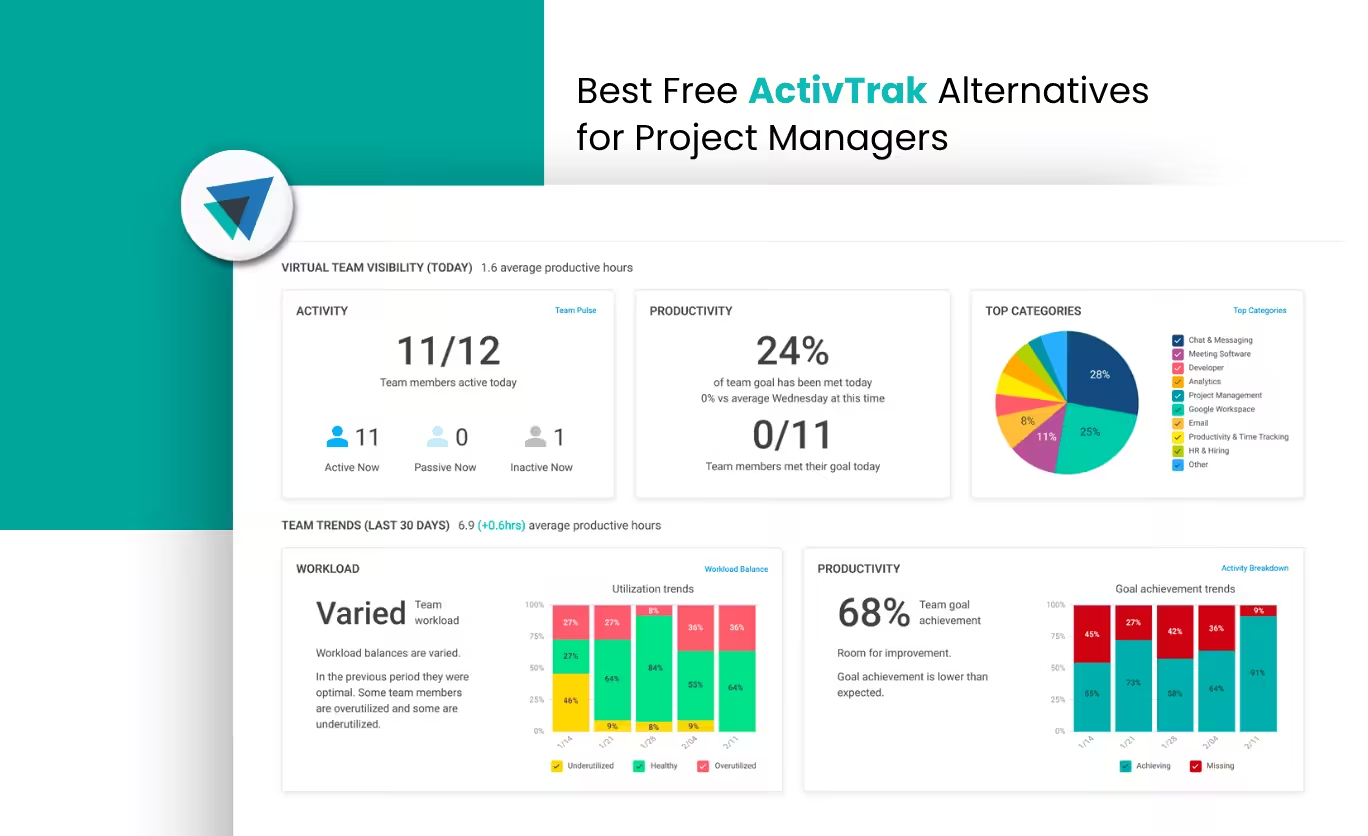
Best Free ActivTrak Alternatives for Project Managers 2026

Looking for the best free ActivTrak alternatives in 2026? You’re not alone. As project management evolves, teams are moving away from traditional employee monitoring tools toward smarter, privacy-first time tracking software and workforce analytics solutions.
While ActivTrak is known for activity monitoring, its free plan falls short for growing teams that need project-based tracking, accurate billing, and scalable collaboration. Modern project managers now prioritize tools that combine task-level visibility, automated timesheets, and actionable insights without compromising team trust.
In this guide, we’ve shortlisted the top free ActivTrak alternatives that offer better project tracking, improved productivity insights, and flexible features for remote and hybrid teams. Whether you manage client projects, internal teams, or distributed workflows, these tools help you track work efficiently while focusing on outcomes, not surveillance.
Quick Shortlist – Best Free ActivTrak Alternatives 2026
The 5 best free ActivTrak alternatives for project managers:
Desklog – Best for workforce analytics & project billing: 3 free users, task-level tracking, offline sync
Clockify – Best for large teams & simple tracking: unlimited users with straightforward reporting
DeskTime – Best for productivity insights (single user): automatic tracking with productivity analysis
Toggl Track – Best for simplicity & fast adoption: easy project tracking, no invasive monitoring
Traqq – Best for startups & small remote teams: activity logs and offline support for up to 3 users
Why Project Managers Are Ditching ActivTrak for Free Alternatives
1. ActivTrak's Free Plan Isn't Built for Growing Projects
Project managers are abandoning older, surveillance-based systems such as ActivTrak as they navigate the demands of hybrid work, client billing and team autonomy.
While ActivTrak may appear suitable for simple oversight, its free plan lacks the scalability and depth needed for multi-client projects or remote team coordination. The new preference is for free, privacy-respecting platforms that offer a better blend of accurate task tracking, ethical oversight and automation-first support for billing.
Where the free plan falls short for project managers
User limit: capped at only 3 users
Short data history: only 30 days of activity retained
No project or task structure for billing or delivery workflows
Monitoring-first design instead of delivery-first reporting
For agencies, consulting teams and internal delivery teams, this creates friction very quickly.
2. ActivTrak's Monitoring Hurts Team Trust and Productivity
Project management isn’t about micromanaging. It's about providing teams with tools that help them track their work meaningfully and stay aligned on outcomes. Yet ActivTrak leans heavily into top-down monitoring.
A 2025 study revealed that 62% of employees under intrusive monitoring felt "less trusted", and 41% sought new jobs within 6 months. The cost of surveillance is measured in attrition.
Red Flags in Legacy Monitoring Platforms
Screenshots taken without user consent or notification
Private messaging and URL tracking without customization options
No employee-side visibility into what is being recorded
No role- or project-based customization of monitoring scope
For creative, engineering and client-facing teams, this directly affects morale and retention.
3. ActivTrak Lacks Essential Features for Project Billing & Task Management
In project-based environments, project billing isn’t just about tracking time, It’s about project time tracking & billable utilization tied directly to deliverables, tasks, and phases. Without this context, time logs become incomplete, and billing turns into an administrative guessing game.
What Project Managers Actually Need
Task & sub-task tracking for accurate billing and accountability
Project and client structure to organise work across multiple engagements
Billable vs non-billable classification so invoices are always correct
Offline and background time capture for travel, field and low-connectivity work
Automated project reports for client hand-offs, reviews and retrospectives
No-code timesheet exports for payroll and invoicing in one click
Tool integrations (Asana, Trello, GitHub, Jira, ClickUp) to fit existing workflows
Idle/active time detection for accuracy without micromanagement
Role-based access controls to keep data relevant and secure
Where ActivTrak Falls Short
No real project, task or deliverable structure
No project-level billing or billable hour workflows
No offline tracking or caching
No invoice-ready timesheets
Rigid reporting formats with limited export and automation flexibility
Top 5 Free ActivTrak Alternatives for Project Managers
Below is a side-by-side comparison of five leading free ActivTrak alternatives, chosen specifically for their strengths in project management:
| Tool | Best For | Free Plan Limits | Key Project-Relevant Features | Starting Price | Why It’s a Good ActivTrak Alternative |
|---|---|---|---|---|---|
| Desklog | Teams of all sizes, billing-focused PMs | 3 users, unlimited projects | Project & task tracking, billable vs non-billable hours, offline tracking, automated timesheets, billing & invoicing | Free forever (Paid from $3.50/user/mo) | Delivery-focused workforce analytics with task-level, billing-ready tracking |
| Clockify | Unlimited team usage | Unlimited users & projects | Project & task timers, billable vs non-billable hours, timesheets, project reports | Free forever (Paid from $4.99/user/mo) | Simple, scalable time tracking without monitoring |
| DeskTime | Productivity visibility | Free for 1 user | Automatic time tracking, productivity scoring, screenshots, app & URL tracking | $5/user/mo | Good productivity alternative to ActivTrak |
| Toggl Track | Ease of use & fast adoption | Up to 5 users | Project-based tracking, tags, estimates, simple reports | Free forever (Paid from $11/user/mo) | Clean, non-intrusive project time tracking |
| Traqq | Startups & small teams | Up to 3 users | Activity levels, screen monitoring, offline tracking, project logs | Free (Paid from $7/user/mo) | Lightweight alternative for early-stage teams |
Desklog – Best Free ActivTrak Alternative for Workforce Insights

Desklog is a free, workforce-intelligent time and project tracking platform built for modern remote and hybrid teams. It delivers actionable insights into team and project performance by connecting time data directly to tasks, projects and delivery outcomes.
Instead of relying on raw surveillance, Desklog focuses on structured project execution, task-level visibility and automated billing workflows so that project managers can optimize performance, utilisation and profitability with real operational data.
Key Features for Project Managers
- Up to 3 users & unlimited projects on free plan
- Automated time tracking
- Project, task & sub-task tracking
- Offline time tracking with automatic sync/li>
- Automated timesheets & project reports
- Billable tracking tied directly to tasks and projects
- Idle time detection without intrusive behaviour monitoring
- Optional app & URL tracking
- Integrations with Jira, Asana, ClickUp.
- Role-based visibility and transparency controls
- Wellness reminders to support healthy work patterns
- Workforce insights and analytics for utilisation, performance and delivery trends
Pricing
✅ Pros
3 free users & unlimited projects
Built for project billing & delivery reporting
Strong privacy & visibility controls
Workforce insights for utilisation, performance and delivery trends
❌ Cons
Fewer third-party integrations on the free tier
Why it’s a Strong ActivTrak Alternative
- Designed around projects and tasks, not activity surveillance
- Built-in reporting for billing and delivery reviews
- Scales cleanly from small teams to large project organisations
Desklog Vs Activtrak For Workforce Analytics
ActivTrak focuses on activity and behaviour analytics, while Desklog delivers workforce analytics linked directly to real time, tasks and projects. This makes Desklog more actionable for project delivery, operations and utilisation planning.
Make project management easier with real workforce data
See how Desklog connects time, tasks and projects to keep delivery on track
Book a Desklog Demo →Clockify – Best Free ActivTrak Alternative for Large Teams and Simple Tracking

Clockify is one of the most popular free time-tracking tools and a strong ActivTrak alternative for project managers who need simple project tracking and clear, reliable reporting.
Key Features for Project Managers
- Project and task timers
- Billable vs non-billable hours
- Timesheets and client reports
- Project budgets and estimates
Pricing
✅ Pros
Very easy to onboard and use
Solid invoicing & timesheet exports
Great for time-budgeted client work
❌ Cons
No offline tracking capability
Limited productivity analytics
Why It’s a Good Activtrak Alternative
Great for teams who need clean invoicing without the surveillance layer.
DeskTime – Best Free ActivTrak Alternative for Productivity Monitoring

DeskTime is an automatic time tracking and analytics tool designed for managers who want hands-free tracking and clear visibility into how work time is spent.
Key Features for Project Tracking
- Automatic time tracking
- Productivity classification
- App and website usage tracking
- Screenshot capture
- Project time allocation
Pricing
✅ Pros
Strong productivity & usage analytics
Fully automatic tracking
❌ Cons
Free plan is limited to one user
Screenshot-based monitoring may affect trust
Limited project-delivery features
Why it's a good ActivTrak alternative: DeskTime offers a lighter, more accessible productivity monitoring tool for individuals or managers who still require behaviour-level insights.
Toggl Track – Best for Ease of Use and Fast Team Adoption

Toggl Track is a visually intuitive free ActivTrak alternative designed for creative teams and freelancers. Its minimalist UI and timeline-based tracking prioritize time clarity over deep behavioral analytics.
Key Features for Project Managers
- Project-based time tracking
- Tags and categorisation for tasks
- Time estimates and budgets
- Simple reporting dashboards
- Team-level visibility
Pricing
✅ Pros
Very easy for teams to adopt
Clean UI and strong usability
Ideal for agile and creative teams
❌ Cons
No automatic tracking
No screenshots or activity analytics
Limited offline capabilities
Why It’s a Good ActivTrak Alternative
- Non-invasive, project-focused, and transparent
- Best for managers in creative/marketing or design agencies
Traqq – Best Free ActivTrak Alternative for Startups

Traqq is a privacy-first free ActivTrak alternative that emphasizes ethical productivity tracking. It’s designed for small remote teams and startups that want basic activity tracking without committing to enterprise tools.
Key Features for Project Managers
- Screen monitoring & activity levels
- Project-based time logs
- Offline tracking support
- App and website usage statistics
Pricing
✅ Pros
Good coverage of core tracking features
Suitable for early-stage remote teams
Easy setup
❌ Cons
Limited project and task structure
Fewer integrations
Monitoring-oriented compared to delivery tools
Why It’s a Good ActivTrak Alternative
- Avoids invasive screenshots
- Adds intelligent work pattern insights
- Best for managers in trust-first environments
Conclusion
Choosing the right ActivTrak alternative in 2026 is about shifting from basic activity monitoring to smarter, outcome-driven project management. Modern teams need tools that go beyond tracking screen time and instead provide clear insights into tasks, productivity, and project performance. The tools listed here offer a mix of simplicity, scalability, and analytics to support different team sizes and workflows.
Across the tools reviewed in this guide:
Among them, Desklog stands out as the most complete free solution for project-driven teams, with features tailored for task-level tracking, workforce insights, and billing-ready reports. Meanwhile, Clockify and Toggl Track are great for simple time tracking, while DeskTime and Traqq serve more specific needs like productivity analytics and small team setups. Ultimately, the best choice is a tool that enhances transparency, improves efficiency, and supports your team without relying on intrusive monitoring.
Move beyond surveillance. Track projects, bill accurately, lead with real data.
Join thousands of project managers who've switched to delivery-first workforce analytics
Try Desklog Free →Frequently Asked Questions
The best free options are Desklog, Clockify, DeskTime, Toggl Track and Traqq. Each offers different strengths across project tracking, productivity visibility and team size support.
Desklog is the best choice for project billing because it ties time entries directly to projects and tasks and produces report-ready timesheets for invoicing and delivery reviews.
Clockify offers unlimited users on its free plan. Desklog's free plan covers 3 users and is better for project billing and workforce analytics, while Clockify is better for simple team-wide time tracking.
Yes. Desklog and Traqq support offline time capture and later synchronisation.
Yes. Heavy use of screenshots and always-on activity monitoring can reduce trust and engagement. Tools like Desklog, Clockify and Toggl Track focus more on project outcomes and transparent reporting than continuous surveillance.
Desklog combines workforce insights, time tracking and project profitability analysis in one platform, making it more useful for operations and delivery leaders than activity-only tools.
Desklog links time directly to tasks and projects and supports hourly, flat-rate and user-based billing with invoice-ready reports, while ActivTrak does not provide native project billing or invoicing workflows.
Yes. Desklog and several other tools offer integrations or APIs for popular project platforms. Integration availability can vary by plan, so it should be verified before switching.
Meet The Author