






Desklog vs Asana: Why Project Teams Need More Than Just Task Management


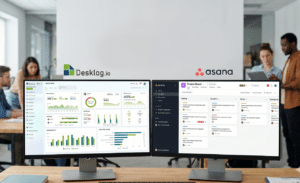
Asana is widely used for project management and team collaboration.
However, as teams grow, many businesses begin looking for better visibility into time, productivity, project progress, and operational workflows alongside task management.
Desklog approaches this differently by combining project management with workforce and operational tracking capabilities in a single platform.
In this guide, we compare Desklog vs Asana to understand where each platform fits best and which solution is better suited for different business needs.
What Asana Is Built For and What It Is Not?
Asana was designed primarily to help teams manage projects and coordinate workflows efficiently.
It excels at organizing tasks, improving collaboration, and giving project managers visibility into project progress.
For many businesses, that is exactly what they need. However, operational teams that require deeper workforce visibility often discover that project coordination and workforce intelligence are not the same thing.
Asana’s Core Strengths
Task Assignment and Workflow Management
Asana is highly effective for:
- Task creation and assignment
- Project timelines
- Workflow organization
- Milestone tracking
- Team collaboration
Teams can structure work using:
- Kanban boards
- Calendar views
- Timelines
- Project lists
Its workflow automation capabilities also help reduce repetitive administrative work.
Collaboration and Team Visibility
Asana centralizes project communication through:
- Comments
- Mentions
- File sharing
- Notifications
- Team updates
This makes it easier for teams to coordinate work across departments and projects.
Integration Ecosystem
Asana integrates with a wide range of third-party tools including:
- Slack
- Google Workspace
- Zoom
- CRM systems
- External time tracking applications
This flexibility is one of the platform’s major strengths.
Where Asana’s Time Tracking Falls Short
While Asana supports basic time logging, its time tracking functionality is relatively limited compared to dedicated workforce intelligence systems.
Its native functionality mainly focuses on manual task-level entries rather than operational workforce visibility.
Key Limitations Include:
- No automatic time tracking
- No attendance management
- No shift tracking
- No task utilization visibility
- No workforce productivity analytics
- No project profitability tracking
- No built-in billing and invoicing workflows
- No real-time workload balancing insights
Businesses often compensate for these gaps using multiple plugins and external tools. However, this creates:
- Higher software costs
- Fragmented reporting
- Manual administrative work
- Operational complexity
- Limited centralized visibility
For teams actively researching asana time tracking limitations or asana workforce management, these operational gaps become increasingly difficult to ignore as projects scale.
What Asana Tracks vs What It Does Not Track
| Asana Tracks | Asana Does Not Track |
|---|---|
| Tasks and subtasks | Automatic time capture |
| Project progress | Attendance |
| Deadlines and milestones | Shift management |
| Workflow automation | Billable vs non-billable hours |
| Team collaboration | Project P&L |
| Timeline visibility | Utilization analytics |
| Task completion | Billing and invoicing |
| Project coordination | Workforce productivity intelligence |
What Desklog Is Built For
Desklog combines advanced project management with workforce intelligence and operational visibility.
Unlike traditional project management platforms that primarily focus on task coordination, Desklog is designed to help businesses manage:
- Projects
- Team productivity
- Workflow organization
- Time allocation
- Attendance
- Utilization
- Billing
- Profitability
- Workforce operations
within a single system. Desklog is not just a time tracking add-on.
It includes advanced project execution capabilities alongside operational analytics that growing businesses need for better visibility and decision-making.
Desklog’s Core Features
Desklog is built to help businesses understand not only what work is being completed, but also:
- How time is distributed across projects
- Which tasks consume the most resources
- Whether projects remain profitable
- How workloads are balanced
- Which hours are billable
- How productive teams are in real time
Its core features include:
- Automatic time tracking
- Attendance and shift management
- Workforce productivity analytics
- Kanban project management
- Sequential tasking
- Subtask management
- Recurring tasks
- Task utilization bar
- Project billing and invoicing
- Project P&L calculator
- Activity and screenshot monitoring
- Real-time reporting dashboards
Who Uses Desklog?
Desklog is for different industries such as;
- Agencies
- IT and software companies
- Remote-first businesses
- Hybrid teams
- HR departments
- Operations managers
- Project leads
- Client-service organizations
These businesses typically require deeper operational visibility than traditional task management platforms alone can provide.
Desklog at a Glance
| Core Capability | Description |
|---|---|
| Advanced Project Management | Kanban boards, sequential tasking, subtasks, recurring workflows |
| Workforce Intelligence | Productivity analytics, utilization tracking, workload visibility |
| Time & Attendance Tracking | Automatic time capture, attendance monitoring, shift management |
| Billing & Profitability | Billable hours, invoicing, project P&L calculator |
| Operational Visibility | Real-time dashboards, reporting, screenshots, activity tracking |
Desklog vs Asana – Feature-by-Feature Comparison
This is where the operational difference between the two platforms becomes most visible.
While Asana focuses heavily on project coordination and workflow management, Desklog combines project management with workforce intelligence and operational analytics.
| Feature | Desklog | Asana |
|---|---|---|
| Kanban boards | Yes | Yes |
| Workflow organization | Yes | Yes |
| Sequential tasking | Yes | Limited |
| Subtask management | Yes | Yes |
| Recurring tasks | Yes | Limited |
| Automatic time tracking | Yes | Limited |
| Attendance management | Yes | No |
| Shift management | Yes | No |
| Task utilization bar | Yes | No |
| Workforce productivity analytics | Yes | Limited |
| Billable hours tracking | Yes | Limited |
| Project billing | Yes | No |
| Invoicing support | Yes | No |
| Project P&L calculator | Yes | No |
| Screenshots & activity tracking | Yes | No |
| Utilization reports | Yes | No |
| Real-time dashboards | Yes | Limited |
| Project profitability tracking | Yes | No |
| Collaboration tools | Yes | Yes |
| Workflow automation | Yes | Yes |
The key difference is not simply “project management vs time tracking.” The real distinction is:
- Asana focuses on workflow coordination.
- Desklog combines project execution with operational workforce visibility.
This makes Desklog particularly valuable for businesses managing:
- Client projects
- Billable work
- Distributed teams
- Resource-heavy operations
- Productivity-sensitive workflows
The 5 Capability Gaps Asana Cannot Close for Project Teams
The operational gaps in Asana become much more noticeable once businesses begin managing larger teams, billable projects, or workforce-heavy operations.The five capability gaps of asana are:
No Project P&L Visibility
Asana helps teams track project progress, but it does not help managers understand whether projects are actually profitable.
Without real-time cost visibility, project managers often struggle to answer:
- Is this project staying within budget?
- Which tasks are consuming excessive resources?
- Are billable hours covering operational costs?
- Is the project profitable?
Desklog’s project P&L calculator connects:
- Logged hours to accurately measure how much time teams spend on each project, task, or client activity in real time.
- Billing rates to calculate the actual revenue generated from billable work based on employee, project, or client-specific rates.
- Project costs to help businesses understand operational spending, resource consumption, and overall project expenses throughout execution.
- Team utilization to identify how effectively resources are being allocated and whether workloads are impacting project profitability or operational efficiency.
By combining these operational metrics together, Desklog provides real-time profitability visibility throughout the entire project lifecycle instead of showing financial outcomes only after project completion.
No Attendance or Shift Tracking
Asana tracks tasks and project progress, but it does not provide deeper workforce attendance visibility.
For organizations managing remote teams, hybrid work environments, shift-based employees, or attendance-driven operations, this creates significant operational blind spots.
While managers can see whether tasks are completed, they still lack visibility into:
- Actual work hours and active working time
- Attendance consistency across teams
- Employee availability during shifts
- Overtime patterns and work-hour trends
- Team workload distribution and utilization balance
This becomes especially challenging for businesses that need accurate workforce monitoring alongside project execution.
Desklog closes this gap with built-in attendance and shift management capabilities that help teams monitor attendance, work-hour visibility, utilization, and workforce activity within the same platform used for project and task management.
No Billable Hours Segmentation
Asana does not provide native billable vs non-billable hour segmentation, which can create operational and billing challenges for agencies, consultancies, software companies, and other client-service businesses.
Without proper segmentation, teams often struggle to understand how much time is actually generating revenue versus how much is spent on internal or non-billable activities.
This lack of visibility can lead to:
- Billing inaccuracies
- Revenue leakage
- Manual reporting work
- Reduced project profitability visibility
- Difficulty tracking client-specific effort allocation
Desklog helps businesses manage this more effectively by allowing teams to:
- Track billable hours across projects and clients
- Monitor non-billable internal work separately
- Generate invoice-ready billing reports
- Allocate time by employee, client, or project
This gives businesses clearer financial visibility while improving billing accuracy and overall project profitability management.
No Workforce Productivity Intelligence
Asana measures task completion. Desklog measures workforce productivity and operational efficiency. Desklog provides visibility into:
- Productivity Patterns identify how employees work, when they perform best, and where productivity gaps occur.
- Idle Time detects inactive periods to reduce time loss and improve work consistency.
- Utilization Rates measure how effectively employee work hours are being utilized across tasks and projects.
- Time Allocation track where time is spent to improve task prioritization and operational focus.
- Team Workload Balance ensures work is distributed evenly to avoid burnout and improve team efficiency.
- Operational Efficiency Trends monitor workflow trends to identify inefficiencies and improve overall performance.
Features like the task utilization bar help managers identify:
- Overloaded Employees detect team members handling excessive workloads and prevent productivity burnout.
- Underutilized Resources identify employees with available capacity to improve resource allocation.
- Work Distribution Imbalance spot uneven task assignments and balance workloads across teams effectively.
This operational visibility is especially important for remote and distributed teams.
No Integrated Billing and Invoicing Workflow
Businesses handling client-based projects require accurate billing visibility and streamlined invoicing processes to maintain financial efficiency.
Essential operational needs often include:
- Billing Summaries generate clear breakdowns of project hours, costs, and completed work for accurate billing management.
- Invoice-Ready Reports create structured reports that simplify invoice preparation and reduce manual administrative work.
- Client Time Allocation Visibility tracks how employee time is distributed across clients and projects for better transparency.
- Billable Project Tracking monitors billable hours separately to improve revenue tracking and project profitability.
Asana relies heavily on third-party integrations and external accounting systems to manage these workflows effectively.
Desklog simplifies this process by offering built-in project billing and invoicing capabilities directly within the platform, helping businesses manage project tracking, billing visibility, and invoice generation without depending on multiple disconnected tools.
Operational Consequence Table
| Capability Gap | Real-World Problem | How Desklog Solves It |
|---|---|---|
| No project P&L tracking | Budget overruns discovered too late | Real-time project profitability visibility |
| No attendance tracking | Limited workforce visibility | Attendance and shift monitoring |
| No billable segmentation | Billing inaccuracies | Billable vs non-billable tracking |
| No utilization analytics | Poor workload distribution | Task utilization bar and workforce analytics |
| No billing workflow | Manual invoicing complexity | Built-in project billing and invoicing |
Manage Projects, Profitability, and Workforce Visibility in One Place
See how Desklog handles project profitability, billing, utilization, and workforce visibility in one place.
Start Desklog Free TrialWhen Asana Is Still the Right Choice
Asana remains an excellent platform for teams primarily focused on:
- Project coordination
- Workflow management
- Team collaboration
- Cross-functional communication
- Lightweight project execution
If your organization does not require:
- Attendance management
- Workforce productivity analytics
- Project profitability tracking
- Billing workflows
- Utilization monitoring
then Asana may still be the better fit.
This distinction is important because Desklog and Asana are not purely direct competitors. They approach project operations from different angles.
Asana prioritizes workflow coordination. Desklog combines workflow execution with workforce intelligence and operational visibility.
When Desklog Is the Better Fit
Desklog becomes the stronger solution when businesses need both project management and operational workforce visibility within the same platform.
While many project management tools focus mainly on task coordination, growing teams often require deeper visibility into productivity, utilization, attendance, billing, and project profitability to manage operations effectively.
Agencies and Client-Service Teams
Desklog is particularly valuable for agencies and client-service businesses managing multiple projects, billable workflows, and client deliverables simultaneously.
Teams can track billable hours, manage client invoicing, monitor project profitability, and allocate resources more efficiently across multiple accounts.
This helps agencies maintain better financial visibility while improving operational control over project execution and team utilization.
Remote and Hybrid Teams Needing Attendance Data
Remote and hybrid teams often require more than project updates alone.
Businesses also need visibility into attendance, work-hour tracking, productivity patterns, and overall workforce consistency across distributed environments.
Desklog helps organizations monitor employee attendance, work-hour visibility, team utilization, and operational productivity within a centralized system, making it easier to manage distributed teams effectively.
Operations and HR Managers Who Need Workforce Visibility
Operations and HR teams typically require workforce-level insights that go beyond task completion and project timelines.
Desklog provides visibility into attendance trends, productivity patterns, workload distribution, utilization levels, and operational efficiency across teams.
This helps managers make more informed staffing, workload balancing, and workforce planning decisions while improving overall operational performance.
Project Leads Who Need Real-Time Budget and P&L Visibility
Project managers handling resource-intensive or client-based projects need continuous visibility into project costs, profitability, billable work, and resource utilization throughout the project lifecycle.
Desklog helps project leads monitor project profitability, track billable hours, analyze resource allocation, and generate real-time operational reports, allowing teams to maintain better control over budgets, utilization, and overall project performance.
Best Fit Comparison
| Team Type | Better Fit |
|---|---|
| Simple project collaboration teams | Asana |
| Agencies managing billable work | Desklog |
| Remote workforce operations | Desklog |
| HR and attendance-heavy environments | Desklog |
| Teams focused mainly on task organization | Asana |
| Organizations needing profitability tracking | Desklog |
Can You Use Desklog and Asana Together?
Yes, businesses can use both Desklog and Asana together if they want to continue using Asana’s existing workflows while adding deeper workforce visibility and operational tracking through Desklog.
In this setup, Asana is typically used for:
- Project collaboration to help teams coordinate tasks and manage shared project activities.
- Task coordination to organize assignments, deadlines, and workflow dependencies efficiently.
- Workflow communication to streamline discussions, updates, and project-related team communication.
while Desklog handles:
- Automatic time tracking helps record employee work hours accurately without manual updates.
- Attendance management helps monitor employee presence, shifts, and work schedules efficiently.
- Workforce productivity analytics provide insights into team performance and operational productivity trends.
- Billable hours tracking helps separate client-billable work from internal non-billable activities.
- Project billing and invoicing simplify invoice preparation with accurate project-based billing data.
- Project profitability monitoring helps track project costs, utilization, and revenue performance.
- Utilization tracking provides visibility into employee workload and resource allocation efficiency.
- Activity and screenshot monitoring help managers gain real-time visibility into work progress and productivity.
However, many businesses eventually realize they can manage both project execution and workforce operations directly within Desklog itself.
Desklog already includes advanced project management capabilities such as:
- Kanban boards help teams organize tasks visually and manage workflows more efficiently.
- Workflow organization helps structure projects clearly for smoother task execution.
- Sequential tasking ensures tasks are completed in the correct order based on dependencies.
- Subtask management helps break complex tasks into smaller and manageable work units.
- Recurring tasks automate repetitive workflows and improve operational consistency.
- Real-time project tracking provides instant visibility into project progress and task completion.
- Task utilization visibility helps managers monitor workload balance and team efficiency effectively.
This allows teams to reduce dependency on multiple disconnected systems while managing projects, workforce productivity, billing, and operational reporting from a single platform.
For organizations looking to consolidate project management and workforce intelligence together, Desklog provides a more unified operational workflow than relying on separate project management and time tracking tools.
Explore Desklog’s project and workforce management capabilities here: Desklog Features
Asana vs Desklog Complete Comparison
Asana and Desklog serve different business needs, with Asana focusing on project collaboration and Desklog combining project management with workforce productivity tracking and operational visibility.
The comparison below highlights the key differences in pricing, usability, integrations, reporting, and overall business use cases.
| Comparison Factor | Asana | Desklog |
|---|---|---|
| Best For | Project management and team collaboration | Workforce management, productivity tracking, and project operations |
| Primary Focus | Task coordination and workflow management | Time tracking, project management, workforce analytics, and operational visibility |
| Pricing | Starts around $10.99/user/month for advanced features | Starts from free plan; paid plans from $3.5/user/month |
| Free Plan Availability | Yes, with limited features | Yes, with core tracking features included |
| Ease of Use | Clean and user-friendly interface | More operations-focused with workforce visibility features |
| Project Management | Strong project collaboration and workflow tools | Project management with operational tracking capabilities |
| Kanban Boards | Available | Available |
| Integrations | Extensive third-party integrations | Supports integrations like Jira, Asana, ClickUp, Trello, and GitLab |
| Remote Team Management | Basic collaboration support | Designed for remote workforce visibility and monitoring |
| Reporting | Project-focused reporting | Productivity, utilization, and project operational reports |
| Learning Curve | Easier for non-technical teams | Slightly broader due to workforce management features |
| Scalability | Suitable for startups to enterprises | Suitable for freelancers, SMBs, and enterprise workforce management |
| Deployment Options | Cloud-based | Cloud and on-premise deployment available |
| Ideal Users | Project managers, marketing teams, collaboration-focused teams | Remote teams, service businesses, agencies, and operations-focused organizations |
Conclusion
In conclusion, Asana is well-suited for businesses focused mainly on project collaboration and task management, while Desklog offers a broader operational approach by combining project management, workforce tracking, productivity monitoring, and business visibility within a single platform.
The right choice depends on whether your organization needs simple project coordination or a more complete workforce and operational management solution.
Manage Projects and Workforce Operations in One Place
Track projects, monitor productivity, and improve team efficiency with Desklog’s all-in-one workforce and project management platform.
Start exploring Desklog today with a free trial.
Desklog Free TrialFAQ
1Does Asana have built-in time tracking?
Asana includes basic manual time logging functionality that allows users to record time spent on tasks.
However, it does not provide advanced capabilities like automatic time tracking, attendance management, workforce productivity analytics, project profitability tracking, or utilization monitoring.
2What is the main difference between Desklog and Asana?
Desklog combines advanced project management with workforce intelligence features such as automatic time tracking, attendance monitoring, billing, invoicing, productivity analytics, and project P&L tracking.
Asana mainly focuses on task organization, workflow management, and team collaboration.
3Can Desklog replace Asana?
Yes. Desklog already includes advanced project management capabilities including kanban boards, workflow organization, sequential tasking, subtasks, recurring tasks, and project tracking features.
Businesses can manage both project execution and workforce operations within a single platform.
4Is Desklog suitable for remote and hybrid teams?
Yes. Desklog is designed to support remote and hybrid work environments by providing visibility into attendance, work hours, productivity trends, workforce utilization, and operational consistency across distributed teams.
5Does Asana support project profitability tracking?
No. Asana does not provide native project profitability or project P&L tracking.
Businesses often require additional tools or manual reporting systems to monitor project costs, billable hours, and profitability metrics.
6Can Desklog track billable and non-billable hours?
Yes. Desklog allows businesses to track both billable and non-billable hours separately across projects and clients.
This helps improve billing accuracy, resource allocation, and overall project profitability visibility.
7Which tool is better for agencies and client-service businesses?
For agencies managing client projects, billable work, invoicing, and resource utilization, Desklog provides broader operational visibility and financial tracking capabilities.
Asana is stronger for workflow coordination and collaborative project management.
8Can Desklog handle both project management and workforce tracking?
Yes. Desklog combines project management, automatic time tracking, attendance management, workforce productivity analytics, billing, invoicing, utilization tracking, and operational reporting within a single platform, reducing the need for multiple disconnected tools.
Meet The Author

Product Specialist & Research Head
