10 Best Trello Alternatives in 2026 (Free & Paid)

For years, Trello has been one of the most widely used kanban board software tools. But in 2026, many teams are actively searching for trello alternatives that go beyond visual boards and offer real project management with time tracking, reporting, and remote-team visibility.
This guide covers the best Trello alternatives (free and paid), explains the most common Trello limitations, and shows why Desklog time tracking software is increasingly viewed as one of the tools better than Trello for growing teams.
Why Look for Trello Alternatives in 2026?
Trello is still a clean and simple task management software, but many teams now explore Trello alternatives as their workflows become more complex. Pricing changes, free plan limitations, and the lack of deeper productivity features are pushing organizations to evaluate free Trello alternatives and other platforms that offer better scalability and visibility.
Common Reasons Teams Look for Trello Alternatives
Free plan limitations
User and board restrictions push teams to search for free Trello alternatives.
Pricing concerns
Costs increase quickly as teams grow, making some of the best Trello alternatives more attractive.
Limited reporting
No built-in performance dashboards or detailed project analytics.
No advanced time tracking
Requires third-party integrations for even basic time tracking software features.
Scaling challenges
Collaboration limits and workspace restrictions can slow growing teams.
Remote visibility gaps
No native employee activity tracking, attendance monitoring, or productivity insights for remote team management.
For modern teams managing delivery, productivity, and team performance together, Trello’s capabilities can feel limited compared to many modern Trello alternatives.
What to Look for in a Trello Alternative
If you are evaluating Trello competitors, choose tools that go beyond simple task boards and provide better visibility into team performance, workflows and project progress.
Key Features to consider
- Kanban boards – Visual workflows and flexible pipelines similar to Trello.
- Automation – Recurring tasks, rule-based actions, reminders, and approvals to reduce manual work.
- Built-in time tracking – Native project management with time tracking instead of relying on external plugins.
- Reporting & analytics – Dashboards that show productivity, workload, and project progress.
- Productivity insights – Activity tracking, work timelines, and team performance data for better visibility.
- Scalable pricing – A free plan for up to 3 users and affordable plans, especially for teams exploring free Trello alternatives.
- Integrations – Compatibility with calendars, CRM, communication tools, and file storage platforms.
The best Trello alternatives combine task management, automation and productivity insights so teams can manage both work and time effectively as they scale.
Comparison Table – 10 Best Trello Alternatives (Quick View)
| Tool | Free Plan | Time Tracking | Automation | Reporting | Best For |
|---|---|---|---|---|---|
| Desklog | Yes | Yes | Yes | Yes | Productivity + project intelligence |
| ClickUp | Yes | Yes | Yes | Yes | All-in-one team workspace |
| Asana | Yes | No | Yes | Yes | Workflow planning |
| Monday.com | Yes | Yes | Yes | Yes | Visual project operations |
| Notion | Yes | No | Limited | Limited | Docs + lightweight projects |
| Wrike | Yes | No | Yes | Limited | Enterprise work management |
| Airtable | Yes | No | Limited | Limited | Database-driven projects |
| Basecamp | Yes | No | No | Limited | Simple team collaboration |
| Time Doctor | No | Yes | Limited | Yes | Employee productivity tracking |
| HubSpot | Yes | No | Yes | Yes | CRM-centric operations |
10 Best Trello Alternatives- Detailed Overview
1. Desklog

Best For:
Teams that want automated time tracking, productivity insights, and delivery visibility in one system.
Overview:
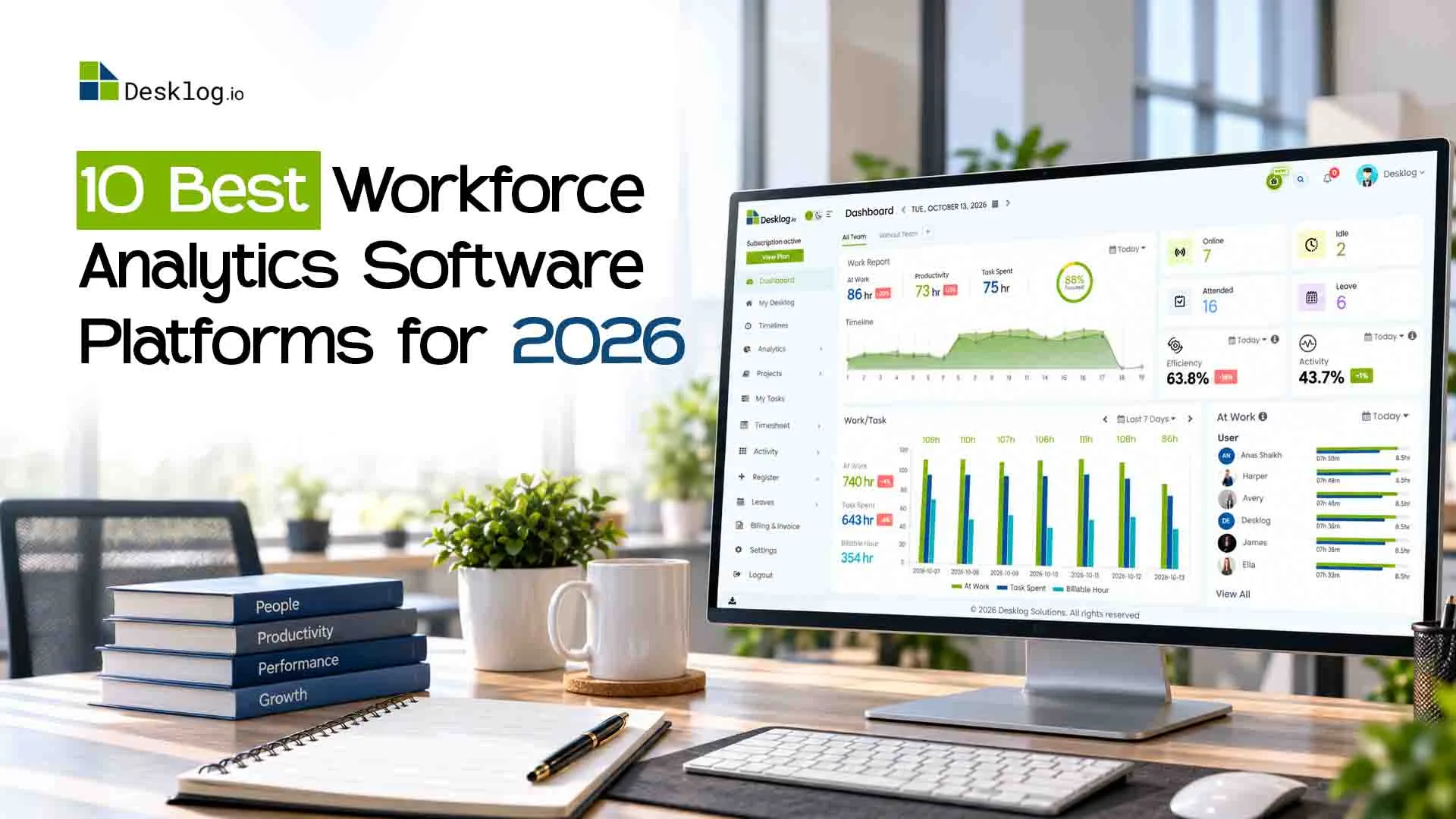
Desklog is not just a kanban board software. It is a hybrid productivity tracking software and workflow management software that connects tasks, time, attendance and productivity data. Desklog is one of the best free trello alternatives that combine task management, automated time tracking, productivity tracking and attendance tracking in one platform, giving managers clear visibility into how work actually happens.
Key Features:
- Automated time tracking (no manual timers needed)
- Project & task management with Kanban boards
- Real-time productivity timelines
- Offline time tracking and web timer
- Automated timesheets and reports
- Attendance, leave and shift management
- Project billing and invoicing
Pros:
- True project management with time tracking
- Up to 3 users and unlimited projects in the free plan
- Built-in team monitoring software and analytics
- Excellent for remote and hybrid teams
Cons:
- Slight learning curve during initial setup
Pricing:
- Free: $0
- Business: $3.50/user/month
- Enterprise: $4.80/user/month
See automated time tracking and productivity insights in action.
See how work actually happens!2. ClickUp

Best For:
Teams or individuals looking for a deeply customizable and feature-rich project management platform with collaboration tools.
Overview:
ClickUp is a powerful all-in-one workspace often listed among the best trello alternatives for teams that need deep customization and advanced collaboration tools. It combines task management, documentation, communication, and built-in time tracking in one platform. With its generous free plan and flexible workflows, ClickUp is also considered one of the most capable free trello alternatives for teams that want more control over how projects are organized and delivered.
Key Features:
- Role-specific productivity tools
- Time tracking & sprints
- Works with popular tools and apps
Pros:
- Highly customizable for different team structures
- Multiple project views beyond kanban
- Strong documentation and help resources
- Generous free plan
Cons:
- Steep learning curve due to feature depth
- Interface can feel slow or laggy
- Overwhelming for simple projects
Pricing:
- Free: $0
- Unlimited: $10/user/month
- Business: $19/user/month
- Enterprise: Custom
Explore how customizable workflows and collaboration work together.
See advanced workflows in action!3. Asana

Best For:
Larger teams seeking advanced project templates, flexible views, and powerful workflow automation.
Overview:
Asana is a structured work management platform designed to help teams plan, organize, and automate project workflows. It is frequently included in lists of best trello alternatives for organizations that need stronger workflow automation, task dependencies, and reporting capabilities.
For teams evaluating trello alternatives that support scalable project planning across departments, Asana provides a reliable and widely adopted solution.
Key Features:
- Multiple views – List, board, calendar, and timeline
- Task dependencies & recurring tasks
- Advanced reporting with custom fields
- Zero-code workflow builder for automation
Pros:
- Clean and intuitive user interface
- Strong workflow automation
- Extensive templates and customization
- Reliable mobile apps
Cons:
- Premium plans are relatively expensive
- Storage and collaboration limits on lower tiers
Pricing:
- Free: $0
- Starter: $13.99/user/month
- Advanced: $30.99/user/month
- Enterprise: Contact sales
Experience structured workflow automation and task planning.
Explore smarter project planning!4. Monday.com

Best For:
Teams that need a highly customizable, visual work management platform with strong dashboards and workload planning.
Overview:
Monday.com is a flexible project management platform designed for teams that want visual workflows, automation, and customizable reporting. Often listed among the best Trello alternatives, it offers structured boards, multiple project views, and real-time dashboards that help teams track progress and manage workloads more effectively than simple kanban boards.
Key Features:
- Kanban, calendar, timeline, workload, file, and form views.
- Custom dashboards that combine data from multiple boards.
- Track time spent on tasks directly within the platform.
- Trigger updates, notifications, and status changes automatically.
Pros:
- Highly customizable boards and dashboards
- Built-in time tracking without add-ons
- Strong automation and integration options
Cons:
- Slight learning curve for new users
- Advanced features limited to higher-tier plans
- Customization requires manual setup
Pricing:
- Free: $0
- Basic: $12/user/month
- Standard: $14/user/month
- Pro: $24/user/month
- Enterprise: Custom pricing
See visual dashboards and customizable project boards in action.
Experience visual project tracking!5. Notion
Overview:
Notion is a flexible all-in-one workspace that combines documentation, databases, and lightweight task boards in a single platform. It is often considered one of the most adaptable trello alternatives for teams that want to manage knowledge, notes, and tasks together. With its customizable structure and generous entry plan, Notion is also commonly used as one of the popular free trello alternatives for individuals and small teams.
Key Features:
- Create structured tables for tasks and projects.
- View data as Kanban, list, calendar, or timeline.
- Build pages with text, files, embeds, and tasks.
- Use ready-made templates for planning and onboarding.
Pros:
- Extremely flexible for building custom workflows and internal systems
- Excellent for documentation, wikis, and structured knowledge sharing
- Works well as lightweight task management software
- Generous free plan for individuals and small teams
Cons:
- No built-in time tracking software
- No native automated time tracking
- Not suitable as a full remote team management tool
Pricing:
- Free: $0 (For individuals and small teams)
- Plus: $12 per user/month
- Business: $24 per user/month
- Enterprise: Custom pricing
"See how teams organize information, projects and ideas in one place."
Explore a flexible workspace!6. Wrike

Best For:
Organizations seeking a feature-rich work management platform that excels in visualization, automation and cross-team collaboration.
Overview:
Wrike is a work management platform built for teams that require advanced planning, automation, and cross-team collaboration. It is widely recognized among best trello alternatives for organizations handling complex workflows and large projects. Compared to simpler trello alternatives, Wrike offers stronger reporting, workload management, and enterprise-level scalability.
Key Features:
- Monitor workload, capacity, hours, and budgets.
- Custom dashboard views and real-time reporting tools
- Web, desktop, mobile apps available.
Pros:
- Feature‑rich and suitable for complex, growing workflows.
- Strong reporting and resource management for team oversight.
- Customizable dashboards and automated workflows save time.
- Secure and enterprise-ready with higher-tier plan features.
Cons:
- The array of features can be overwhelming for new users.
- Time tracking tools may feel basic or cumbersome for day-to-day users.
- Higher pricing, especially for advanced functionalities.
Pricing:
- Free: $0/ user/ month
- Team: $10 / user/ month
- Business: $25/ user/ month
- Pinnacle: Custom quote
- Apex: Custom quote
Explore advanced dashboards and workload planning tools.
Try advanced work management!7. Airtable

Best For:
Teams that need a powerful, flexible tool for organizing large sets of data and managing complex workflows.
Overview:
Airtable blends the simplicity of spreadsheets with the power of a database, making it a flexible option for managing structured project data. It is often listed among best trello alternatives for teams that need advanced customization and multiple ways to visualize information. For organizations comparing trello alternatives that support complex workflows and data-driven project tracking, Airtable provides a highly adaptable platform.
Key Features:
- Store data like checkboxes, attachments, URLs, long text, barcodes, and more
- Build dashboards and user views with charts, buttons, filters, and forms
- Customize how you see and interact with data
- Start quickly with pre-built templates for project tracking, marketing, HR, and more
Pros:
- Extremely customizable for advanced workflows
- Helpful templates make setup easier for common use cases
- Great for collaboration across teams and departments
Cons:
- Complex setup process
- Might be overkill for simple task tracking or small projects
- Some advanced features are only available on paid tiers
Pricing:
- Free: $0
- Team: $24 per seat/month
- Business: $54/seat/month
- Enterprise: Custom pricing
See how teams manage information and collaboration in one workspace.
Explore smarter project organization!8. Basecamp

Best For:
Small, communication-driven teams that want a simple collaboration hub and basic task management.
Overview:
Basecamp is a communication-focused collaboration platform that organizes discussions, files, and simple task lists in one place. It is frequently considered one of the simpler trello alternatives for teams that prioritize clear communication over complex workflows or automation. Among trello alternatives designed for lightweight collaboration, Basecamp works well for teams that want a centralized hub for conversations and basic project coordination.
Key Features:
- Simple task lists with assignments, due dates, and checklists.
- Built-in real-time chat for quick conversations.
- Recurring questions for team updates and status sharing.
- Basic project and event calendar.
Pros:
- Extremely easy to use and quick to adopt
- Strong focus on team communication and clarity
- Works well as a lightweight workflow management software for small teams
Cons:
- No built-in time tracking software
- No automated time tracking
- Weak automation compared to most trello competitors
Pricing:
- Basecamp Free: $0 (Only one project)
- Basecamp: Flat fee of around $15 per user/month
- Basecamp Pro Unlimited: Flat $299/month for unlimited users and projects
Explore a simpler way for teams to communicate and stay organized.
See simplified team collaboration!9. Time Doctor

Best For:
Organizations that need employee productivity, attendance, and activity visibility with automated time tracking, rather than full task or project workflow management.
Overview:
Time Doctor is a productivity tracking and employee monitoring platform built to help organizations understand how work time is used. While it is not a full project management system, it is often evaluated alongside trello alternatives by teams looking for deeper visibility into productivity and attendance. For companies exploring trello alternatives that focus more on work analytics and automated time tracking, Time Doctor offers strong monitoring capabilities.
Key Features:
- Automated time tracking
- App & website usage tracking
- Idle time and inactivity detection
- Optional screenshots & screen recording
Pros:
- Strong productivity tracking software
- Detailed activity, app, and website usage reports
- Useful for compliance, payroll, and performance review workflows
Cons:
- No native kanban board software or structured task pipelines
- Can feel intrusive for teams sensitive to monitoring tools
- Not suitable as a full project management with time tracking platform
Pricing:
- Basic: $8 per user/month
- Standard: $14 per user/month
- Premium: $20 per user/month
- Enterprise: Custom plan
See automated productivity tracking and activity insights.
Explore productivity insights!10. HubSpot

Best For:
Sales-led and customer-facing teams that want task automation and workflows tightly integrated into their CRM operations.
Overview:
HubSpot is primarily a CRM platform but also includes task management and workflow automation features used by many teams to coordinate internal work. It is sometimes considered when exploring trello alternatives in customer-centric environments where tasks are closely tied to sales or service pipelines. Compared to traditional trello alternatives, HubSpot focuses more on CRM-driven workflows than project delivery.
Key Features:
- CRM-based task management
- Workflow automation
- Sales and service pipelines
- Email, meetings & activity tracking
Pros:
- Strong automation engine for CRM-driven workflows
- Centralizes tasks, communication, and customer data in one platform
- Powerful reporting for sales and service operations
- Scales well for fast-growing revenue teams
Cons:
- Very Expensive
- Not designed as kanban board software or structured project delivery tool
- No native time tracking software
- No automated time tracking or productivity monitoring
Pricing:
- Free CRM: $0
- Starter: $20 per seat/month
- Professional: $890 per month
- Enterprise: $3,600 per month
Understand how teams simplify processes and collaboration.
See how workflows connect across teams!Why Desklog Is the Best Free Trello Alternative
Among all free Trello alternatives, Desklog stands out because it closes the biggest functional gaps in Trello.
Below is a side-by-side comparison of the features offered in Desklog’s free plan versus Trello’s, highlighting why Desklog is one of the best free Trello alternatives available today.
Trello vs Desklog Comparison Table
| Feature | Trello Free | Desklog Free |
|---|---|---|
| Time Tracking | ❌ | ✅ |
| Unlimited Projects / Boards | ❌ | ✅ |
| Offline Time Tracking | ❌ | ✅ |
| Web Timer | ❌ | ✅ |
| Timesheet Generation | ❌ | ✅ |
| Clock In/Clock Out | ❌ | ✅ |
| Task Timeline | ❌ | ✅ |
This makes Desklog a hybrid productivity intelligence platform rather than just a task board.
Conclusion
There is no shortage of trello competitors in 2026. Tools like ClickUp, Asana, Monday.com, and Wrike are powerful project management tools, but most still treat time tracking, productivity monitoring, and attendance as secondary features.
Trello remains a simple and friendly kanban board software, but its reporting gaps, scaling limitations, and lack of native automated time tracking make it less suitable for modern, distributed teams.
For organizations that need:
- project management with time tracking
- productivity tracking software
- team monitoring software
- and real operational visibility
Desklog delivers a far more complete and future-ready alternative.
FAQ
1 What are the best Trello alternatives in 2026?
Some of the best Trello alternatives in 2026 include Desklog, ClickUp, Asana, Monday.com, Notion, Wrike, Airtable, Basecamp, Time Doctor, and HubSpot. These tools go beyond basic kanban boards and provide advanced features such as automation, reporting, productivity tracking, and project management with time tracking.
2 Why are teams searching for Trello alternatives?
Many teams explore Trello alternatives because Trello lacks built-in time tracking, productivity analytics, and advanced reporting dashboards. As teams grow, they often need workflow automation, team visibility, and scalable project management software, which many Trello competitors offer.
3 Are there free Trello alternatives available?
Yes, several free Trello alternatives are available, including Desklog, ClickUp, Asana, Notion, and Monday.com. These tools offer free plans with task management, automation, or time tracking features, making them good options for startups and small teams.
4 What features should you look for in a Trello alternative?
When evaluating Trello competitors, look for tools that offer kanban boards, built-in time tracking, workflow automation, reporting dashboards, productivity analytics, and integrations with tools like CRM, calendars, and communication platforms.
5 Which Trello alternative offers built-in time tracking?
Several Trello alternatives with time tracking include Desklog, ClickUp, and Monday.com. Among them, Desklog stands out because it provides automated time tracking, productivity timelines, attendance tracking, and project management in one system.
6 What is the best Trello alternative for remote teams?
For remote team management, tools like Desklog, ClickUp, and Monday.com work well because they combine task management, time tracking software, productivity insights, and collaboration tools that help managers track project progress and team activity.
7 Which Trello alternative is Best For productivity tracking?
If your goal is employee productivity tracking and time tracking, tools like Desklog and Time Doctor provide detailed activity tracking, automated time tracking, and productivity reports, which Trello does not offer natively.
8 Which apps offer Kanban boards like Trello?
Popular apps that support Kanban-style workflows include:
- Desklog
- ClickUp
- Asana
- Monday.com
- Notion
These tools allow teams to drag and drop tasks across workflow stages, track project progress visually, and combine Kanban boards with other views such as lists, timelines, and calendars for more flexible project management.
Meet The Author