








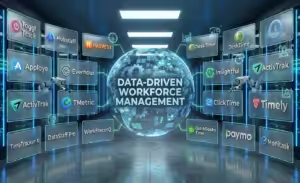
Organizations that treat employee time data as strategic intelligence, not just a record of hours, gain a measurable advantage in productivity, planning, and team performance.
The best time tracking software now combines automation, analytics, and workflow insights to help businesses understand how work actually happens across remote, hybrid, and in-office teams.
This curated list showcases 20 leading employee time tracking solutions that turn work data into actionable insights
The Top 5 Employee Time Tracking Software 2026 – Ranked By Experts & Users
- Desklog
- Clockify
- Time Doctor
- Jibble
- My Hours
2026’s Other Best Employee Time Tracking Software You Need to Know
- Toggl Track
- Hubstaff
- Harvest
- DeskTime
- Apploye
- Everhour
- TimeCamp
- Insightful
- ActivTrak
- TMetric
- ClickTime
- Timely
- Timesheet.com
- QuickBooks Time
- Paymo
Or Else Get The Most Popular Employee Time Tracking Software In One Click!
Start Free20 Best Employee Time Tracking Tools: Full List
1. Desklog:
Free Employee Time Tracking Software To Track
Projects & Employee Work Hours
Desklog is a leading employee time tracking solution designed to enhance workplace productivity and
focus. It automatically records work time, removing manual entries while delivering accurate data
and insightful performance reports.
Beyond project and task tracking, Desklog includes workforce
management capabilities such as performance insights, shift scheduling, employee wellness module,
and real-time analytics to help managers optimize teams and balance workloads. It also supports
flexible billing, attendance, and leave management, enabling smoother operations and better
work-life balance.
Desklog at a glance – Key Features
- Automated Time Tracking: Desklog automatically records employee work hours in the background, eliminating manual entry. This ensures precise time data while giving businesses a reliable view of team productivity.
- Automated Timesheets: Generates timesheets automatically using real-time activity data, reducing errors and saving valuable time for both employees and managers.
- Project Time Tracking & Kanban View: Track time spent on projects and tasks while organizing workflows through a visual Kanban board.
- Project Billing & Invoicing: With accurate tracking of billable hours, Desklog’s project billing & invoicing makes it easy to invoice clients.
- Project Profit & Loss Calculation: Get a clear view of your project’s financial performance by comparing costs against earned revenue.
- Employee Performance Insights: Delivers clear productivity insights by analyzing time usage, task progress, and work patterns.
- Employee Wellness Module: Tracks work patterns to detect overwork and promote balanced schedules.
- Attendance and Leave Tracking: Streamlines workforce monitoring by recording check-ins, check-outs, and leave requests.
Key Features
- Automated Time Tracking (Unlimited Users/Projects)
- Project/Task Timesheets
- Idle & Efficiency Time Tracker
- Billing and Invoicing
- Reports and Task Commenting
- Jira Integration & Activity Percentage
Platform Availability
Windows, Mac, Linux, iOS, Android
Pricing
- Free Forever: $0
- Business: $3.5/Month/User
- Enterprise: $4.8/Month/User
User Ratings
- Capterra: 4.8/5
Pros
- User-friendly and easy to learn
- Cost-effective and affordable pricing
- All-in-one platform with complete feature pack
- Responsive and helpful customer support
Cons
- No chrome extension available
Positive Review: “Desklog has been a fantastic tool for managing my remote team. Its user-friendly interface, seamless integration with existing workflows, and flexible feature settings make time tracking and project management effortless. The automated timesheets and productivity tracking offer valuable insights, saving time and improving team efficiency. Overall, Desklog improves organization and increases productivity, making it ideal for any remote or hybrid team.”
Negative Review: No critical negative reviews listed.
Unlock automated productivity insights and real-time workforce analytics.
Book Live Demo2. Clockify:
Best Free Employee Time Tracking App
Clockify is a time tracking software that helps teams track, bill, and schedule work hours, boasting over 80 integrations with apps like Google Calendar, Jira, and Todoist. It’s a versatile tool for both teams and freelancers, offering desktop apps for Mac, Windows, and Linux, as well as mobile apps for iOS and Android. Clockify’s simple, user-friendly interface simplifies workflows and processes, earning praise for its ease of use. However, users have reported issues such as bugs, glitches causing missing time entries, problems with the mobile app, frequent downtime, and difficulties with two-factor authentication codes.
Watch Video: Clockify YouTube Link
Key Features
- Start/Stop Timer, Manual Time Entry
- Billable Hours, Timesheet, Activity Tracking
- Calendar, Reports, Team Management
- Integrated With Basecamp, Jira, Asana, etc.
Platform Availability
Windows, MacOS, Linux, Android, iOS, Web
Pricing
- Free: $0
- Basic: $4.99
- Standard: $6.99/User/Month
- Pro: $9.99/User/Month
- Enterprise: $14.99/User/Month
- Cake Bundle: $15.99/User/Month
User Ratings
- Capterra: 4.8/5
Pros
- Flexible Time Tracking
- Generous Free Plan
- Smooth Integrations
- Insightful Time Reports
Cons
- Syncing Issues
- App Stability Problems
- Poor Project Organization
- Buggy on Android
Positive Review: “Users highly recommend Clockify for its flexibility in managing multiple clients, projects, and tasks, making time tracking and invoicing easier. The generous free plan offers all the essential features for freelancers, while seamless integrations with other tools improve productivity.”
Negative Review: “Some users have reported issues with Clockify, including frequent syncing problems between the mobile and desktop apps, with time tracking often not starting or stopping correctly. Project organization can become messy without careful planning, making reporting difficult due to an un-intuitive interface.”
Track Unlimited Time Entries With A Powerful Free Plan.
Start Tracking Free3. Time Doctor:
Best Employee Hours Tracking App
Time Doctor is a cloud-based time tracking and productivity software designed to increase employee empowerment, productivity, and project profitability. It offers features like time tracking, productivity analytics, workforce management, and employee monitoring, tracking hours, activity, URLs, and programs. Users can create custom schedules and integrate with payroll software (e.g., ADP) for timely payments. Employee monitoring features like screenshotting and webcam recording can feel invasive, especially for remote workers.
Watch Video: Time Doctor YouTube Link
Key Features
- Time Tracking, Timesheet, Offline Time Tracking
- Web and App Tracking, Productivity Measurement
- Distraction Alerts, Screenshots
- Project Management & Budgeting
Platform Availability
Windows, MacOS, Linux, Android, iOS, Web
Pricing
- Basic: $8/Month/User
- Standard: $14/Month/User
- Premium: $20/Month/User
- Enterprise: Customized Plan
User Ratings
- Capterra: 4.5/5
Pros
- Real-Time Tracking
- Detailed Reports
- Activity Monitoring
- User-Friendly Interface
Cons
- Glitches and Bugs
- Auto-Start Issues
- Performance Lag
- Unexpected Shutdowns
Positive Review: “Time Doctor has received positive feedback for its ability to improve time management, productivity, and task organization. Users appreciate its real-time tracking, detailed reports, and features like screenshots and application monitoring, which enable thorough analysis and accountability.”
Negative Review: “Negative feedback about Time Doctor highlights issues with occasional glitches and bugs that disrupt time tracking. There are complaints about app lag, slow performance, and unexpected shutdowns, especially after updates.”
Gain Deep Productivity Insights With Advanced Monitoring Tools.
Explore Productivity Insights4. Jibble:
Employee Time Tracking Solution For Attendance & Monitoring
Jibble is an easy-to-use time tracking and attendance software, ideal for small businesses with field or office staff. Its free version offers basic tools for unlimited users, while paid plans add labor compliance and payroll features. Key highlights include AI-powered facial recognition to prevent time theft, geofencing, and GPS location tracking for mobile teams. However, it lacks shift scheduling for multi-shift companies and doesn’t include built-in communication tools, requiring third-party solutions.
Watch Video: Jibble YouTube Link
Key Features
- Time Tracking, Live Location Tracking
- Time-Off Management
- Activity Monitoring & Activity Timesheet
- Attendance Tracking & Management
Platform Availability
MacOS, Windows, Linux, iOS, Android
Pricing
- Free: $0
- Premium: $4.99/User/Month
- Ultimate: $9.99/User/Month
- Enterprise: Customizable
User Ratings
- Capterra: 4.9/5
Pros
- User-Friendly Interface
- Insightful Web Dashboard
- Responsive Support
- Generous Free Plan
Cons
- Inconsistent Geolocation
- Limited Customization
- Expensive Pricing for Individuals
Positive Review: “Jibble is user-friendly, making time tracking and attendance management effortless. The location service feature is especially valuable for our construction company, ensuring accurate check-ins at job sites.”
Negative Review: “The mobile app can sometimes be slow or unresponsive, particularly with connectivity issues, and the geolocation check-in can be unpredictable, affecting tracking accuracy.”
Ensure Accurate Attendance With AI-Powered Time Tracking.
Try Smart Attendance Tracking5. My Hours:
Best Employee Time Tracking Software For General Usage
My Hours is a cloud-based time tracking tool designed for teams, offering features like time tracking, project cost analysis, expense tracking, invoicing, and integrations with over 2,000 apps. Its clean interface and efficient organization help teams stay productive. While it excels in accessibility and security, it has limitations such as challenging third-party integrations, limited customization, and a less robust mobile app.
Watch Video: My Hours YouTube Link
Key Features
- Timer, Timesheet, Manual Time Entry
- Reminder, Bulk Edit, Expense Tracking
- Budget Management, Billing, Reports
- Integrated With Zapier, QuickBooks, etc.
Platform Availability
Android, iOS, Web
Pricing
- Free plan: $0 For Up to 5 Users
- Pro: $9/User/Month
- Enterprise: Custom Pricing
User Ratings
- Capterra: 4.8/5
Pros
- User-Friendly Interface
- Easy Task Switching
- Clear Visual Feedback
- Effective for Billing
Cons
- Rigid Reporting System
- Integration Challenges
- Limited Customization
- Mobile App Limitations
Positive Review: “My Hours is a highly user-friendly tool that makes managing projects and tasks a breeze. Users appreciate its intuitive interface, easy task switching, and clear visual feedback for tracking time and budgets.”
Negative Review: “The reporting system is seen as inflexible and time-consuming. Integration with other platforms and transferring time data can be challenging.”
Simplify Project Billing With Clear, Visual Time Reports.
Start Managing Project Time6. Toggl:
Best Employee Time Tracking Tool For Project Management
Toggl Track is a cloud-based time tracking software designed for individuals and teams, offering features like task management, reporting, and invoicing to increase productivity. It works across multiple devices, including PCs, mobiles, and smartwatches, and integrates with over 100 apps. The user-friendly interface makes it easy to track time, but some users report syncing issues between the mobile and desktop apps, as well as bugs that can lead to lost time.
Watch Video: Toggl YouTube Link
Key Features
- One-Click Timer, Background Tracking
- Summary, Detailed and Weekly Reports
- Time Rounding, Project And Revenue Tracking
- Integrated With Notion, Salesforce, Slack, etc.
Platform Availability
Windows, MacOS, Android, iOS, Web
Pricing
- Free: Up to 5 users
- Starter: $10 per user per month
- Premium: $20 per user per month
- Enterprise: Custom
User Ratings
- Capterra: 4.7/5
Pros
- Ease of Use
- Customizable Reports
- Extensive Integrations
- Free Tier Features
Cons
- Syncing Issues
- Performance Problems
- Timer Discrepancies
- Clunky Log Entry Process
Positive Review: “Users highly recommend Toggl Track for its ease of use, user-friendly interface, and powerful reporting capabilities. The customizable reports provide valuable insights into productivity and project progress.”
Negative Review: “Bugs, lagging, and difficulties editing entries persist even after updates, impacting the user experience. The timer often fails to sync, leading to discrepancies between mobile and PC entries.”
Track Time Effortlessly With One-Click Simplicity.
Start Simple Time Tracking7. Hubstaff:
Best Employee Productivity Monitoring
Software
Hubstaff is the best time management and productivity tool designed for remote teams, offering features like time tracking, project management, payroll, and employee productivity tracking. It provides accurate timesheets, location-based tracking for field teams, and integrates with tools like Basecamp and Trello. However, some drawbacks include high pricing, occasional bugs, a confusing user interface, and potentially invasive screenshot functions.
Watch Video: Hubstaff YouTube Link
Key Features
- Time Tracking, Timesheet, GPS Tracker
- Project Budget, Payroll, Reports
- Employee Scheduling and Monitoring
- Integrated With Github, Trello, Zapier, etc.
Platform Availability
Windows, MacOS, Android, iOS, Web
Pricing
- Starter: $7/Month/Seat
- Grow: $9/Month/Seat
- Team: $12/Month/Seat
- Enterprise: $25/Month/Seat
User Ratings
- Capterra: 4.5/5
Pros
- User-Friendly
- Location-Based Time Tracking
- Productivity Monitoring
- Excellent Customer Service
Cons
- Higher Pricing
- Software Stability
- Challenging UI
- Invasive Screenshot Feature
Positive Review: “Hubstaff is a user-friendly time tracking and task management tool, ideal for remote teams. Users appreciate its ease of use, excellent customer service, and the insights it provides into project time management.”
Negative Review: “Hubstaff has several drawbacks, including high pricing compared to other employee tracking software and occasional software crashes. The screenshot feature can feel invasive and doesn’t always work as expected.”
Track Productivity And Manage Remote Teams With Precision.
See Team Activity Live8. Harvest:
Best Employee Time Tracking Software With Invoicing
Harvest is a web-based time tracking tool designed for businesses that value efficiency and flexibility. It offers features like time and expense tracking, invoicing based on billable hours, project management with budget tracking, and team management for insight into employee hours. The platform is accessible across web browsers, desktop, and mobile devices, allowing for flexibility and offline syncing. However, Harvest has some drawbacks, including a dated interface, limited integrations, and occasional app glitches. At $10.80 per seat per month, it can be considered pricey compared to similar tools.
Watch Video: Harvest YouTube Link
Key Features
- Start/Stop Timer, Timesheet, Automatic Reminders
- Project Reporting, Team Reporting, Project Budget
- Invoicing, Revenue Tracking
- Integrated with Jira, Xero, Zapier
Platform Availability
Windows, MacOS, Android, iOS, Web
Pricing
- Free: $0 Forever
- Teams: $11/Seat/Month
- Enterprise: Custom
User Ratings
- Capterra: 4.6/5
Pros
- Customizable Billing Rates
- Smooth Integrations
- Clear Visual Reports
- Reliable Uptime & Support
Cons
- Clunky Interface
- High Pricing
- Limited Reporting & Customization
- No Real-Time Phone Support
Positive Review: “Users appreciate its ability to track billable hours, set budgets for projects, and generate invoices with ease, even offering clients a convenient web portal for credit card payments. Harvest also offers clear visual reports, reliable uptime, and responsive customer support.”
Negative Review: “Harvest has received criticism for its clunky interface, slow response times, and frequent performance issues, particularly on mobile. Users find it pricey, especially with separate logins required for each employee.”
Turn Tracked Time Into Accurate Invoices Instantly.
Track Time & Get Paid Faster9. DeskTime:
Best Employee Time Tracking App
DeskTime is a time tracking and productivity tool designed to help businesses efficiently monitor employee activities and manage work hours. With its automatic time tracking feature, DeskTime records work hours without requiring manual input, eliminating the risk of human error. It also offers additional tools like screenshot capture and tracking of URLs/documents, which make it easy for managers to observe team progress. DeskTime integrates with popular project management tools such as Jira, Basecamp, and Google.
Watch Video: DeskTime YouTube Link
Key Features
- Time Tracking, Document Title Tracking
- Absence Calendar, Cost Calculation
- Screenshot, Pomodoro Timer
- Invoicing, Apps, and URLs Tracking
Platform Availability
Windows, MacOS, Android, iOS, Web
Pricing
- Lite: Free for 1 user only
- Pro: $5/User/Month
- Premium: $7/User/Month (Billed Annually)
- Enterprise: Custom plan
User Ratings
- Capterra: 4.5/5
- G2: 4.5/5
Pros
- Ideal for Remote Teams
- User-Friendly Interface
- Reliable Performance
Cons
- Compatibility Issues
- Slow Report Generation
- Missing Screenshots
- Needs Better Cross-Platform Support
Positive Review: “DeskTime is an excellent tool for managing remote teams, offering clear performance metrics and helping with productivity analysis. It’s easy to use and allows employers to track daily activities, ensuring teams stay focused.”
Negative Review: “Users have reported compatibility issues, particularly with Windows 11 and Linux OS, leading to tracking failures or freezes. Additionally, there are concerns with slow report downloads and missing screenshots.”
Automatically Capture Work Activity Without Manual Input.
Enable Automatic Time Tracking10. Apploye:
The Best Employee Time Tracker App
Apploye is a cloud-based time tracking and attendance software that offers features like time tracking, task management, employee monitoring, and GPS tracking for on-site workers. It works across web, desktop, and mobile platforms. While it’s a complete solution for businesses, it lacks customization options, detailed reports, and integrations. Despite these limitations, Apploye is a solid choice for growing businesses needing efficient time and team management.
Watch Video: Apploye YouTube Link
Key Features
- Remote Employee Monitoring
- Project Management
- Inactivity Reminders
- Pomodoro Timer
Platform Availability
Windows, Mac, Linux, Android, Web
Pricing
- Standard: $5/User/Month
- Elite: $7/User/Month
- Power: $12/User/Month
User Ratings
- Capterra: 4.8/5
Pros
- All-in-One Tool
- User-Friendly Interface
- Ideal for Remote Teams
Cons
- Basic Reporting Features
- Limited Customization
- Fewer Integrations
Positive Review: “Apploye is an intuitive, all-in-one tool for time tracking, task management, scheduling, and reporting. It helps businesses monitor employee productivity, balance workloads, and simplify payroll and project cost tracking.”
Negative Review: “Concerns include employee discomfort with the screenshot tool, lack of an iPad app, and basic reporting features. Users also desire more dashboard customizations and additional integrations.”
Track Remote Teams With Real-Time Monitoring And Insights.
Manage Remote Work Smarter11. Everhour:
Best Employee Time Tracking Solution For Project Monitoring
Employees
Everhour is a time tracking software by Weavora Consulting LLC that helps businesses manage time, projects, budgets, and invoices. It features a Pomodoro timer to increase productivity, a screenshot function for monitoring work, and 20 native integrations with popular tools. The software also provides visual planning, progress tracking, and resource management to aid decision-making. However, Everhour lacks an Android app, and its iOS app has poor reviews. Additionally, customer service response times can be slow.
Watch Video: Everhour YouTube Link
Key Features
- Timer or Manual Entry, Clock-In & Clock-Out
- Time Off Alerts
- Task Management & Reports
- Integrated With Pivotal, Xero, Slack, etc.
Platform Availability
Windows, MacOS, Android, iOS, Web
Pricing
- Free: $0
- Team: $10/User/Month
User Ratings
- Capterra: 4.7/5
Pros
- Ease of Use
- Smooth Integrations
- Quick & Effective Support
- Intuitive Reporting
Cons
- No Android App
- Limited Customization
- Chrome Widget Problems
- Basic Reports
Positive Review: “Users praise Everhour for its ease of use, seamless integration with tools like Asana and ClickUp, and intuitive reporting features. It helps track time accurately for multiple clients and projects, offering clear overviews and useful insights for billing.”
Negative Review: “Users report several issues with Everhour, including errors in invoicing, limited editing options for time entries in Asana, and the lack of an Android app. The iOS app is criticized for poor functionality.”
Keep Projects On Budget With Built-In Time And Cost Tracking.
Control Project Budgets12. TimeCamp:
The Best Employee Time Tracking and Timesheet App
TimeCamp is a complete time tracking and project management tool that offers features like automated time tracking, productivity monitoring, and detailed reporting to help businesses simplify operations. It integrates well with third-party apps and provides valuable insights into employee performance, project profitability, and work patterns. TimeCamp has some drawbacks, including inconsistent report details when exporting data and occasional bugs and poor synchronization across devices.
Watch Video: TimeCamp YouTube Link
Key Features
- Automatic Time And Productivity Tracking
- Reports, Customizable Billing Rates, Invoicing
- Timesheet Approval, Attendance Tracking
- Integrated With Airtable, Asana, iCal, etc.
Platform Availability
Windows, MacOS, Android, iOS, Web
Pricing
- Free: $0
- Starter: $3.49/User/Month
- Premium: $4.99/User/Month
- Ultimate: $6.99/User/Month
- Enterprise: Custom
User Ratings
- Capterra: 4.7/5
Pros
- Flexible and User-Friendly
- Smooth Integrations
- Detailed Reporting
- Responsive Support
Cons
- Checkbox Glitches
- Syncing Problems
- Performance Variability Issues
Positive Review: “TimeCamp is a flexible and user-friendly tool for managing timesheets, projects, and billing. Users appreciate its seamless integration, detailed reports for transparent client billing, and features like automatic project tracking and weekly progress reports.”
Negative Review: “There are issues with checkbox selections deselecting themselves, which can be frustrating when managing multiple tasks. The desktop app occasionally experiences syncing problems between the app and web records.”
Automate Timesheets And Uncover Productivity Trends.
Automate Your Time Data13. Insightful:
Best Employee Time Tracking App
Insightful is a cloud-based employee time tracking software designed to increase productivity with features like activity monitoring, reports, and real-time alerts. It offers detailed insights into employee work habits, helping businesses drive efficiency and manage workloads. With robust security solutions, including IT forensics and risk monitoring, Insightful provides in-depth oversight of employee behavior. The heavy focus on employee monitoring may foster an unhealthy work environment, and the lack of a mobile app limits its usability.
Watch Video: Insightful YouTube Link
Key Features
- Apps And Website Tracking, Stealth Mode, Screenshots
- Activity Tracking, Time and Employee Attendance Tracking
- Productivity Labeling, Timekeeping, Manual Time Entries
- Billable and Non-Billable Hours, Project Management
Platform Availability
Windows, MacOS, Web
Pricing
- Productivity Management: $8/User/Month
- Time Tracking: $10/User/Month
- Process Improvement: $15/User/Month
- Enterprise: Custom Plan
User Ratings
- Capterra: 4.7/5
Pros
- Powerful Time Tracking
- Real-Time Insights
- Time & Attendance Tracking
- User-Friendly Interface
Cons
- User Duplication Issues
- Installation Problems
- Manual Activity Requirement
- Time Tracking Bugs
Positive Review: “Insightful is a powerful time tracking and productivity management tool that helps remote teams stay on track. Users appreciate its ease of use, especially the automatic time tracking, detailed reports, and the ability to flag productive and unproductive websites.”
Negative Review: “Some users have reported issues with Insightful, including difficulties tracking duplicated users, problems with agent installation, and inaccurate productivity calculations where the percentage doesn’t always match actual hours worked.”
Understand Work Patterns With Advanced Workforce Analytics.
Get Workforce Insights14. ActivTrak:
Best Employee Time Tracking Software With
Modern Analytics
ActivTrak, launched in 2012, is a workforce productivity and analytics software that helps businesses track time, monitor employee activities, and gain insights into work trends. The app is easy to navigate, with visual data charts that make productivity and app usage data more accessible. The “ActivTrak Coach” feature, available only on the Professional plan, helps managers identify burnout and improve focus.
Watch Video: ActivTrak YouTube Link
Key Features
- Workload Management, Productivity Coaching
- Personal Insights, Screenshots, Apps Tracking
- Alarm, Activity Log, Team Summaries, Reports
- Integrated With Jira, Asana, Zendesk, etc.
Platform Availability
Windows, MacOS, Android, iOS, Web
Pricing
- Free: $0
- Essentials: $10/User/Month (Billed Annually)
- Essential Plus: $15/User/Month (Billed Annually)
- Professional: $19/User/Month (Billed Annually)
User Ratings
- Capterra: 4.5/5
Pros
- Easy to Use & Set Up
- Coaching Opportunities
- Excellent Customer Service
- Effective Productivity Tool
Cons
- Billing Issues
- Reinstallation Problems
- Manual Event Classification is Tedious
- Inconsistent Support Experience
Positive Review: “Users highly appreciate ActivTrak for its ease of use, efficient setup, and best reporting capabilities. The platform provides valuable insights into employee activity and productivity, helping managers address concerns proactively.”
Negative Review: “Users have faced issues with ActivTrak’s billing, with some struggling to cancel subscriptions or being charged for unused months. Frequent reinstallation problems and a tedious event classification process were also reported.”
Improve Team Performance With Behavior Analytics.
See Productivity Trends15. TMetric:
Time Tracking App For Tracking Employee Hours
TMetric, developed by Devart in 2016, is an advanced time tracking and business management app. It offers features such as team scheduling, task assignment, insightful reporting, and the ability to calculate and export project costs for invoicing. TMetric also provides customization options for creating precise project plans and managing employee settings. While its web app interface is user-friendly, the desktop and mobile versions have received mixed feedback.
Watch Video: TMetric YouTube Link
Key Features
- Timer, Bulk Edit Time Entry, Tag, Timeline
- Idle Detection, Offline Tagging, Rounding
- Task, Billable Rates, Team Management
- Integrated with GitLab, Figma, etc.
Platform Availability
Windows, MacOS, Linux, Android, iOS, Web
Pricing
- Free Plan: Free For One User
- Professional: $7/User/Month
- Business: $9/User/Month
- Enterprise: Custom Pricing
User Ratings
- Capterra: 4.5/5
Pros
- Easy to Use
- Cost-Effective
- Project & Billing Integration
- Simple Setup
Cons
- Stability Issues
- Redundant Time Entries
- Limited Mobile Functionality
- Restricted Report Customization
Positive Review: “Users love TMetric for its ease of use, cost-effectiveness, and powerful features like seamless time tracking, project management, and billing integration with QuickBooks. It’s especially favored by small businesses and teams.”
Negative Review: “Users report issues with TMetric’s stability, particularly with the mobile app and desktop version, which sometimes crash or fail to sync. The lack of functionality in the mobile app and limited report customization are also noted drawbacks.”
Track Billable Hours And Project Costs With Precision.
Track Billable Work16. ClickTime:
The Best Timesheet App With Customization
ClickTime is a complete time tracking and project management software that also offers resource management, expense tracking, and reporting features. It’s user-friendly, with easy time logging and manual entry options. The project management features allow managers to set tasks, allocate hours, and track project costs and profits through dynamic dashboards and visual reports. ClickTime provides over 60 customizable reports for in-depth analysis. However, the software has some downsides — its interface and charts are not visually appealing, and the time tracker sometimes glitches.
Watch Video: ClickTime YouTube Link
Key Features
- Time And Expense Tracking, Time Off
- Project Budget, Employee Hours And Performance Tracking
- Workforce Management, Timesheet
- Integrated with Salesforce, Slack, etc.
Platform Availability
Windows, MacOS, Linux, Android, iOS, Web
Pricing
- Starter: $15/User/Month
- Team: $19/User/Month
- Premier: $31/User/Month
- Enterprise: Contact Vendor
User Ratings
- Capterra: 4.6/5
Pros
- Great for Distributed Teams
- User-Friendly Features
- Real-Time Budget Tracking
- Customizable Reports
Cons
- Timekeeping Glitches
- Difficult Custom Reporting
- Limited Budget Management Tools
- Weak Mobile Interface
Positive Review: “Users appreciate ClickTime for its convenience, especially for geographically dispersed teams. Features like the ‘Quick Week’ option, easy time entry, and customizable reports improve productivity. Real-time budget tracking and in-depth reporting options provide valuable insights.”
Negative Review: “ClickTime has several areas for improvement, including glitches with the timekeeping system, especially when multiple tabs are open, leading to lost data. The custom report generator and project budget tracking tools are not user-friendly.”
Plan Resources Smarter With Customizable Reports.
Optimize Resource Planning17. Timely:
Best Employee Time Tracking Tool With AI
Timely is a time tracking and workforce management software designed to optimize processes and improve profitability with AI-powered features like automatic time tracking, memory tracking, AI timesheets, and project dashboards. It integrates with popular tools like Jira, Trello, Quickbooks, and Zoom. Focusing on employee privacy, Timely ensures that tracking data is only accessible and editable by the user, unlike other software that grants admins full access.
Watch Video: Timely YouTube Link
Key Features
- Time Tracking
- Project Tracking, Alerts, Billable Hours
- Team Management, Plan Tracking
- Integrated with Zoom, Zapier, Trello, etc.
Platform Availability
Windows, MacOS, Linux, Android, iOS, Web
Pricing
- Starter: $11/User/Month
- Premium: $20/User/Month
- Unlimited: $28/User/Month
User Ratings
- Capterra: 4.7/5
Pros
- Modern, Intuitive Interface
- Easy Setup & Customization
- Efficient Project Management
- Great for Teams & Individuals
Cons
- Bugs & Glitches
- Memory App Sync Issues
- Tab Accuracy Problems
- Connection Failures
Positive Review: “Users appreciate Timely for its ease of use, modern and intuitive interface, and seamless installation. The app’s automatic time tracking saves time and mental effort, eliminating the need for manual entry.”
Negative Review: “Some users have reported issues with Timely, including occasional bugs, glitches, and syncing problems with the Memory app. The memory feature can struggle with accuracy when multiple tabs are open, leading to double-counted or missing time entries.”
Let AI Automatically Track Your Work Activity.
Try AI Time Tracking18. Timesheets.com:
The Best Employee Time Tracking App For Simplicity
Timesheets.com is an all-in-one time tracking and attendance management tool offering features like scheduling, leave management, reporting, and mileage tracking. While the time clock is simple and accurate, the interface feels outdated and can be difficult to navigate, posing a learning curve for new users. The lack of integration options and a mobile app can limit its usability for teams using other tools or needing mobile access for fieldwork.
Watch Video: Timesheets.com YouTube Link
Key Features
- Time Clock, Time Off, PTO, GPS Tracking
- Mileage and Expense Tracking Software
- Human Resource, Reporting
Platform Availability
Windows, Mac, Linux, Android, iOS, Web
Pricing
- Freelancer: $0/User
- Non-profit: $4.40/User/Month
- Standard: $5.50/User/Month
User Ratings
- Capterra: 4.7/5
Pros
- Easy to Use
- Smooth Integrations
- Helpful Customer Service
- Reduces Paperwork
Cons
- Outdated Interface
- Missing Features
- Limited Integrations
- Not Ideal for Invoicing
Positive Review: “Timesheets.com is known for its ease of use, seamless integrations, and intuitive setup. The software simplifies time tracking, billing, and reporting, with helpful customer service and easy QuickBooks integration.”
Negative Review: “Timesheets.com lacks design and functionality, citing a basic interface and difficulties with exporting files or downloading data. The software also lacks a mobile app, and the mobile version is hard to use.”
Simplify Attendance And Payroll Tracking In One Place.
Simplify Employee Time19. QuickBooks Time:
Best Employee Time Tracker For SMEs
QuickBooks Time is a reliable time tracking and project management software ideal for both office-based and mobile teams. Its integration with QuickBooks makes it the top choice for users already using QuickBooks’ accounting products. The software offers a robust web and mobile app for real-time employee tracking, including features like PTO tracking, team scheduling, and project monitoring. It provides GPS tracking, geofencing, and mileage tracking, making it particularly effective for payroll time tracking.
Watch Video: QuickBooks Time YouTube Link
Key Features
- Clock-In and Out, Timesheet
- Employee Scheduling, Job Scheduling, Shift Scheduling
- Team Management, Alerts and Approvals
Platform Availability
Windows, MacOS, Linux, Android, iOS, Web
Pricing
- Time Premium: $10/Month
- Time Elite: $20/Month
- Time Premium + Payroll Premium: $44/Month
- Time Elite + Payroll Elite: $67/Month
User Ratings
- Capterra: 4.7/5
Pros
- User-Friendly Interface
- Ideal for Remote Teams
- Advanced Features
- Flexible and Reliable
Cons
- Reporting Limitations
- Unhelpful Default Settings
- Mobile App Issues
- Decline in Support Quality
Positive Review: “QuickBooks Time is a user-friendly time tracking solution that integrates seamlessly with QuickBooks, simplifying payroll and invoicing. It’s ideal for managing remote and field teams, offering features like real-time tracking, project insights, scheduling, and detailed reporting.”
Negative Review: “While QuickBooks Time offers useful features, it has faced criticism for its cumbersome reporting function and default settings that don’t meet user needs. Support has been noted as lacking, particularly after QuickBooks acquired the software.”
Sync Time Data Directly With Payroll And Accounting.
Free Demo20. Paymo:
Best Time Tracker To Manage Workflow
Paymo is an online work and project management platform with useful features like time tracking, leave management, team collaboration, and scheduling. The time tracking tool is easy to use, offering a stopwatch for automatic tracking and the option to manually add entries. However, the app’s user interface is not very intuitive, and the mobile app lacks some of the desktop version’s features. Paymo also misses a leave request and approval function, and its paid plans are on the expensive side.
Watch Video: Paymo YouTube Link
Key Features
- Task Management, Time Tracking
- Planning & Scheduling
- Resource Management, File Management
- Financial Management, Client & Team Collaboration
Platform Availability
Windows, MacOS, Linux
Pricing
- Free: $0
- Solo: $9.9/User/Month
- Plus: $15.9/User/Month
- Pro: $23.9/User/Month
User Ratings
- Capterra: 4.7/5
Pros
- Flexible and User-Friendly
- Productivity Tools
- Great Project Management
- Customization and Automation
Cons
- Steep Learning Curve
- Limited Mobile App Functionality
- Invoicing Challenges
- Limited Payment Integrations
Positive Review: “According to users, Paymo is best for its flexibility, ease of use, and helpful features. The variety of views, one-click invoicing, and seamless time tracking simplify project management. The desktop widget and scheduling tool increase productivity.”
Negative Review: “Some users find it challenging to navigate. The mobile app is considered lacking in functionality, and users report difficulties with invoicing. The software can be complex to set up and requires time for employees to learn.”
Manage Projects, Tasks, And Time In One Workspace.
Start FreeBenefits of the Employee Time Tracking Software
Effective time tracking goes beyond recording hours, it generates meaningful workforce intelligence. By transforming daily work data into actionable insights, organizations gain the clarity needed to improve performance, optimize resources, and make informed decisions.
-
Drive Profitability with Insightful Data
Transforms everyday work activity into measurable intelligence, helping organizations optimize resource utilization, reduce inefficiencies, and improve financial outcomes. -
Accurate Billing and Compensation
Provides precise records of time spent across tasks and projects, ensuring transparent billing, fair payroll, and stronger financial control. -
Enable Data-Driven Decision Making
Converts time data into actionable workforce insights, revealing performance trends, capacity levels, and operational patterns that support smarter strategic planning. -
Align Goals with Actual Work Patterns
By analyzing how time is truly spent, teams can set realistic objectives, prioritize effectively, and align effort with business outcomes. -
Strengthen Productivity Through Visibility
Identifies productivity gaps, workflow bottlenecks, and underutilized capacity, enabling continuous improvement across teams. -
Support Sustainable Work Practices
Promotes balanced workloads and responsible time management, helping employees avoid burnout while maintaining consistent performance. -
Optimize Project Execution
Provides real-time visibility into time allocation and progress, allowing managers to forecast timelines accurately and allocate resources efficiently. -
Enhance Transparency and Accountability
Creates a clear, reliable record of work activity that strengthens trust, ownership, and performance accountability across the organization. -
Improve Communication and Collaboration
Enables teams and leaders to track progress, address challenges early, and coordinate efforts using shared, data-backed insights.
How To Choose the Best Employee Time Tracking Apps
To select the top time tracking apps, focus on essential features, usability, and overall value. Here’s what to look for:
Core Features
- Clock-in/Clock-out: Basic time tracking to log work hours.
- Break & Overtime Tracking: Auto-calculates based on custom rules.
- Mobile Access: Compatible with smartphones for on-the-go use.
- Geolocation & Geofencing: Tracks where employees clock in/out and sets location boundaries.
Usability & Cost
- User-Friendly Interface: Easy for teams to learn and use.
- Affordable Pricing: Fair plans, whether per user or flat rate.
- Free Trial or Demo: Must offer hands-on testing.
- Customizable Options: Supports custom roles, hours, and settings.
Additional Features
- Offline Mode: Time can be tracked without an internet connection.
- Project & Task Tracking: Useful for client billing and productivity insights.
- Automated Reminders: Helps reduce missed clock-ins/outs.
- Reports & Analytics: Provides detailed insights on time and productivity.
- Software Integrations: Syncs with payroll, HR, and project tools.
- Compliance & Security: Supports labor law compliance and data protection.
- Approval Workflow: Managers can review and approve timesheets.
- Reputation: Strong user reviews and support feedback.
- Data Backup: Includes recovery options in case of data loss.
10 Best Employee Time Tracking Tools – A Comparison
| Software | Best For | Automatic Time Tracking | Unlimited Users in Free Plan | Project Tracking Features | Offline Tracking Capabilities | Free Plan | GPS Tracking |
|---|---|---|---|---|---|---|---|
| Desklog | Free employee tracking with project tracking | ✅ | ✅ | ✅ | ✅ | ✅ | ✅ |
| Clockify | Free time tracking for teams | ✅ | ✅ | ✅ | ✅ | ✅ | ✅ |
| Time Doctor | Remote team monitoring & productivity insights | ✅ | ❌ | ✅ | ✅ | ❌ | ❌ |
| Jibble | Attendance tracking with facial recognition | ✅ | ✅ | ✅ | ✅ | ✅ | ✅ |
| My Hours | Client billing & freelance time tracking | ✅ | ❌ | ✅ | ✅ | ✅ | ❌ |
| Toggl Track | Simplicity and user-friendly design | ✅ | ❌ | ✅ | ✅ | ✅ | ❌ |
| Hubstaff | Employee monitoring with GPS & payroll | ✅ | ❌ | ✅ | ✅ | ✅ | ✅ |
| Harvest | Time tracking + expense management for agencies | ✅ | ❌ | ✅ | ✅ | ✅ | ❌ |
| Desktime | Automatic time tracking and idle time detection | ✅ | ❌ | ✅ | ✅ | ✅ | ❌ |
| Apploye | Ideal for managing off-site employees | ✅ | ❌ | ✅ | ✅ | ❌ | ❌ |
To Sum Up
In conclusion, choosing the right employee time tracking software is essential for building strong workforce intelligence and enabling smarter decision-making.
By comparing key capabilities, organizations can identify a solution that delivers reliable data on work patterns, resource utilization, and team performance, supporting accurate tracking, better planning, and informed business insights. We hope this guide has helped you evaluate your options with clarity.
Now is the time to select a solution that aligns with your workforce strategy, empowering data-driven management, improving operational efficiency, and driving sustainable growth. The right choice not only optimizes productivity but also strengthens overall organizational performance and profitability.


Useful article.