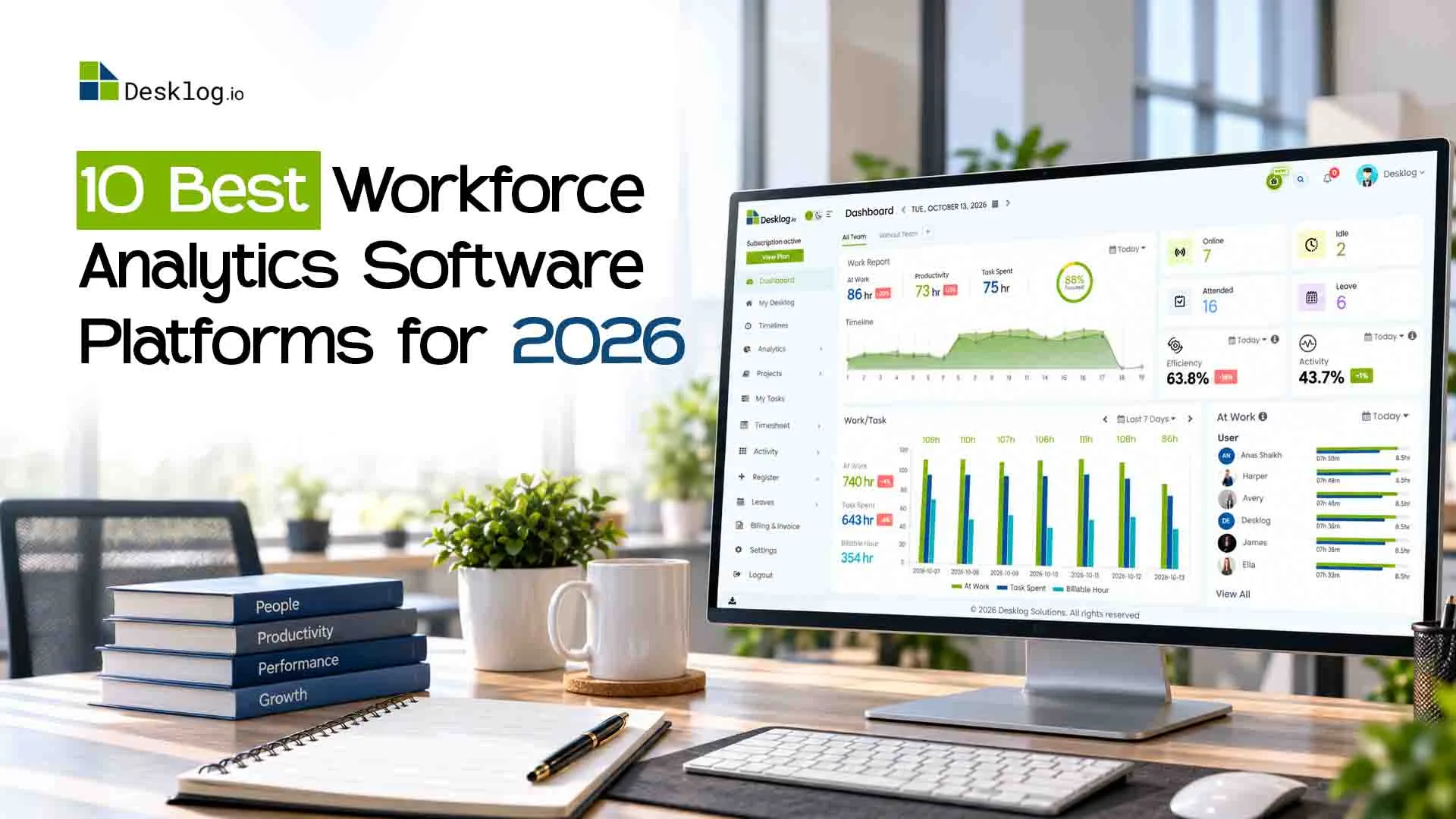

Most managers know how many people they employ, but few can explain where those working hours go. Which teams are overloaded? Why are projects exceeding budgets? Workforce analytics software answers these questions by turning time, activity, and project data into actionable insights.
With tools offering everything from time tracking and productivity reports to workforce planning, choosing the right platform can be challenging. This guide compares 10 workforce analytics software platforms for 2026 based on features, pricing, trials, analytics capabilities, and privacy controls.
The 10 Best Workforce Analytics Software Platforms in 2026
- Desklog: best overall value for growing teams and agencies
- ActivTrak: productivity analytics with a free starter tier
- Insightful: capacity and utilization reporting for operations leaders
- Hubstaff: distributed and field teams paid by tracked hours
- Time Doctor: detailed activity records for BPOs and outsourcing firms
- Teramind: insider-threat detection and data loss prevention
- DeskTime: straightforward automatic tracking for small offices
- Microsoft Viva Insights: collaboration patterns inside Microsoft 365
- Visier: enterprise people analytics and workforce planning
- Workday People Analytics: embedded HR insights for Workday customers
Workforce Analytics Software Comparison Table
Prices are per user per month in USD, billed annually unless noted, as published in October 2026.
| Tool | Best For | Trial Info | Price |
|---|---|---|---|
| Desklog | SMBs, agencies and remote or hybrid teams that need time, project profit and attendance data in one place | Free plan for up to 3 users, plus a 14-day full-feature trial with no card | Free; Business $3.50; Enterprise $4.80; on-premise on quote |
| ActivTrak | Mid-sized teams wanting productivity and focus metrics | Free plan for up to 3 users; free trial on paid tiers | Free; paid tiers $10 to $17; Enterprise custom |
| Insightful | Operations and finance leaders tracking capacity | 7-day free trial, no card | From $8; Combo $16; Enterprise custom |
| Hubstaff | Remote and field teams that pay by the hour | 14-day free trial, no card | From $4.99 (2-seat minimum) to $25 |
| Time Doctor | BPOs, call centers and outsourcing agencies | 14-day free trial, no card | About $6.70 to $16.70; Enterprise custom |
| Teramind | Regulated firms that need DLP and insider-risk alerts | 7-day cloud trial; 14-day on-premise trial | From about $15 per seat (5-seat minimum) |
| DeskTime | Small offices wanting simple automatic tracking | 14-day free trial | $6.42 to $9.17; Enterprise custom |
| Microsoft Viva Insights | Companies already running Microsoft 365 | Personal insights included with many M365 plans | $4 add-on; $12 for the full Viva suite |
| Visier | Enterprise HR and people analytics teams | Demo, then guided trial | Custom quote only |
| Workday People Analytics | Organizations already on Workday HCM | Demo only | Custom quote with Workday HCM |
What Is Workforce Analytics Software?
Workforce analytics software collects data about how people spend working time, then shows patterns in workload, productivity, cost and attendance so managers can decide with evidence instead of gut feel. The category splits into three groups, and knowing which one you need saves weeks of demos.
Work activity and time analytics
These tools read time, app usage and project hours directly from employees' computers. Desklog, ActivTrak, Insightful, Hubstaff, Time Doctor and DeskTime sit here. They answer daily operational questions, such as who has spare capacity and which projects run over budget.
HR and people analytics
Visier and Workday People Analytics work from HR records: headcount, attrition, compensation and hiring. They suit strategic planning across thousands of staff, but they cannot tell you what happened on Tuesday afternoon. Expect long implementations and pricing that only sales can quote.
Collaboration and security analytics
Microsoft Viva Insights studies meetings, email and focus time inside Microsoft 365, while Teramind watches for data leaks. Both are specialists: one covers collaboration habits, the other covers risk. Neither replaces a time and productivity platform on its own.
How We Picked and Tested These Tools
We are the team behind Desklog, so we have placed our own product first and said so openly. To keep the rest fair, we used the same five checks for every platform.
Our evaluation criteria
Analytics depth (capacity, utilization, project cost), privacy controls for employees, and setup effort. We also weighed price transparency and how long the free trial or free plan lets you test with real data. A tool that hides its price behind a demo request lost points for small buyers.
Where the data comes from
Pricing and trial terms were checked against each vendor's own pricing page or published listings in October 2026. Feature claims come from vendor documentation, and user sentiment from Capterra and G2 reviews posted this year. Prices change often, so confirm on the vendor site before you sign.
Desklog
Best For: agencies, software houses, BPOs, and growing SMBs that want hours, project margins, and attendance in one place.Desklog time tracking software work hours automatically and turns them into productivity, project and attendance reports on a single dashboard. It is built for teams that want clear visibility without making staff feel watched, and it costs a fraction of most tools on this list. 15,000+ teams worldwide use it today.
Key Features
- Automatic time tracking that separates active, idle, offline and meeting time, with activity and efficiency scores
- Project billing, invoicing and a profit and loss tracker by project, task or person
- Attendance, leave, shifts and clock-in, plus wellness reminders that flag overtime early
- A free plan, and paid tiers from $3.50 per user that undercut every paid rival here
- Privacy built in: screenshots are optional and can be masked, and staff get a private-time switch
- Runs in the cloud or self-hosted and white-labelled for firms that must keep data in-house
- The platform offers fewer third-party integrations compared to some larger competitors.
Desklog in Practice
Focuz Line Shipping, a marine logistics firm with staff across several regions, now runs appraisals from Desklog's productivity reports. Its director, Nizamudeen Ismail, says the reports made employee reviews data-driven rather than guesswork. At Mantra Softech, the systems team uses app and website reports to see where hours go, and calls the tool "highly economical."
Track Time. Maximize Profitability.
Get clear insights into workforce performance, project profitability, attendance, and productivity with Desklog all in one place.
Try Desklog FreeActivTrak
Best For: mid-sized knowledge-work companies focused on focus time and burnout risk. Firms that bill clients by the hour usually need a second tool alongside it.ActivTrak measures how teams divide their day between focused work, collaboration and distraction, then rolls it up into team dashboards and goals. Data is gathered in the background and presented mostly as group trends rather than individual timelines.
Key Features
- Productivity and focus-time reports by team, with 12-week trend views
- Targets for productive, focused or collaborative hours that update automatically
- App and website categorization with workload balance indicators
- Free plan for up to 3 users makes a small pilot easy
- SOC 2 Type II, GDPR, CCPA and HIPAA coverage suits compliance-minded buyers
- Trend dashboards are among the clearest in the category
- The free tier stores only 30 days of history
- No project billing, invoicing or profitability tracking
- Recent Capterra reviews mention rigid pricing and a hard-to-find cancellation flow
Insightful
Best For: operations leaders at companies with 100 or more seats who plan capacity across departments.Insightful, formerly Workpuls, markets itself as a work intelligence platform that pairs automatic time mapping with capacity and utilization reporting. Its buyers are mostly operations, finance and IT leaders in BPO, insurance and healthcare.
Key Features
- Capacity analysis and workload balancing across teams and locations
- Productivity trend detection and irregular-behavior alerts
- Reports on AI tool adoption and software utilization
- SOC 2, HIPAA and GDPR compliance with US, EU and Canada data residency
- On-premise deployment is available
- The trial gives full access with no card required
- The trial lasts only 7 days, which is short for a real utilization baseline
- Screen recording and extra screenshots cost $3 to $4 per seat on top
- On-premise requires at least 250 licenses, and invoicing is still listed as coming soon
Hubstaff
Best For: field service companies and contractor-heavy businesses that pay strictly by tracked hours. If privacy and a lower seat price matter more than GPS, see our Desklog vs Hubstaff comparison.Hubstaff links tracked hours to payroll, invoices and GPS job sites, which makes it a common choice for contractors and field crews. Its analytics layer adds benchmarks, capacity planning and unusual-activity alerts on higher tiers.
Key Features
- GPS tracking and geofenced job sites that clock people in automatically
- Automated payroll through Wise, PayPal and Payoneer, plus client invoicing
- 35+ integrations including Jira, Asana, QuickBooks and Salesforce
- Strong option for mobile and field workforces
- Mature product with a large user base and SOC 2 Type II, GDPR and HIPAA coverage
- 14-day trial with no card and a 30-day money-back guarantee
- Every paid plan bills a 2-seat minimum, and owners count as paid seats
- Starter caps screenshots and app records at 500 per user per month and allows one integration
- Useful extras, such as the GPS locations add-on, sit on the Team plan and above
Time Doctor
Best For: outsourcing firms that must show clients minute-by-minute proof of work. Teams wanting similar tracking with lighter oversight can check Desklog vs Time Doctor.Time Doctor logs time on tasks alongside apps, websites and optional screenshots, building a detailed record of each workday. It is popular with BPOs, virtual-assistant firms and agencies managing offshore staff.
Key Features
- Task-level tracking with screenshots and optional video screen recording
- Distraction alerts and productivity ratings for apps and sites
- Payroll tools and 60+ integrations from the Standard plan up
- Very granular records that help prove billed hours to clients
- Premium plan adds benchmarks against industry patterns
- 14-day trial with Premium features and no card
- No free plan of any kind
- Payroll and integrations require Standard, and video recording is an add-on below Premium
- The screenshot-led approach can strain trust with in-house teams
Teramind
Best For: finance, legal and healthcare organizations where insider risk is the main concern.Teramind is a security-first monitoring platform that combines user activity tracking with data loss prevention and risk scoring. It runs in the cloud or on-premise, and its agent can run visibly or hidden from the employee.
Key Features
- Keystroke logging, screen recording and behavior-based risk scores
- DLP with prebuilt rules that can block a file transfer automatically
- OCR-based detection of sensitive content on the Enterprise tier
- The deepest security toolkit in this roundup
- Rule templates for HIPAA and GDPR save compliance teams setup time
- Cloud and on-premise deployments, each with its own trial
- Every plan carries a five-seat minimum
- Keystroke logging and DLP only start at roughly $30 to $35 per seat
- Far more surveillance than a team needs for plain productivity reporting
DeskTime
Best For: small offices that want hands-off tracking with minimal configuration. For a side-by-side on features and price, read Desklog vs DeskTime.DeskTime starts tracking when the computer switches on and sorts apps into productive or unproductive on its own. It keeps the interface simple, which is why small offices and creative studios tend to like it.
Key Features
- Automatic tracking with idle detection and a browser-based timer
- A private-time option employees can switch on themselves
- Project time tracking, with optional screenshots on Premium
- Very quick to roll out and easy for staff to understand
- Lower entry price than most monitoring-focused tools
- No card needed to start the trial
- No free plan once the trial ends
- Screenshots and several management features sit on Premium only
- The Enterprise tier is aimed at 200 or more users
Microsoft Viva Insights
Best For: large Microsoft 365 organizations trying to fix meeting overload and protect focus time.Viva Insights reads Microsoft 365 metadata from email, meetings, chat, and calls to show work patterns for individuals, managers, and leaders. Personal insights ship with many Microsoft 365 plans, while manager and leader views need a paid license.
Key Features
- Meeting load, after-hours work, and focus-time analysis
- A Copilot dashboard that shows how teams are adopting Microsoft's assistant
- An analyst workbench for custom queries across the organization
- No extra desktop agent for Microsoft 365 shops
- Privacy by design: personal data stays private, and groups under five are hidden
- Low add-on cost for companies already paying for Microsoft 365
- Sees only Microsoft 365 activity, nothing in other apps or browsers
- No time tracking, attendance, or project costing
- Requires an existing Microsoft 365 subscription to work at all
Visier
Best For: enterprise HR analytics teams managing thousands of employees across several systems.Visier is a dedicated people analytics platform that pulls HR, payroll, and recruiting data into a single model for analysis. Its assistant, Vee, answers workforce questions in plain language for HR and business leaders.
Key Features
- A prebuilt library of HR metrics with external benchmarks
- Predictive attrition models and scenario-based workforce planning
- Embedded analytics and an MCP server that exposes governed data to AI tools
- Among the deepest HR analytics available today
- Connects to most major HRIS, payroll, and applicant tracking systems
- Strong for board-level headcount and retention reporting
- No public pricing; every deal goes through sales
- Total cost depends heavily on data integration and implementation services
- Works from HR records only, so it cannot show day-to-day work activity
Workday People Analytics
Best For: enterprises on Workday that want analytics without buying another vendor.Workday People Analytics is built into Workday HCM and uses machine learning to surface talent trends from data already held there. It highlights retention risks, headcount shifts, and workforce composition without a separate data pipeline.
Key Features
- Automatically generated stories that explain notable workforce changes
- Retention, attrition, and headcount trend analysis
- Reporting that joins Workday HR and finance data
- No data migration for existing Workday customers
- One security and permission model across HR and analytics
- Suits large, multi-country organizations
- Only practical if you already run Workday HCM
- Quote-based pricing with lengthy implementation timelines
- No view of how working hours are spent day to day
How to Choose the Right Workforce Analytics Platform
Start from the decision you need to make, not the longest feature list. These four questions narrow the field quickly.
Which question do you need answered?
If it is "where do our hours go and what does each project cost," pick an activity and time analytics tool. If it is "who might resign next year," you need HR analytics such as Visier or Workday. If it is "is anyone leaking data," look at Teramind.
How much oversight will your team accept?
Keystroke logs and frequent screenshots can erode trust faster than they raise output. Choose a platform where screenshots are optional, can be blurred, and staff can see their own data. Desklog, ActivTrak, and DeskTime all lean this way, with screenshots optional and employees able to view their own activity; Teramind and Time Doctor lean toward heavier monitoring.
What will it really cost at your headcount?
Multiply the seat price by your team size, then add seat minimums, support plans, and add-ons. A $10 tool for 50 people costs $6,000 a year before extras; Desklog Business for the same team costs $2,100. Always ask whether managers and admins count as paid seats.
Can you test it with real work?
A 7-day trial rarely captures a full weekly cycle, payroll run, or client invoice. Favor a 14-day trial or a free plan so you can compare at least two complete weeks. Invite a few skeptical team members into the pilot; their buy-in decides adoption.
Ready to see where your team's time really goes?
Join the 15,000+ teams already on Desklog. Set it up in minutes, invite your team, and get your first productivity and project reports the same day. Free for up to 3 users, 14-day full trial, no credit card.
Start Free TrialConclusion
There is no single winner for every company. Enterprises standardized on Workday or Microsoft 365 may get the most from the analytics already built into those suites, while Visier suits large HR analytics teams, and Teramind is a strong choice when data security comes first.
For most small and mid-sized businesses, agencies, and remote teams, the need is simpler: accurate hours, clear project margins, and fair productivity data employees do not resent. That is what Desklog is built for, at $3.50 per user. Try it alongside your current process for two weeks and compare the numbers yourself.