Jira Integration for OKRs and KPIs: Turning Strategy Into Daily Execution

Ever wondered why your OKRs and KPIs often feel disconnected from what your teams actually do? While organizations set goals to guide direction, day-to-day work happens in Jira- tracking sprints, bug fixes, and releases. When objectives sit outside Jira, teams lose clarity, updates become subjective, and leaders lack real-time visibility.
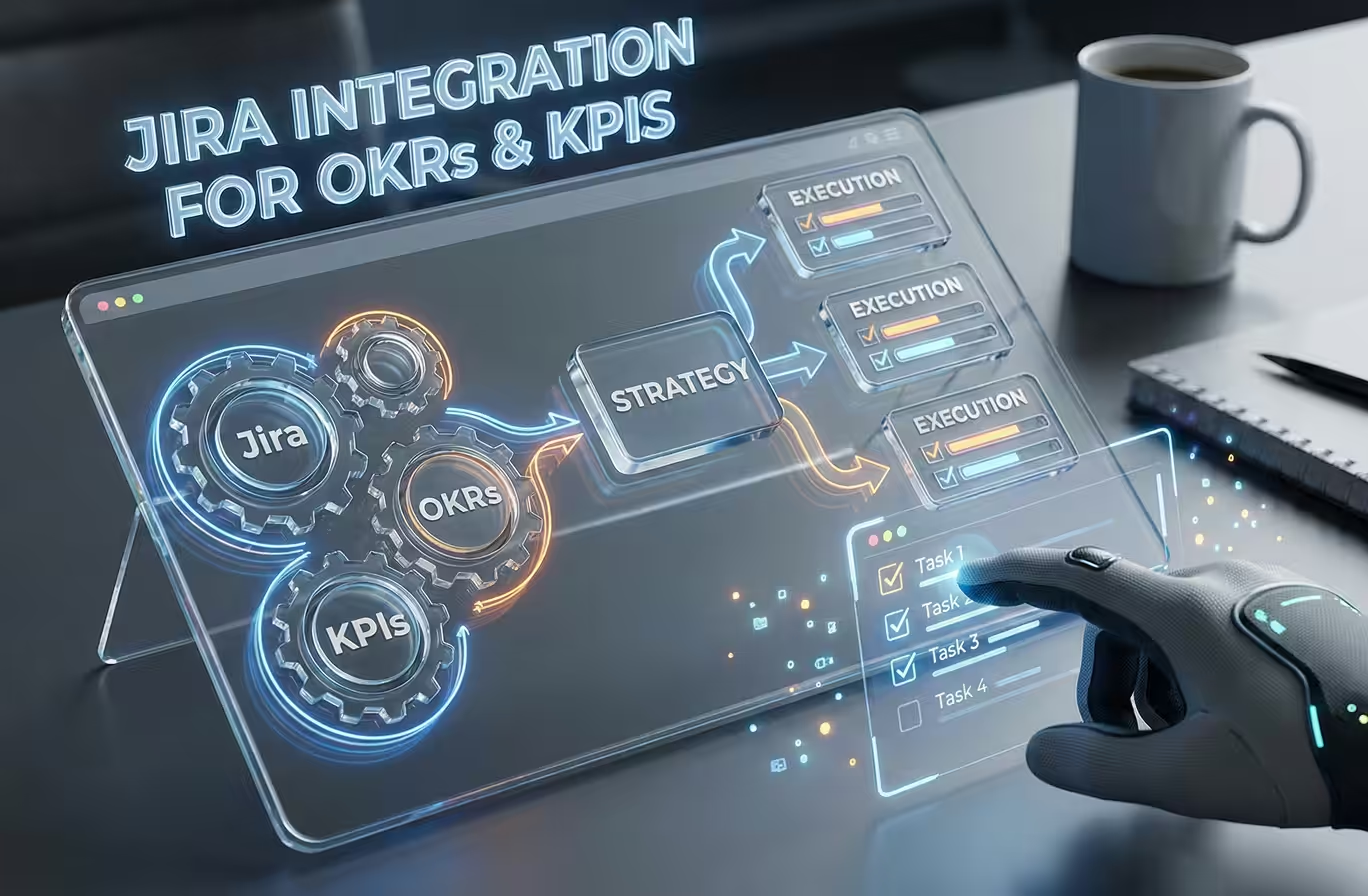
Integrating Jira with OKRs and KPIs bridges this gap by linking goals directly to epics, stories, tasks, and bugs. Progress is measured by actual work completed, not manual updates. Combined with time and productivity insights, OKRs transform from static targets into a practical system for daily execution.
In this guide, we explore:
By the end, you’ll see how strategy can move out of slide decks and spreadsheets and start living where work actually happens: inside Jira.
How Do OKRs, KPIs and Jira Fit Together in Execution?
Before exploring integration, it’s important to understand how these elements complement each other.
What Role Do OKRs Play?
OKRs define where the organization wants to go. They provide focus and direction.
- Objectives are qualitative and inspirational
- Key Results are quantitative and measurable
Example:
- Objective: Improve product reliability
- Key Result: Reduce production defects by 30%
How Are KPIs Different From OKRs?
KPIs track ongoing operational health. They measure how efficiently teams are working on a continuous basis.
Common KPIs include:
- Cycle time
- Velocity
- Bug resolution rate
- Utilization and productivity metrics
While OKRs are usually reviewed quarterly, KPIs run continuously in the background.
Why Is Jira Central to Execution?
Jira is where real work happens.
- Epics represent large initiatives
- Stories and tasks represent deliverable work
- Workflows reflect true progress and blockers
When OKRs and KPIs are integrated into Jira, strategy stops being theoretical and becomes operationally measurable.
Discover the 7 proven metrics that define real productivity and performance and learn how to measure them effectively with Desklog.
Read More: From Busy to Productive: 7 Proven Metrics That Define Real Efficiency
Jira Integration for OKRs and KPIs
Jira integration for OKRs and KPIs connects strategic goals with operational work by linking Jira issues such as Epics, Stories, Tasks and Bugs to measurable outcomes.
Instead of manually updating Key Results, progress is calculated automatically using Jira data.
This integration enables:
- Automatic updates of Key Results based on Jira activity
- Real-time visibility into goal progress
- Data-driven decision-making using live project metrics
Rather than reviewing static spreadsheets or subjective status reports, leadership teams see live progress powered by actual Jira execution.
Why Manual OKR Tracking Fails at Scale
Many organizations start OKR tracking with good intentions but face challenges as they grow.
Common Problems with Manual OKRs
- Updates rely on self-reporting
- Progress is reviewed infrequently
- Metrics are interpreted differently across teams
- Jira data is copied manually into OKR tools
This results in:
- Delayed course correction
- Inflated progress percentages
- Low trust in reports
- OKRs becoming “check-the-box” exercises
Jira integration eliminates these issues by making work the source of truth.
How Jira–OKR Integration Works (Step by Step)
1. Define Strategic Objectives
The first step is setting Objectives, which describe what your organization wants to achieve. These are intentionally qualitative and directional, providing focus but not measuring success on their own.
Examples include improving product delivery speed, increasing customer satisfaction, reducing operational inefficiencies, or scaling engineering output without causing burnout.
2. Set Measurable Key Results
Once objectives are clear, define Key Results to quantify success. Key Results should be specific, numeric, and time-bound. For example, you might aim to reduce average bug resolution time from five days to two, deliver 90% of committed sprint story points, decrease production defects by 30%, or improve on-time sprint completion to 95%.
Well-defined Key Results are essential for enabling automated tracking and accurate progress measurement.
3. Link Jira Issues to Key Results
This is where execution meets strategy. Key Results are linked to Jira issues such as Epics, Stories, or Tasks so that progress is tied to real work. You can use sprint-based metrics like completed story points or leverage JQL queries to dynamically track issues.
Examples of JQL-powered tracking include monitoring open bugs in a project, issues resolved within SLA, story points completed in a sprint, or bugs moved to “Done.” Linking Jira issues ensures progress reflects actual work rather than assumptions.
4. Automate Progress Tracking
Once Jira issues are linked to Key Results, automation handles the updates. As issues move through workflows, get completed, reopened, or accumulate story points, Key Results are recalculated automatically.
Percent completion updates in real time, trends emerge naturally, and manual reporting becomes unnecessary. This continuous tracking keeps progress accurate and up-to-date at all times.
5. Track Progress Through Dashboards
Finally, integrated dashboards consolidate all the information. They display objective-level progress, the status of Key Results across teams, and allow drill-down from goals to individual Jira tickets.
Cross-project and cross-team visibility helps leadership review progress faster, conduct better quarterly OKR check-ins, and have data-driven discussions instead of relying on opinions.
Key Benefits of Jira Integration for OKRs and KPIs
Automated Progress Updates
Jira integration automatically updates Key Results as work is completed, removing the need for manual reporting. Teams spend less time explaining progress and more time delivering results.
Strong Strategic Alignment
Linking Jira tickets to OKRs helps teams see how daily tasks contribute to company objectives. This improves ownership, prioritization and reduces low-value busy work by making strategy visible at the execution level.
Centralized Leadership Dashboards
Jira-powered dashboards give leaders a single, real-time view of OKR progress, KPI trends, and overall execution health without relying on fragmented updates or extra meetings.
Data-Driven Insights with JQL
JQL enables precise, objective measurement using real execution data such as velocity trends, bug status, story points completed and SLA compliance, strengthening both OKRs and KPIs.
Reduced Operational Complexity
When goals live where work happens, teams switch tools less and execute more effectively. Jira evolves into a unified platform for both delivery and strategy execution.
Popular Tools That Enable Jira–OKR Integration
Several tools extend Jira’s native capabilities to support OKR and KPI tracking:
- Oboard: Native Jira OKR visualization and alignment
- Tability: Strategy execution with automation and Jira sync
- Profit.co: Enterprise-grade OKR management with Jira integration
- Viva Goals: Microsoft ecosystem OKRs with Jira connectors
These tools allow organizations to build data-driven OKR systems powered by Jira execution.
Simplify your Jira workflow with the right time tracking tools and get real-time visibility into team productivity.
Read more: Top 7 Jira Time Tracking Plugins/Apps
Desklog Jira Integration: Adding the Missing Execution Layer
While Jira and OKR tools clearly track what is achieved, they often miss a critical dimension of execution: how effort is actually spent. Teams may hit their goals, but without visibility into time, workload, and productivity, leaders lack the context needed to judge sustainability and efficiency.
This is where Desklog’s Jira integration adds meaningful value.
What Is Desklog–Jira Integration?
Desklog integrates directly with Jira to enrich project and goal tracking with real execution data. It automatically captures time and productivity information at the task level, providing a deeper understanding of how work gets done.
With this integration, organizations gain:
- Automatic time tracking on Jira issues
- Smooth task synchronization between Jira and Desklog
- Accurate insights into work hours, activity levels and productivity
By adding time and productivity data, Desklog complements OKR and KPI tracking with execution depth, turning progress updates into actionable workforce intelligence.
Why Time and Productivity Matter for OKRs
Two teams can achieve the same OKR, yet the cost of execution can be vastly different. One team may rely on overtime and burnout, while another operates efficiently and sustainably.
Without time and effort visibility, this difference remains hidden. Desklog makes the true cost of goal achievement visible, enabling smarter decisions around workload, staffing, and prioritization.
Benefits of Desklog Jira Integration for OKRs and KPIs
Accurate Effort Tracking Against Goals
Desklog reveals how much time is actually spent on strategic initiatives, high-impact epics, and OKR-linked projects. This allows leaders to understand whether goals are appropriately resourced, which initiatives consume disproportionate effort, and where efficiency improvements are needed.
Stronger Productivity KPIs
Desklog introduces operational KPIs that sit naturally alongside OKRs. Metrics such as automatic work-hour tracking, productivity insights, and task-level effort distribution provide a clear picture of how teams perform day to day. These insights help organizations move beyond output-only measurement toward sustainable productivity.
Better Planning and Forecasting
By combining Jira’s progress data with Desklog’s time and effort insights, teams gain a more accurate foundation for planning. Bottlenecks are identified earlier, sprint estimates become more reliable, workloads are better balanced, and chronic overtime can be prevented. Planning shifts from reactive adjustments to evidence-based forecasting.
Reduced Manual Reporting
Desklog eliminates the need for manual time tracking, separate productivity reports, and duplicate updates across tools. This not only reduces administrative overhead but also improves data accuracy, ensuring leaders and teams rely on consistent, real-time information.
Stronger Execution Visibility for Leadership
Together, Jira and Desklog provide a complete execution narrative. Jira shows what is progressing, while Desklog reveals how efficiently that progress is achieved. Leadership gains clarity on whether goals are being met, at what cost, and whether execution is sustainable over time, enabling better strategic and operational decisions.
See These Metrics in Action
Experience how Desklog tracks, analyzes, and turns efficiency metrics into actionable workforce insights.
Try Free Trial Now!FAQs
1. What is Jira integration?
2. How does Jira integration help with OKRs and KPIs?
3. Why should OKRs and KPIs be connected to Jira?
4. How does Jira–OKR integration automate progress tracking?
5. What problems does manual OKR tracking create?
6. What tools does Jira integrate with?
7. How does Desklog enhance Jira integration for OKRs and KPIs?
8. Why is time and productivity data important for OKRs?
Meet The Author