If someone has ever sent you a meeting time like “1530” and you had no idea whether that meant morning, afternoon, or something else entirely, you are not alone.
Learning how to read military time is easier than most people think, and it is a skill that comes up more often than you might expect in everyday work life.
Military time follows the 24 hour clock format, where hours run continuously from 00 to 23 instead of resetting at 12 the way the standard AM/PM system does.
It is used across industries like healthcare, aviation, logistics, IT, and workforce management because it removes any chance of confusing morning with evening.
This guide walks you through everything you need to know, from understanding the structure to converting times on the spot.
We have also included a full 24 hour time converter chart so you can look up any value instantly.
And if you just need a quick answer right now, use our free military time converter to get results in seconds.
📋 Table of Contents
- What Is Military Time and Why Does It Exist?
- How the 24 Hour Clock Format Is Structured
- How to Read Military Time Step by Step
- 24 Hour Time Converter Chart: All Military Times at a Glance
- How to Convert Standard Time to Military Time
- Where You Will Encounter Military Time at Work
- Common Mistakes When Reading Military Time
- Quick Tips to Read Military Time Faster
- Conclusion
- Frequently Asked Questions
What Is Military Time and Why Does It Exist?
Military time is a timekeeping system based on the 24-hour clock, where hours are counted from 00 to 23 instead of restarting at 12 twice a day.
There is no AM or PM. Each hour of the day gets its own unique number, which eliminates any possibility of misreading a time value.
The system was originally adopted by military organizations because precise time communication can be critical during operations.
A misread “8:00” could mean either morning or evening on a standard clock, but “0800” and “2000” leave absolutely no room for confusion.
Over time, the 24-hour format spread well beyond the military.
It is now standard in aviation, healthcare, emergency services, logistics, computing, and most countries outside the United States.
The International Organization for Standardization also recognizes it under the ISO 8601 standard for consistent global date and time communication.
How the 24 Hour Clock Format Is Structured
The 24 hour time format uses a four-digit structure where the first two digits represent the hour and the last two represent the minutes.
There is no colon in written military shorthand, though some digital systems may display one.
Here is how the day breaks down:
- The first half runs from 0000 (midnight) to 1159 (11:59 AM).
- These hours closely mirror the standard AM clock, with the only difference being that single-digit hours include a leading zero.
- So 9:00 AM becomes 0900.
- The second half runs from 1200 (noon) to 2359 (11:59 PM).
- After noon, instead of resetting to 1, the count continues: 1 PM becomes 1300, 2 PM becomes 1400, and so on up to 2359.
A quick example: if you see 0845, the first two digits (08) tell you the hour and the last two (45) tell you the minutes. That gives you 8:45 AM. If you see 2045, the hour is 20 and the minutes are 45, which translates to 8:45 PM.
How Military Time Is Written and Spoken
One of the things that trips people up about military time is how to say it out loud.
The rules are straightforward once you know the pattern.
- For times on the hour, you say the number followed by “hundred.” So 0600 is “zero six hundred,” 1400 is “fourteen hundred,” and 2100 is “twenty-one hundred.”
- When minutes are involved, you simply read the digits. For example, 0730 is “zero seven thirty,” 1545 is “fifteen forty-five,” and 2315 is “twenty-three fifteen.”
- For times with minutes below 10, you add “zero” before the minute. So 0805 is “zero eight zero five” and 1402 is “fourteen zero two.”
In casual workplace settings, people often keep it informal and just say the numbers naturally.
“Let us meet at seventeen hundred” or “the report is due by fifteen thirty” are both perfectly normal ways to use military time in conversation.
How to Read Military Time Step by Step
Reading military time comes down to one simple rule and a couple of special cases.
Once you learn this process, you will not need to reach for a time converter every time you see a 24 hour value.
Here is the step-by-step breakdown:
- Look at the first two digits. These represent the hour. If the number is 12 or less, the time falls in the AM portion of the day (with 1200 being the exception, which is noon).
- If the hour is 13 or higher, subtract 12 to get the standard PM time. For example, 17 minus 12 equals 5, so 1700 is 5:00 PM.
- The last two digits always represent the minutes. No conversion is needed for them. Minutes work the same way in both time systems.
- Remember the two special cases. 0000 equals midnight (12:00 AM), and 1200 equals noon (12:00 PM). These are the only two times that do not follow the standard subtraction pattern.
Here are some quick examples:
- 0930: The hour is 09 (under 12), so it stays as is. The time is 9:30 AM.
- 1545: The hour is 15. Subtract 12 to get 3. The time is 3:45 PM.
- 2215: The hour is 22. Subtract 12 to get 10. The time is 10:15 PM.
- 0015: The hour is 00, which is midnight. The time is 12:15 AM.
Once you practice this a few times, it becomes second nature.
For those moments when you want an instant answer without doing the math, use our 24 hour time converter for quick results.
24 Hour Time Converter Chart: All Military Times at a Glance
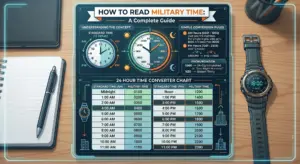
This complete chart covers every hour in the 24 hour clock along with the standard time equivalent and how each time is spoken aloud.
Bookmark this page for a quick reference anytime you need to look up a military time value.
| Military Time | Standard Time | How to Say It |
|---|---|---|
| 0000 | 12:00 AM (Midnight) | Zero hundred |
| 0100 | 1:00 AM | Zero one hundred |
| 0200 | 2:00 AM | Zero two hundred |
| 0300 | 3:00 AM | Zero three hundred |
| 0400 | 4:00 AM | Zero four hundred |
| 0500 | 5:00 AM | Zero five hundred |
| 0600 | 6:00 AM | Zero six hundred |
| 0700 | 7:00 AM | Zero seven hundred |
| 0800 | 8:00 AM | Zero eight hundred |
| 0900 | 9:00 AM | Zero nine hundred |
| 1000 | 10:00 AM | Ten hundred |
| 1100 | 11:00 AM | Eleven hundred |
| 1200 | 12:00 PM (Noon) | Twelve hundred |
| 1300 | 1:00 PM | Thirteen hundred |
| 1400 | 2:00 PM | Fourteen hundred |
| 1500 | 3:00 PM | Fifteen hundred |
| 1600 | 4:00 PM | Sixteen hundred |
| 1700 | 5:00 PM | Seventeen hundred |
| 1800 | 6:00 PM | Eighteen hundred |
| 1900 | 7:00 PM | Nineteen hundred |
| 2000 | 8:00 PM | Twenty hundred |
| 2100 | 9:00 PM | Twenty-one hundred |
| 2200 | 10:00 PM | Twenty-two hundred |
| 2300 | 11:00 PM | Twenty-three hundred |
For times that include minutes, simply append the minutes to the hour.
For example, 1345 is 1:45 PM (spoken as “thirteen forty-five”) and 0820 is 8:20 AM (spoken as “zero eight twenty”).
How to Convert Standard Time to Military Time
Now that you know how to read military time, it helps to understand the reverse direction as well.
Many time tracking tools, scheduling platforms, and workforce management systems expect input in the 24 hour format, so knowing how to go from standard to military time is just as useful.
For AM times:
Remove the colon and the AM label. If the hour is a single digit, add a leading zero.
For example, 9:15 AM becomes 0915, and 11:40 AM becomes 1140.
For PM times:
Add 12 to the hour, then remove the colon and PM label.
For example, 3:45 PM becomes 1545 (3 + 12 = 15), and 8:30 PM becomes 2030 (8 + 12 = 20).
Special cases:
- 12:00 AM (midnight) becomes 0000
- 12:00 PM (noon) becomes 1200
- 12:30 AM becomes 0030 (not 1230)
- 12:45 PM stays 1245
If you regularly switch between formats, the fastest approach is to use a military time converter that handles both directions instantly.
Where You Will Encounter Military Time at Work
Military time is not reserved for the armed forces. If you work in any environment that values precise scheduling, there is a good chance you have already seen the 24 hour clock in action.
Here are some of the most common workplace scenarios where it shows up:
Time tracking and attendance software
Many workforce management platforms record activity in the 24 hour format.
When your system logs show a clock-in at 0847 and a clock-out at 1732, knowing how to read those values helps you verify your work hours at a glance.
Global team coordination
When your team spans multiple time zones, the 24-hour clock removes ambiguity.
Saying “the call is at 1500 UTC” is far clearer than saying “3 PM” when participants are spread across different regions.
Shift-based industries
Healthcare, manufacturing, hospitality, and retail all rely on shift schedules that often use military time to prevent overlap and scheduling errors between day and night shifts.
IT and system logs
Server logs, error reports, and application timestamps almost always use the 24 hour format.
If you work in tech or manage digital infrastructure, reading these logs accurately is part of the job.
Project management tools
Deadlines, milestones, and Gantt charts in many platforms display times in 24 hour notation, especially for teams operating internationally.
Common Mistakes When Reading Military Time
Even after learning the basics, a few common mistakes can trip people up.
Being aware of them will help you avoid errors when it matters most.
Confusing 0000 and 2400
Both represent midnight, but they are used differently.
0000 marks the start of a new day, while 2400 marks the end of the current day.
Most systems default to 0000, but you may see 2400 in transit schedules or end-of-shift records.
Misreading 1200 as midnight
This is one of the most frequent errors. In military time, 1200 is noon, not midnight.
Midnight is 0000. Mixing these up can throw off an entire schedule.
Forgetting to subtract 12 for PM hours
When you see 1900, it is easy to blank on the conversion.
Just remember: anything 1300 or above requires subtracting 12. So 1900 minus 12 equals 7:00 PM.
Adding AM or PM to military time
Since the 24 hour clock already distinguishes between morning and evening by design, adding AM or PM to a military time value is redundant and incorrect.
Writing “1400 PM” essentially says the same thing twice.
Quick Tips to Read Military Time Faster
If you want to get comfortable reading the 24 hour clock quickly, these practical tips will speed up the learning process:
- Memorize one anchor time and work from there. Most people find 1700 = 5:00 PM the easiest to remember. From there, count forward or backward. 1800 is 6 PM, 1600 is 4 PM, and so on.
- Remember the subtract-12 rule. For any hour from 1300 to 2300, just subtract 12. It works every single time without exception.
- Switch your phone to 24 hour mode. Go into your clock settings and change the display format. After a few days of seeing “15:42” instead of “3:42 PM,” the conversions start to feel automatic.
- Keep a reference chart nearby. Bookmark the 24 hour time converter chart from this page or print it out. Having a quick visual reference makes the transition much smoother, especially in the first couple of weeks.
- Practice with your own schedule. Take your daily routine and convert a few familiar times: your morning alarm, lunch break, and end of workday. Repetition with times you already know builds muscle memory fast.
Conclusion
Learning how to read military time is simpler than most people expect.
The entire system boils down to understanding that hours run from 00 to 23, minutes stay the same as they do on a standard clock, and anything 1300 or above just needs a quick subtract-12 calculation to get the PM equivalent.
Once you get comfortable with the pattern, reading values like 0730, 1545, or 2100 becomes second nature.
Whether you are reviewing shift schedules, checking system logs, or coordinating with a global team, the 24 hour time format makes communication clearer and removes the guesswork that comes with AM and PM.
For quick and accurate conversions anytime you need them, try our free military time converter.
And if your team needs a reliable way to track work hours without worrying about time format confusion, Desklog’s time tracking system keeps every record consistent, accurate, and easy to review.