
Harvest is a popular time tracking and invoicing platform used by freelancers, agencies, consultants, and businesses to track billable hours, manage projects, monitor budgets, and create invoices. However, as teams grow, they may need more than basic time tracking and billing.
Businesses looking for automated time tracking, productivity insights, workforce management, attendance, project tracking, or more flexible pricing may find better-suited options among Harvest alternatives.
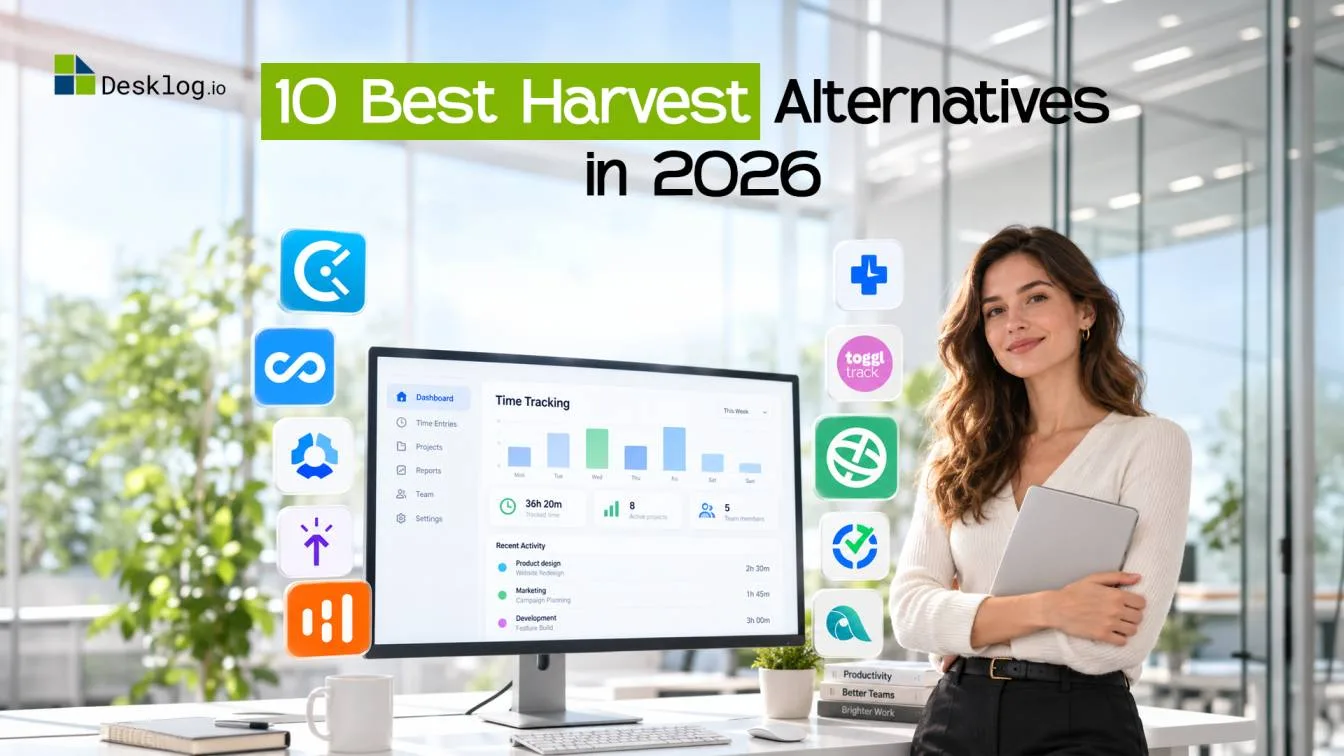
In this guide, we compare the 10 best Harvest alternatives in 2026, including their features, pricing, platforms, pros, cons, and ideal use cases.
- What Is Harvest?
- Why Look for a Harvest Alternative?
- Quick Comparison of the Best Harvest Alternatives
- Top 10 Harvest Alternatives for Time Tracking in 2026
- How to Choose the Best Harvest Alternative
What Is Harvest?
Harvest is a time tracking and invoicing platform designed primarily for businesses that bill clients based on time. It allows users to track hours against projects, manage expenses, set budgets, generate invoices, and connect with accounting and payment platforms.
Its strength is the connection between time tracking, project budgets, expenses, and invoicing. This makes it particularly useful for agencies, consultants, and professional service businesses.
However, Harvest is primarily focused on time and billing workflows. Teams looking for automated employee time capture, detailed productivity analytics, attendance management, or broader workforce insights may need a different solution.
Why Look for a Harvest Alternative?
Harvest works well for many businesses, but switching to another platform can make sense when your requirements have expanded beyond basic time tracking and billing.
You Need Automated Time Tracking
Harvest relies heavily on users recording their time. If employees frequently forget to start or stop timers, timesheets can require additional manual correction. An alternative with automatic time tracking can capture work hours in the background and reduce manual time entry.
You Need Deeper Productivity Insights
Harvest provides reporting around tracked time, projects, and budgets. But some teams need more visibility into focus time, productive hours, idle time, applications, websites, and work patterns.
You Want More Workforce Management Features
Businesses with larger or distributed teams may need features such as attendance tracking, leave management, shift scheduling, and employee timelines alongside time tracking.
You Want More Predictable Pricing
Harvest's current Teams plan starts at $9 per seat per month annually, with usage-based charges for additional invoices, projects, clients, and tasks. This can make costs less predictable as usage grows.
Quick Comparison of the Best Harvest Alternatives
| Software | Best For | Free Plan | Starting Price* |
|---|---|---|---|
| Desklog | Automated time tracking & workforce intelligence | Yes | $3.50/user/month |
| Toggl Track | Simple time tracking & billing | Yes | $9/user/month |
| Clockify | Budget-friendly time tracking | Yes | $3.99/seat/month |
| Hubstaff | Remote & distributed teams | Yes | $4.99/user/month |
| TimeCamp | Automatic tracking & productivity | Yes | $3.99/user/month |
| Paymo | Project management & invoicing | Yes | $5.90/user/month |
| Everhour | Time tracking inside project tools | Yes | Varies |
| Timely | Automatic time capture | Yes | Varies |
| Time Doctor | Workforce productivity management | Trial | Varies |
| My Hours | Simple project time tracking | Yes | Varies |
*Prices shown are starting prices and may vary based on billing cycles, plan, region, or current promotions.
Top 10 Harvest Alternatives for Time Tracking in 2026
Harvest works well for time tracking, project budgeting, and invoicing, but it may not cover every team's needs. If you're looking for more automation, deeper productivity insights, or broader workforce management capabilities, these Harvest alternatives are worth considering.

Desklog
Best for Automated Time & Workforce Management
Desklog is a time tracking and workforce management platform designed for businesses that need a complete view of how work gets done. Beyond basic time tracking, it brings automatic time tracking, project time tracking, automated timesheets, Workphase, idle time tracking, offline time tracking, clock in and clock out, and employee wellness together in one platform.
With automated time tracking and timesheet generation, Desklog reduces the need for employees to manually record every working hour. Managers can use the collected data to understand where time is being spent, how projects are progressing through project sprint management, how workloads are distributed, and how efficiently teams are working.
From tracking billable hours and project costs to managing workforce schedules and performance, Desklog provides the tools needed to manage day-to-day work from a single platform.
Key Features
- Automated time tracking
- Automated timesheets
- Project and task time tracking
- Productivity insights
- App and URL tracking
- Project management
- Attendance and leave management
- Shift scheduling
- Project billing and invoicing
- Project profitability
- Payroll
- Project Sprint
- Workphase
- Workforce reports
- Employee wellness features
- Automated time tracking reduces manual entries
- Combines time tracking and workforce management
- Supports project billing and profitability
- Provides productivity and performance insights
- Includes attendance, leave, and shift management
- May offer more functionality than freelancers need
- Broader features can require initial setup
- Timer-only users may prefer a simpler platform
Looking for More Than Basic Time Tracking?
See how Desklog combines automated tracking, project management, productivity insights, and workforce management in one platform.
Get Started Now Compare Desklog vs HarvestClockify
Best for Flexible Time Tracking
Clockify is a flexible time tracking platform for freelancers, individuals, and teams. It supports timers, timesheets, project tracking, reports, billable hours, scheduling, time off, and team management, making it a practical alternative to Harvest for businesses that want a broad range of time tracking features.
One of Clockify's biggest advantages is its free plan and wide platform support. Users can track time through desktop applications, mobile apps, browser extensions, and the web, while teams can use reports and management tools to understand how time is being spent across projects.
Key Features
- Time tracking
- Timesheets
- Project tracking
- Billable hours
- Reports
- Scheduling
- Time off
- Team management
- Invoicing
- Auto tracker
- Strong free plan
- Wide platform support
- Easy to get started
- Good reporting capabilities
- Supports projects and teams
- Manual tracking can still lead to missed entries
- Advanced functionality requires paid plans
- May not provide the same depth of workforce management as broader platforms
Need Automated Tracking Instead of Manual Timers?
See how Desklog automatically captures work time and generates accurate timesheets with less manual effort.
Try Desklog Compare Desklog vs ClockifyToggl Track
Best for Simple Time Tracking
Toggl Track is a time tracking platform designed for freelancers, consultants, agencies, and teams that want a simple way to record working hours and manage project time. It combines time tracking with project estimates, billable rates, reporting, and team management.
Its clean interface and straightforward workflow make it a popular choice for teams that do not need extensive workforce management features. Toggl Track also supports desktop, mobile, browser, and web-based tracking.
Key Features
- Time tracking
- Timesheets
- Project tracking
- Billable rates
- Project estimates
- Team reporting
- Productivity reports
- Calendar integrations
- Browser extension
- Time tracking reminders
- Simple and user-friendly interface
- Easy time tracking
- Strong reporting
- Supports multiple platforms
- Useful project management features
- Advanced features require paid plans
- Less focused on workforce management
- Can become expensive as teams grow
Want More Than Simple Time Tracking?
Move beyond manual timers with Desklog's automated time tracking, workforce insights, project management, and performance reports.
Try Desklog Compare Desklog vs TogglHubstaff
Best for Remote Team Management
Hubstaff combines time tracking with workforce management features designed for remote, hybrid, and distributed teams. It supports automated timesheets, activity tracking, attendance, scheduling, reporting, and payroll-related workflows.
The platform can help managers understand working hours and project activity while giving employees tools for tracking their time across projects and tasks.
Key Features
- Automatic time tracking
- Timesheets
- Activity tracking
- App and URL tracking
- Productivity reports
- Attendance tracking
- Employee scheduling
- GPS tracking
- Payroll management
- Project tracking
- Strong remote team features
- Automated time tracking
- Attendance and scheduling
- Productivity reporting
- Payroll integrations
- Some advanced features are available only on higher plans
- Can be more complex than basic time tracking tools
- May be more than freelancers need
Need Workforce Insights Beyond Remote Time Tracking?
See how Desklog combines automated time tracking, project management, attendance, productivity insights, and workforce reports.
Try Desklog Compare Desklog vs HubstaffTimeCamp
Best for Automatic Time Tracking
TimeCamp is a time tracking and productivity platform that helps businesses automatically record work hours, manage projects, track billable time, and generate reports.
Its automatic tracking capabilities can reduce manual time entry, while project and productivity reports help teams understand how working hours are distributed across tasks and projects.
Key Features
- Automatic time tracking
- Timesheets
- Project tracking
- Productivity reports
- Billable hours
- Invoicing
- Attendance
- Time-off tracking
- Project budgeting
- Integrations
- Automatic time tracking
- Affordable entry-level plan
- Productivity reports
- Project tracking
- Free plan available
- Advanced reporting requires higher plans
- Initial configuration may take some time
- Some features are limited by plan
Looking for Automated Time Tracking With More Workforce Features?
Desklog combines automatic time capture with productivity insights, attendance, project tracking, and workforce management.
Try Desklog Compare Desklog with TimeCampPaymo
Best for Project Management and Invoicing
Paymo combines project management, task management, time tracking, invoicing, estimates, and resource scheduling in one platform. It is particularly suited to agencies and service businesses that manage client projects and need to connect tracked time with billing.
Along with time tracking, Paymo provides tools for managing project budgets, deadlines, resources, and profitability.
Key Features
- Time tracking
- Project management
- Task management
- Invoicing
- Estimates
- Gantt charts
- Resource scheduling
- Project profitability
- Client management
- Team collaboration
- Strong project management
- Built-in invoicing
- Resource planning
- Project profitability
- Client management features
- Advanced features require higher plans
- May feel complex for users who only need time tracking
- Some workforce features are limited
Want Project and Workforce Visibility in One Platform?
Desklog connects time tracking with project management, productivity insights, workforce reports, attendance, and project profitability.
Try Desklog Compare Desklog vs PaymoEverhour
Best for Project Management Integrations
Everhour is a time tracking and budgeting solution built around project management platforms. It integrates with tools such as Asana, ClickUp, Jira, Trello, and other project management systems.
Rather than replacing an existing project management platform, Everhour adds time tracking, estimates, budgets, and reporting capabilities directly to the tools teams already use.
Key Features
- Time tracking
- Timesheets
- Project budgets
- Project estimates
- Expense tracking
- Billing
- Budget alerts
- Reports
- Project integrations
- Strong project management integrations
- Useful budget tracking
- Project-based reporting
- Easy to connect with existing workflows
- Depends heavily on third-party project management tools
- Less focused on workforce management
- Not ideal for businesses looking for an all-in-one workforce platform
Want Project Tracking Without Limiting Workforce Insights?
Use Desklog to combine project time tracking, automated timesheets, productivity insights, attendance, and workforce management.
Try Desklog Compare Desklog vs EverhourTimely
Best for Automatic Time Capture
Timely is designed around automatic time tracking and time capture. It helps users record work activity and organize that time across projects without relying entirely on manual timers.
The platform is useful for agencies, consultants, and teams that want to reduce the administrative work involved in maintaining timesheets.
Key Features
- Automatic time tracking
- AI-assisted time capture
- Project tracking
- Team scheduling
- Project reporting
- Billable time tracking
- Client management
- Team dashboards
- Reduces manual time entry
- Automatic activity capture
- Project-based tracking
- Useful reporting
- Designed around automatic time capture
- Higher starting price than some alternatives
- May be more than freelancers need
- Advanced functionality can increase costs
Looking for Automatic Time Tracking at a Lower Starting Cost?
Desklog helps teams automatically track work hours and generate timesheets while also providing project, productivity, and workforce management features.
Try Desklog Compare Desklog vs TimelyTime Doctor
Best for Workforce ProductivityTime Doctor is a workforce productivity platform that combines time tracking, attendance, productivity reports, project tracking, and workforce management.
It is designed for businesses managing remote and distributed teams that need visibility into working hours and project activity.
Key Features
- Time tracking
- Automated timesheets
- Productivity reports
- Attendance tracking
- App and website tracking
- Project tracking
- Payroll integrations
- Workforce analytics
- Employee scheduling
- Strong workforce features
- Detailed productivity reporting
- Attendance management
- Remote team support
- Payroll integrations
- Higher pricing than some basic time trackers
- Can be more feature-heavy for freelancers
- Some features require higher-tier plans
Need Workforce Intelligence Without Paying for Unnecessary Complexity?
Desklog brings automated time tracking, productivity insights, attendance, project management, and workforce reports together in one platform.
Try Desklog Compare Desklog vs Time DoctorMy Hours
Best for Simple Project Time TrackingMy Hours is a project-based time tracking platform designed for freelancers, consultants, and small teams. It allows users to organize working hours around clients, projects, and tasks while tracking billable time and budgets.
Its straightforward approach makes it useful for teams that need basic project time tracking without a large collection of workforce management features.
Key Features
- Time tracking
- Timesheets
- Project tracking
- Task tracking
- Billable rates
- Project budgets
- Reports
- Invoicing
- Client management
- Simple interface
- Easy project tracking
- Useful reporting
- Billable time tracking
- Suitable for freelancers
- Limited workforce management
- Fewer productivity features
- May not suit larger organizations with complex workflows
Ready to Move Beyond Basic Project Time Tracking?
Desklog combines automated time tracking with project management, productivity insights, attendance, workforce reports, and more.
Try Desklog Compare Desklog vs My HoursHow to Choose the Best Harvest Alternative
The right Harvest alternative depends on your team's workflow, budget, and the level of visibility you need.
Match the Platform to Your Priority
Choose Desklog if you need automated time tracking and workforce management. Choose Clockify if you want flexible and affordable time tracking. Choose Toggl Track if simplicity and ease of use are your priorities. Choose Hubstaff if you manage remote or distributed teams. Choose TimeCamp if automatic time tracking is important.
Choose Paymo if you need project management and invoicing together. Choose Everhour if you want time tracking within an existing project management platform. Choose Timely if you want automatic time capture. Choose Time Doctor if workforce productivity is a priority. Choose My Hours if you need straightforward project time tracking.
Final Thoughts
Harvest is useful for time tracking, budgeting, and invoicing, but businesses looking for automated tracking, productivity insights, and workforce management may need a more comprehensive solution.
Among the alternatives, Desklog stands out by combining automated time tracking, project management, productivity insights, attendance, workforce reports, and employee wellness in one platform, making it a strong Harvest alternative for growing teams.