
Managing tasks effectively is about more than creating to-do lists. Modern teams need software that can organize daily work, assign responsibilities, track deadlines, manage projects, improve collaboration, and provide visibility into how work actually gets done.
With so many task management software platforms available, choosing the right one can be difficult. Some tools are designed for personal productivity, while others focus on complex team projects, software development, visual workflows, or enterprise work management.
To help you make an informed decision, we've evaluated 10 of the best task management software solutions based on ease of use, task organization, collaboration, workflow flexibility, automation, integrations, reporting capabilities, pricing, and overall value.
- Quick Comparison of the Best Task Management Software
- What to Look for in Task Management Software
- The 10 Best Task Management Software in 2026
- Best Task Management Software by Business Type
- How We Evaluated These Task Management Tools
Quick Comparison of the Best Task Management Software
| Software | Best For | Starting Price | Standout Feature | ★ Capterra Rating |
|---|---|---|---|---|
| Desklog | Businesses of any size | Free plan available, Paid from $3.50/user/month | Automatic time tracking, task and productivity management | ⭐ 4.8/5 |
| Todoist | Daily to-do lists | Free, Paid from $7/month | Simple task organization and reminders | ⭐ 4.6/5 |
| Asana | Team project management | Free, Paid from $13.49/user/month | Structured project and task workflows | ⭐ 4.5/5 |
| ClickUp | Highly customizable workflows | Free, Paid from $10/user/month | All-in-one task and project management | ⭐ 4.6/5 |
| Trello | Visual task management | Free, Paid from $5/user/month | Kanban boards and visual cards | ⭐ 4.5/5 |
| Notion | Notes and task management | Free, Paid from $12/user/month | Combines documents, databases, and tasks | ⭐ 4.7/5 |
| monday.com | Visual team workflows | Free, Paid from $12/seat/month | Customizable visual work boards | ⭐ 4.5/5 |
| Wrike | Business and enterprise teams | Paid from $10/user/month | Advanced project management and reporting | ⭐ 4.4/5 |
| Jira | Software development teams | Free, Paid plans from $7.91/user/month | Agile development and bug tracking | ⭐ 4.4/5 |
| Basecamp | Simple team collaboration | Paid plans available from $15/user/month | Simple projects, communication, and to-dos | ⭐ 4.3/5 |
What to Look for in Task Management Software
Before selecting a task management solution, consider these important factors:
Task Organization
The best task management software should make it easy to create, assign, prioritize, categorize, and organize tasks. Look for features such as task lists, subtasks, tags, priorities, due dates, and custom statuses.
Project and Task Tracking
Task management becomes more valuable when you can track work from creation to completion. Project boards, task statuses, dependencies, milestones, and progress tracking help teams understand exactly where work stands.
Automatic Time Tracking
Task completion is only one part of productivity. Automatic time tracking helps businesses understand how much time employees spend on tasks and projects without requiring them to manually start and stop timers.
Collaboration Features
Comments, file sharing, mentions, notifications, and team communication help keep task-related conversations connected to the work itself.
Workflow Customization
Different teams work in different ways. Look for customizable workflows, task statuses, templates, automation rules, custom fields, and multiple project views.
Reporting and Analytics
Task management software should ideally provide visibility into project progress, completed tasks, overdue work, employee productivity, time spent, and overall team performance.
Integrations
The right platform should integrate with the tools your team already uses, including communication, development, CRM, accounting, calendar, and productivity applications.
Ease of Use
A task management platform with dozens of features is not useful if employees struggle to adopt it. Choose software that balances functionality with a simple, intuitive user experience.
The 10 Best Task Management Software in 2026

Desklog
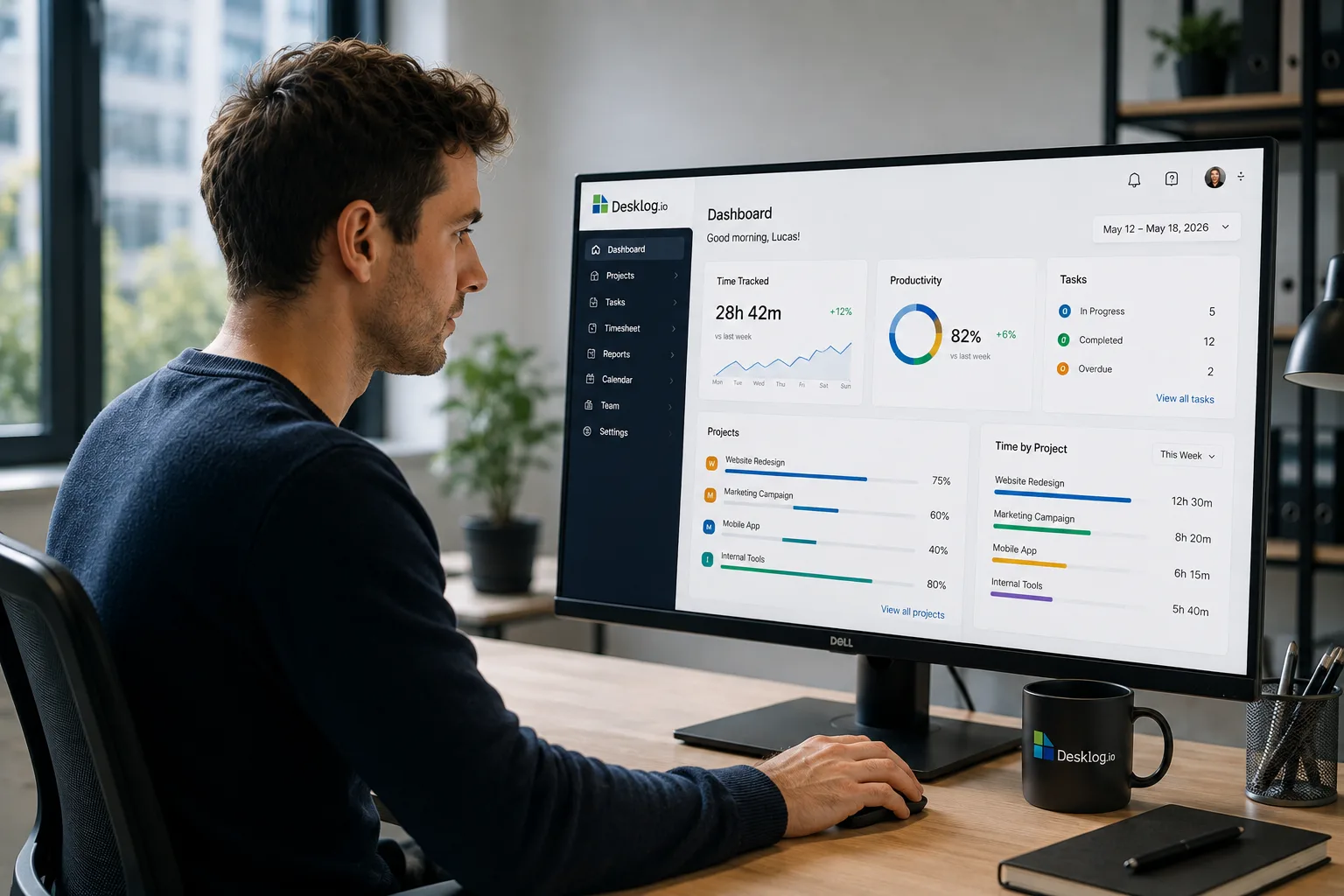
Best Task Management Software for Businesses of All SizesDesklog is an all-in-one task management and workforce productivity platform that combines project and task tracking, automatic time tracking, productivity analytics, attendance tracking, and employee performance insights in a single dashboard.
Unlike basic task management tools that only show whether a task is completed, Desklog helps businesses understand the time and productivity behind the work. Managers can organize projects, assign tasks, monitor progress, and analyze how teams spend their working hours.
Its Kanban-style project and task management system makes it easy to organize work visually, while automatic time tracking provides real-time visibility into time spent on tasks and projects.
Key Features
- Project time tracking
- Task management
- Kanban task boards
- Automatic time tracking
- Automated timesheets
- Task progress tracking
- Productivity analytics
- Attendance tracking
- Employee performance insights
- Project profitability tracking
- Billable hours tracking
- Team productivity reports
- Workforce utilization insights
- Automatic time tracking
- Task and project management in one platform
- Strong productivity analytics
- Free plan available
- Unlimited projects
- Useful for measuring task profitability
- May offer more workforce features than teams looking for a simple personal to-do list
Your Tasks Are Done. But Do You Know How the Work Gets Done?
Turn everyday tasks into actionable productivity insights with Desklog. Manage projects, track tasks, automatically capture work hours, and discover where your team's time goes.
Book a Free Desklog DemoTodoist
Best Task Management Software for Daily To-DosTodoist is one of the most popular task management tools for individuals and small teams that need a simple way to organize daily tasks, reminders, projects, and priorities.
Its biggest strength is simplicity. Users can quickly create tasks, add due dates, set recurring reminders, organize work into projects, and manage daily priorities without dealing with a complicated project management system.
Todoist is particularly useful for personal productivity, freelancers, students, and small teams that need a lightweight task management tool.
- Extremely easy to use
- Excellent daily task management
- Recurring tasks and reminders
- Clean interface
- Strong cross-platform support
- Limited advanced project management features
- Less suitable for complex enterprise workflows
Asana
Best Task Management Software for Team ProjectsAsana is a structured task and project management platform designed for teams that need to organize work across multiple projects and departments.
Tasks can be assigned to team members, given deadlines, organized into projects, and viewed through different formats such as lists, boards, calendars, and timelines.
The platform works especially well for marketing teams, product teams, operations departments, and businesses managing multiple projects simultaneously.
- Excellent task organization
- Multiple project views
- Strong collaboration features
- Good workflow management
- Useful project reporting
- Advanced features can become expensive
- May require some time to learn
ClickUp
Best Highly Customizable Task Management SoftwareClickUp is designed for teams that want extensive customization. The platform combines task management, project management, documents, goals, dashboards, whiteboards, and workflow automation.
Teams can customize task statuses, fields, views, dashboards, and workflows based on their specific processes.
This flexibility makes ClickUp powerful for businesses with complex requirements. However, the large number of features can also make the platform feel overwhelming for new users.
- Extremely customizable
- Multiple task views
- Strong automation
- Built-in documents and goals
- Advanced dashboards
- Steeper learning curve
- Can feel overwhelming for smaller teams
Trello
Best Visual Task Management SoftwareTrello uses a visual Kanban board system to help teams organize tasks using boards, lists, and cards.
Each task can be represented by a card that moves through different stages such as To Do, In Progress, Review, and Completed. This simple visual approach makes it easy for teams to understand project progress at a glance.
Trello is especially useful for small teams, marketing workflows, content calendars, and simple project tracking.
- Very easy to use
- Excellent visual organization
- Simple Kanban workflow
- Good for small teams
- Easy onboarding
- Advanced project management can require additional tools
- Less suitable for complex multi-project workflows
Notion
Best Task Management Software for Notes and ProjectsNotion combines task management with documents, databases, knowledge management, and team collaboration.
Teams can create task databases, project trackers, meeting notes, documentation, wikis, and custom workspaces in one platform.
Its flexibility is one of its biggest advantages. However, because users can build almost any type of workspace, setting up the ideal system may require more time than using a dedicated task management tool.
- Combines notes and tasks
- Highly flexible
- Excellent documentation features
- Custom databases
- Strong knowledge management
- Requires setup and customization
- Task management may feel less specialized than dedicated platforms
monday.com
Best Visual Task Management Software for Teamsmonday.com is a visual work management platform that uses customizable boards to help teams manage tasks, projects, workflows, and business processes.
Teams can customize columns, statuses, timelines, automations, and dashboards according to their requirements.
Its colorful interface and visual structure make it easy to see project progress and team responsibilities. It is particularly useful for marketing, sales, operations, and project teams.
- Attractive visual interface
- Customizable boards
- Workflow automation
- Multiple views
- Strong team collaboration
- Pricing can increase as teams grow
- Advanced features may require higher plans
Wrike
Best Task Management Software for Business TeamsWrike is an enterprise-focused project and task management platform designed for organizations managing complex projects, multiple teams, and large-scale workflows.
It provides advanced task management, project planning, reporting, dashboards, workload management, and collaboration features.
Wrike is particularly useful for agencies, professional services organizations, and large businesses that need deeper project visibility.
- Powerful project management
- Advanced reporting
- Workload management
- Custom workflows
- Strong enterprise features
- Higher learning curve
- Can be more complex than smaller teams need
Jira
Best Task Management Software for Software Development TeamsJira is designed primarily for software development teams that need to manage bugs, technical tasks, product backlogs, and Agile workflows.
Development teams can create issues, assign work, manage sprints, track bugs, and monitor progress using Scrum and Kanban boards.
Its deep integration with the software development lifecycle makes it one of the strongest options for engineering teams. However, the platform may be unnecessarily complex for teams that only need basic task management.
- Excellent bug tracking
- Strong Agile support
- Sprint management
- Developer-focused workflows
- Extensive integrations
- Complex for non-technical teams
- Requires setup and configuration
Basecamp
Best Simple Task Management Software for TeamsBasecamp takes a simpler approach to task and project management. It combines to-do lists, team communication, file sharing, schedules, and project discussions in one straightforward workspace.
Instead of offering extensive customization, Basecamp focuses on reducing complexity and keeping project communication organized.
This makes it suitable for teams that want a simple platform without spending significant time configuring workflows.
- Simple interface
- Easy project organization
- Built-in communication
- To-do lists and file sharing
- Minimal setup
- Limited customization
- Fewer advanced reporting features
Best Task Management Software by Business Type
Small Businesses
For small businesses, Desklog is one of the strongest overall task management software options because it combines task tracking with automatic time tracking and productivity analytics.
Small businesses can organize projects, assign tasks, track progress, and understand how much time is being spent on work without requiring employees to manually track every activity.
Todoist is a good alternative for teams that primarily need simple daily to-do lists, while Trello is better suited to businesses that prefer visual Kanban boards.
Daily Productivity and To-Do Lists
Todoist is the best choice for individuals and small teams that need a clean and simple way to manage daily tasks, reminders, recurring work, and priorities.
It avoids the complexity of larger project management platforms and makes it easy to focus on what needs to be completed each day.
Team Projects
Asana is an excellent choice for teams managing multiple projects, deadlines, task owners, and cross-functional workflows.
Desklog is a stronger option when teams also need automatic time tracking and productivity visibility alongside project and task management.
Highly Customizable Workflows
ClickUp is the strongest choice for teams that want to customize almost every aspect of their task management system.
monday.com is another good option for teams that prefer visual boards, while Notion is better suited to organizations that want to combine task management with documentation and knowledge management.
Software Development Teams
Jira remains the strongest choice for software development teams managing bugs, sprints, backlogs, and Agile development workflows.
For teams that need to understand the time spent on development tasks and projects, Desklog can provide additional productivity and time tracking insights.
Remote Teams
Desklog is a strong option for remote and hybrid teams that need automatic time tracking, task management, productivity analytics, and visibility into project progress.
Asana and ClickUp are also useful for distributed teams that require extensive collaboration and project organization.
Simple Team Collaboration
Basecamp is ideal for teams that want a straightforward combination of projects, to-do lists, communication, and file sharing.
It is a good choice for organizations that prefer simplicity over extensive workflow customization.
How We Evaluated These Task Management Tools
We evaluated each platform using real-world task and project management workflows, focusing on features such as task creation, task assignment, deadline management, project tracking, collaboration, automation, integrations, reporting, pricing, and overall ease of use.
We also considered how well each tool supports different types of users, from individuals managing daily to-do lists to large organizations coordinating complex projects across multiple teams.
As Desklog is our own product, we've been transparent about that and applied the same evaluation criteria to every platform, highlighting both the strengths and limitations of each tool.
Final Thoughts
The best task management software depends on how your team works and the type of tasks you need to manage.
If you need an affordable all-in-one platform that combines task management, automatic time tracking, productivity analytics, project tracking, and employee performance insights, Desklog is one of the strongest options for small and mid-sized businesses.
Todoist is excellent for daily to-do lists, Asana is ideal for structured team projects, ClickUp offers extensive customization, and Trello remains one of the easiest visual task management tools to use.
Notion is a strong choice for teams that want to combine notes and tasks, monday.com is ideal for visual workflows, Wrike suits complex business teams, Jira is built for software development, and Basecamp offers a simple approach to team collaboration.