
The Completed Task Visibility option allows you to control whether completed tasks are shown or hidden in a project’s task list.
This helps teams keep their task lists clean and focused while still allowing access to completed work when needed.
How to Show or Hide Completed Tasks in a Project
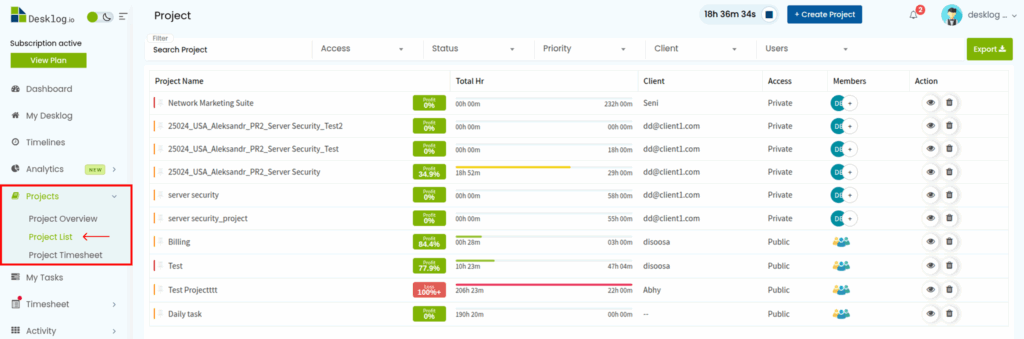
- From the Admin left panel, click Projects, then click Project List.
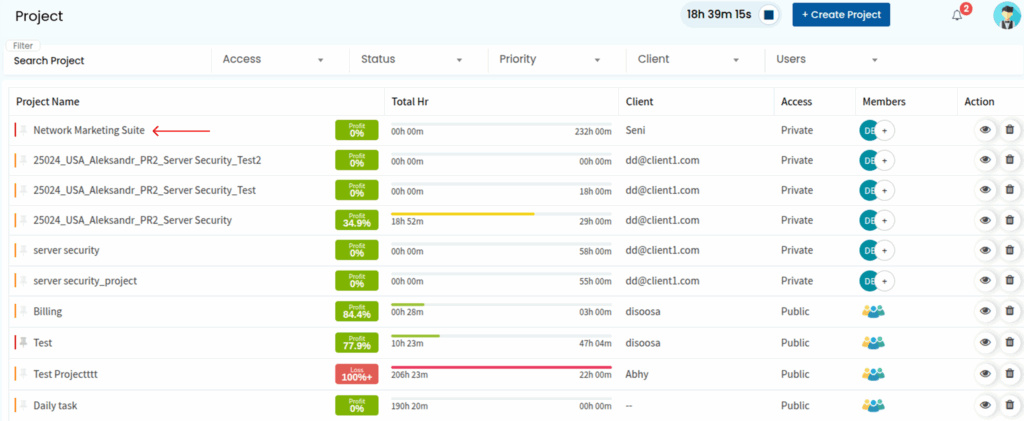
- From the list of projects, select the project for which you want to configure this option.
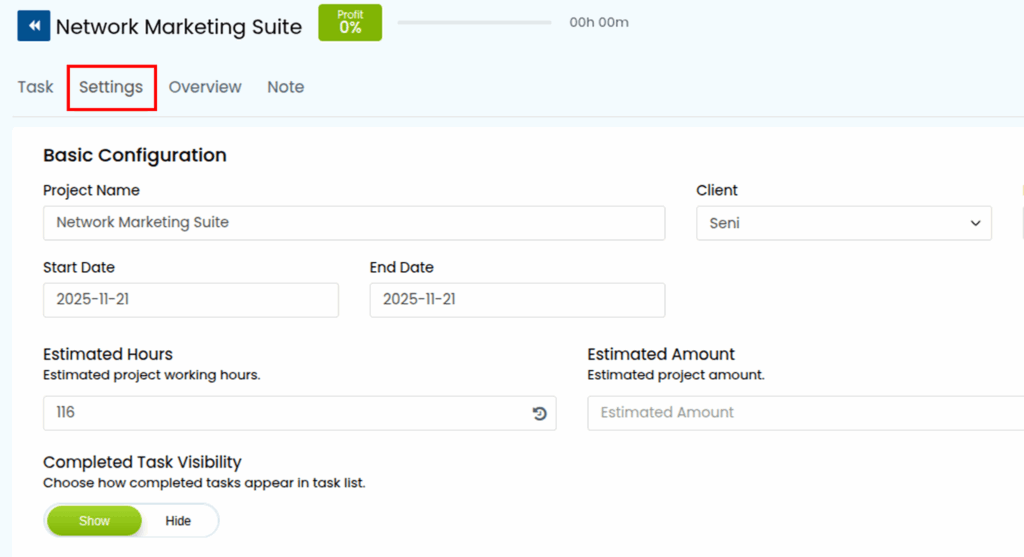
- Navigate to the Settings.
- Scroll down to the Completed Task Visibility toggle.
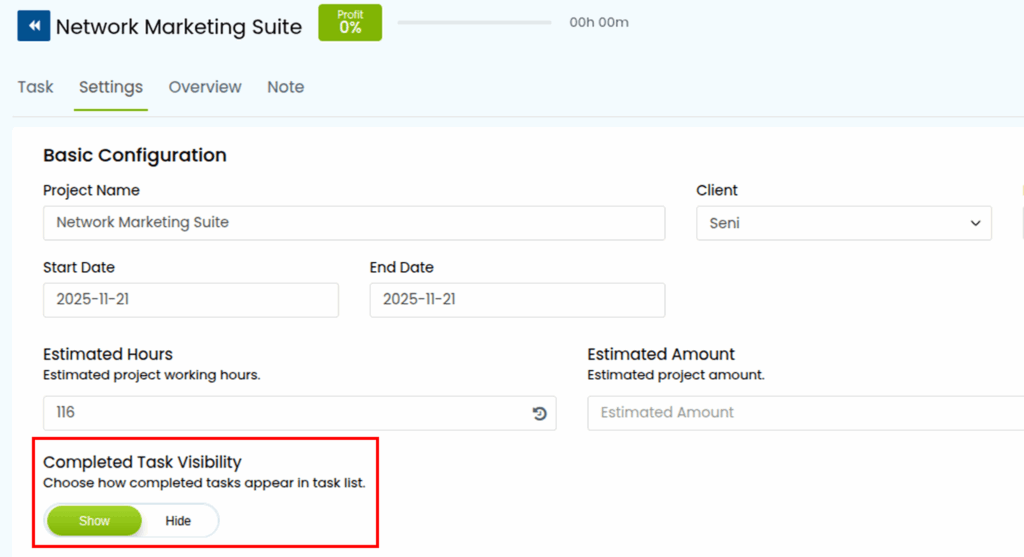
- Choose whether to show or hide completed tasks in the task list.
Your selection will determine how completed tasks appear in the project’s task list.