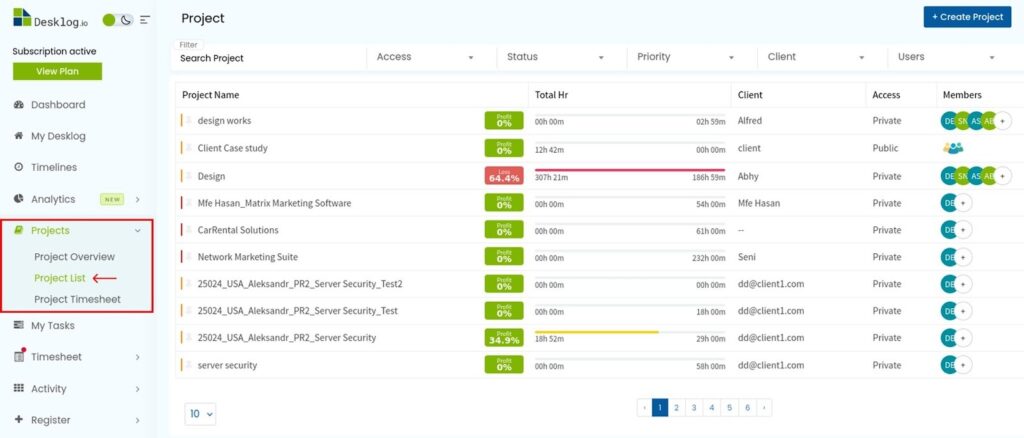
- From the Admin left panel, click Projects, then select Project List.
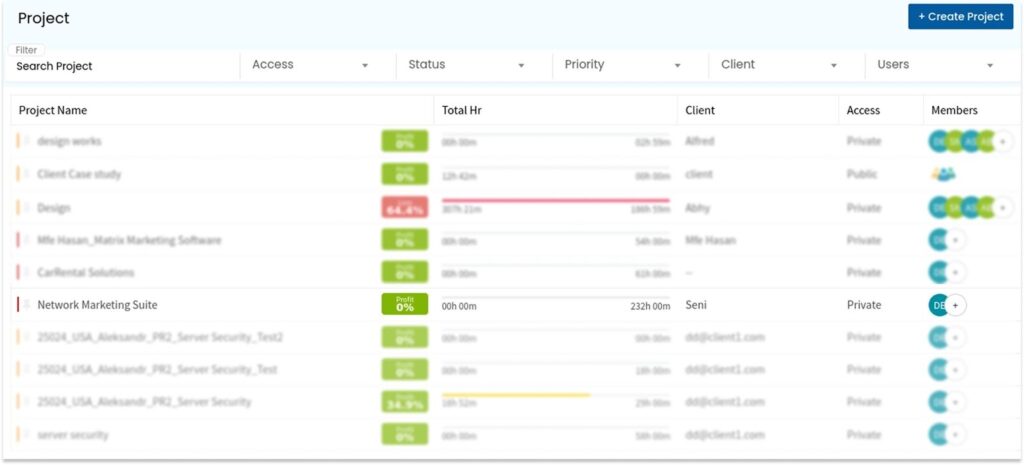
- Choose the project to which you want to import tasks.
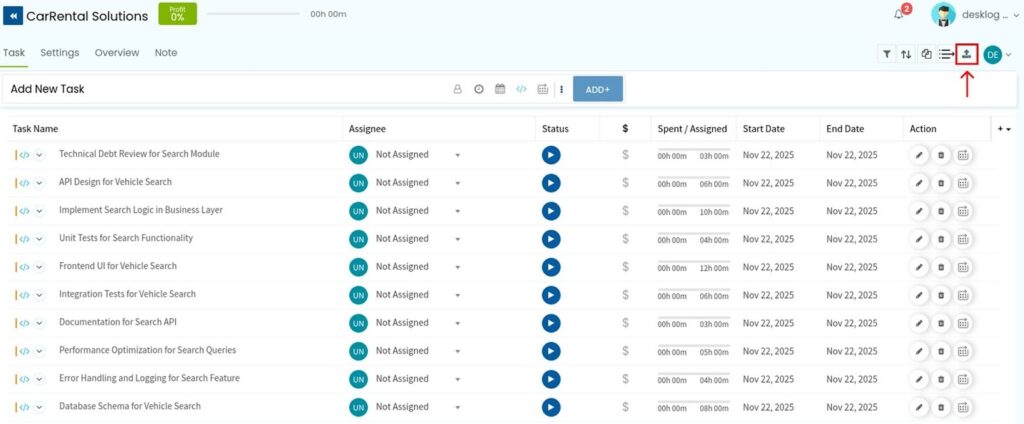
- In the project task view, go to the top-right corner and click the Import Tasks icon.
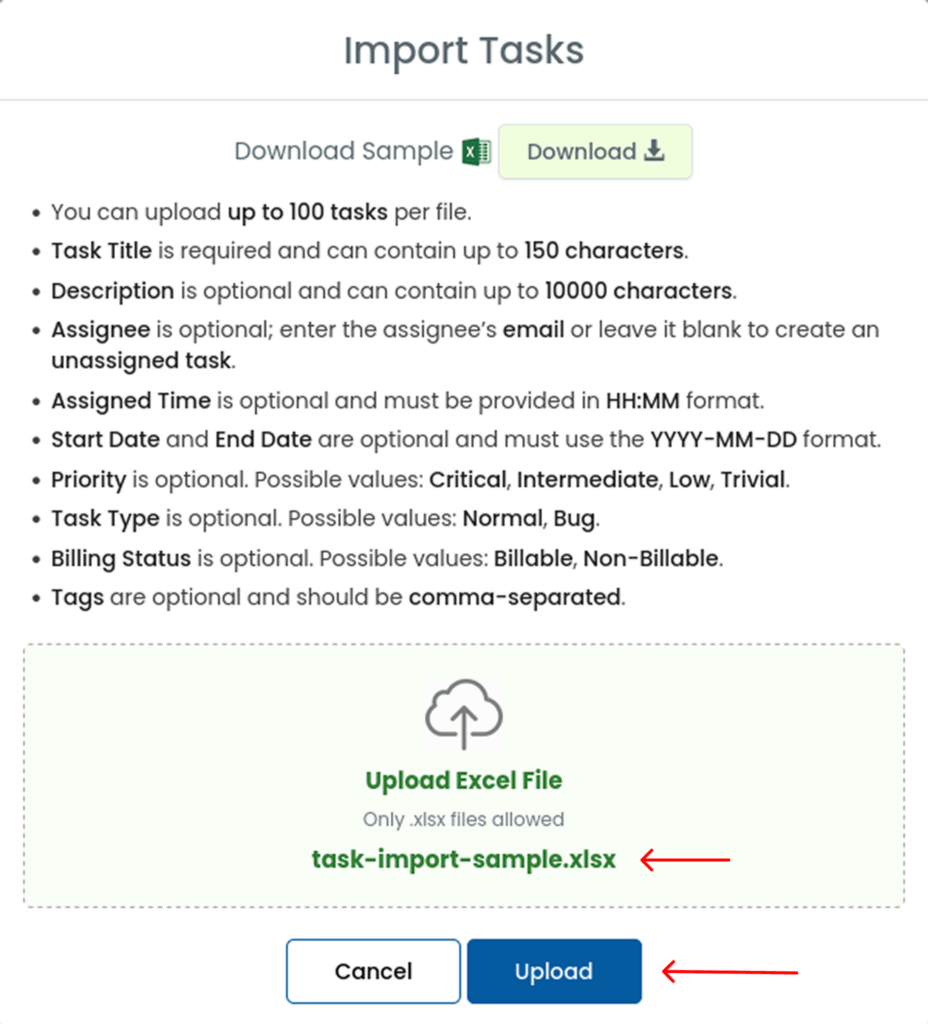
- Download the sample Excel sheet.
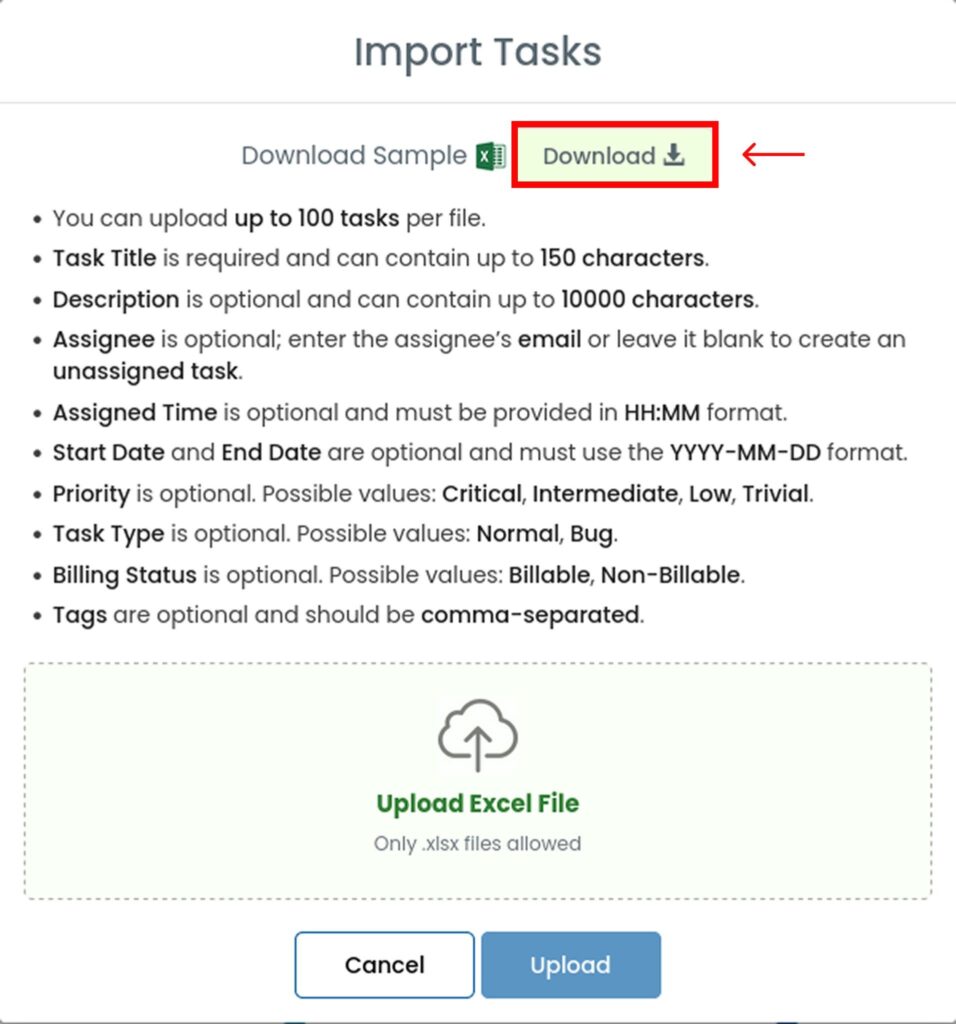
- Enter task details as per the guidelines:
- You can upload up to 100 tasks per file
- Task Title is required (up to 150 characters)
- Description is optional (up to 10,000 characters)
- Assignee is optional (enter the assignee’s email or leave blank for unassigned tasks)
- Assigned Time is optional and must be in HH:MM format
- Start Date and End Date are optional and must be in YYYY-MM-DD format
- Priority is optional (Critical, Intermediate, Low, Trivial)
- Task Type is optional (Normal, Bug)
- Billing Status is optional (Billable, Non-Billable)
- Tags are optional and must be comma-separated
- Upload the completed Excel file in the provided space and click Upload.