
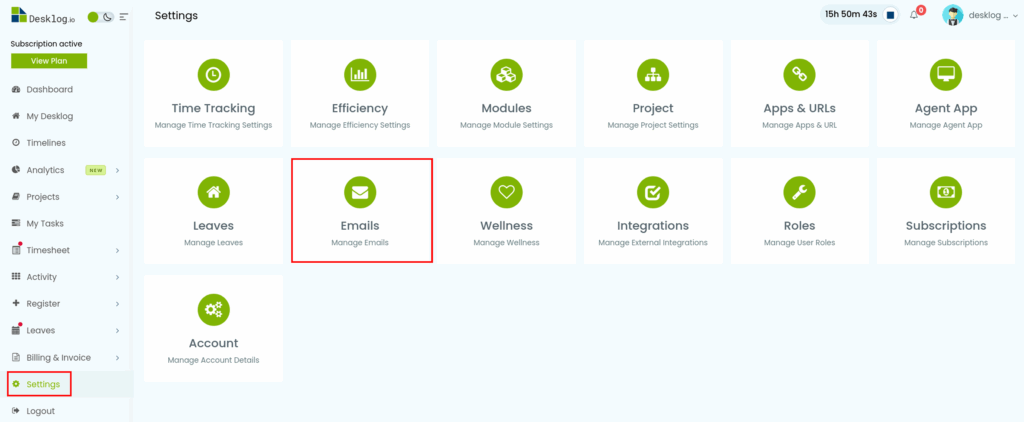
Step 1: Click on Settings from the Admin left panel and from the page that opens, click on Emails.
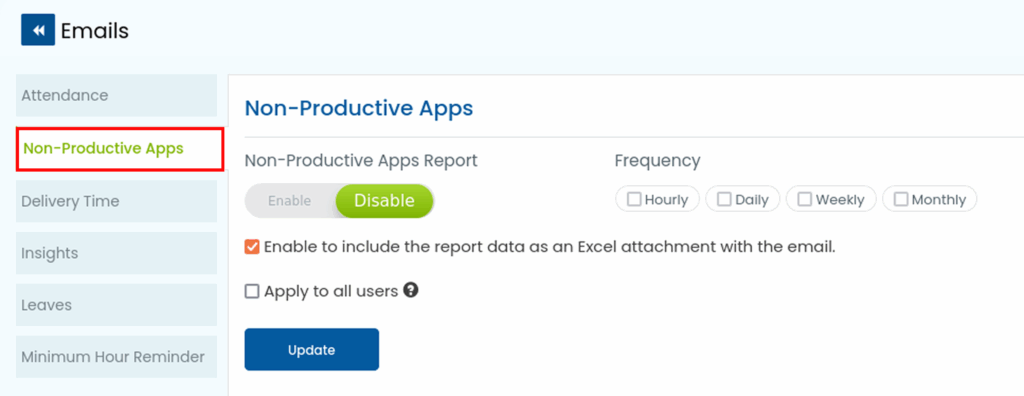
Step 2: From the list of options, select Non-Productive Apps.
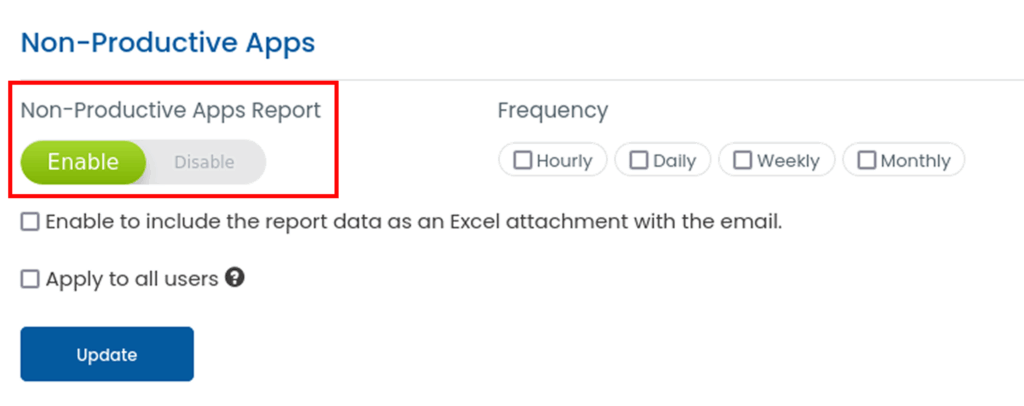
Step 4: To enable Non-Productive App reports, set the button to Enable.
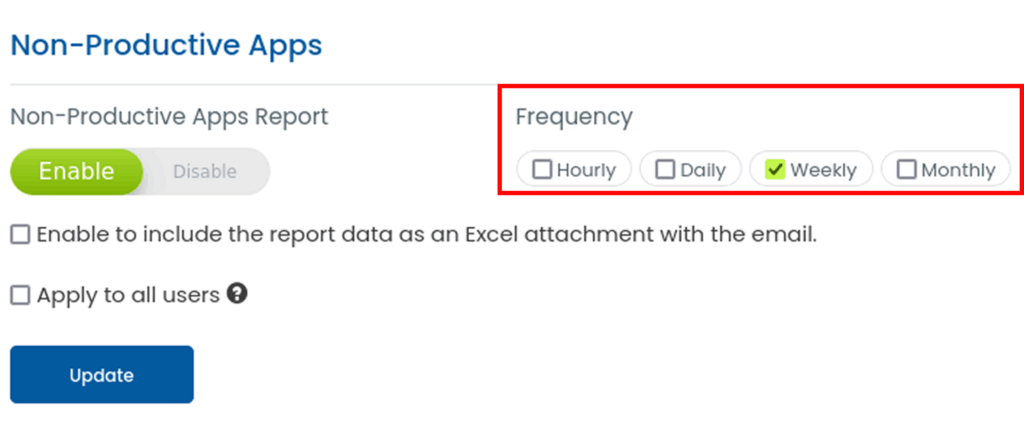
Step 5: Under the Frequency section, choose how often you want the reports delivered- Hourly, Daily, Weekly or Monthly.
Step 6: You also have the option to include the report as an Excel attachment in the email.
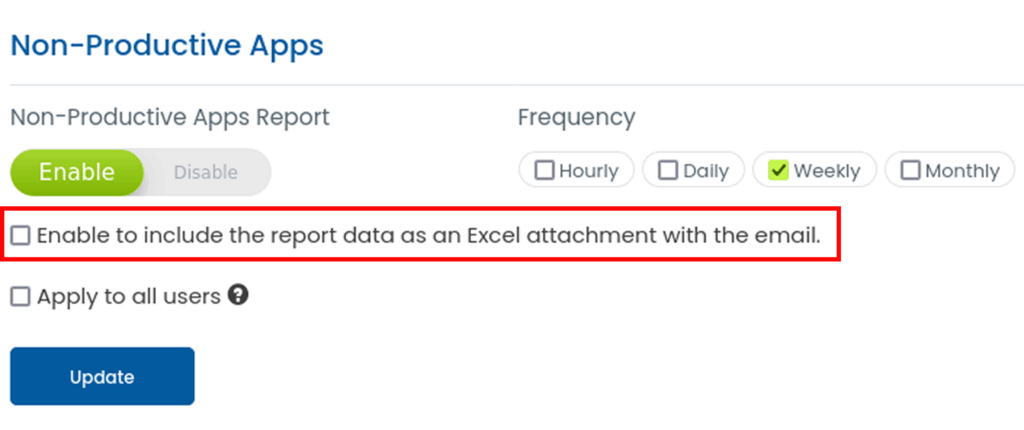
Step 7: If you want to apply the settings to all users, check the option. Once you configure these settings, click Update to save changes.