Integration Methods
Desklog offers two ways to integrate biometric systems depending on your technical setup and preferences.
1. Standard Biometric Integration (Application-Based)
This is the default and most commonly used method.
A dedicated Desklog Biometric Service is installed on the system where your biometric software is running. This service continuously syncs attendance data with Desklog in real time.
Requirements
- Dedicated System
A machine where your biometric application is installed and running - Operating System
Windows 8 or above (recommended) - Database Synchronization
Your biometric software must support automatic database updates for real-time syncing
Information Required from Your Side
To ensure compatibility and a smooth setup, please provide:
- System Details
OS version and hardware specifications of the system running the biometric software - Sample Database Model
Backup file or schema of the biometric database - Device & Database Details
Device model, communication protocol, and database connection information
2. Alternative Method: Biometric Integration via Public API
For teams that prefer a lightweight and more flexible approach, Desklog also supports integration via API.
Instead of installing a separate service, your system can directly communicate with Desklog using API endpoints.
How It Works
- Your biometric system triggers check-in/check-out events
- These events are sent to Desklog via API calls
- Attendance data is updated instantly
Best Suited For
- Systems that support custom scripting or webhooks
- Teams looking for a code-based integration
- Environments where installing additional software is not preferred
API Documentation
You can access full API details here:
https://desklog.io/api-documentation/
Next Steps
To proceed:
- Share the required technical details
- Our team will review your setup
- We will recommend the most suitable integration method
- Implementation support will be provided as needed
How to Request Biometric Integration Setup in Desklog
Biometric integration in Desklog allows you to sync employee attendance directly from your biometric device into the system. Since this setup involves technical configuration, it requires assistance from our team.
Step 1: Navigate to Integrations
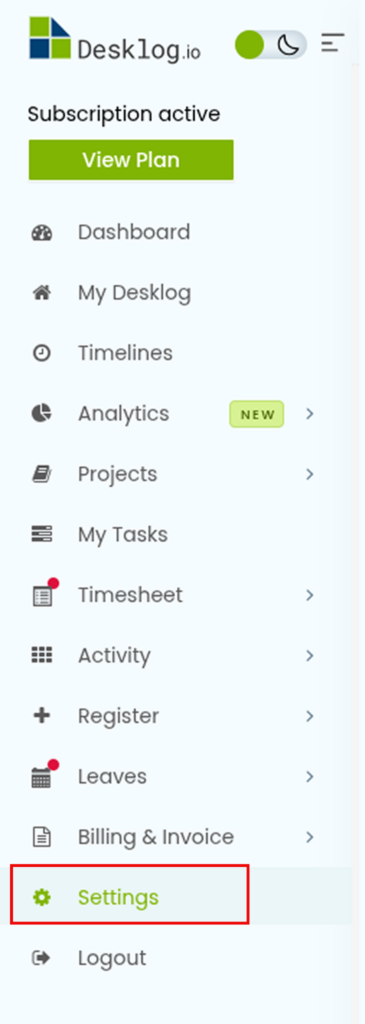
In order to enable biometric integration, go to the Settings section from the left sidebar
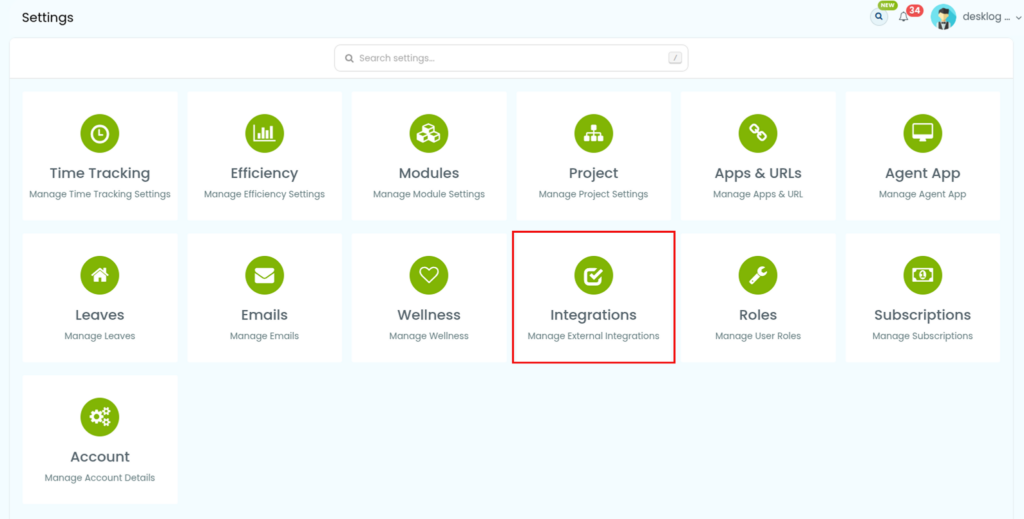
Click on Integrations to view all available integration options
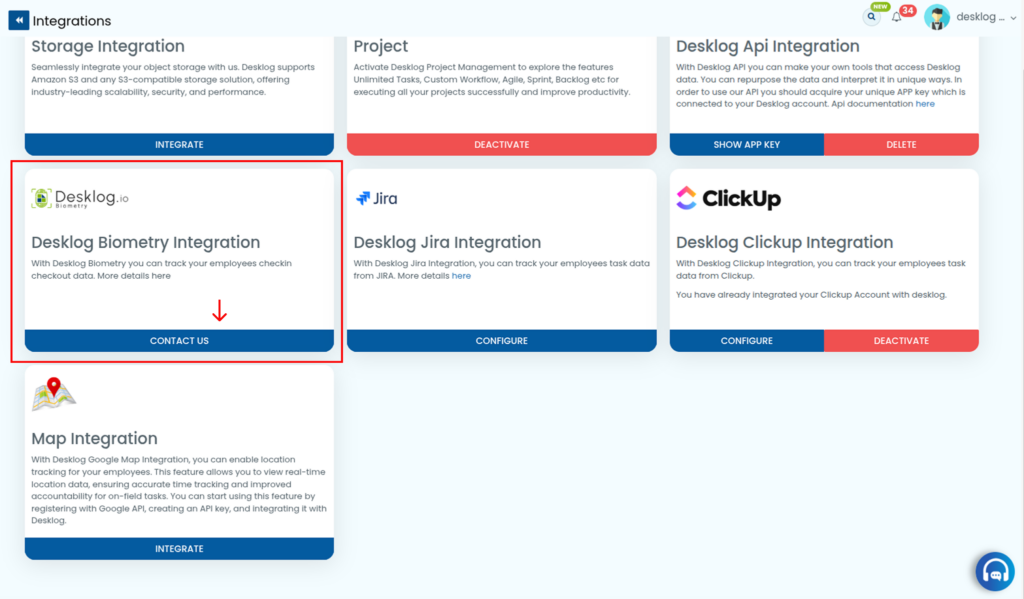
Locate Desklog Biometric Integration in the list. Click on the Contact Us button next to it to initiate the setup process.
Step 2: Submit Your Request
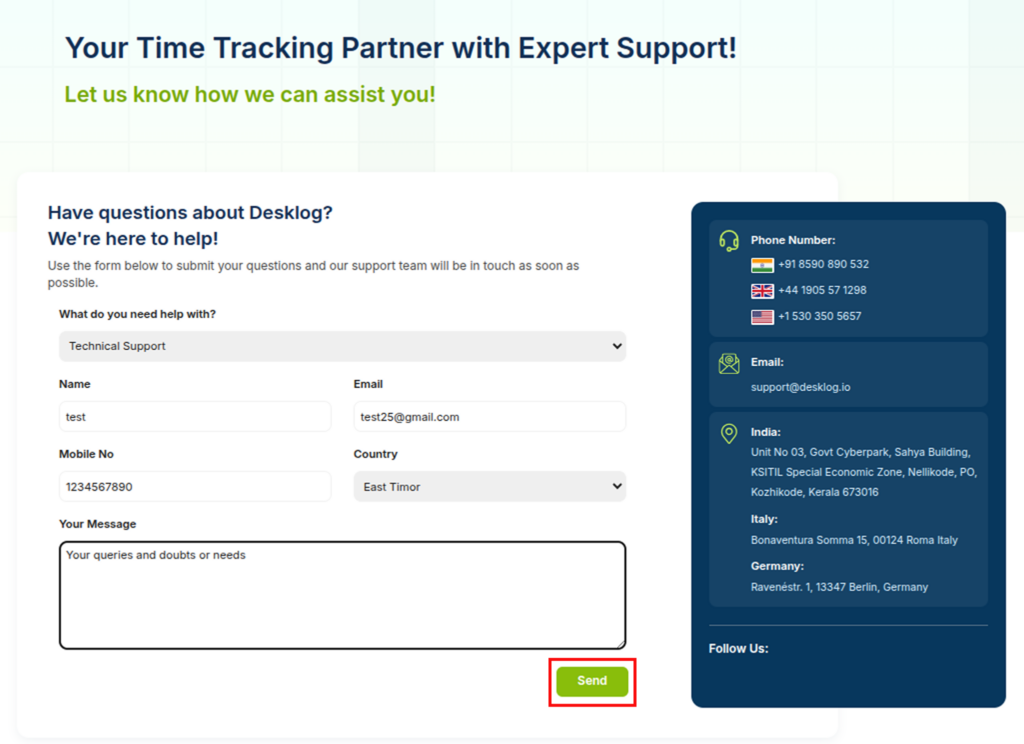
Clicking Contact Us will open a request form. Fill in the required details:
- What do you need help with?
(Select one: General Inquiry / Product Demo Request / Billing & Subscription / Technical Support / Feature Request / Sales & Partnership) - Name
- Mobile Number
- Country
- Your Message (Briefly describe your biometric setup and requirements)
After completing the form, click Send.
Once submitted, our integration specialist will get in touch with you to guide the next steps.
If you need guidance at any stage, feel free to reach out. Our team is available to assist you throughout the integration process.
E-mail: support@desklog.io