
Creating your own task allows you to track time accurately against specific work items and organize activities under the correct project. Follow the steps below to create a new task.
Step 1: Navigate to My Tasks
From the left-side navigation panel, click My Tasks.
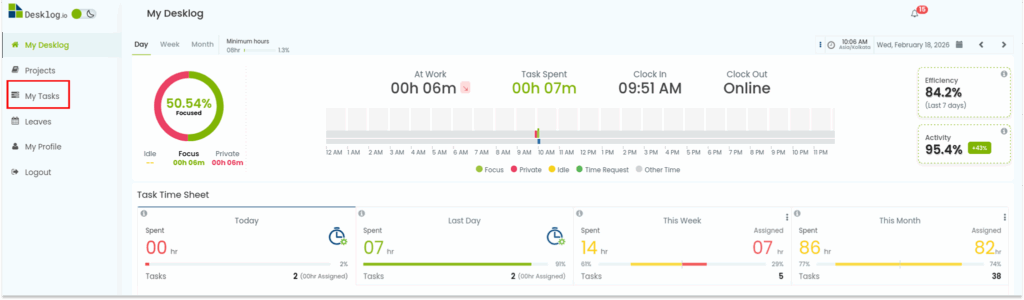
This section displays all tasks assigned to you and provides the option to create new ones
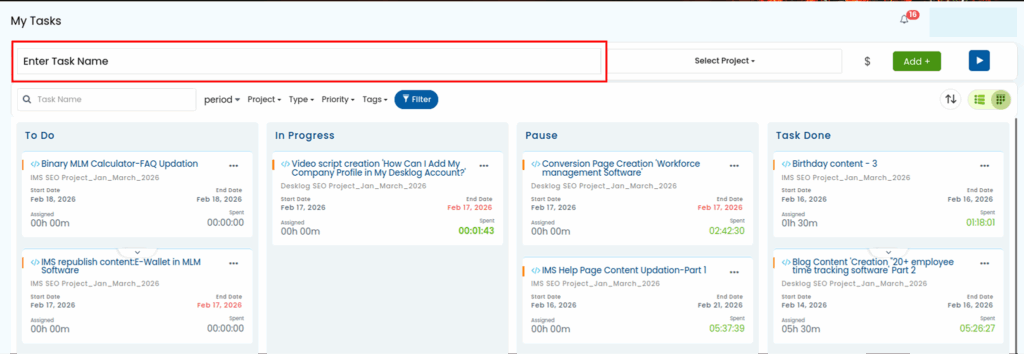
Step 2: Enter the Task Name
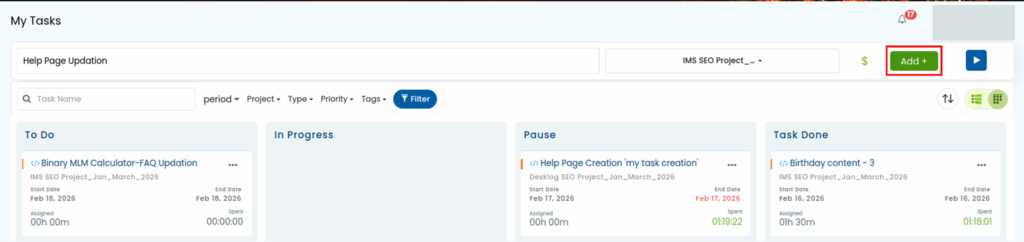
At the top of the My Tasks page, you will find a task entry field. Type a clear and descriptive name for the task you want to create.
A meaningful task name helps with reporting, tracking productivity, and project organization.
Example:
- Website Homepage Design
- Client Meeting Preparation
- Bug Fix – Login Error
Step 3: Select the Associated Project
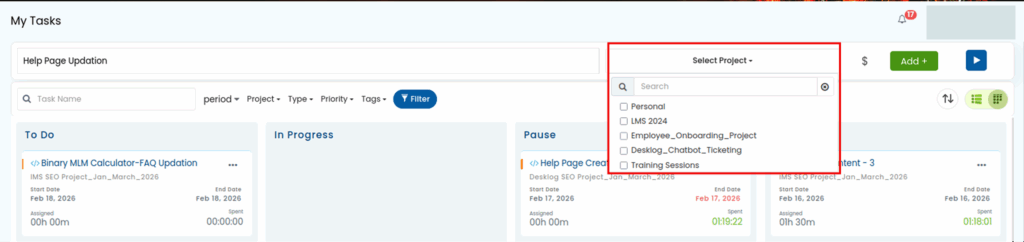
After entering the task name, select the appropriate project from the dropdown menu.
Important notes:
- Only projects you have permission to access or edit will appear in the list.
- Selecting the correct project ensures accurate time tracking and reporting.
- If you do not see the required project, contact your administrator for access.
Step 4: Set the Billing Type
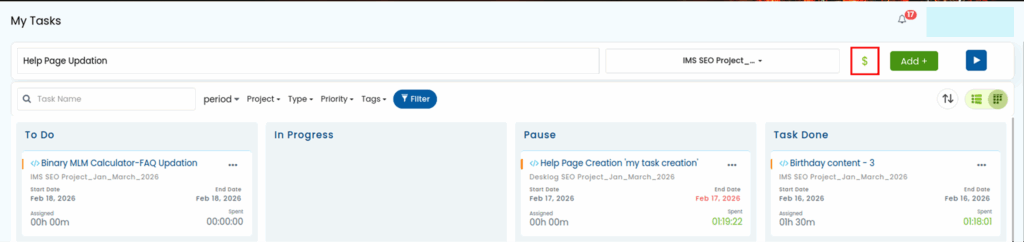
On the right side of the task entry area, you will see a Dollar ($) icon.
Click this icon to define the task as:
- Billable → Time spent on this task will be counted for billing or invoicing.
- Non-billable → Time will be tracked for productivity but not charged.
Choose the option based on your organization’s billing policy or project requirements.
Step 5: Create the Task
Once all details are entered:
- Verify the task name
- Confirm the selected project
- Check the billing status
Click the Add button to create the task. The task will now appear in your To Do list and is ready for time tracking.
Best Practices for Creating Tasks
- Use clear, specific names to avoid confusion later.
- Always link tasks to the correct project for accurate reports.
- Mark billing status correctly to prevent invoicing errors.
- Create separate tasks for different types of work instead of grouping everything into one.