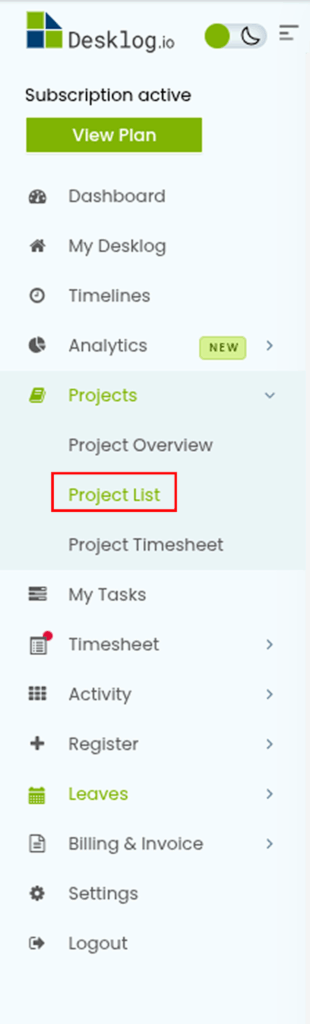
To create a sub-task in Desklog, go to Projects and select Project List.
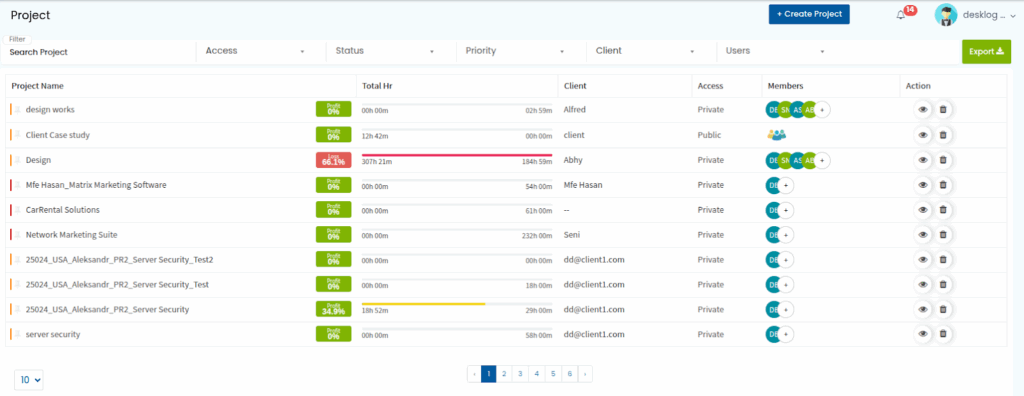
You will be taken to a page where all projects are listed. Choose the project of your choice.
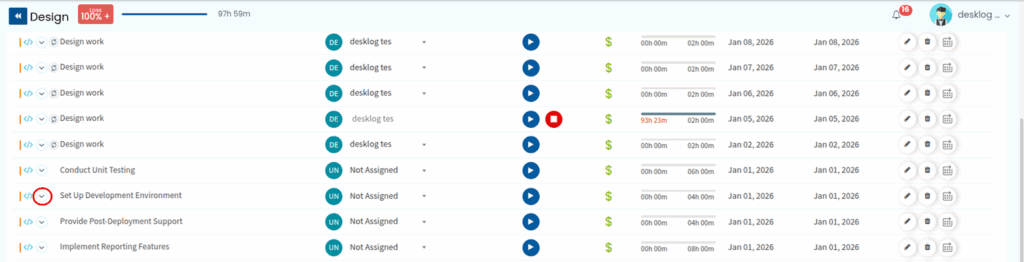
Once you select a project, you will see multiple tasks associated with it. Select the parent task to which you want to add a sub-task, and click the arrow icon next to it.
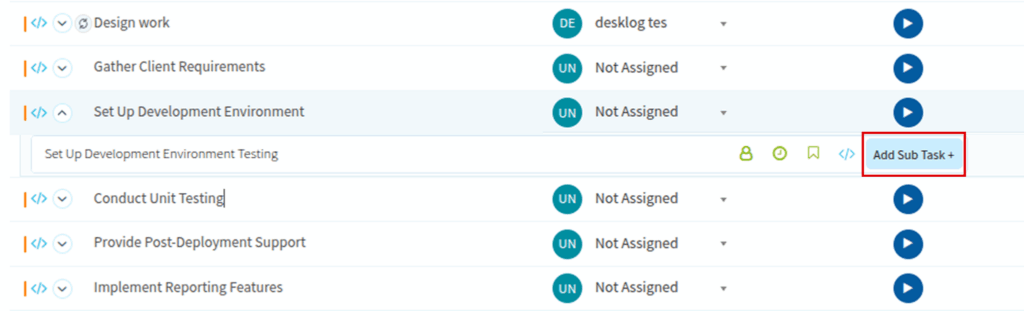
The Add New Sub Task section will appear. Enter the sub-task name.
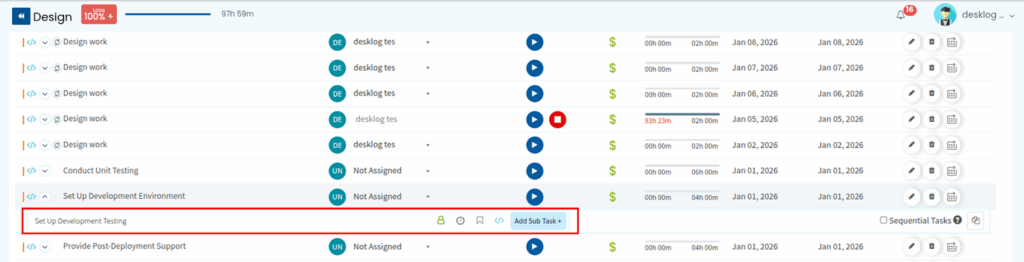
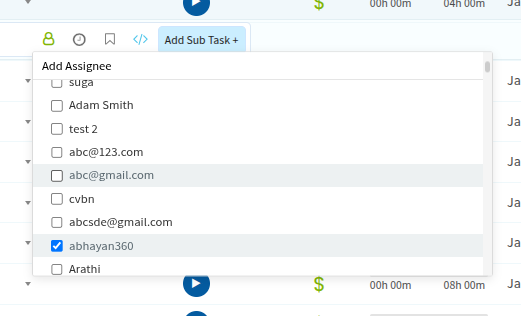
To assign users, click on the User icon. A list of users will appear, select one or more assignees from the dropdown.
To assign time, click on the clock icon on the right side. A box will appear where you can enter the required time.

In the initial view, the assigned time shown beside the parent task represents the total time for that task, including both the parent task and all its sub-tasks.
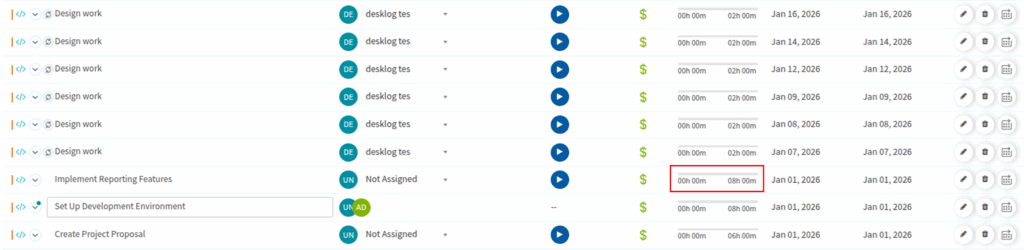
To view the time assigned specifically to the parent task, simply click the arrow on the left. This will expand the task and display the time assigned to each individual item.

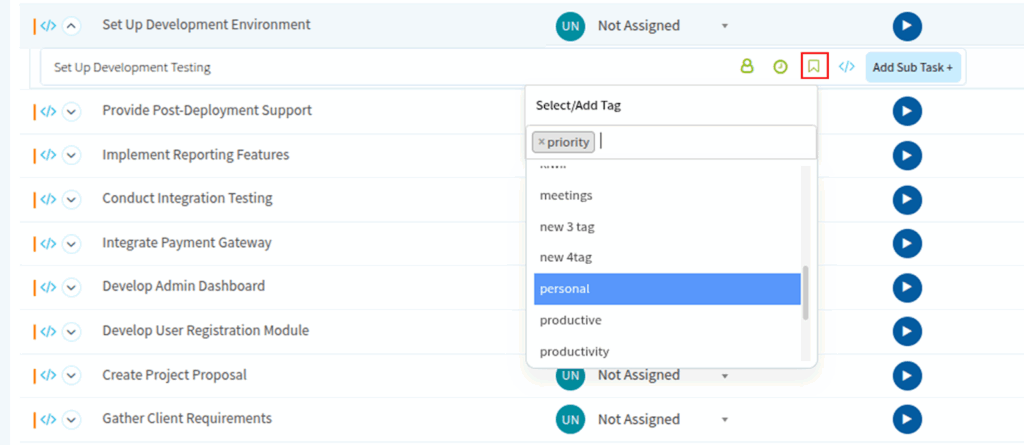
To add task tags, click on the tag icon and select the relevant tags from the dropdown.
To set the task type, click on the task type icon and choose either Normal or Bug.
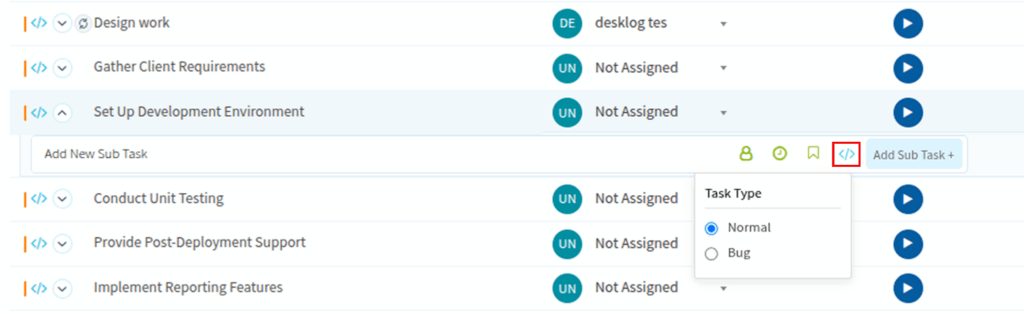
After filling in all the required fields, click Add Sub Task. The sub-task will be added successfully.