
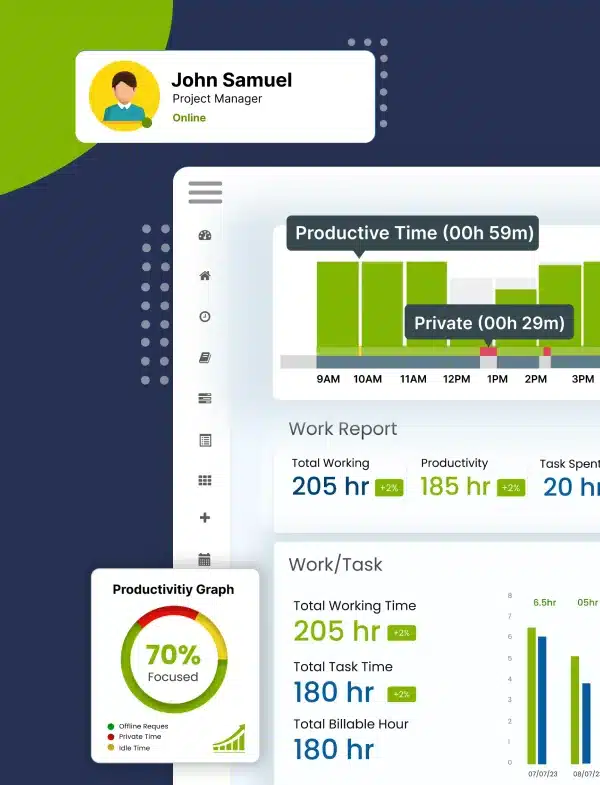
Discover automated
time tracking
Enable your employees to take charge of their time management and elevate productivity to the next level.
Get Started Now!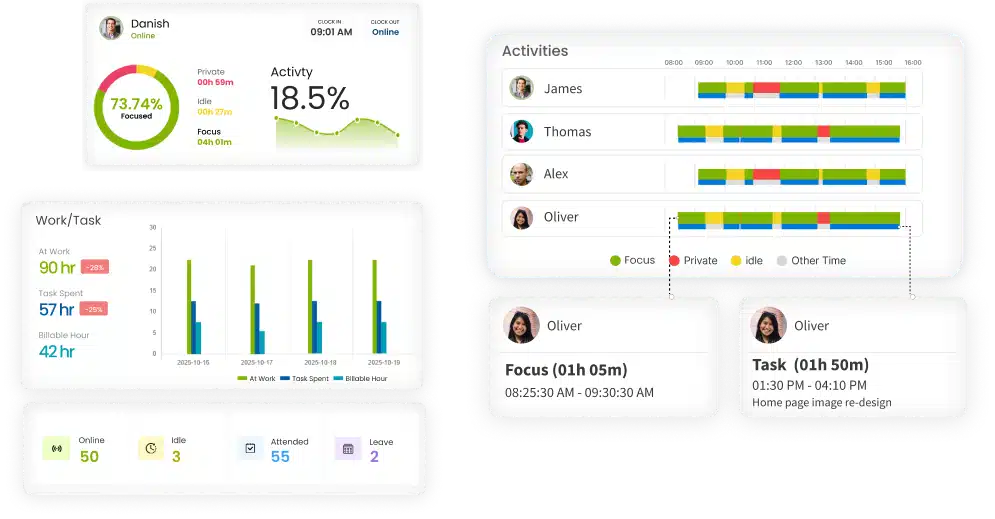





The #1 Work Intelligence Software







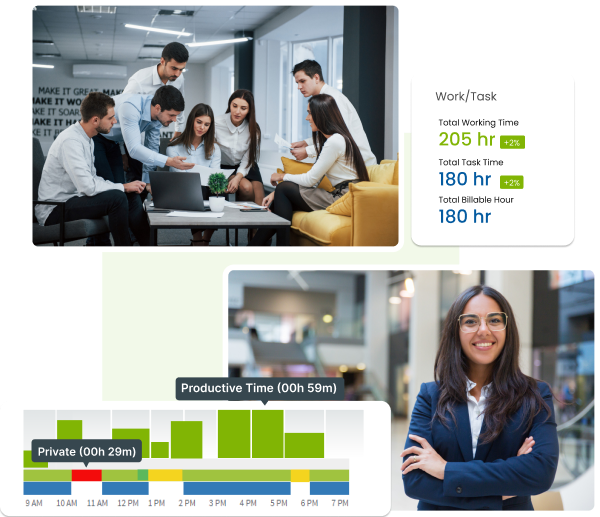
What is Employee Monitoring Software?
Employee monitoring software is a powerful tool designed to track work activity, task progress, and time spent during work hours. It helps businesses gain real-time visibility into productivity, manage workloads effectively, and improve overall team performance while maintaining a culture of transparency and accountability.
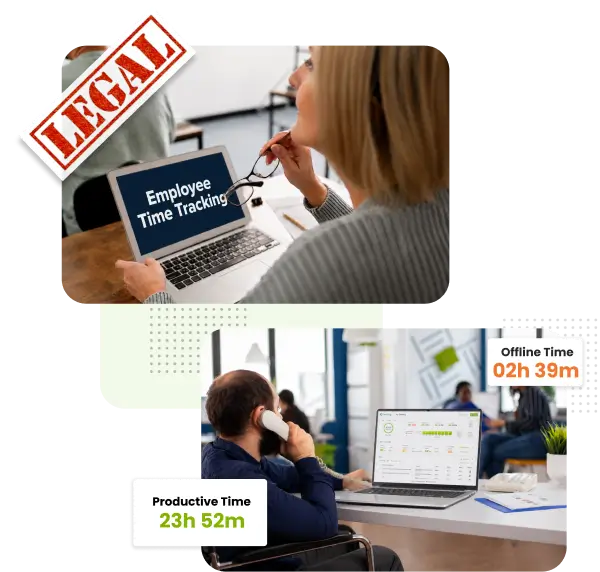
Is Employee Monitoring Software Legal?
Yes, employee monitoring software is legal in many countries when businesses use it transparently and follow local labor and privacy laws. Companies typically use employee monitoring software to track work hours, productivity, attendance, and project activity for operational purposes. Employers should clearly inform employees about what data is being monitored and how it is used.
How Employee Monitoring Software Works?
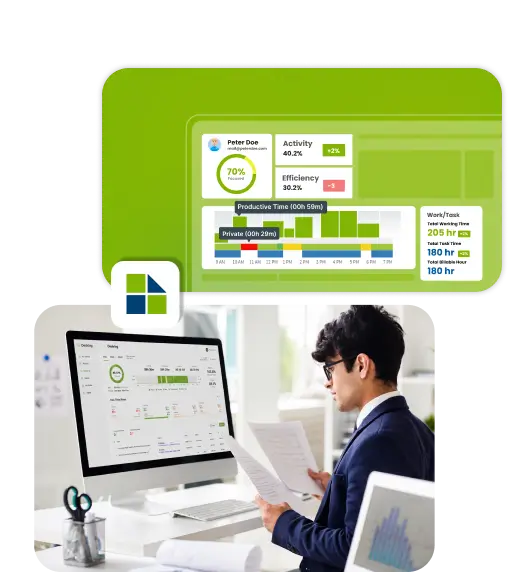
Desklog’s AI analyzes work activity and time patterns to highlight productivity trends and workflow gaps, focusing on team performance with transparent, trust-friendly insights.
Why Businesses Choose Desklog Employee Monitoring Software?

Real-Time Activity & Tracking
Automatically track hours and work activity to get accurate productivity insights without manual effort.

AI-Powered Insights
Analyze workflows and productivity trends using AI, without keystroke logging or invasive monitoring.

Privacy-First & Transparent
Employees can view their own reports, ensuring transparency and trust across all teams.

Secure, Compliant & Scalable
GDPR and CCPA-compliant, encrypted, and role-based access designed to scale with growing teams.

Trusted Across Industries
Used by IT, finance, healthcare, and professional services for reliable, actionable productivity insights.
What Desklog Tracks and What It Never Tracks
Desklog employee monitoring software is designed to support ethical employee monitoring.
What Desklog Tracks:
- Work hours and activity duration
- App and website usage trends
- Productivity patterns and workload distribution
What Desklog Never Tracks:
- Keystrokes or typed content
- Personal files or private communications
- Webcam access or hidden surveillance
Privacy-First Monitoring That Builds Trust
Stay Compliant Without Sacrificing Transparency
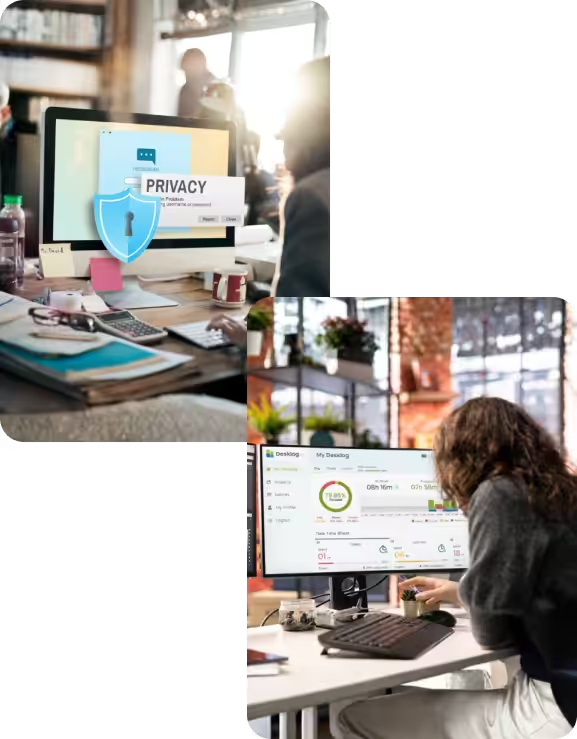
Desklog employee computer monitoring software approaches with privacy as a core principle. Instead of collecting intrusive personal data, it captures only work-related patterns, ensuring insight without overreach and compliance without complexity.
By designing monitoring around transparency and control, Desklog helps organizations:
Stay aligned with GDPR and CCPA requirements
Limit data access through role-based visibility
Protect work data with secure, encrypted storage
Give employees access to their own productivity insights
The result is a compliant, ethical monitoring environment where employees feel informed, protected, and confident, while organizations maintain accountability and trust.

Turn Work Time Into Measurable Impact
Build Focused Teams Without Compromising Employee Well-Being
Desklog employee productivity monitoring software helps organizations move beyond guesswork. Instead of monitoring people, it analyzes how work flows across the day, revealing where time is invested, where focus breaks, and where workloads become unsustainable.
Reduce distractions without policing employees
Identify overload early, before burnout sets in
Encourage healthier work habits through clarity, not control
The result is a workplace where productivity improves naturally and employees stay engaged, supported, and in control of their time.
Boost Team Productivity Across Your Organization
use real-time productivity insights from the best employee monitoring software to balance workloads, sharpen focus, and eliminate inefficiencies.
Start Free TrialHow To Start Using the Best Employee Monitoring Software?
Install & Configure
Set monitoring policies aligned with your compliance and HR guidelines.
Capture Work Activity Securely
Automatically track time and activity data without disrupting workflows.
Analyze Productivity Trends
Access dashboards and reports highlighting efficiency gaps and improvements.
Optimize Performance
Use insights to rebalance workloads, improve focus, and support teams.
No Complex Setup. No Invasive Tracking. No Productivity Guesswork.
Core Features of Desklog Employee Monitoring Software
A simple yet powerful set of tools to help you manage your workforce with transparency and efficiency.
Activity & Time Tracking
Enable automated time tracking and accurate activity tracking to capture work hours seamlessly. Eliminate manual entry errors and gain precise insights into how time is spent throughout the day.
Learn More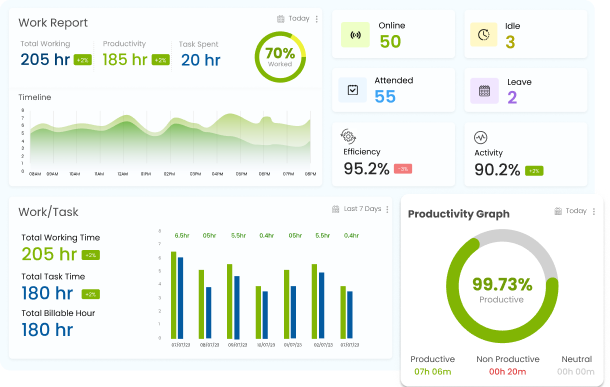
App & Website Monitoring
Use app & URL tracking to analyze how applications and websites are used during work hours. Identify productivity leaks and ensure teams are focused on the right tasks with detailed usage categorization.
Learn More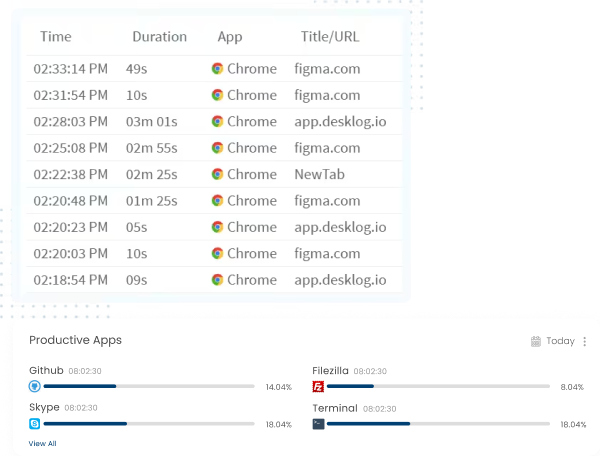
Productivity Analytics
View actionable productivity insights through an intuitive dashboard. Transform raw data into clear patterns that highlight focus levels, top performers, and areas needing support.
Explore Insights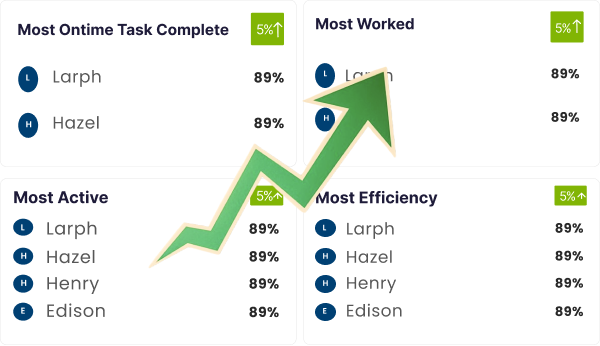
Performance Reports
Generate detailed reports that provide reliable insights into employee efficiency and workload distribution. Export data for payroll, client billing, or performance reviews with just a few clicks.
View All Reports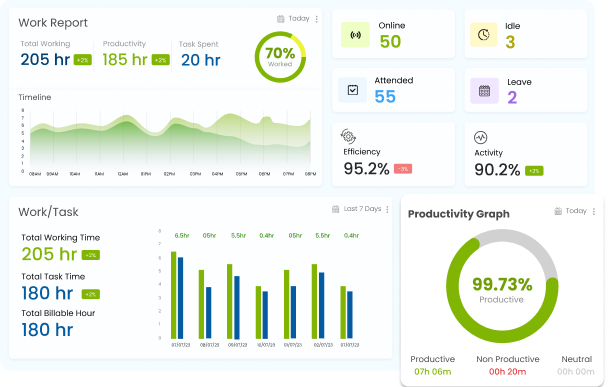
Employee Productivity Monitoring Software for Modern Business Teams
Customer Support & Operations Teams
Monitor shift coverage, workload distribution, and operational efficiency in real time to improve response times, meet service-level goals, and reduce burnout.
Remote & Hybrid Teams
Gain clear visibility into work hours, activity patterns, and productivity trends across locations without disrupting flexible work models. Desklog ensures consistent tracking while respecting employee privacy.
IT & Software Companies
Track development time, monitor application usage, and analyze productivity trends to improve delivery timelines, resource allocation, and team efficiency without micromanagement.
Financial & Compliance-Driven Businesses
Maintain accurate work records, ensure data security, and support regulatory requirements with encrypted monitoring, role-based access, and transparent reporting.
More Than Monitoring: A Complete Workforce Intelligence Platform
Built for Growing Teams, Distributed Work, and Modern Operations
Attendance & Leave, Fully Automated
Replace manual registers and fragmented systems with one reliable source of truth. Desklog automatically records attendance, manages leave balances, and visualizes absences, giving HR teams clean data without administrative overhead.
Smarter Shift Planning at Scale
Desklog transforms shift scheduling from a manual task into a structured process. Workloads are evenly distributed, coverage gaps are avoided, and teams stay aligned, whether shifts change daily or follow long-term rotations.
Visibility for Remote Teams, Without Micromanagement
Remote work doesn’t have to mean reduced clarity. Desklog provides insight into active time, idle patterns, and task engagement while keeping monitoring transparent and non-intrusive. Managers see progress, not personal behavior.
One System for Hybrid Workforces
When teams work from multiple locations, consistency matters. Desklog applies the same tracking logic to office, remote, and offline work; ensuring fair measurement, accurate reporting, and unified productivity insights across the organization.
Reviews
View our rating in top platform

Loved by 0+ Teams Worldwide
See what our customers have to say about Desklog
Manager
Manager
Manager
Manager
Manager
Sr. System Administrator, Heckyl Technologies Pvt Ltd
Manager
Director, Focuz Line Shipping Co Ltd, Saudi Arabia
Manager
Sr. System Administrator, Mantra Softech India Pvt Ltd
Managing Director, Sanesquare Technologies
CEO, RedTeam Hacker Academy Pvt Ltd
Pricing & Plans
Choose the plan that fits your team. Start free, upgrade as you grow.
Free
- Up to 3 users, unlimited projects
- Automated timesheets
- Wellness reminders
- Core tracking
Business
- Project billing
- Dashboards
- Reports
- Email summaries
Enterprise
- App/URL tracking
- Profit/loss reporting
- Geo-tracking
- Jira & ClickUp integrations
Flexible Monthly/Annual Billing | Free Trials Available | No Credit Card Required To Start
Frequently Asked Questions
Everything you need to know about Desklog
What is the best work tracking software for monitoring employees?
How do I monitor my employees working remotely?
Is it legal to use employee monitoring software?
How does employee monitoring software ensure data privacy?
How do employee monitoring tools track productivity?
Can employee monitoring software be used to track attendance?
Can Employees See Monitoring Data?
Does Employee Monitoring Software Record Keystrokes?
What Is the Best Employee Monitoring Software for Remote Teams?
- Automatic time tracking
- Productivity monitoring
- Attendance management
- Remote workforce visibility
- Project and task tracking
- Reporting and analytics
- Hybrid workforce support
Improve Productivity with Clarity; Not Surveillance!
Make smarter performance decisions using transparent, privacy-first best employee monitoring software that supports productivity, trust, and sustainable work habits.