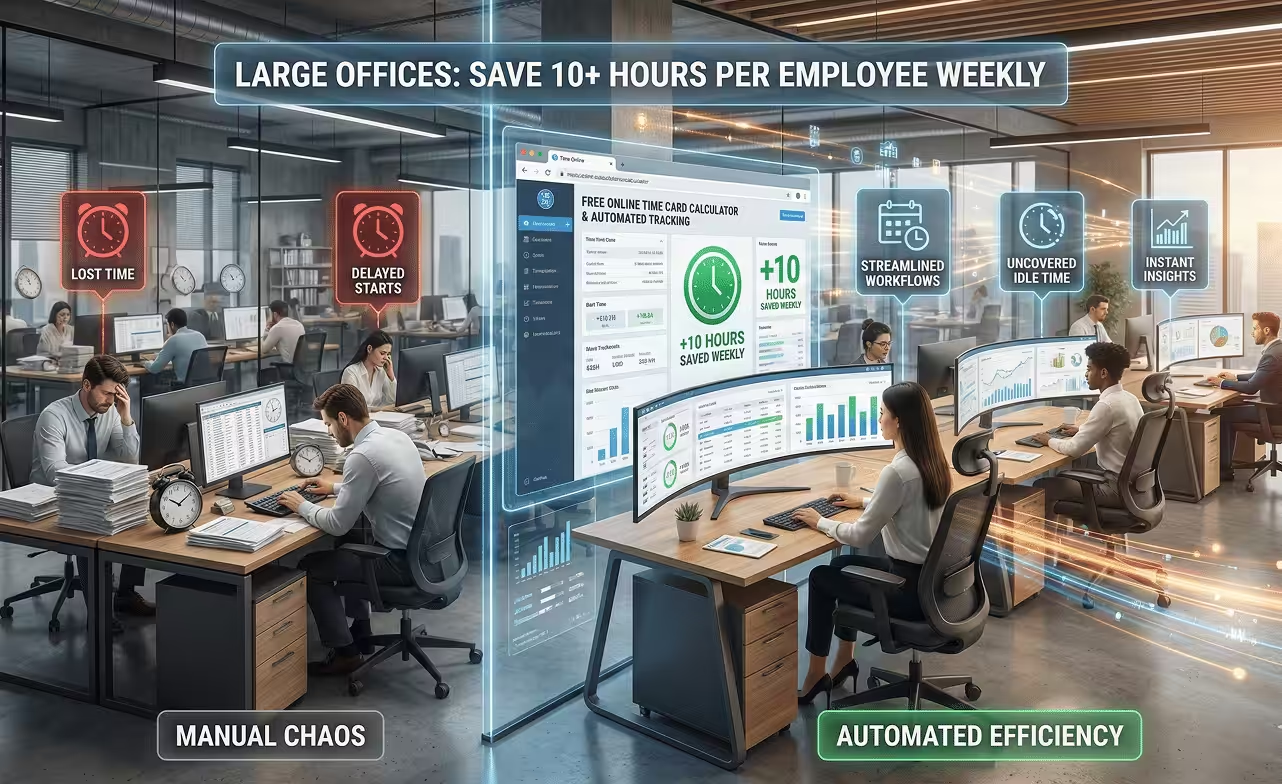
How Large Offices Can Save 10+ Hours Per Employee Weekly Using Time Management Calculators & Automated Tracking

Large offices can save 10+ hours per employee every week by using a Free Online Time Card Calculator and automated tracking software to eliminate manual effort, uncover idle time, and simplify daily workflows.
In organizations with 100+ employees, time loss is rarely obvious. It accumulates quietly through delayed starts, untracked breaks, extended task durations, and manual corrections. What feels like minutes each day quickly becomes double-digit hours lost every week per employee.
The Hidden Time Crisis in Large Offices
Large offices operate on complexity. Multiple departments. Overlapping responsibilities. Meetings, approvals, handoffs, and dependencies. While this scale enables growth, it also creates blind spots in time usage.
Common causes of weekly time loss include:
- Manual time entries filled at the end of the day or week
- Employees estimating hours instead of recording real ones
- HR teams spending hours correcting attendance and payroll data
- Managers lacking visibility into idle or low-utilization periods
- Projects running over time without clear employee accountability
The problem isn’t that employees aren’t working. The problem is that time isn’t measured accurately enough to be managed effectively.
This is exactly where a time management calculator becomes a strategic advantage rather than a simple utility.
Why Time Management Calculators Matter at Scale
A time management calculator helps large teams quantify reality.
Instead of guessing:
- How many hours are actually worked
- How long tasks really take
- Where idle time appears during the day
- How much time is lost to admin work
Calculators provide immediate, objective answers.
For large offices, this is critical because:
- Assumptions don’t scale
- Manual audits don’t scale
- Guesswork leads to poor productivity decisions
Two tools play a central role:
- Free Online Time Card Calculator – for accurate work-hour totals
- Time Duration Calculator – for understanding gaps, idle time, and inefficiencies
Used together, they uncover 10+ hours per employee per week that most organizations never realize they’re losing
Free Online Time Card Calculator: Eliminating Manual Hour Confusion
The Free Online Time Card Calculator converts clock-in and clock-out data into precise daily and weekly totals, without spreadsheets, formulas, or manual math.
Why Manual Time Cards Fail in Large Offices
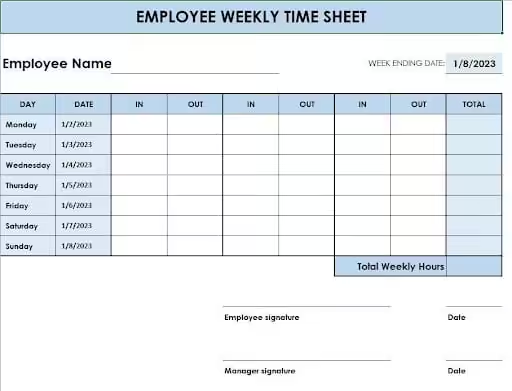
- Employees forget exact start/end times
- Approximations replace accuracy
- Errors compound across departments
- HR teams spend hours validating entries
In a 100+ employee environment, even a 5-minute daily error per person equals:
- 500 minutes per day
- Over 8 hours lost every single day
How the Calculator Saves Time
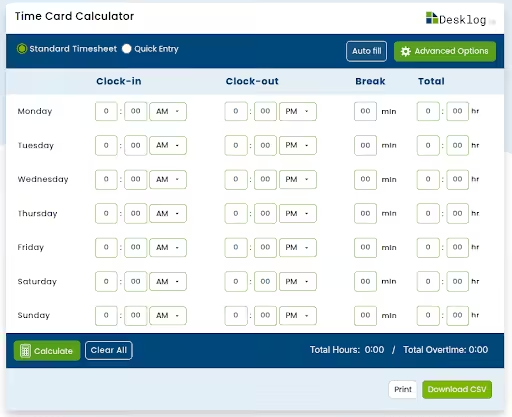
- Instant calculation of regular hours and overtime
- Standardized work-hour tracking across teams
- Reduced payroll discrepancies
- Faster approvals and reporting
Most large offices recover 2–3 hours per employee per week just by removing manual time card friction.
But work hours alone don’t tell the full story.
Start by making time visible. Use the Free Online Time Card Calculator to see how much time is actually being worked, before it disappears into estimates.
Time Duration Calculator: Revealing the Gaps No One Sees
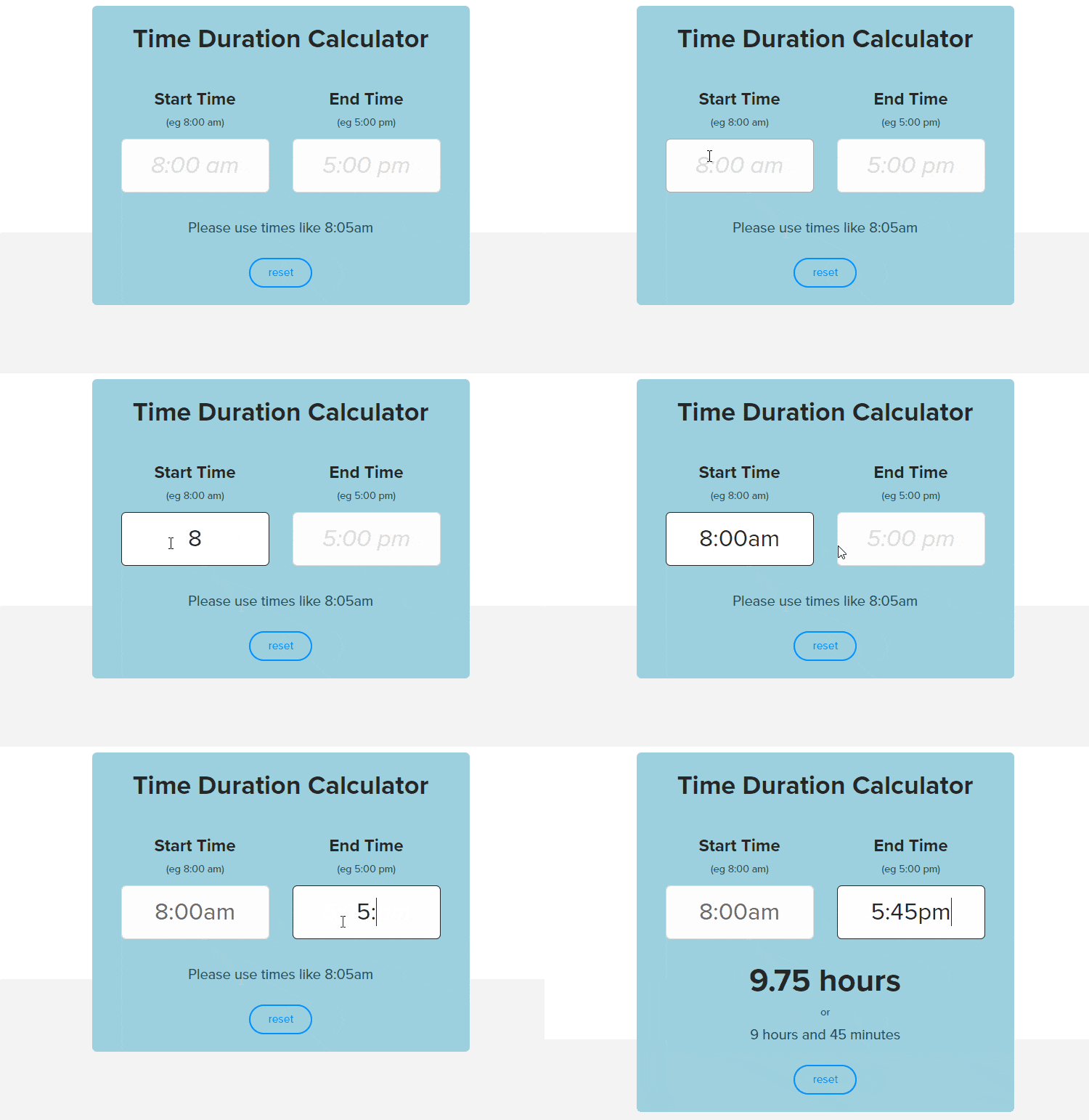
A Time Duration Calculator measures the difference between two points in time. While that sounds simple, its impact on large office productivity is massive.
What It Helps You Measure
- Expected vs actual task duration
- Active work time vs idle time
- Meeting length vs productive output
- Time lost between task transitions
In large teams, idle time is rarely intentional. It appears due to:
- Waiting for approvals
- Context switching
- Poor task sequencing
- Overlapping responsibilities
Without a Time Duration Calculator, these gaps remain invisible.
The Real Savings
When managers analyze task durations across departments, they often find:
- 30–60 minutes of idle time per day
- 3–5 hours of lost productivity per week
- Bottlenecks affecting multiple teams simultaneously
This calculator transforms “We feel inefficient” into measurable, fixable data.
Why Calculators Alone Aren’t Enough (But Still Essential)
Time management calculators are diagnostic tools. They show what’s wrong.
But without automation:
- The same inefficiencies return
- Manual effort creeps back in
- HR and managers remain overloaded
This is why large offices see the biggest gains when calculators are paired with automated tracking systems.
Manual Tracking vs Calculators vs Automation (Expanded Comparison)
| Aspect | Manual Tracking | Calculators Only | Automated Tracking + Calculators |
|---|---|---|---|
| Accuracy | Low | High | Very High |
| Admin Effort | Very High | Low | Minimal |
| Idle Time Visibility | None | Partial | Full |
| Payroll Readiness | Slow | Faster | Instant |
| Scalability (100+ staff) | Poor | Moderate | Excellent |
Automated Tracking: Locking in the 10+ Hours Saved
Automated tracking removes human dependency from time measurement.
What Automation Does for Large Offices
- Automated time tracking to get accurate work hours
- Generates automated timesheets
- Tracks idle vs active time objectively
- Produces real-time productivity insights and dashboards
- Integrates attendance, project time tracking, and utilization
When combined with:
- Free Online Time Card Calculator for validation
- Time Duration Calculator for analysis
Organizations move from reactive corrections to proactive optimization.
The ROI Math: Why Leadership Cares
Let’s revisit the numbers with more context.
- 10 hours saved per employee per week
- 100 employees = 1,000 hours saved weekly
At an average cost of:
- ₹500–₹1,000 per hour
That’s:
- ₹5–10 lakhs saved every week
- ₹2–4 crores annually
And this doesn’t even include:
- Reduced employee burnout
- Faster project delivery
- Improved employee morale
- Better client satisfaction
This is why time efficiency calculators are increasingly part of strategic planning, not just HR operations.
Why Large Offices Prefer Calculators Before Full Rollout
Calculators offer zero resistance adoption:
- No installation
- No learning curve
- No monitoring anxiety
- Immediate value
They help decision-makers:
- Prove time loss with real data
- Build internal consensus
- Identify which teams need automation first
- Avoid over-investing in unnecessary tools
In short, calculators de-risk efficiency and maximise productivity initiatives.
Privacy, Trust, and Modern Time Tracking
Large offices must balance the rate of employee efficiency with trust.
A calculator-first approach ensures:
- Focus on outcomes, not surveillance
- Optional, configurable tracking features
- Transparency in how time data is used
When employees see that tools help:
- Reduce manual reporting
- Clarify expectations
- Prevent overwork
Adoption becomes natural, not forced.
Step-by-Step: How Large Offices Should Implement This
1. Measure current hours using a Free Online Time Card Calculator
Start by capturing how time is actually spent across teams. A Free Online Time Card Calculator helps record daily start times, breaks, and end times without changing existing workflows. This creates visibility into work patterns and sets the foundation for improvement.
2. Establish a baseline
Once data is collected, lock in a realistic baseline of average working hours per employee. This benchmark becomes your reference point to measure gains, losses, and efficiency improvements over time, without relying on assumptions.
3. Analyze gaps with a Time Duration Calculator
Use a Time Duration Calculator to compare planned vs. actual work hours. This quickly reveals where time stretches unnecessarily, tasks overrun, or transitions between activities slow productivity.
4. Identify idle time and bottlenecks
Break down results by teams or processes to spot recurring idle periods, delayed handoffs, or overloaded roles. These hidden gaps are often responsible for the largest weekly time losses.
5. Quantify weekly hours lost per employee
Convert small daily gaps into weekly numbers. When leaders see that “15 minutes here and there” adds up to 8–10+ hours per employee, the need for action becomes clear and data-driven.
6. Introduce automated tracking gradually
Instead of a full rollout, begin automated time tracking in high-impact departments. This reduces resistance, builds trust, and shows quick wins where savings matter most.
7. Use calculators weekly to monitor improvements
Continue using time calculators weekly to track progress against your baseline. Small, consistent adjustments lead to sustainable gains.
8. Focus on continuous optimization
Time management is not a one-time fix. Ongoing measurement and refinement consistently outperform one-off productivity initiatives, helping large offices recover hours without increasing workload.
Final Perspective: Time Visibility Creates Growth
Large offices don’t need longer workdays. They need clearer visibility into time.
By combining:
- A time management calculator
- A Free Online Time Card Calculator
- A Time Duration Calculator
- Automated tracking tools
Organizations consistently unlock 10+ hours per employee every week, time that can be reinvested into growth, innovation, and employee wellbeing.
Take the First Step Today!
Try our Free Online Time Tracker now and start recovering the time your office is already losing.
Get NowFAQs
1. What is a time management calculator and how does it work?
2. How can large offices save 10+ hours per employee weekly using calculators?
3. Are time card calculators suitable for organizations with 100+ employees?
4. What is the difference between a Time Card Calculator and a Time Duration Calculator?
5. Do time management calculators replace automated tracking tools?
6. Will employees resist using time calculators?
7. How accurate are online time calculators compared to manual tracking?
8. How often should large offices use time calculators?
Meet The Author