
Picking the project management platform isn't really about finding one universal winner it's about finding the tool that fits how your team actually works. A five-person design studio and a 200-person IT services company need completely different things, even if they're both technically "managing projects."
This list breaks down ten of the most widely used project management software available right now, what each one does well, where it falls short, and how to think about choosing between them. No fluff, no vague "streamline your workflow" claims just what you'd actually notice if you used each one for a month.
Best Project Management Tools Comparison Chart
| # | Software | Best For | Key Strength | Price |
|---|---|---|---|---|
| 1 | Desklog | Agencies & consultancies needing time + project tracking together | Built-in time tracking & cost visibility | Free plan available |
| 2 | Trello | Small teams, simple visual workflows | Easy Kanban boards | $5/mo |
| 3 | Podio | Teams with unique, custom workflows | Deep customization | Mid-range |
| 4 | Asana | General-purpose task & project management | Multiple views + automation | $10.99/mo |
| 5 | Jira | Software development teams (Agile/Scrum) | Sprint & backlog management | $7.16/mo |
| 6 | Wrike | Enterprise teams needing resource visibility | Advanced reporting & workload views | $9.8/mo* |
| 7 | ClickUp | Teams wanting an all-in-one workspace | Docs, goals, and tasks combined | Free plan available |
| 8 | Monday (AI Workspace) | Visual thinkers wanting AI-assisted automation | Color-coded boards + AI features | $9/mo |
| 9 | Smartsheet | Spreadsheet-first teams (finance, ops, IT) | Grid-based structured data | $9/mo |
| 10 | Zoho Projects | Small-to-mid businesses on a budget | Affordable, integrates with Zoho suite | Free plan available |
Note: Exact pricing changes frequently, so it's worth checking each provider's site for current plans before deciding.
Desklog
Best For: Agencies & consultancies needing time + project tracking together.
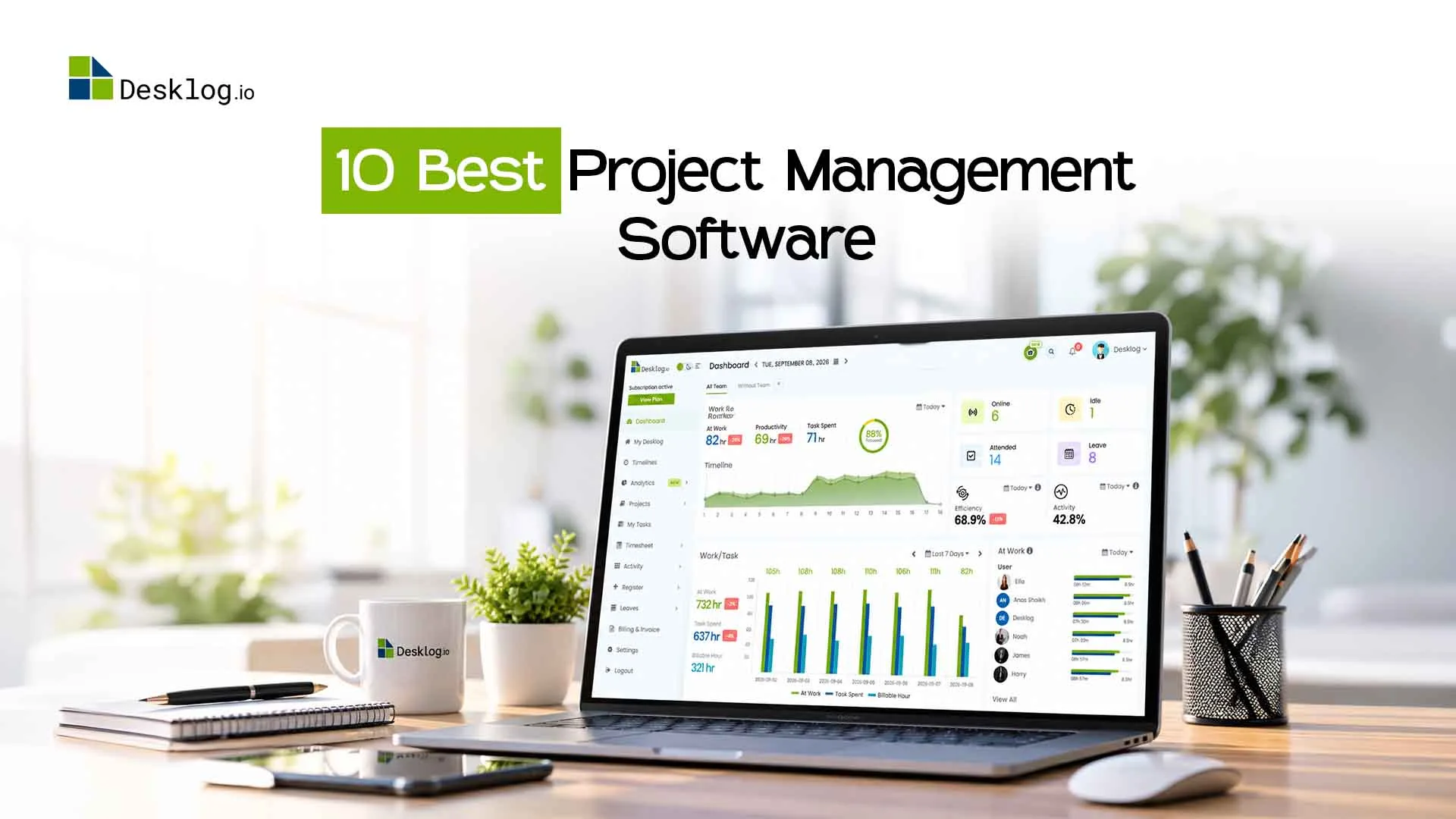
Desklog is built around a simple idea project management and time tracking shouldn't live in two different tools. It combines task and project management with built-in productivity monitoring, project time tracking, and financial visibility, which makes it a natural fit for teams that need to manage deliverables, billable hours, and project profitability all in one place without stitching together a separate timesheet app or spreadsheet on the side.
- Automatic time tracking tied directly to tasks and projects, so timesheets build themselves instead of being filled in after the fact
- Simple clock in clock out functionality that captures actual hours worked without manual entry
- Clear separation of billable & non-billable hours, which makes client billing and internal reporting far less error-prone
- Automated timesheets that compile logged hours into ready-to-review reports, cutting down on end-of-week admin
- Built-in productivity and screenshot monitoring for remote or hybrid teams
- Task management, Gantt charts, and resource allocation in a single dashboard
- Project profit and loss tracking that shows real-time cost versus revenue per project, not just task status
- Straightforward reporting on project costs versus budget, useful for agencies and consultancies that bill clients by the hour
- No Chrome extension
Looking for an All in One Project Management Solution?
Keep your projects organized, track working hours, manage client billing, and see how time is being spent all in one place. Desklog helps office teams stay on top of their work, improve productivity, and complete projects on time without juggling multiple tools.
Start Your Free Trial Schedule DemoTrello
Best For: Small teams, simple visual workflows.Trello popularized the visual, card-based Kanban board, and it's still one of the simplest ways to see a project's status at a glance. For teams that want something they can open and understand within minutes no onboarding calls, no configuration guides it remains one of the most approachable project management tools on the market, even years after first popularizing the format.
- Extremely easy to learn most people are productive within minutes
- Clean, drag-and-drop interface that works well for small teams and personal projects
- Power-Ups extend functionality (calendars, automation, integrations) without cluttering the base experience
- Struggles with complex, multi-phase projects there's no native Gantt view or dependency mapping without add-ons
- Reporting and analytics are thin compared to more robust platforms
- Can get messy once a team scales past a certain size, with boards multiplying faster than anyone can maintain
Overall impression: Trello is great for simple, visual workflows and small teams, but it's not really built for anything with real complexity or cross-team dependencies.
Podio
Best For: Teams with unique, custom workflows.Podio is a highly customizable work platform that lets teams build their own apps and workflows from scratch. Rather than adapting your process to fit the software, Podio flips that relationship it hands you the building blocks and lets you shape the platform around how your team actually operates, which appeals most to businesses whose workflows don't map cleanly onto off-the-shelf templates.
- Deep customization you can essentially design your own project management system inside it
- Good for businesses with unusual or highly specific workflows that off-the-shelf tools don't accommodate
- Built-in CRM-style features make it useful beyond just project tracking
- The flexibility comes with a steep learning curve setup takes real time and planning
- Less intuitive out of the box than more opinionated tools
- Smaller user base means fewer templates, tutorials, and community support options
Overall impression: Podio rewards teams willing to invest setup time with a genuinely tailored system, but it's a poor fit if you want something that works well on day one.
Asana
Best For: General-purpose task & project management.Asana is one of the most widely adopted project management tools, known for balancing simplicity with genuine depth. It's built to work for a five-person marketing team and a 500-person operations department without feeling like the wrong tool for either which is a big part of why it's become a default choice for so many cross-functional teams.
- Multiple views (list, board, timeline, calendar) that suit different working styles within the same team
- Strong automation rules that cut down on repetitive admin work
- Clean UI that scales reasonably well from small teams to larger departments
- Free and lower tiers are limited real functionality (timeline view, advanced reporting) sits behind paid plans
- Can become notification-heavy if not configured carefully
- Not ideal for teams that need heavy time-tracking or budgeting features natively
Overall impression: Asana hits a strong middle ground for general-purpose project and task management, especially for marketing, operations, and cross-functional teams.
Jira
Best For: Software development teams (Agile/Scrum).Jira is the standard choice for software development teams running Agile or Scrum workflows. Built by Atlassian specifically around how engineering teams plan and ship work, it treats sprints, backlogs, and issue tracking as first-class concepts rather than features bolted onto a generic task manager which is exactly why it's become the default for dev teams, even as other tools try to compete on flexibility.
- Purpose-built for sprints, backlogs, and issue tracking genuinely excellent for dev teams
- Deep integration with development tools like Bitbucket, GitHub, and CI/CD pipelines
- Highly configurable workflows and permission structures for larger engineering orgs
- Overkill and often confusing for non-technical teams
- Interface complexity can slow onboarding for newcomers
- Customization options are so extensive that misconfigured instances become a maintenance headache
Overall impression: If you're managing software development specifically, Jira is hard to beat. Outside of engineering contexts, it's usually more tool than most teams need.
Wrike
Best For: Enterprise teams needing resource visibility.Wrike is an enterprise-friendly platform built around detailed reporting, resource management, and cross-team visibility. It's designed less for a single team tracking its own tasks and more for organizations that need to see how multiple projects, departments, and workloads intersect which is why it tends to show up most often in larger companies juggling several concurrent initiatives at once.
- Strong resource management and workload views, useful for larger organizations balancing multiple projects at once
- Custom dashboards and detailed reporting for leadership visibility
- Good approval workflows for teams that need formal sign-offs (marketing, creative agencies)
- Pricier tiers required to unlock the features that make Wrike worth choosing in the first place
- Interface can feel dense for smaller teams that don't need enterprise-level reporting
- Onboarding takes longer than lighter tools like Trello or Asana
Overall impression: Wrike is built for scale. It's a strong pick for larger teams juggling multiple concurrent projects, but likely more than a small team needs.
ClickUp
Best For: Teams wanting an all-in-one workspace.ClickUp markets itself as an all-in-one workspace, bundling tasks, docs, goals, and chat into one platform. The pitch is consolidation instead of running five separate tools for project tracking, documentation, and team communication, ClickUp tries to fold all of it into one system, which appeals to teams tired of paying for and switching between multiple subscriptions.
- Extremely feature-rich docs, whiteboards, goal tracking, and time tracking all live in one place
- Highly customizable views and fields
- Frequent updates and a genuinely large feature set for the price
- The sheer number of features can be overwhelming for new users
- Performance can lag on larger workspaces with heavy customization
- Because it does so much, teams sometimes end up using only a fraction of what they're paying for
Overall impression: ClickUp is a strong choice for teams that want to consolidate multiple tools into one, as long as someone takes ownership of setting it up properly.
Monday (AI Workspace)
Best For: Visual thinkers wanting AI-assisted automation.Monday's work platform pairs a colorful, highly visual interface with AI-assisted automation and workflow building. It leans into approachability first bright boards, drag-and-drop customization, and templates for nearly every department while layering in AI features meant to cut down on the manual setup work that used to eat up a team's first few weeks on the platform.
- Visually intuitive color-coded boards make status tracking easy at a glance
- AI features help draft automations, summarize updates, and reduce manual setup
- Wide range of templates across marketing, sales, HR, and operations use cases
- Pricing scales quickly as you add users and unlock advanced automation
- Can feel more form-driven and rigid for teams with unconventional workflows
- Some AI features work better in theory than in day-to-day practice, depending on how much manual correction they need
Overall impression: A solid pick for teams that value visual clarity and want automation without heavy technical setup, though cost is worth watching as the team grows.
Smartsheet
Best For: Spreadsheet-first teams (finance, ops, IT).Smartsheet takes a spreadsheet-first approach to project management, which makes it especially comfortable for teams coming from Excel. Instead of asking users to learn an entirely new visual system, it builds on a grid-based format most people already know, then layers in automation, reporting, and project tracking on top a natural fit for teams that think in rows and columns rather than boards and cards.
- Familiar grid-based interface reduces onboarding friction for spreadsheet-heavy teams
- Strong for structured data, budgeting, and large-scale project tracking
- Solid integrations with enterprise tools like Microsoft 365 and Google Workspace
- Less visually engaging than Kanban-style tools, which can make it feel dated to newer users
- Advanced features require a real learning investment
- Not the best fit for creative or highly visual workflows
Overall impression: Smartsheet works best for operations, finance, and IT teams that think in rows and columns rather than boards and cards.
Zoho Projects
Best For: Small-to-mid businesses on a budget.Zoho Projects is a budget-friendly project management tool that fits naturally into the broader Zoho ecosystem. For businesses already running on Zoho's suite of apps CRM, Books, Desk, and the rest it slots in as a natural extension rather than a separate system to manage, while still holding its own as a standalone tool for teams that just want solid project tracking at a reasonable price.
- Genuinely competitive pricing, especially for small and mid-sized businesses
- Solid core feature set Gantt charts, task dependencies, time tracking, and issue tracking
- Works well if you're already using other Zoho products (CRM, Books, Desk)
- Interface feels less polished compared to more design-focused competitors
- Fewer third-party integrations outside the Zoho ecosystem
- Advanced reporting isn't as robust as Wrike or ClickUp
Overall impression: A dependable, affordable option, particularly for businesses already invested in Zoho's suite of tools.
How to Choose the Best Project Management Software?
There's no single "best" answer here choosing the best project management software for your team depends on a few honest questions:
Team size and complexity
Small teams often do fine with Trello or Asana. Larger, multi-department organizations tend to outgrow lightweight tools and need something like Wrike or Smartsheet.
Industry fit
Software development teams generally gravitate toward Jira. Agencies and consultancies that bill by the hour benefit more from tools like Desklog that combine project tracking with time and cost visibility.
Budget
Free and lower-cost tiers vary a lot in what they actually unlock. Check whether the features you actually need are gated behind higher-priced plans before committing.
Existing tech stack
If your team already relies on Microsoft 365, Google Workspace, or Zoho products, picking software that integrates smoothly saves a lot of long-term friction.
Reporting needs
If leadership needs visibility into project costs, time spent, or resource allocation, prioritize tools with strong built-in reporting rather than ones that require third-party add-ons.
The mistake most teams make is picking software based on popularity rather than fit. What's perfect for a software engineering team can frustrate a marketing or client services team, and vice versa.
For agencies and consultancies, time and cost tracking often matter as much as task management. Since projects here are usually billed by the hour or tied to fixed budgets, a platform that flags overrun risk early not just task status can save real money over a quarter. Combined tools like Desklog have an edge here: time and project data live in one place, instead of two tools and manual reconciliation at billing time.
Emerging Trends Shaping Project Management Software
The tools on this list aren't standing still. Vendors are shipping updates constantly, and a few patterns keep showing up across nearly every platform's roadmap right now. Here's what's actually changing, and why it matters if you're choosing software today rather than three years ago.
Smarter workload and staffing predictions
Instead of managers eyeballing who's overbooked, more platforms are using historical project data to flag resourcing problems before they happen who's about to be overloaded, which project is likely to slip, where budget is heading based on current burn rate. This shifts resource planning from reactive firefighting to something closer to actual forecasting.
Built for wherever work happens
Fully remote, fully in-office, and everything in between are now treated as equally normal, not edge cases. That's showing up as better async update features, virtual whiteboards, and workflows that don't assume everyone's online at the same time. The goal isn't just "supporting remote teams" it's not forcing every team into one rigid working style.
"What if" planning before problems hit
Rather than reacting once a deadline slips or a budget runs over, some platforms now let teams model different scenarios ahead of time what happens if a vendor is two weeks late, what happens if scope grows by 20%. For teams managing multi-phase projects or tight supply chains, catching that risk on paper beats discovering it mid-project.
Time, cost, and tasks living in one place
This is one of the bigger shifts, and it's exactly where a platform like Desklog fits in. Instead of tracking hours in one tool, expenses in a spreadsheet, and tasks in a third system, more businesses want project status and project cost visible side by side. For agencies and consultancies especially, seeing "we're 60% through this project and 80% through the budget" in real time is far more useful than reconciling three tools after the fact.
Sustainability and impact reporting
A smaller but growing trend some platforms now offer visibility into resource use, waste, or environmental impact tied to project activity, mainly for organizations with CSR or compliance reporting requirements. It's not universal yet, but it's showing up more in enterprise-tier tools.
The common thread across all of this: project management software is slowly moving from "a place to track tasks" toward "a place that shows you the full picture" time, cost, risk, and capacity, not just what's done and what's overdue. That's worth keeping in mind when comparing tools, since a platform that only handles tasks well may leave you stitching together the rest manually.
Conclusion
Every tool on this list is capable of being the best project management software for the right team the differences show up in the details: setup time, workflow fit, and how much visibility you get without extra manual work. Trello and Asana suit straightforward task management. Jira is built for developers. Wrike, ClickUp, and Smartsheet scale well for larger teams. Zoho Projects is the budget-conscious pick, and Podio suits teams willing to build their own system. Desklog stands out for teams that need project management and time tracking working together, not as separate tools.
Shortlist two or three options based on the criteria above and trial them on a real project, not just a demo. That's the only way to know how a tool feels once real deadlines are involved.
Manage Your Projects More Efficiently with Desklog
Stop switching between separate tools for task management, time tracking, and productivity reporting. Desklog brings projects, billable hours, and client-ready reports together in one place so your team spends less time reconciling data and more time getting work done.
Start Your Free Trial Today