
Employee productivity software helps managers understand how work gets done, where time is spent, how projects are progressing, and which workflows create unnecessary friction. Depending on the use case, the right tool may focus on employee time tracking and productivity monitoring, project management, communication, planning, automation, email efficiency, or meeting productivity.
Quick answer: If you need direct workforce productivity tracking, compare Desklog, Time Doctor, Hubstaff, DeskTime, Clockify, and RescueTime first. If your main productivity problem is project execution, Asana, Trello, Monday.com, and ClickUp are stronger fits. Slack and Microsoft Teams focus on communication; Motion and Sunsama on planning; Zapier on workflow automation; and Notion AI, Gmail AI, Superhuman, and Otter on reducing repetitive knowledge-work tasks.
What Is Employee Productivity Software?
Employee productivity software is workplace technology that helps individuals and managers improve how work time, tasks, projects, communication, and workflows are handled. Some platforms directly track employee work hours, application usage, project time, idle time, attendance, or productivity patterns. Others improve productivity by organizing projects, reducing communication delays, automating repetitive work, improving planning, or accelerating email and meeting workflows.
For businesses specifically looking for employee productivity tracking, a dedicated platform should provide useful work data without relying only on manual updates. Depending on your needs, this may include automatic time tracking, productivity analytics, project visibility, app and website usage, attendance, workload insights, and reporting.
For a Dedicated Workforce Productivity Platform
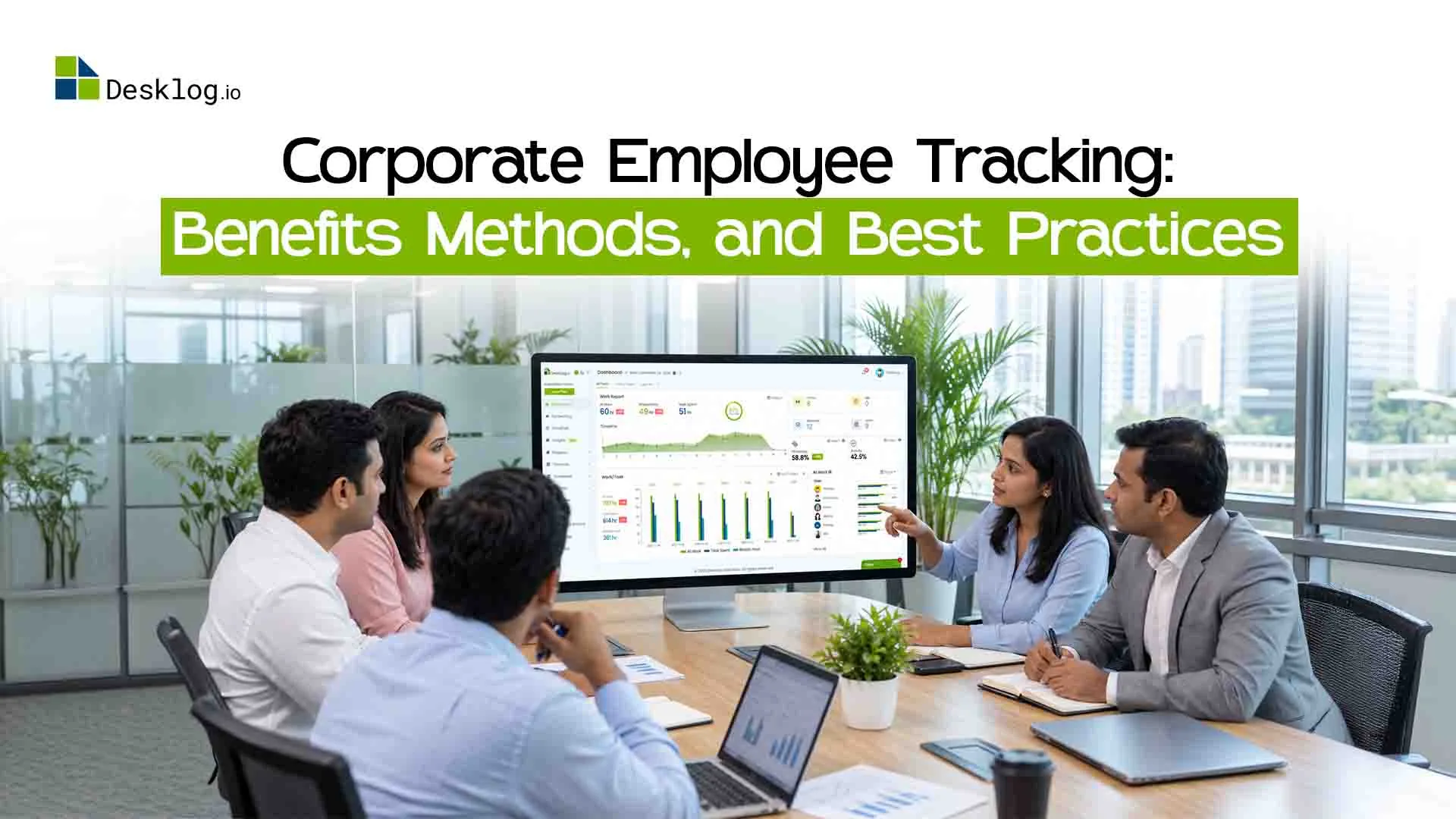
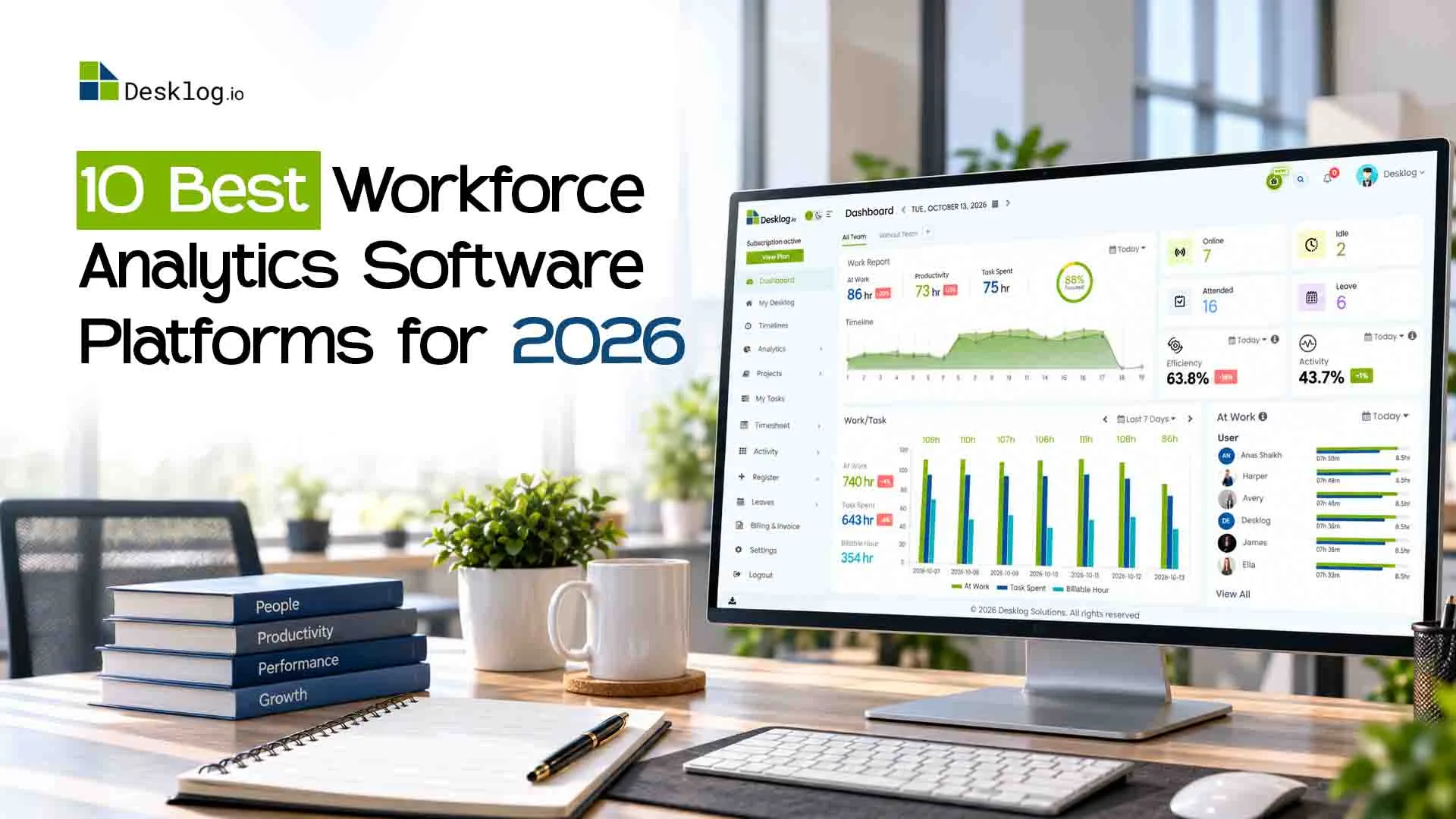
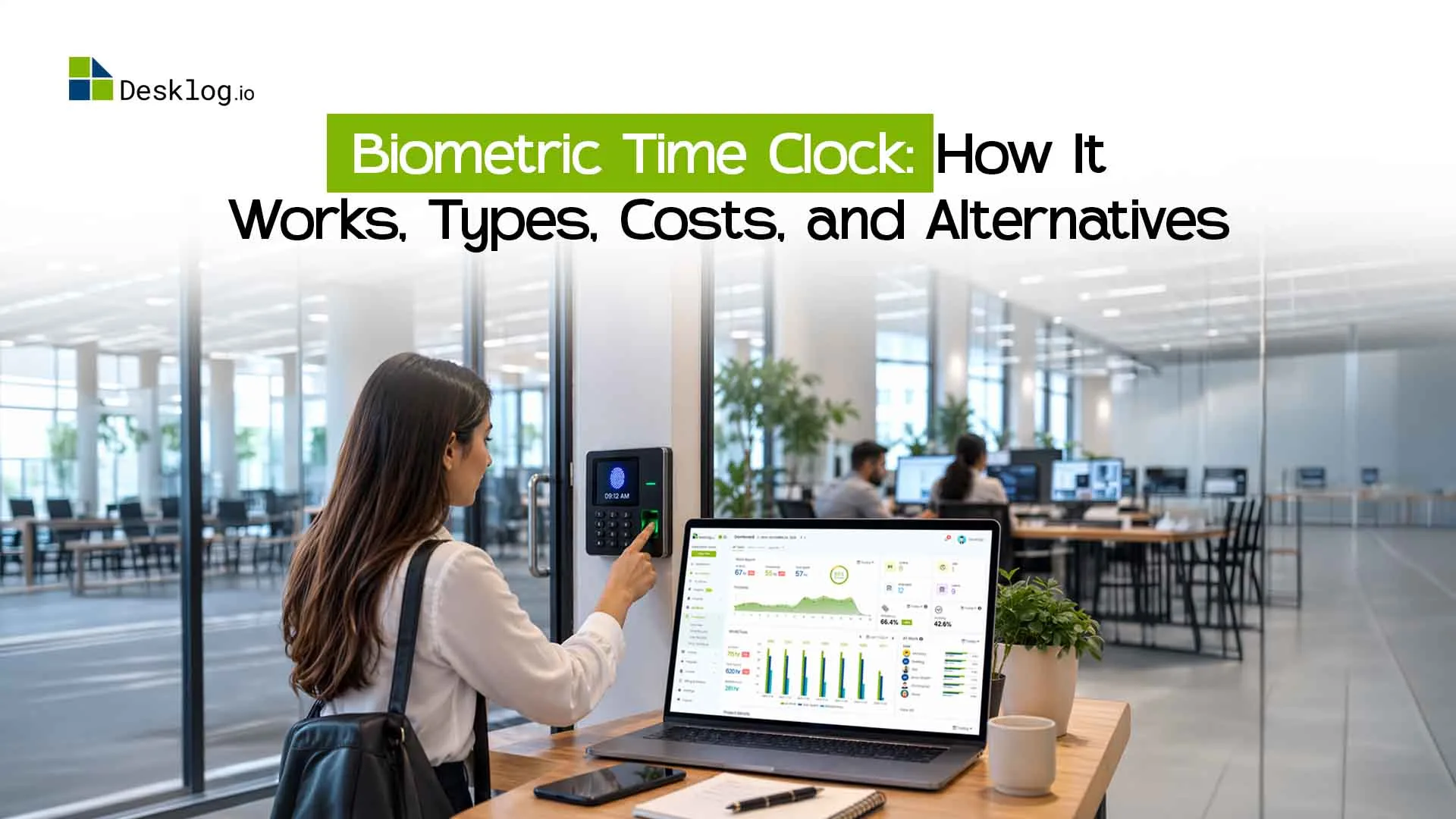
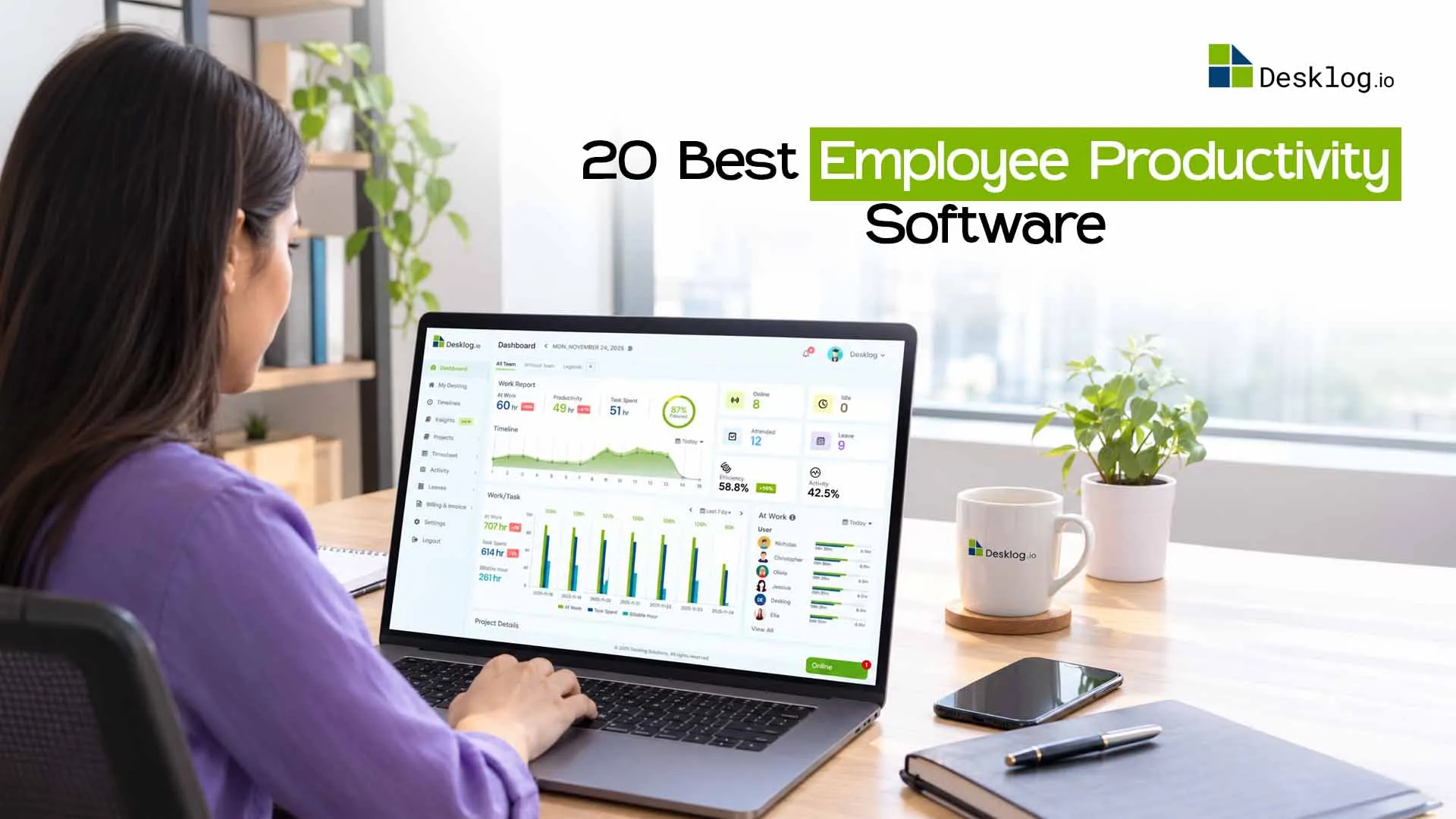
See Desklog employee productivity software.
Desklog Employee Productivity SoftwareBest Employee Productivity Software at a Glance
Pricing below is based on the current article draft and vendor positioning. Recheck vendor pricing pages before publishing because plans and prices can change.
| Software | Best For | Key Capabilities | Price |
|---|---|---|---|
| Desklog | Workforce productivity & visibility | Automatic time tracking, productivity analytics, projects, attendance, app/URL tracking | Free up to 3 users; paid from $3.50/user/mo |
| Time Doctor | Detailed productivity monitoring | Time tracking, screenshots, app/website reports, distraction insights | $5.90/user/mo |
| Clockify | Budget-conscious time tracking | Timers, timesheets, project hours, billable time, reports | Free; paid from $3.99/user/mo |
| Hubstaff | Remote & field teams | Time tracking, activity levels, screenshots, GPS, scheduling | $4.99/user/mo |
| Asana | Complex project workflows | Tasks, dependencies, timelines, workload, automation | Free; paid from $10.99/user/mo |
| Trello | Visual task management | Kanban boards, checklists, automation, collaboration | Free; paid from $5/user/mo |
| Monday.com | Flexible work management | Dashboards, workflow automation, projects, workload views | Free; paid from $9/user/mo |
| ClickUp | All-in-one project productivity | Tasks, Docs, Goals, dashboards, built-in time tracking | Free; paid from $7/user/mo |
| Slack | Team communication | Channels, messaging, huddles, integrations, workflow automation | Free; paid from $8.75/user/mo |
| Microsoft Teams | Microsoft 365 collaboration | Chat, meetings, file collaboration, calls, Office integration | Free; business plans from $6/user/mo |
| Notion | Documentation & knowledge work | Docs, databases, wikis, projects, task tracking | Free; paid from $10/user/mo |
| Motion | AI scheduling | AI task planning, calendar optimization, prioritization | $19/user/mo |
| Sunsama | Daily planning & time blocking | Daily planning, calendar sync, task scheduling, time blocking | $16/user/mo |
| RescueTime | Personal productivity analytics | Automatic activity tracking, focus sessions, app/site analytics | $6.50/user/mo |
| Zapier | Workflow automation | No-code automations, triggers/actions, app integrations | Free; paid from $19.99/mo |
| Notion AI | AI-assisted knowledge work | Writing, summaries, brainstorming, meeting notes, knowledge search | Paid add-on / plan dependent |
| Gmail AI | Email productivity | Smart drafting, summaries, replies, priority assistance | Included with eligible Google Workspace plans |
| Superhuman | High-volume email workflows | AI triage, shortcuts, reminders, scheduling | $30/user/mo |
| Otter | Meeting productivity | Transcription, summaries, action items, searchable notes | Free; paid from $8.33/user/mo |
| DeskTime | Automatic productivity tracking | Automatic time tracking, app/URL monitoring, projects, shifts | Free Lite; paid from $6.42/user/mo |
How We Evaluated These Employee Productivity Tools
This comparison includes both dedicated employee productivity tracking software and broader productivity platforms used by managers to improve project execution, communication, planning, automation, and knowledge work. To keep the comparison useful, we evaluated each tool against the problem it is designed to solve rather than treating every product as an employee-monitoring platform.
We focused on six factors:
Productivity impact
Does the tool help teams use time, tasks, communication, or workflows more efficiently?
Visibility and reporting
Does it give managers or employees useful insights into work hours, projects, workload, communication, or activity?
Automation
Can it reduce manual timesheets, status updates, repetitive communication, scheduling, or administrative work?
Team fit
Is it useful for remote, hybrid, in-office, project-based, service, or individual knowledge-work environments?
Ease of adoption
Can teams use the software without adding unnecessary workflow complexity?
Business value
Do its integrations, pricing model, reporting, collaboration, or workforce controls justify its role in the productivity stack?
Editorial disclosure: Desklog publishes this guide and Desklog is included in the comparison. Competitor descriptions are based on the existing article draft and publicly positioned product capabilities. Verify final pricing and product details with each vendor before publishing.
Best Employee Productivity Software Tools Reviewed
Desklog
Best Employee Productivity Software for Workforce VisibilityDesklog combines automatic time tracking, productivity analytics, project tracking, attendance, and workforce reporting in one platform. It is designed for remote, hybrid, and in-office teams that need to understand where work hours go without relying entirely on manual timers or spreadsheets.
Managers can connect work time with project activity, app and website usage, idle time, attendance, and productivity trends. This makes it useful for businesses that want direct employee productivity tracking as well as operational visibility across projects and teams.
Key Features
- Automatic time tracking
- App and URL tracking
- Activity tracking
- Project time tracking
- Automated timesheets
- Idle and offline time tracking
- Attendance and leave management
- Performance insights
- Optional screenshots
- Employee wellness insights
- Automatic tracking
- Detailed workforce analytics
- Project visibility
- Attendance features
- Productivity insights
- Centralized reporting
- No built-in payroll processing
Time Doctor
Best for Detailed Employee Productivity MonitoringTime Doctor combines time tracking with employee productivity monitoring. It helps managers understand how work hours are distributed by tracking time, app and website usage, activity, attendance, and optional screenshots.
It is especially relevant for distributed teams that need more than a basic timer. Productivity reports can help identify workflow bottlenecks, recurring distractions, attendance issues, and differences between planned and actual work time.
Key Features
- Time tracking
- Activity monitoring
- Screenshots
- Distraction alerts
- Productivity reports
- App and website usage
- Attendance
- Payroll support
- Detailed productivity reports
- Screenshots
- Activity tracking
- Integrations
- Workforce visibility
- Monitoring may feel too intrusive for teams that prefer a lighter approach
- Project management is less comprehensive than dedicated PM platforms
Clockify
Best Free Time Tracking Software for Productivity VisibilityClockify is a popular option for teams that need straightforward time tracking, timesheets, billable hours, project tracking, and reporting. Its free plan makes it especially attractive to growing teams that want to understand how work time is distributed without committing to a large software budget.
Managers can compare project hours, track billable and non-billable work, review timesheets, and use reports to understand time allocation. It is less focused on deep employee productivity analytics than dedicated monitoring platforms, but it is useful when accurate time data is the main requirement.
Key Features
- Manual timers
- Timesheets
- Project tracking
- Billable hours
- Reports
- Scheduling
- Expense tracking
- Free plan
- Simple time tracking
- Unlimited-user value
- Project reporting
- Easy adoption
- Limited workforce productivity analytics
- Advanced automation and controls require paid plans
Hubstaff
Best for Remote and Field Team ProductivityHubstaff combines time tracking with activity monitoring, screenshots, app and URL tracking, GPS, scheduling, and workforce operations. This makes it particularly useful for remote employees, field teams, agencies, and service businesses where work may happen outside a central office.
Managers can review activity levels, project time, budgets, attendance, and location-based work data. Its GPS and geofencing capabilities distinguish it from office-focused productivity tools.
Key Features
- Time tracking
- Activity levels
- Screenshots
- App and URL tracking
- GPS and geofencing
- Scheduling
- Payroll integrations
- Project budgeting
- Invoicing
- Strong remote and field visibility
- GPS tracking
- Activity monitoring
- Scheduling
- Project tracking
- Mobile apps
- Location-focused features may be unnecessary for office teams
- Some organizations may prefer less monitoring-heavy workflows
Asana
Best Project Management Software for Complex WorkflowsAsana helps teams organize projects, assign responsibilities, manage dependencies, and keep work moving through clear timelines. Rather than monitoring employee activity, it improves productivity by making ownership, deadlines, priorities, and project progress visible.
Managers can use workload views, project dashboards, automation, milestones, and task dependencies to identify delays before they affect delivery. Teams that need detailed employee time tracking will often pair Asana with a dedicated productivity or time-tracking platform.
Key Features
- Task management
- Project timelines
- Dependencies
- Workload management
- Workflow automation
- Milestones
- Reporting dashboards
- Strong project planning
- Timeline views
- Dependencies
- Collaboration
- Integrations
- Limited native workforce productivity monitoring
- Advanced project features require paid plans
Trello
Best Visual Task Management ToolTrello uses Kanban boards to help teams organize tasks and workflows visually. It is easy to understand, flexible, and useful for teams that want a simple way to see what is planned, in progress, blocked, or completed.
Managers can assign tasks, set due dates, create checklists, automate repetitive board actions, and customize workflows with Power-Ups. Trello improves productivity through task clarity and workflow visibility rather than employee monitoring.
Key Features
- Kanban boards
- Drag-and-drop task management
- Checklists
- Due dates
- Butler automation
- Collaboration
- Templates
- Power-Ups
- Easy to use
- Flexible boards
- Fast setup
- Strong collaboration
- Many integrations
- Limited advanced reporting
- Time tracking typically requires integrations
Monday.com
Best Flexible Work Management PlatformMonday.com is a configurable work management platform for projects, workflows, operations, and cross-functional planning. Managers can create dashboards, automate recurring tasks, monitor workloads, and view project status across teams.
Its flexibility makes it useful for marketing, product, IT, operations, and service workflows. Unlike dedicated employee monitoring software, Monday.com focuses on process visibility and work management rather than background activity tracking.
Key Features
- Project management
- Customizable dashboards
- Workflow automation
- Workload views
- Multiple project views
- Reporting
- Integrations
- Flexible workflows
- Dashboards
- Automation
- Resource views
- Integrations
- Advanced features can raise costs
- Setup may take time for complex teams
ClickUp
Best All-in-One Project Productivity PlatformClickUp combines task management, project tracking, Docs, Goals, dashboards, collaboration, and built-in time tracking in one workspace. It can reduce tool switching for teams that want project execution and knowledge work in the same platform.
Managers can organize tasks, track goals, automate workflows, build dashboards, and monitor progress across projects. Its broad feature set makes it powerful, though new users may need time to configure the platform properly.
Key Features
- Tasks
- Docs
- Whiteboards
- Goals
- Dashboards
- Built-in time tracking
- Automation
- Collaboration
- Reporting
- Broad feature set
- Goal tracking
- Workflow automation
- Collaboration
- Customizable dashboards
- Can feel overwhelming for beginners
- Some advanced features require paid plans
Slack
Best Team Communication Platform for Faster CollaborationSlack improves workplace productivity by organizing communication into channels, direct messages, huddles, and integrated workflows. It helps teams reduce fragmented email threads and keep discussions connected to projects, departments, and shared topics.
Its integration ecosystem allows teams to bring alerts, project updates, automation, and business-tool notifications into one communication layer. Slack is not employee productivity monitoring software, but it can improve productivity by shortening communication loops and making information easier to find.
Key Features
- Channels
- Direct messaging
- Huddles
- File sharing
- Workflow automation
- Search
- Integrations
- AI-supported workplace search on eligible plans
- Organized conversations
- Integrations
- Searchable history
- Collaboration
- Remote-team support
- High message volume can become distracting
- Project management features are limited compared with dedicated PM tools
Microsoft Teams
Best Collaboration Platform for Microsoft 365 UsersMicrosoft Teams combines chat, meetings, file sharing, calling, and collaboration within the Microsoft 365 ecosystem. Organizations already using Outlook, Word, Excel, PowerPoint, and SharePoint can keep much of their daily collaboration inside a connected environment.
It improves productivity by reducing app switching and bringing meetings, communication, and document collaboration together. For employee time tracking or workforce productivity analytics, businesses generally need additional software.
Key Features
- Team chat
- Channels
- Video meetings
- Webinars
- File collaboration
- Calling
- Screen sharing
- Microsoft 365 integration
- Deep Microsoft 365 integration
- Meetings
- File collaboration
- Enterprise security
- Communication tools
- Can feel complex
- Limited built-in employee productivity tracking
Notion
Best Workspace for Documentation and Knowledge ProductivityNotion combines documentation, wikis, databases, project planning, and task management in a highly customizable workspace. Teams can centralize processes, project information, meeting notes, knowledge, and lightweight task workflows instead of spreading them across separate tools.
For managers, the main productivity benefit is easier access to shared knowledge and clearer organization of work. Teams needing automatic employee tracking or detailed workforce analytics will need a specialized platform alongside Notion.
Key Features
- Docs
- Databases
- Company wikis
- Project boards
- Task tracking
- Templates
- Collaboration
- AI capabilities on eligible plans
- Flexible workspace
- Strong documentation
- Knowledge management
- Templates
- Collaboration
- Advanced workflows require setup
- Limited native workforce productivity analytics
Motion
Best AI Scheduling Tool for ManagersMotion uses AI to organize tasks, meetings, priorities, and deadlines into a dynamic schedule. When priorities change, the system can automatically adjust the calendar, helping managers and professionals spend less time manually planning their day.
Its value comes from reducing context switching and improving prioritization rather than monitoring employee activity. Teams that struggle with overloaded calendars and changing task priorities may benefit most.
Key Features
- AI scheduling
- Automatic task prioritization
- Calendar management
- Meeting scheduling
- Time blocking
- Workload planning
- Automated scheduling
- Prioritization
- Calendar optimization
- Reduced planning overhead
- Premium pricing
- Limited workforce productivity reporting compared with dedicated employee productivity software
Sunsama
Best Daily Planning and Time-Blocking ToolSunsama helps professionals organize daily work through guided planning, realistic workload setting, and time blocking. It brings tasks and calendars into one daily workflow so users can plan what is achievable rather than simply building longer task lists.
The platform is especially useful for individuals and managers who want better focus and workday structure. It is not designed for organization-wide workforce monitoring or detailed employee analytics.
Key Features
- Daily planner
- Time blocking
- Calendar sync
- Task scheduling
- Workload planning
- Integrations with common task tools
- Simple daily planning
- Time blocking
- Calendar integration
- Focus-oriented workflow
- Limited team productivity reporting
- Can be expensive for larger organizations
RescueTime
Best Productivity Analytics Tool for Focus and Work HabitsRescueTime automatically tracks time spent across applications and websites and turns that activity into productivity reports. It helps individuals and teams understand where work time goes, identify distractions, and create more focused work habits.
Unlike project management platforms, RescueTime is centered on behavioral time data and focus rather than task coordination. It can be useful for managers or knowledge workers who want automatic activity insights without maintaining manual timers.
Key Features
- Automatic activity tracking
- Productivity reports
- Focus sessions
- Distraction alerts
- App and website analytics
- Goal-oriented focus tools
- Automatic tracking
- Productivity reports
- Focus sessions
- Simple setup
- Useful app and site analytics
- Limited project management and workforce operations compared with broader employee productivity platforms
Zapier
Best Workflow Automation PlatformZapier improves productivity by automating repetitive work between business applications. Teams can create trigger-and-action workflows that move data, send alerts, create records, update tools, and eliminate routine manual steps without writing code.
For managers, this can reduce administrative overhead and prevent handoff delays across sales, marketing, operations, support, and project workflows. Zapier does not monitor employee productivity directly; it improves productivity by removing repetitive work.
Key Features
- No-code workflow automation
- Multi-step automations
- Triggers and actions
- App integrations
- Filters
- Paths
- AI-assisted automation capabilities
- Large integration ecosystem
- No-code setup
- Strong automation flexibility
- Scalable workflows
- Not a time tracking or employee monitoring platform
- Complex automations can require higher-tier plans
Notion AI
Best AI Assistant for Documentation and Knowledge WorkNotion AI adds generative AI capabilities inside the Notion workspace. It can help employees draft content, summarize documents, brainstorm ideas, generate meeting notes, and retrieve information from workspace knowledge.
Its productivity value comes from reducing repetitive writing and information-search tasks. It is most useful for teams already using Notion as a central workspace and is not a replacement for employee time tracking or workforce analytics.
Key Features
- AI writing
- Summaries
- Brainstorming
- Document generation
- Meeting notes
- Knowledge search
- Workspace assistance
- Faster drafting
- Summarization
- Information retrieval
- Tight integration with Notion content
- Best suited to Notion-centric workflows
- Not designed for workforce productivity monitoring
Gmail AI
Best AI Email Productivity Tool for Google Workspace UsersGmail's AI capabilities help users draft messages, summarize long email threads, generate replies, and process inbox information more efficiently. For managers and knowledge workers who spend a large part of the day in email, these features can reduce time spent on routine communication.
The main productivity benefit is faster email handling rather than workforce monitoring. It works best for organizations already using Google Workspace.
Key Features
- Smart Compose
- Smart Reply
- Email summaries
- AI-assisted drafting
- Priority inbox capabilities
- Google Workspace integration
- Faster drafting
- Summaries
- Smart replies
- Strong Google Workspace integration
- Limited outside the Google ecosystem
- Not an employee productivity management platform
Superhuman
Best Email Productivity Software for High-Volume InboxesSuperhuman is designed for professionals who spend significant time managing email. Its workflow emphasizes speed through keyboard shortcuts, AI-assisted triage, reminders, scheduling, and fast inbox navigation.
It can improve productivity for executives, sales leaders, founders, and managers who handle large volumes of email and need faster ways to prioritize and respond. Its scope is focused on inbox productivity rather than team-wide workforce analytics.
Key Features
- AI email triage
- Keyboard shortcuts
- Reminders
- Scheduling
- Split inbox
- Read status
- Follow-up workflows
- Calendar integration
- Fast email workflow
- AI assistance
- Shortcuts
- Reminders
- Calendar integration
- Premium pricing
- Limited value outside email-heavy workflows
Otter
Best AI Meeting Productivity ToolOtter records, transcribes, and summarizes meetings, helping teams reduce manual note-taking and make discussions easier to review. Searchable transcripts, summaries, and action items can improve follow-up and help people who missed a meeting catch up quickly.
The platform improves meeting productivity rather than employee monitoring. It is useful for teams with frequent internal, customer, sales, or project meetings where notes and action items would otherwise be captured manually.
Key Features
- AI meeting transcription
- Live captions
- Summaries
- Action items
- Searchable notes
- Collaboration
- Meeting-platform integrations
- Automated transcripts
- Summaries
- Searchable notes
- Collaboration
- Meeting integrations
- Limited outside meeting workflows
- No workforce productivity analytics
DeskTime
Best Automatic Time Tracking Software for Productivity MonitoringDeskTime automatically tracks application usage, websites, and work time in the background, reducing the need for manual timers. It categorizes digital activity to help users and managers understand productive, unproductive, and neutral time.
The platform also includes project tracking, productivity reporting, shift scheduling, optional screenshots, and absence management. It is a good fit for businesses that want automated employee productivity monitoring with a relatively direct focus on time and digital activity.
Key Features
- Automatic time tracking
- Productivity calculation
- App and URL tracking
- Project tracking
- Optional screenshots
- Reports
- Shift scheduling
- Absence management
- Automatic tracking
- Application usage reports
- Project time tracking
- Shift scheduling
- Optional screenshots
- Less focused on workload and project collaboration than broader all-in-one workforce platforms
Employee Productivity Software vs Employee Monitoring Software
The terms are often used together, but they do not always mean the same thing.
Employee productivity software
Focuses on helping teams understand and improve how work gets done. It commonly includes time tracking, productivity analytics, workload visibility, project reporting, attendance, and work-pattern analysis.
Employee productivity monitoring software
Usually adds deeper oversight features such as screenshots, real-time activity views, detailed application and website monitoring, device activity, location tracking, or behavior alerts.
Employee time tracking software
Narrower. Its primary purpose is to record hours against workdays, projects, tasks, or clients. Some time trackers later add productivity analytics and monitoring features.
For most businesses, the right choice is not the tool that collects the most data. It is the tool that solves the actual productivity problem. That may mean employee tracking and workforce analytics, or it may mean better project management, communication, planning, automation, email handling, or meeting workflows.
How Does Employee Productivity Tracking Software Work?
Most employee productivity tracking software follows four steps:
- Capture work data. The system records information such as work hours, project time, app usage, idle periods, attendance, tasks, websites, or optional screenshots.
- Organize the data. Activity is grouped by employee, team, project, date, application, or productivity category.
- Analyze work patterns. Dashboards and reports highlight trends such as productive time, overtime, workload imbalance, project delays, attendance issues, or recurring distractions.
- Support action. Managers use the insights to rebalance work, improve processes, coach employees, forecast capacity, reduce manual reporting, or improve project estimates.
The most useful systems prioritize trends and business outcomes instead of treating constant activity as the only definition of productivity.
How Employee Time Tracking Software Can Improve Productivity
Time tracking helps productivity when the data is used to improve work rather than simply count hours. Accurate work-hour data can help teams:
- Find tasks and processes that consume more time than expected
- Reduce manual timesheet administration
- Improve project estimates and deadlines
- Identify excessive overtime or workload imbalance
- Separate billable and non-billable work
- Understand which projects consume the most resources
- Improve capacity planning and staffing decisions
- Give employees clearer visibility into their own work patterns
Time tracking is most useful when combined with context such as tasks, projects, outcomes, and workload. A high number of active hours does not automatically mean high-quality or valuable output.
Remote Employee Productivity Monitoring Software: What to Look For
Remote and hybrid teams often need a different mix of features than office-only teams. When choosing remote employee productivity monitoring software, look for:
- Automatic time tracking across devices
- Offline tracking and synchronization
- App and website usage reports
- Project and task time visibility
- Employee self-view or personal dashboards
- Configurable screenshot or activity settings
- Attendance and schedule visibility
- Workload and overtime insights
- Clear privacy controls
- Integrations with project, HR, payroll, and collaboration tools
Avoid selecting software only because it offers the most monitoring features. The best implementation gives managers enough visibility to support the team while keeping employees informed about what is collected and why.
How to Choose the Best Employee Productivity Monitoring Software
Define the business problem first
Decide whether you are trying to fix inaccurate timesheets, poor project visibility, remote-team accountability, workload imbalance, excessive overtime, payroll errors, or lack of productivity data. Your use case should determine the feature set.
Separate productivity analytics from surveillance
If your goal is workflow improvement, prioritize reports, productivity trends, project time, utilization, and workload insights. Features such as continuous screenshots, keystroke logging, or stealth monitoring should only be considered when there is a clear operational, security, or compliance requirement.
Check privacy and transparency controls
Look for role-based access, configurable monitoring, private time, blurred or optional screenshots, employee dashboards, data retention controls, and clear security documentation.
Match the tool to your workforce model
Remote teams may need offline time tracking and distributed-work reports. Field teams may need GPS and geofencing. Agencies may need billable hours and invoicing. Enterprises may need SSO, APIs, audit logs, and data retention controls.
Compare total cost, not just starting price
Entry-level plans may exclude app tracking, screenshots, payroll, integrations, advanced reports, AI features, or longer data retention. Compare the plan that actually includes the features your team needs.
Run a controlled trial
Test the platform with a small team before a company-wide rollout. Review tracking accuracy, reporting quality, user experience, privacy settings, manager workflows, and whether the data leads to useful decisions.
Employee Productivity Monitoring and Privacy
Employee productivity monitoring works best when employees know what is being collected, why it is being collected, who can access it, and how the information will be used.
Before implementation, businesses should create a clear monitoring policy, configure only the data collection needed for the business purpose, apply role-based access, and review applicable employment, privacy, and data-protection requirements in every jurisdiction where employees work.
Transparent monitoring is also better for adoption. Employees are more likely to trust productivity software when it is used to improve planning, workload balance, accurate pay, project delivery, and work processes instead of being treated as a tool for constant surveillance.
Which Employee Productivity Software Is Right for Your Team?
Choose based on the problem you need to solve:
- All-in-one workforce productivity, projects, attendance, and reporting: Desklog
- Detailed employee productivity monitoring: Time Doctor
- Free and straightforward time tracking: Clockify
- Remote and field workforce tracking: Hubstaff
- Complex project planning: Asana
- Visual task management: Trello
- Flexible work management: Monday.com
- All-in-one project productivity: ClickUp
- Team communication: Slack or Microsoft Teams
- Documentation and knowledge management: Notion
- AI scheduling and prioritization: Motion
- Daily planning and time blocking: Sunsama
- Automatic focus and activity analytics: RescueTime
- Workflow automation: Zapier
- AI-assisted documentation: Notion AI
- Google Workspace email productivity: Gmail AI
- High-volume email productivity: Superhuman
- Meeting transcription and summaries: Otter
- Automatic productivity tracking: DeskTime
The strongest option is the one that gives your managers useful visibility without collecting more employee data than the business actually needs.
Improve Workforce Productivity with Desklog
Desklog brings time tracking, employee productivity insights, project tracking, attendance, timesheets, app and URL tracking, and workforce reports into one platform.
Use it to understand where work hours go, identify productivity and workload patterns, improve project visibility, and replace manual reporting with accurate work data.
Start with Desklog
- Automatic time tracking
- Productivity and performance insights
- Project and task time tracking
- App and URL tracking
- Automated timesheets
- Attendance and leave management
- Idle and offline time tracking
- Employee wellness insights
- Custom workforce reports
Start with Desklog
Understand where work hours go, identify productivity and workload patterns, improve project visibility, and replace manual reporting with accurate work data.
Start Free Book a Demo