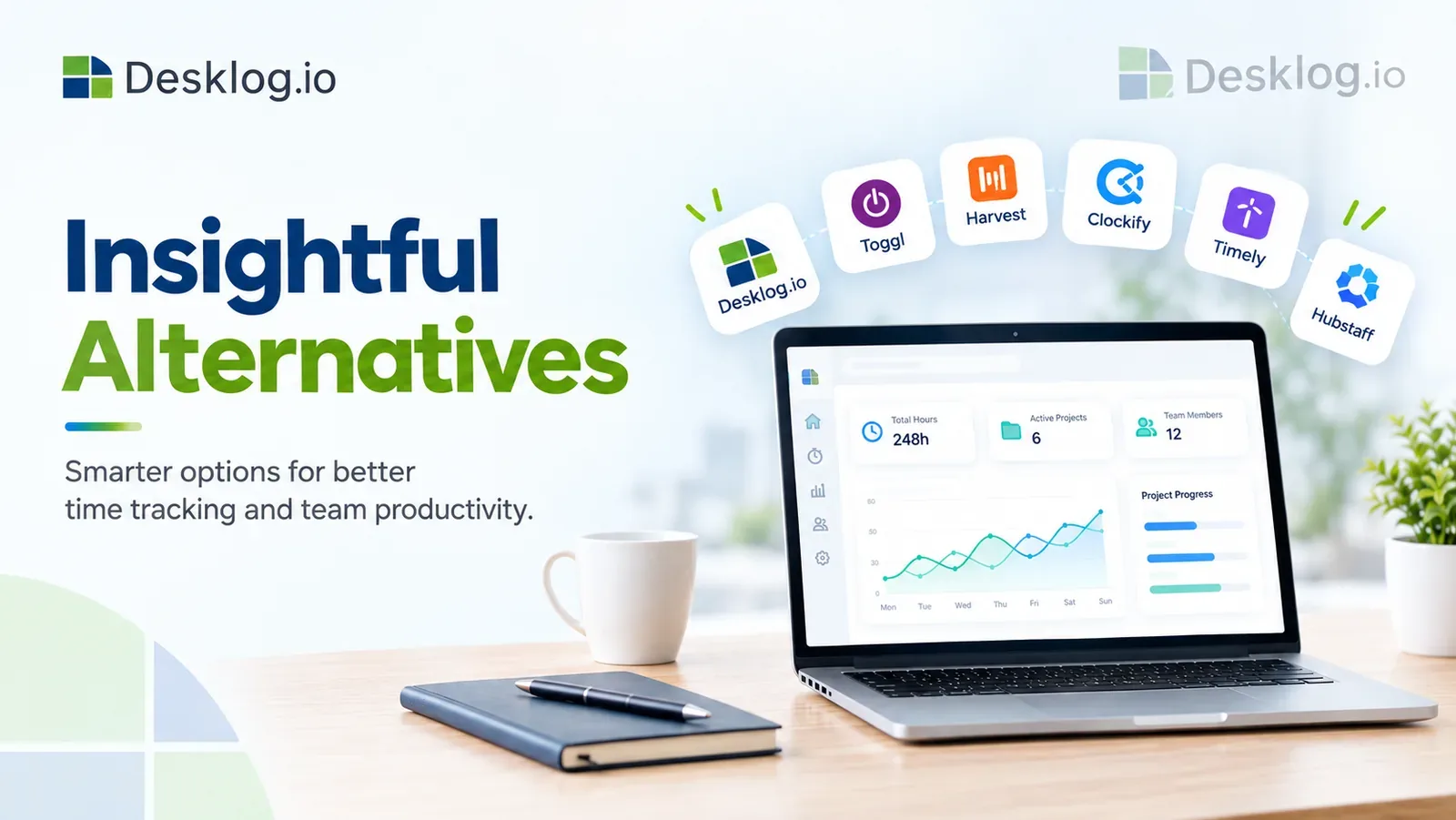

Looking for the best Insightful alternative in 2026? While Insightful is a well-known workforce analytics and employee productivity platform, it may not be the ideal solution for every business. As teams grow, organizations often look for alternatives that offer better pricing, more comprehensive workforce management features, improved project tracking, or greater scalability.
In this guide, we've compared the 10 best Insightful alternatives based on features, pricing, ease of use, time tracking, reporting, project management, and overall value. Whether you're managing a startup, a remote workforce, or a large enterprise, this comparison will help you find the right solution to improve productivity and streamline team management.
- Quick Guide
- Why Look for an Insightful Alternative?
- How We Selected the Best Insightful Alternatives
- The 10 Best Insightful Alternatives in 2026
- Comparison Table
- Benefits of Choosing the Right Insightful Alternative
- How to Choose an Insightful Alternative
Quick Guide
| Tool | Best For |
|---|---|
| Desklog | Best Overall Insightful Alternative |
| Hubstaff | Mobile & Field Teams |
| Time Doctor | Productivity Monitoring |
| ActivTrak | Workforce Analytics |
| Teramind | Enterprise Security |
| DeskTime | Automatic Time Tracking |
| CurrentWare | Data Protection |
| Veriato | Insider Threat Detection |
| Prodoscore | Productivity Scoring |
| Workstatus | Remote Workforce Management |
Why Look for an Insightful Alternative?
Although Insightful offers workforce analytics and employee productivity monitoring, every organization has unique operational needs. As businesses grow, many teams begin looking for software that provides greater flexibility, better collaboration features, and improved value for money.
Here are some of the most common reasons businesses switch to an Insightful alternative:
Higher Pricing as Teams Grow
Insightful's pricing can become significantly more expensive as organizations add more employees. For startups, agencies, and rapidly growing businesses, subscription costs can increase quickly, making it important to consider platforms that offer more competitive pricing without sacrificing essential features. Many alternatives provide similar functionality while delivering better long-term value for expanding teams.
Limited Project Management Features
Insightful primarily focuses on employee monitoring and productivity analytics. However, businesses that manage multiple projects often need additional capabilities such as project planning, task management, time allocation, project budgeting, billable hour tracking, and team collaboration. Choosing software that combines workforce insights with project management helps eliminate the need for multiple tools.
Need Better Attendance & Scheduling
Organizations managing shift-based employees or distributed teams often require advanced attendance management features beyond simple time tracking, such as shift scheduling, attendance tracking, leave management, clock-in and clock-out management, overtime calculations, and holiday management. Having these features integrated into one platform simplifies workforce administration and improves payroll accuracy.
Looking for Simpler User Experience
A feature-rich platform is valuable only if employees and managers can use it easily. Some organizations prefer software with cleaner dashboards, faster onboarding, minimal setup, easy navigation, and intuitive reporting. A simpler user experience reduces training time and encourages higher adoption across teams.
Need Better Productivity Insights
Modern workforce management goes beyond simply recording hours worked. Businesses increasingly want actionable insights that help improve team performance, including focus time analysis, productivity trends, application usage reports, website activity, project profitability, team utilization, and performance dashboards. These analytics help managers identify bottlenecks, improve workflows, and make informed operational decisions.
Different Monitoring Requirements
Every organization has different expectations when it comes to workforce visibility. Some businesses require lightweight activity tracking, while others need more advanced security and compliance features, such as automatic time tracking, optional screenshots, app and URL usage tracking, activity monitoring, offline time tracking, remote workforce management, and compliance-focused reporting. Selecting software that matches your organization's monitoring philosophy ensures a better balance between productivity, transparency, and employee trust.
How We Selected the Best Insightful Alternatives
To identify the best Insightful alternatives, we evaluated each platform across several important criteria that matter most to modern businesses. Our comparison focuses on usability, scalability, overall value, and the practical features teams rely on every day.
Features
We assessed the breadth of functionality each platform offers, including time tracking, attendance management, project tracking, productivity analytics, workforce reporting, scheduling, billing, and employee activity insights. Solutions that deliver multiple business functions within a single platform ranked higher.
Ease of Use
A workforce management solution should be easy to implement and simple for employees and administrators to use. We considered dashboard design, onboarding experience, navigation, and how quickly new users can become productive without extensive training.
Pricing
Affordability plays a major role when selecting workforce software. We compared pricing structures, available plans, feature availability, and overall value to identify platforms that provide the best return on investment for businesses of different sizes.
Scalability
Businesses evolve over time, and their software should grow with them. We evaluated how well each platform supports expanding teams, multiple departments, remote workforces, and enterprise-level requirements without compromising performance.
Integrations
Workforce management software should fit seamlessly into an existing technology stack. We considered compatibility with project management platforms, payroll systems, communication tools, HR software, accounting applications, and other commonly used business solutions.
Customer Reviews
Real user experiences provide valuable insights into software reliability and performance. We reviewed customer feedback across trusted software review platforms, focusing on ease of use, customer support, product reliability, feature satisfaction, and overall user experience.
Reporting
Comprehensive reporting enables businesses to make data-driven decisions. We evaluated each solution's ability to generate customizable reports covering employee productivity, attendance, project performance, utilization, billable hours, and workforce trends.
Overall Value
Finally, we considered the complete package each platform offers. The best Insightful alternatives deliver an excellent balance of functionality, pricing, user experience, scalability, reporting capabilities, and customer support, making them suitable for businesses with varying workforce management needs.
The 10 Best Insightful Alternatives in 2026

Desklog
Best For: Businesses looking for an all-in-one employee productivity, time tracking, and workforce management solution.Desklog is a comprehensive workforce management platform that combines automatic time tracking, project time tracking, automated timesheet, task management, and productivity insights in one intuitive solution. It automatically records work hours, helping businesses eliminate manual timesheets while improving project visibility and team accountability.
Designed for startups, agencies, IT companies, and enterprises, Desklog helps managers monitor project progress, optimize team performance, and streamline daily operations without switching between multiple applications.
Key Features
- Automatic Time Tracking – Record work hours without manual timers.
- Attendance Management – Monitor employee attendance and working hours.
- Project & Task Management – Organize projects, tasks, and deadlines.
- App & URL Tracking – Understand application and website usage.
- Productivity Reports – Generate detailed workforce analytics.
- Automated Timesheets – Create accurate timesheets automatically.
- All-in-one workforce management platform
- Automatic time tracking
- Built-in project management
- Detailed productivity insights
- Easy-to-use interface
- Advanced reporting may require initial setup
- Some features are available on higher plans
Time Doctor
Best For: Organizations requiring detailed productivity monitoring and employee accountability.Time Doctor is designed for businesses that need detailed employee monitoring alongside time tracking. It helps managers understand how teams spend their workday by tracking activity, monitoring applications, and generating productivity reports. Features like screenshots, distraction alerts, and detailed dashboards make it easier to identify workflow bottlenecks and improve accountability.
The platform is particularly suitable for remote and distributed teams that require visibility into employee performance. While its monitoring capabilities are extensive, some organizations may find its surveillance-focused approach more detailed than necessary.
Key Features
- Time Tracking
- Activity Monitoring
- Screenshot Capture
- Distraction Alerts
- Productivity Reports
- Web & App Usage Tracking
- Payroll Integration
- Detailed productivity reports
- Screenshot monitoring
- Strong activity tracking
- Wide range of integrations
- Suitable for remote teams
- Monitoring features may feel intrusive
- Limited project management tools
Looking for Productivity Insights Without Heavy Monitoring?
See how Desklog combines automatic time tracking, productivity analytics, attendance, and project management in one platform.
Get Started NowClockify
Best For: Businesses looking for free time tracking and project billing.Clockify is a popular time tracking solution that enables businesses to record work hours, manage projects, and generate timesheets. Its generous free plan supports unlimited users, making it a preferred choice for freelancers, startups, and growing teams.
The platform also includes project tracking, billable hours, expense tracking, and reporting tools. However, advanced automation and workforce analytics are primarily available in paid plans.
Key Features
- Time Tracking
- Timesheets
- Project Tracking
- Billable Hours
- Reporting
- Expense Tracking
- Scheduling
- Unlimited users on free plan
- Easy-to-use interface
- Good project tracking
- Affordable pricing
- Strong reporting
- Limited productivity analytics
- Automation requires paid plans
Need More Than Basic Time Tracking?
Discover how Desklog delivers automatic time tracking, attendance, project management, and workforce analytics in one platform.
Try Desklog NowHubstaff
Best For: Remote teams and businesses managing field employees.Hubstaff combines time tracking, GPS tracking, employee monitoring, and workforce management into a single platform. It helps businesses monitor work hours, manage payroll, and improve visibility across remote and field teams.
With features such as geofencing, productivity monitoring, and project budgeting, Hubstaff is widely used by agencies, construction companies, logistics businesses, and distributed teams.
Key Features
- Time Tracking
- GPS Tracking
- Productivity Monitoring
- Payroll Management
- Project Budgeting
- Employee Scheduling
- Reporting
- Excellent GPS tracking
- Strong payroll integrations
- Good mobile app
- Useful project budgeting
- Easy remote workforce management
- Screenshots may raise privacy concerns
- Project management is relatively basic
Want More Than Employee Monitoring?
Manage employee time, attendance, projects, and productivity from one platform with Desklog.
Track Productivity NowActivTrak
Best For: Workforce analytics and employee productivity insights.ActivTrak focuses on workforce analytics by helping businesses understand employee productivity through behavioral insights, application usage, and performance reporting. Managers can identify productivity trends, optimize workflows, and improve team efficiency with data-driven recommendations.
Its analytics capabilities make it a preferred choice for organizations seeking visibility into workforce performance without relying solely on traditional time tracking.
Key Features
- Workforce Analytics
- Activity Monitoring
- Productivity Reports
- Application Usage
- Website Tracking
- Team Dashboards
- Performance Insights
- Excellent workforce analytics
- Strong reporting dashboards
- Easy-to-understand insights
- Productivity trends
- User-friendly interface
- Limited project management
- Advanced analytics require premium plans
Looking for Analytics with Built-in Time Tracking?
Go beyond productivity insights with Desklog. Automatically track work hours, attendance, and project progress from one platform.
Start Free TrialTeramind
Best For: Enterprises requiring advanced employee monitoring, insider threat detection, and data security.Teramind is an enterprise-grade employee monitoring platform designed to improve security, ensure compliance, and protect sensitive business data. It offers comprehensive visibility into employee activities through real-time monitoring, behavior analytics, and detailed audit trails. Organizations can also detect insider threats, identify unusual behavior, and enforce security policies before risks escalate.
The platform is particularly suited for large enterprises, financial institutions, healthcare organizations, and businesses with strict compliance requirements. While Teramind excels in security monitoring, it may be more feature-rich than organizations looking solely for time tracking and workforce management.
Key Features
- Employee Activity Monitoring
- Behavior Analytics
- Insider Threat Detection
- Screen Recording
- Data Loss Prevention (DLP)
- Compliance Reporting
- Productivity Analytics
- Comprehensive security monitoring
- Powerful behavior analytics
- Strong compliance features
- Detailed reporting
- Highly customizable
- Premium pricing
- Can be complex for small businesses
Need Workforce Management Instead of Enterprise Surveillance?
Manage employee time, attendance, projects, and productivity with Desklog, an easy-to-use platform built for growing businesses.
Start Free TrialDeskTime
Best For: Businesses looking for automatic time tracking with productivity monitoring.DeskTime is an automatic time tracking software that records employee work hours without requiring manual timers. It tracks applications, websites, project time, and offline activities while generating productivity reports to help managers understand how work hours are spent.
Its lightweight interface and automation make it suitable for freelancers, agencies, remote teams, and small businesses that want a simple solution for tracking employee productivity and project time.
Key Features
- Automatic Time Tracking
- Project Time Tracking
- App & URL Tracking
- Offline Time Tracking
- Productivity Reports
- Shift Scheduling
- Absence Calendar
- Fully automatic tracking
- Easy to set up
- Simple user interface
- Offline tracking support
- Useful productivity reports
- Limited project management
- Fewer workforce management features
Looking for More Than Automatic Time Tracking?
With Desklog, you get automatic time tracking, attendance management, project tracking, and workforce analytics, all from one platform.
Try Desklog FreeCurrentWare
Best For: Organizations focused on endpoint security, internet usage management, and workforce monitoring.CurrentWare provides businesses with employee monitoring, internet usage control, device management, and endpoint security tools. IT administrators can monitor employee activity, control application access, enforce internet policies, and generate detailed compliance reports from a centralized dashboard.
The platform is commonly used in corporate environments where security, compliance, and acceptable use policies are priorities. However, businesses seeking integrated project management and workforce productivity tools may require a broader solution.
Key Features
- Employee Monitoring
- Internet Usage Control
- Application Blocking
- USB Device Control
- Endpoint Security
- Compliance Reporting
- Workforce Analytics
- Strong endpoint security
- Easy policy management
- Comprehensive reporting
- Good compliance features
- Flexible deployment
- Limited project management
- Interface feels dated
Looking Beyond IT Monitoring?
Desklog helps businesses improve productivity with automated time tracking, attendance management, project tracking, and actionable workforce insights.
Start Free TrialVeriato
Best For: Organizations requiring employee monitoring and insider risk management.Veriato specializes in employee activity monitoring, insider threat detection, and compliance reporting. The platform captures user activity across applications, websites, emails, and file transfers while providing detailed behavioral analytics to help organizations identify security risks and policy violations.
Its advanced monitoring capabilities make it suitable for highly regulated industries where protecting confidential information and maintaining compliance are top priorities.
Key Features
- Employee Activity Monitoring
- Keystroke Logging
- Behavior Analytics
- Email Monitoring
- Insider Threat Detection
- Compliance Reports
- Alert Notifications
- Advanced behavioral analytics
- Strong compliance reporting
- Comprehensive monitoring
- Security-focused platform
- Real-time alerts
- Primarily designed for security
- Higher learning curve
Need Productivity Insights Without Complex Monitoring?
Choose Desklog to automate time tracking, manage attendance, monitor projects, and improve workforce productivity, all from one intuitive platform.
Start Free TrialProdoscore
Best For: Businesses measuring employee productivity using business application data.Prodoscore measures employee productivity by analyzing activity across workplace applications such as email, CRM platforms, communication tools, and collaboration software. Instead of focusing on surveillance, it generates productivity scores that help managers understand engagement and work patterns.
The platform is well suited for sales teams, customer support organizations, and businesses looking for data-driven productivity insights using existing workplace tools.
Key Features
- Productivity Scoring
- Business Application Analytics
- Performance Dashboards
- Employee Activity Reports
- Team Productivity Insights
- CRM Integrations
- Trend Analysis
- Unique productivity scoring
- Strong business integrations
- Easy-to-read dashboards
- Valuable performance insights
- Minimal employee disruption
- No built-in time tracking
- Limited project management features
Want Complete Workforce Visibility?
Desklog combines automatic time tracking, attendance management, project tracking, and productivity insights to give you a complete view of your team's performance.
Start Free TrialWorkstatus
Best For: Remote, hybrid, and field workforce management.Workstatus is a workforce management platform that combines time tracking, attendance management, employee monitoring, GPS tracking, and productivity reporting. Managers can monitor work hours, assign projects, schedule shifts, and oversee field employees from a centralized dashboard.
Its comprehensive workforce management capabilities make it suitable for remote teams, service businesses, construction companies, and organizations managing distributed employees across multiple locations.
Key Features
- Automatic Time Tracking
- Attendance Management
- GPS Tracking
- Employee Scheduling
- Project Tracking
- Productivity Reports
- Payroll Integrations
- Comprehensive workforce management
- GPS tracking for field teams
- Easy scheduling
- Good reporting
- Supports remote teams
- Advanced features require higher-tier plans
- Initial onboarding can take time
Ready for Smarter Workforce Management?
Simplify employee time tracking, attendance, project management, and productivity reporting with Desklog, an all-in-one solution for modern teams.
Start Free TrialComparison Table
| Software | Best For | Time Tracking | Screenshots | Attendance | Project Management | Free Plan |
|---|---|---|---|---|---|---|
| Desklog | All-in-One Workforce Management | ✅ | ✅ Optional | ✅ | ✅ | ✅ |
| Hubstaff | Mobile & Field Teams | ✅ | ✅ | ✅ | Basic | ❌ |
| Time Doctor | Productivity Monitoring | ✅ | ✅ | Basic | Limited | ❌ |
| ActivTrak | Workforce Analytics | ✅ | Optional | ❌ | ❌ | ✅ |
| Teramind | Enterprise Security | ✅ | ✅ | ❌ | ❌ | ❌ |
| DeskTime | Automatic Time Tracking | ✅ | Optional | Basic | ❌ | Lite Plan |
| CurrentWare | Data Protection | ✅ | ✅ | ❌ | ❌ | ❌ |
| Veriato | Insider Threat Detection | ✅ | ✅ | ❌ | ❌ | ❌ |
| Prodoscore | Productivity Scoring | Limited | ❌ | ❌ | ❌ | ❌ |
| Workstatus | Remote Workforce Management | ✅ | ✅ | ✅ | Basic | ✅ |
Benefits of Choosing the Right Insightful Alternative
Selecting the right workforce management software can significantly improve productivity, simplify operations, and help businesses make better decisions. Here are the key benefits to look for when choosing an Insightful alternative.
Better Workforce Visibility
Gain a clearer understanding of how your team spends their work hours through real-time activity tracking, productivity reports, and performance insights. Better visibility helps managers identify trends, optimize workloads, and support employees more effectively.
Lower Software Costs
Many Insightful alternatives offer comparable or even more comprehensive features at a lower price. Choosing the right platform can reduce software expenses while delivering greater long-term value as your team grows.
Improved Productivity
Advanced productivity analytics, automated time tracking, and detailed reports help businesses identify distractions, improve workflows, and encourage better time management across teams.
Easier Team Management
An all-in-one platform that combines attendance tracking, project management, leave management, and employee productivity reporting reduces administrative work and simplifies day-to-day operations.
More Accurate Time Tracking
Automatic time tracking minimizes manual timesheets and human error, ensuring accurate work-hour records, improved payroll processing, and reliable client billing.
Better Reporting
Comprehensive dashboards and customizable reports provide valuable insights into employee performance, project progress, attendance, utilization, and overall business productivity, enabling informed decision-making.
How to Choose an Insightful Alternative
Every organization has different workforce management requirements. Consider the following factors before selecting the right software.
Business Size
Choose software that matches your current team size while offering the flexibility to support future growth without significant cost increases or operational challenges.
Monitoring Needs
Identify the level of workforce visibility your organization requires, whether it's automatic time tracking, activity tracking, productivity insights, screenshots, or advanced workforce analytics.
Privacy Features
Look for software that offers configurable privacy settings, role-based permissions, secure data handling, and compliance with industry standards to maintain employee trust and meet regulatory requirements.
Pricing
Compare pricing plans carefully to ensure you're paying for the features you actually need. Consider long-term costs as your organization expands.
Integrations
Ensure the platform integrates seamlessly with your existing tools, including project management software, HR systems, payroll applications, communication platforms, and accounting software.
Reporting
Choose software that provides detailed, customizable reports covering employee productivity, attendance, project performance, billable hours, and workforce trends to support better business decisions.
Scalability
Your workforce management software should grow alongside your business. Look for a solution that supports additional users, departments, projects, and evolving business requirements without compromising performance.
Ready to Upgrade from Insightful?
Manage employee productivity, automate time tracking, monitor attendance, and oversee projects, all from one platform. Desklog gives you everything you need to streamline workforce management without the complexity.
Get Started with Desklog Today — Start Free Trial | Talk With Our ExpertsFinal Thoughts
The best Insightful alternative ultimately depends on your organization's unique requirements. While every platform on this list has its strengths, businesses looking for a solution that combines automated time tracking, attendance management, employee productivity insights, project management, and comprehensive reporting in a single platform will find Desklog to be a compelling choice.
Take the time to compare features, pricing, scalability, and ease of use before making your decision. The right software will not only improve workforce visibility but also help your team work more efficiently, collaborate better, and support your organization's long-term growth.