
Accurate Payroll. Faster Processing. Zero Guesswork.
Attendance · Leave · Overtime · Compliance — payroll built on your time data
Turn attendance, leave, overtime, and compensation into payroll automatically. Process salaries in minutes while staying compliant and giving employees complete payroll transparency.
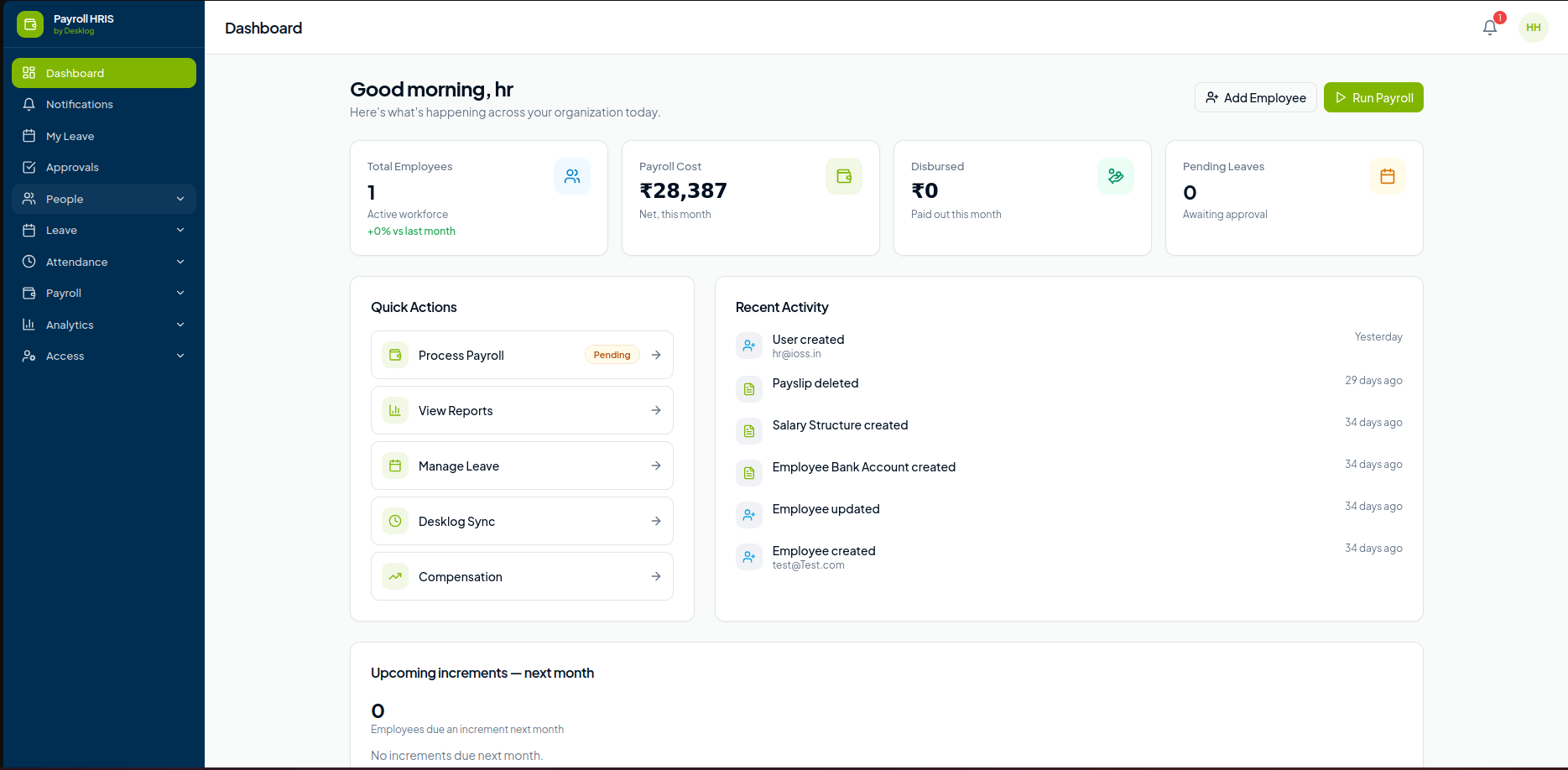



Payroll Shouldn’t Begin With Spreadsheets
Every payroll run depends on accurate attendance, leave records, salary structures, reimbursements, deductions, and compliance. Desklog brings everything together in one connected payroll platform so your HR team spends less time calculating and more time managing people.
- Automated Payroll Processing
- Attendance-Driven Salary Calculation
- Leave & Overtime Automation
- PF, ESI & TDS Compliance
- Employee Self Service
- Bank Transfer Ready
Run Complete Payroll in a Few Clicks
Run complete payroll in just a few clicks with automated salary calculations, deductions, bonuses, reimbursements, and arrears.
Attendance-Based Payroll
Automatically calculate employee salaries based on:
- Attendance
- Working Hours
- Overtime
- Shift Data
- Paid Leave
- Loss of Pay (LOP)
Eliminate manual calculations and process payroll with greater speed and accuracy.
Stop Rebuilding Payroll in Spreadsheets Every Month
See how attendance, leave and overtime flow straight into salary calculations.
Everything a Payroll Run Depends On
Flexible Salary Structures
Create customizable salary structures with Basic Pay, HRA, Special Allowance, Bonus, Incentives, Variable Pay, Employer Contributions and Deductions. Configure salary templates that suit different roles, departments, and pay grades.
Statutory Compliance
Ensure accurate statutory compliance with Provident Fund (PF), Employee State Insurance (ESI), Professional Tax (PT), Tax Deducted at Source (TDS), Labour Welfare Fund (LWF), Form 16, Challans and Compliance Reports. Stay compliant with automated calculations and statutory reporting.
Employee Self-Service
Give employees easy access to Payslips, Salary History, Tax Documents, Investment Proof Submission, Leave Balance and Payroll Status. Empower employees with secure, self-service access to payroll information.
Payroll Analytics
Track payroll performance with insights into Payroll Cost, Department-wise Salary, Monthly Payroll Trends, Tax Summary, Salary Distribution and Employee Compensation. Gain real-time visibility into payroll expenses and workforce compensation.
How Desklog Payroll Works
Add Employees
Import your existing employee database or onboard new hires with ease. Store essential payroll information, including salary details, employment type, bank information, tax details, and other employee records in one centralized system.
Configure Salary
Set up flexible salary structures by defining basic pay, allowances, deductions, bonuses, incentives, employer contributions, and statutory compliance rules. Create customized templates for different departments, roles, or employee grades.
Sync Attendance
Desklog automatically syncs attendance, work hours, overtime, leave, shift schedules, holidays, and Loss of Pay (LOP) from the time tracking system. This eliminates manual data entry and ensures accurate payroll calculations.
Review Payroll
Preview payroll before final processing to verify salary calculations, deductions, taxes, reimbursements, and compliance details. Make adjustments if needed to ensure every payroll run is accurate.
Process Payroll
Process payroll in just a few clicks with automated salary calculations. The system computes earnings, deductions, taxes, employer contributions, and net pay while ensuring statutory compliance.
Disburse & Share Payslips
Generate digital payslips, payroll reports, tax documents, and compliance reports instantly. Export payroll data, transfer salaries through your preferred banking process, and allow employees to securely access their payslips through the employee portal.
Everything Connected
Instead of isolated payroll software, Desklog Payroll connects with every workforce module.
Compensation Management
Manage employee compensation with complete flexibility. Update salary revisions, process increments and promotions, configure bonuses and incentives, and handle employee loans and advances, all from a centralized payroll system. Ensure every compensation change is accurately reflected in payroll without manual effort.
- Salary Revisions
- Salary Increments
- Promotions
- Bonuses
- Incentives
- Loan & Advances
Loan & Advance Management
Simplify the management of employee loans, salary advances, and reimbursements. Configure EMI recoveries, create custom repayment schedules, and automatically deduct repayments during payroll processing. Approved expense reimbursements can also be included seamlessly in the employee’s salary.
- Employee Loans
- EMI Recovery
- Salary Advances
- Custom Repayment Plans
- Expense Reimbursements
Full & Final Settlement
Automate the entire employee exit settlement process with accurate Full & Final calculations. Compute pending salaries, leave encashment, bonuses, incentive payouts, loan recoveries, and statutory deductions, then generate the final payslip and settlement details with complete accuracy and compliance.
- Pending Salary Calculation
- Leave Encashment
- Bonus & Incentive Settlement
- Loan & Advance Recovery
- Statutory Deductions
- Final Payslip Generation
Preview every payroll run before you commit. Verify earnings, deductions, taxes and compliance in one review screen.
View Live DemoBuilt for HR Teams
HR Managers
Automate end-to-end payroll processes with minimal manual effort. Manage employee records, salary structures, attendance synchronization, statutory compliance, and payroll processing from a single platform, saving valuable time every payroll cycle.
Finance Teams
Ensure accurate salary calculations with automated earnings, deductions, taxes, and statutory contributions. Generate detailed payroll reports, compliance documents, and financial summaries that simplify auditing and payroll management.
Business Owners
Gain complete visibility into payroll operations with real-time insights into workforce costs, payroll expenses, department-wise salary distribution, and compensation trends. Make informed financial decisions with comprehensive payroll analytics.
Employees
Provide employees with a transparent payroll experience through a secure self-service portal. Access payslips, salary history, tax documents, leave balances, and payroll status anytime, without depending on HR for routine requests.
Why Teams Choose Desklog Payroll
Connected to the Tools You Already Run
- Desklog Time Tracking
- Leave Management
- Attendance
- Shift Management
- Employee Management
- Accounting Software
- Bank Transfer Support
- API Integrations
Enterprise-Grade Payroll Security
Enterprise-grade payroll security with role-based control over every payroll record.
- Role-Based Access
- Audit Trail
- Secure Payroll Records
- Encrypted Employee Data
- Approval Workflows
- Compliance Reports
Reviews
View our rating in top platform





Loved by 0+ Teams Worldwide
See what our customers have to say about Desklog
Manager
Manager
Manager
Manager
Manager
Sr. System Administrator, Heckyl Technologies Pvt Ltd
Manager
Director, Focuz Line Shipping Co Ltd, Saudi Arabia
Manager
Sr. System Administrator, Mantra Softech India Pvt Ltd
Managing Director, Sanesquare Technologies
CEO, RedTeam Hacker Academy Pvt Ltd
Frequently Asked Questions
Can payroll be calculated automatically from attendance?
Can I customize salary structures for different employees?
Does Desklog Payroll support statutory compliance?
Can employees download their payslips and payroll documents?
Can payroll be processed on a monthly schedule?
Can Desklog Payroll manage loans, advances, and reimbursements?
Can I review payroll before final processing?
Does Desklog Payroll generate payroll reports?
Is employee attendance synced automatically with payroll?
Can Desklog Payroll handle Full & Final settlements?
Run Payroll Without the Manual Work
From attendance to salary disbursement, Desklog Payroll automates every step so you can process payroll faster, stay compliant, and give employees complete payroll visibility.